
1. Introduction
Thank you for choosing the Soundcast MD-12 DSP Active Speaker. This manual provides essential information for the safe and efficient operation of your new audio system. Please read this manual thoroughly before using the product and retain it for future reference.
2. Safety Instructions
- Power Source: Connect the speaker only to a power supply specified in the specifications section. Ensure the voltage is correct before connecting.
- Ventilation: Do not block ventilation openings. Ensure adequate airflow around the unit to prevent overheating.
- Water and Moisture: Do not expose the speaker to rain, moisture, or any liquids. Avoid placing objects filled with liquids on the speaker.
- Heat: Keep the speaker away from heat sources such as radiators, heat registers, stoves, or other heat-producing appliances.
- Cleaning: Unplug the speaker from the power outlet before cleaning. Use a dry cloth only.
- Servicing: Do not attempt to service this product yourself. Refer all servicing to qualified service personnel.
- Placement: Place the speaker on a stable, level surface to prevent it from falling.
3. Product Overview
The Soundcast MD-12 DSP is a powerful 12-inch active speaker designed for various audio applications. It features a 1000W amplifier, USB/SD card playback, and Bluetooth connectivity, along with DSP (Digital Signal Processor) for optimized sound performance.
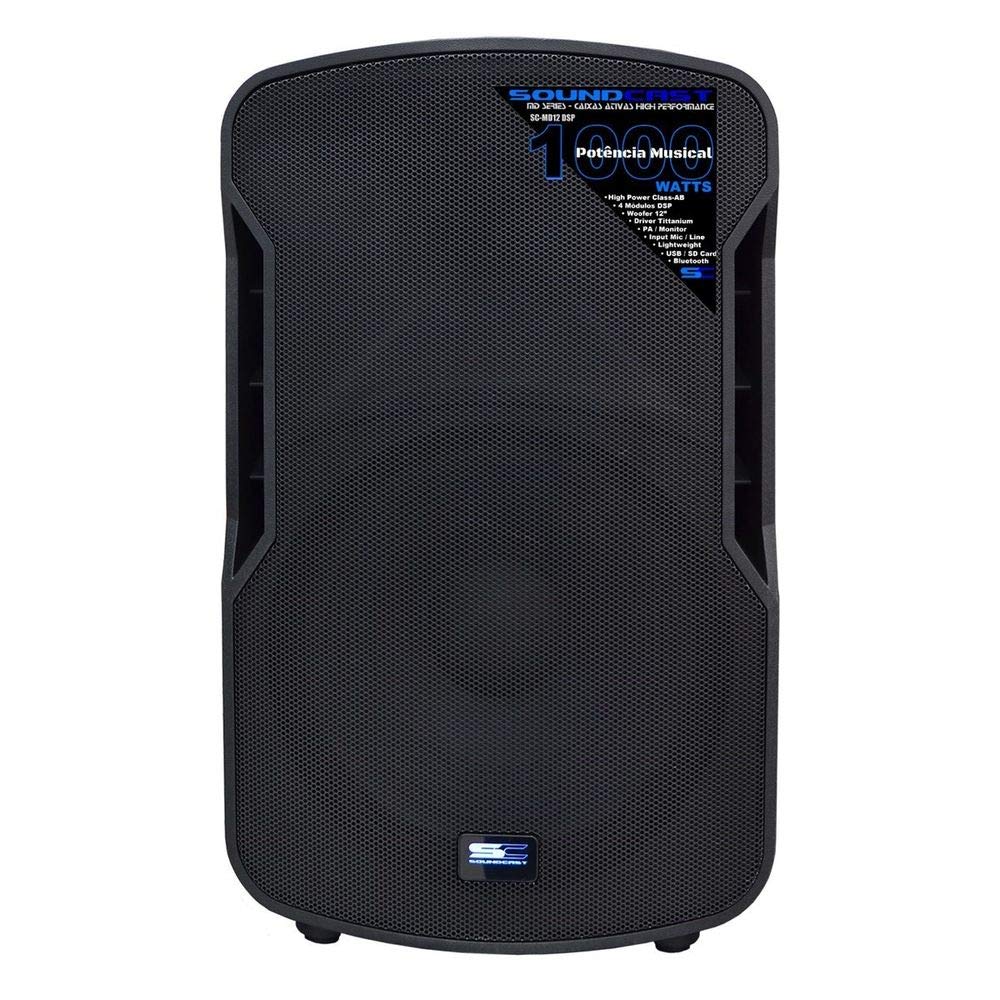
Figure 3.1: Front view of the Soundcast MD-12 DSP Active Speaker. This image displays the speaker's robust grille, protecting the internal components, and the integrated side handles for easy transport. The Soundcast logo and '1000 Watts' power rating are visible on the front panel.
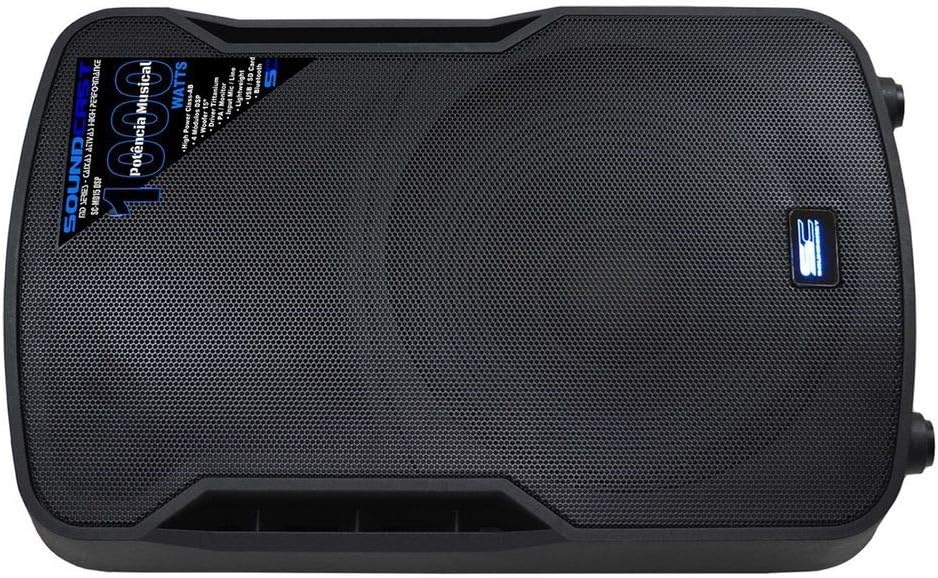
Figure 3.2: Top view of the Soundcast MD-12 DSP Active Speaker. This perspective highlights the speaker's compact design and the full coverage of the protective grille, ensuring durability and consistent sound dispersion.

Figure 3.3: Rear panel of the Soundcast MD-12 DSP Active Speaker. This detailed view shows the various input and output connections, including USB, SD card slot, XLR inputs, RCA inputs, line out, gain controls, EQ knobs, master volume, and the DSP preset selector. The power input and switch are also visible.
4. Setup
4.1 Unpacking
Carefully remove the speaker from its packaging. Inspect the unit for any signs of damage that may have occurred during transit. Retain the packaging materials for future transport or storage.
4.2 Placement
Position the speaker on a stable, flat surface or mount it on a compatible speaker stand. Ensure there is sufficient space around the speaker for proper ventilation. Avoid placing it in direct sunlight or near heat sources.
4.3 Power Connection
- Ensure the speaker's power switch is in the OFF position.
- Connect the provided AC power cable to the AC INPUT on the rear panel of the speaker.
- Plug the other end of the power cable into a suitable electrical outlet.
4.4 Audio Connections
The MD-12 DSP offers multiple input options:
- XLR/TRS Inputs (INPUTS 1 & 2): For connecting microphones or line-level audio sources (mixers, instruments).
- RCA Inputs: For connecting consumer audio devices (CD players, media players).
- USB/SD Card Slot: For direct playback of audio files from USB drives or SD cards.
- Bluetooth: For wireless audio streaming from compatible devices.
- LINE OUT: An XLR output for connecting to another active speaker or audio device.
5. Operating Instructions
5.1 Powering On/Off
- Ensure all volume controls are set to minimum before powering on.
- Flip the power switch on the rear panel to the ON position. The power indicator will illuminate.
- To power off, set all volume controls to minimum, then flip the power switch to the OFF position.
5.2 Volume Control
- GAIN Knobs: Adjust the input level for INPUTS 1 and 2. Start with these at a low setting and gradually increase.
- MASTER Knob: Controls the overall output volume of the speaker.
5.3 Input Selection
Use the MODE button on the media player section to cycle through available inputs: USB, SD, Bluetooth, and Line In (for XLR/RCA inputs).
5.4 Bluetooth Pairing
- Select Bluetooth mode using the MODE button. The display will show 'BT'.
- On your Bluetooth-enabled device (smartphone, tablet, etc.), search for available devices.
- Select 'SOUNDCAST MD-12' from the list to pair. A confirmation sound will indicate successful pairing.
- Once paired, you can stream audio from your device to the speaker.
5.5 USB/SD Playback
- Insert a USB drive or SD card containing audio files into the respective slot.
- Select USB or SD mode using the MODE button.
- Use the playback controls (Play/Pause, Next, Previous) on the media player section to manage your audio.
5.6 DSP Settings
The MD-12 DSP features a Digital Signal Processor to optimize sound. Use the DSP PRESET button on the rear panel to cycle through different sound modes (e.g., Music, Live, Speech, Club) to suit your application. The selected preset will be indicated by an LED.
6. Maintenance
6.1 Cleaning
To clean the speaker, first unplug it from the power outlet. Use a soft, dry cloth to wipe down the exterior surfaces. Do not use abrasive cleaners, waxes, or solvents as they may damage the finish. Avoid spraying liquids directly onto the speaker.
6.2 Storage
If storing the speaker for an extended period, ensure it is clean and dry. Store it in a cool, dry place, ideally in its original packaging, to protect it from dust and physical damage.
7. Troubleshooting
| Problem | Possible Cause | Solution |
|---|---|---|
| No power | Power cable not connected; Power outlet faulty; Speaker power switch off. | Check power cable connection; Test power outlet with another device; Ensure power switch is ON. |
| No sound output | Volume too low; Incorrect input selected; Audio source issue; Cable connection faulty. | Increase MASTER and GAIN volumes; Select correct input mode; Check audio source (e.g., device volume, playback); Verify all audio cables are securely connected. |
| Bluetooth not pairing | Speaker not in Bluetooth mode; Device too far; Device already paired with another unit. | Ensure speaker is in BT mode; Move device closer to speaker; Disconnect from other Bluetooth devices and try again. |
| Distorted sound | Input signal too high; Volume too high; Faulty cable. | Reduce GAIN or source device volume; Lower MASTER volume; Try a different audio cable. |
8. Specifications
- Brand: Soundcast
- Model: MD-12 DSP
- Speaker Type: Active Woofer
- Woofer Diameter: 12 Inches
- Power Output: 1000 Watts
- Connectivity Technology: USB, SD Card, Bluetooth
- Power Source: Electric with cable
- Compatible Devices: Notebook, Smartphone, Tablet
- Special Features: USB Port, DSP
- Sound Channel Configuration: 2
9. Warranty and Support
This Soundcast product is covered by a manufacturer's warranty against defects in materials and workmanship. For specific warranty terms and conditions, please refer to the warranty card included with your product or contact your local Soundcast dealer or customer support.
For technical assistance, troubleshooting, or service inquiries, please contact Soundcast customer support through their official website or the contact information provided in your product documentation.