
Introduction
The Hyper Tough 300-Lumen LED Battery Spotlight is a powerful and versatile lighting tool designed for both indoor and outdoor use. Its ultra-bright LED provides ample illumination for various tasks, from automotive repairs to camping and emergency situations. Featuring a durable housing with a rubber cover, it offers 1-meter impact resistance. The ergonomic pistol-grip handle ensures a comfortable hold, while the locking pivoting stand and convenient trigger lock allow for hands-free operation. This spotlight is rechargeable via an included USB cord, making it a reliable companion for any situation requiring strong, portable light.
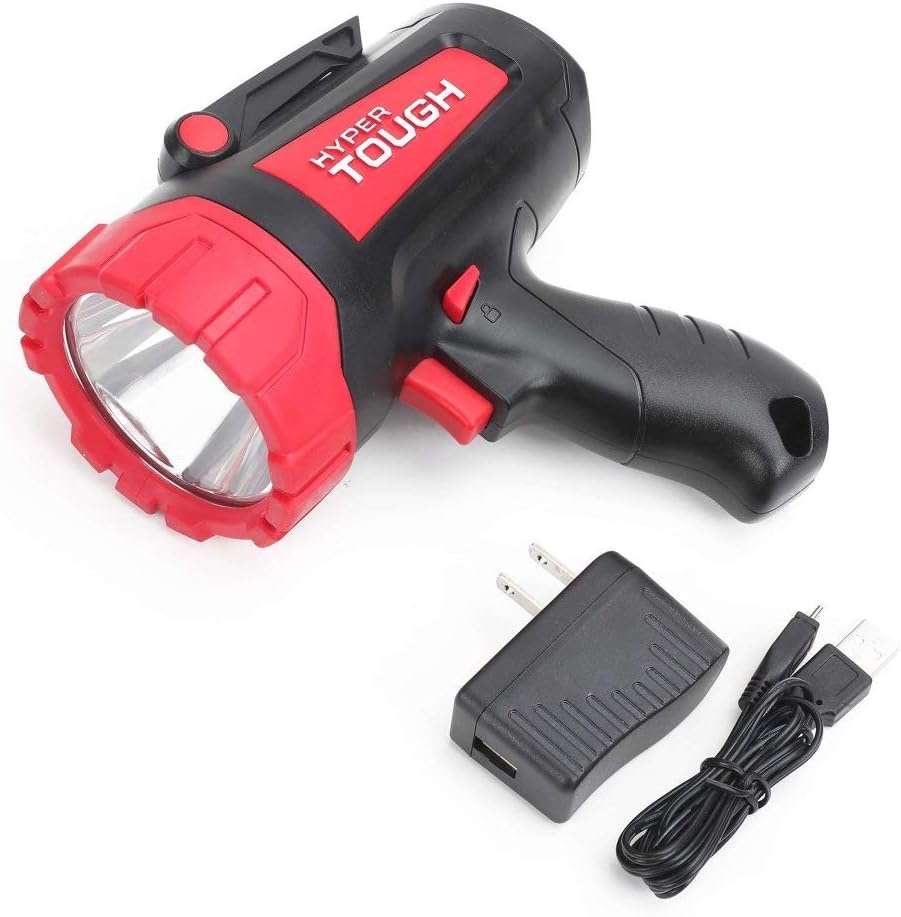
Image: The Hyper Tough 300-Lumen LED Battery Spotlight shown with its USB charging cable and wall adapter.
Package Contents
Please ensure all items listed below are present in your package:
- Hyper Tough 300-Lumen LED Battery Spotlight
- USB Charging Cable
Safety Information
Read all safety warnings and instructions carefully before using this product. Failure to follow the warnings and instructions may result in electric shock, fire, and/or serious injury.
General Safety
- Do not expose the spotlight to rain or wet conditions. Water entering the spotlight will increase the risk of electric shock.
- Do not operate the spotlight in explosive atmospheres, such as in the presence of flammable liquids, gases, or dust.
- Keep children and bystanders away while operating the spotlight. Distractions can cause you to lose control.
- Do not look directly into the LED light. This can cause temporary vision impairment or permanent eye damage.
Battery Safety
- This spotlight contains a Lithium-Ion battery. Do not incinerate the battery even if it is severely damaged or completely worn out. The battery can explode in a fire.
- Recharge only with the USB charging cable provided.
- Do not short-circuit the battery.
- Do not disassemble, open, or shred battery cells or packs.
- Store the spotlight in a cool, dry place away from direct sunlight and heat sources.
Setup
Your Hyper Tough Spotlight comes with a built-in rechargeable Lithium-Ion battery. Before first use, it is recommended to fully charge the spotlight.
Charging the Spotlight
- Locate the USB charging port on the spotlight.
- Connect the small end of the included USB charging cable to the spotlight's charging port.
- Connect the larger end of the USB charging cable to a standard USB power adapter (not included) or a powered USB port on a computer.
- Allow the spotlight to charge until the charging indicator light (if present) indicates a full charge. A full charge typically takes approximately 3 hours.
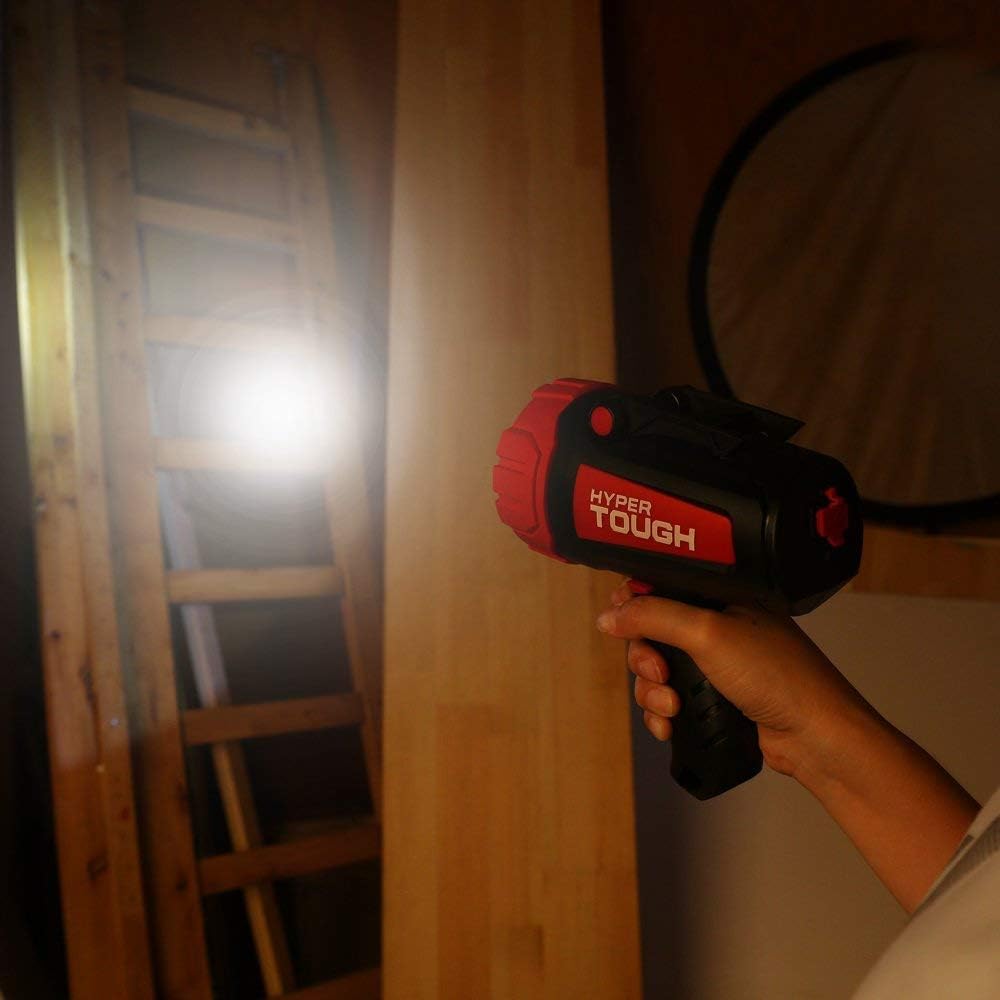
Image: The spotlight shown with its USB charging cable, ready for connection to a power source.
Operating Instructions
Turning On/Off and Mode Selection
The spotlight features a convenient trigger-style power button and multiple light modes.
- To turn the spotlight ON, press the trigger button located on the handle.
- To cycle through the different light modes (e.g., High, Low, Strobe), press the trigger button repeatedly.
- To turn the spotlight OFF, continue pressing the trigger button until the light turns off, or hold the button down for a few seconds.

Image: A hand demonstrating the comfortable grip of the Hyper Tough spotlight.
Hands-Free Operation
The spotlight is equipped with a locking pivoting stand for stable, hands-free illumination.
- Locate the pivoting stand at the base of the spotlight.
- Extend the stand to your desired angle.
- Ensure the stand is securely locked into position to prevent accidental movement.
- Place the spotlight on a flat, stable surface to direct light where needed.

Image: The Hyper Tough spotlight with its integrated stand extended for hands-free use.
Maintenance
Cleaning
- Wipe the spotlight with a soft, damp cloth. Do not use abrasive cleaners or solvents.
- Ensure the charging port is free of dust and debris.
Battery Care and Storage
- For optimal battery life, avoid fully discharging the battery frequently.
- Recharge the spotlight regularly, even if not in use, to maintain battery health.
- Store the spotlight in a cool, dry place when not in use.
Troubleshooting
| Problem | Possible Cause | Solution |
|---|---|---|
| Spotlight does not turn on. | Battery is fully discharged. | Charge the spotlight using the provided USB cable. |
| Spotlight does not charge. | Faulty USB cable or power adapter; charging port is dirty. | Try a different USB cable or power adapter. Clean the charging port gently. |
| Light output is dim. | Battery is low. | Recharge the spotlight. |
Specifications
| Feature | Detail |
|---|---|
| Brand | Hyper Tough |
| Model Number | 9930 |
| Light Source Type | LED |
| Brightness | 300 Lumens |
| Power Source | Battery Powered |
| Battery Type | Lithium-Ion (3.7 Volts) |
| Runtime | Up to 3 hours |
| Material | Rubber |
| Color | Black, Red |
| Item Weight | 1.04 pounds (approx. 16.7 ounces) |
| Special Features | Durable, Water Resistant |
| Included Components | USB Cable |
| UPC | 605388349064 |
Warranty and Support
Hyper Tough products are manufactured to high-quality standards. For information regarding warranty coverage, product support, or replacement parts, please refer to the original product packaging or visit the official Hyper Tough website. Keep your purchase receipt as proof of purchase.
For further assistance, you may contact Hyper Tough customer service through their official channels.
Disposal
This product contains a Lithium-Ion battery. It is important to dispose of the battery and the product properly at the end of its life cycle to protect the environment and human health.
- Do not dispose of the product or battery with household waste.
- Recycle the battery and product at an authorized recycling facility or return it to your retailer.
- Consult your local waste authority for information on available recycling and disposal options.

Image: The back of the spotlight displaying model number and a recycling symbol, indicating proper disposal of the Li-ion battery is required.