
1. Introduction
This manual provides instructions for the YOWU Cat Ear Headphones, Model CE MODEL-Z. These headphones feature Bluetooth 5.2 connectivity, customizable RGB lighting, and an ergonomic design for extended use. Please read this manual thoroughly before using the product to ensure proper operation and maintenance.
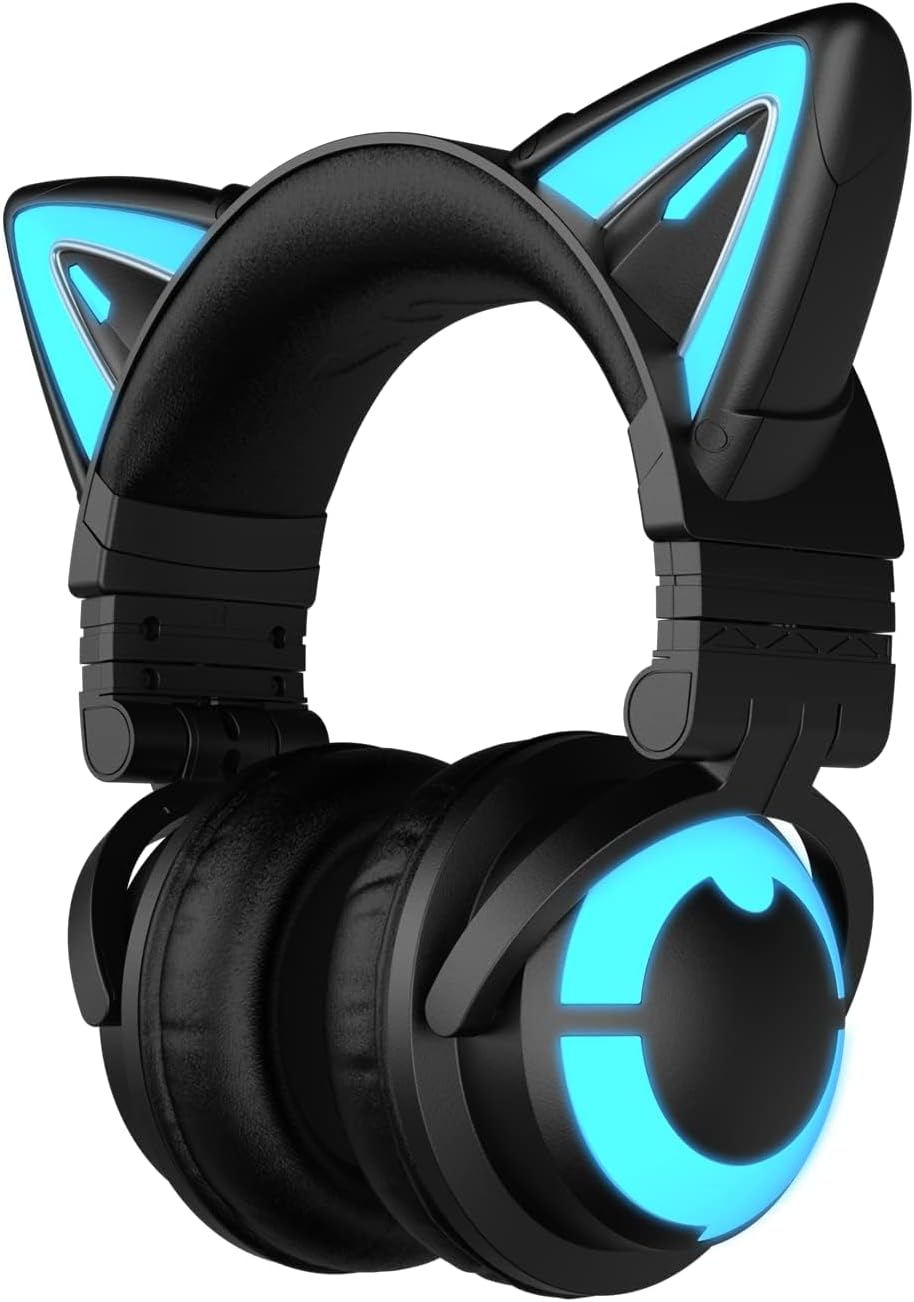
Image 1.1: YOWU Cat Ear Headphones CE MODEL-Z. This image displays the black headphones with illuminated blue cat ears and earcups.
2. Package Contents
Verify that all items are present in the package:
- YOWU Cat Ear Headphones (MODEL-Z)
- User Manual
- Type-C Audio/Charging Cable

Image 2.1: Package contents. The image shows the headphones, user manual, and Type-C cable neatly arranged in their packaging.
3. Product Features
- Bluetooth 5.2 Connectivity: Provides stable and low-latency wireless connection.
- 7.1 Pro Surround Sound: Offers an immersive audio experience.
- Customizable RGB Lighting: Allows personalization of lighting effects.
- Ergonomic Design: Features super-soft protein leather and memory foam for comfort during extended wear.
- E-sports Grade Noise Canceling: Designed to block external noise for clear communication.
- Multi-platform Compatibility: Supports PC, mobile devices, Switch via Bluetooth, and PS4/PS5 via wired connection.
- Long Battery Life: Up to 48 hours of playback without lighting, or 2-10 hours with lighting.

Image 3.1: Key product features. This image highlights the ergonomic design, sound experience, Bluetooth 5.2, RGB modes, built-in microphone, and professional tuning.
4. Setup
4.1 Charging the Headphones
Before initial use, fully charge the headphones. Use the provided Type-C charging cable and a 5V2A charger. Charging takes approximately 1.6 hours.
- Connect the Type-C cable to the headphone's charging port.
- Connect the other end of the cable to a compatible USB power source (e.g., wall adapter, computer USB port).
- The indicator light will show charging status (refer to LED indicator section for details).

Image 4.1: Charging the headphones. The image shows the Type-C cable connected to the headphone's charging port, with text indicating 1.6 hours for fast charging and 48 hours running with RGB light off.
4.2 Bluetooth Pairing
To connect the headphones wirelessly via Bluetooth 5.2:
- Ensure the headphones are powered off.
- Press and hold the power button until the LED indicator flashes, indicating pairing mode.
- On your device (PC, phone, tablet, Switch), enable Bluetooth and search for available devices.
- Select "YOWU CE" from the list of devices.
- Once connected, the LED indicator will change to a steady light.
4.3 Wired Connection
For devices that do not support Bluetooth or for a wired connection (e.g., PS4/PS5), use the provided Type-C audio cable:
- Connect one end of the Type-C cable to the headphone's audio port.
- Connect the other end to the audio output of your device.
- Note: An additional Bluetooth adapter may be required for XBOX connections.

Image 4.2: Wide compatibility. This diagram illustrates the headphones connecting to phones, pads, Switch, laptops, PCs via Bluetooth, and PS4/PS5, phones, PCs via wired connection.
5. Operating Instructions
5.1 Power On/Off
- Power On: Press and hold the power button for 3 seconds.
- Power Off: Press and hold the power button for 5 seconds.
5.2 RGB Lighting Control
The headphones feature customizable RGB lighting effects. Use the dedicated lighting control button or the YOWU mobile application to adjust colors and patterns.
- Cycle Lighting Modes: Short press the lighting button to switch between available lighting effects.
- Customize via App: Download the YOWU app to access advanced customization options for colors, brightness, and animation speed.
5.3 Audio Controls
The headphones include integrated controls for audio playback:
- Volume Up/Down: Use the volume rocker or buttons.
- Play/Pause: Single press the multi-function button.
- Next Track: Double press the multi-function button.
- Previous Track: Triple press the multi-function button.
5.4 Microphone Usage
The built-in microphone provides clear voice communication. Ensure the microphone is positioned correctly for optimal pickup.
- Mute/Unmute: Press the microphone mute button.
- The E-sports grade noise canceling feature helps reduce background noise during calls or gaming.
6. Maintenance
To ensure the longevity and optimal performance of your YOWU Cat Ear Headphones, follow these maintenance guidelines:
- Cleaning: Use a soft, dry cloth to clean the headphones. Avoid using abrasive cleaners or solvents.
- Storage: Store the headphones in a cool, dry place, away from direct sunlight and extreme temperatures. Use the provided protective hard case for travel or long-term storage.
- Charging: Always use the original charging cable or a compatible 5V2A charger to prevent damage.
- Avoid Water: The headphones are not water-resistant. Avoid exposure to liquids.
7. Troubleshooting
If you encounter issues with your headphones, refer to the following common solutions:
- No Power: Ensure the headphones are fully charged. Connect to a power source and check the charging indicator.
- Cannot Pair via Bluetooth:
- Ensure the headphones are in pairing mode (flashing LED).
- Turn off and on Bluetooth on your device.
- Move the headphones closer to your device.
- If connecting to a PC, some systems may require a dedicated Bluetooth dongle for optimal compatibility.
- No Sound/Low Volume:
- Check the volume levels on both the headphones and your connected device.
- Ensure the headphones are correctly paired or the wired connection is secure.
- Test with a different audio source or device.
- Microphone Not Working:
- Ensure the microphone is not muted.
- Check microphone settings on your connected device.
- RGB Lights Not Functioning:
- Ensure the headphones have sufficient battery charge.
- Check settings in the YOWU mobile application.
8. Specifications
| Feature | Specification |
|---|---|
| Model Name | MODEL-Z |
| Connectivity Technology | Wireless (Bluetooth), Wired (USB-C) |
| Wireless Communication Technology | Bluetooth 5.2 |
| Headphones Jack | USB-C Jack |
| Noise Control | Active Noise Cancellation |
| Sensitivity | 105 dB |
| Frequency Range | 20 Hz - 20,000 Hz |
| Impedance | 32 Ohm |
| Audio Driver Type | Dynamic Driver |
| Battery Life | 48 Hours (without lighting), 2-10 Hours (with lighting) |
| Charging Time | 1.6 Hours |
| Item Weight | 435 Grams (15.3 ounces) |
| Ear Placement | Over Ear |
| Special Feature | Foldable |
| Water Resistance Level | Not Water Resistant |
| Included Components | Cable, User Manual |

Image 8.1: Product specification comparison. This table compares features like Bluetooth version, app features, driver unit, microphone, charging time, battery life, and connection method between 3G and CE models.
9. Warranty and Support
YOWU provides a 1-year warranty for the Cat Ear Headphones. For technical support, warranty claims, or any product-related inquiries, please contact YOWU customer support.
- Warranty Period: 1 year from the date of purchase.
- Customer Support: Refer to the YOWU official website or product packaging for contact information.
