1. Introduction
Welcome to Mario Golf: Super Rush for the Nintendo Switch! This game offers a content-packed golf experience with familiar Mushroom Kingdom characters. Whether you're a rookie or a seasoned pro, intuitive controls and diverse game modes ensure fun for everyone.

The official game cover for Mario Golf: Super Rush on Nintendo Switch.
Key Features:
- A new, content-packed Mario Golf experience for the Nintendo Switch system.
- Simple controls and an improved shot gauge make the game accessible for all skill levels.
- Explore various modes including Standard Golf, energetic Speed Golf, and an RPG-like Golf Adventure.
- Tee off simultaneously with up to three other characters and race through courses in Speed Golf.
- Gain experience and level up your Mii character's stats in Story Mode to become a golf pro.
2. Setup
2.1 Inserting the Game Card
- Ensure your Nintendo Switch console is powered off or in sleep mode.
- Open the game card slot cover on your Nintendo Switch console.
- Insert the Mario Golf: Super Rush game card into the slot with the label facing the same direction as the console screen. Push until it clicks into place.
- Close the game card slot cover.
- Power on your Nintendo Switch. The game icon should appear on the HOME Menu.
2.2 Initial System Update
Before playing, ensure your Nintendo Switch system is updated to the latest software version. Connect your console to the internet to download any necessary game updates for optimal performance and access to online features.
This video demonstrates the unboxing of Mario Golf: Super Rush for Nintendo Switch, showing the game card and case contents.
3. Gameplay Modes
Mario Golf: Super Rush offers a variety of exciting modes to keep your golf game fresh and engaging.
3.1 Standard Golf
Play traditional golf rules across various courses. Focus on precision, club selection, and reading the greens to achieve the lowest score.
3.2 Speed Golf
In Speed Golf, all players tee off simultaneously and race across the course to be the first to get their ball into the hole. Utilize dashes and special shots to outpace and even interrupt opponents. Strategy and speed are key to victory.

Experience the fast-paced action of Speed Golf, where players race to the hole.
3.3 Golf Adventure (Story Mode)
Enroll your Mii character in a prestigious country club and embark on an RPG-like golf adventure. Progress from rookie to pro by facing challenges, earning experience points, and leveling up your character's stats (power, movement, spin, control). Your customized Mii and their stats can be used in other game modes.

Level up your Mii character and improve your skills in Golf Adventure mode.
4. Controls
Mario Golf: Super Rush offers flexible control options, allowing you to play with either traditional button inputs or immersive motion controls.
4.1 Button Controls
Use the buttons on your Joy-Con controllers or a Nintendo Switch Pro Controller for precise shot execution. The on-screen shot gauge helps you determine power and accuracy.
4.2 Motion Controls
For a more realistic golf experience, use the Joy-Con controllers to simulate swinging a golf club. Hold a Joy-Con and swing it as you would a real club to drive and putt. The game interprets your swing motion to determine shot power and direction.

Utilize either button controls or motion controls with the Joy-Cons for an immersive golf experience.
5. Characters and Courses
Play as your favorite characters from the Mushroom Kingdom across a variety of wild and colorful courses.
5.1 Playable Characters
Choose from a diverse roster of characters, each with unique stats and special shots. Play as Mario, Luigi, Princess Peach, Bowser, and many more!
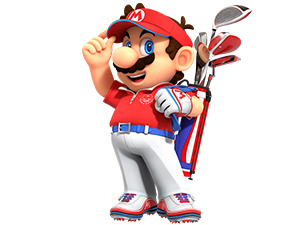
Mario
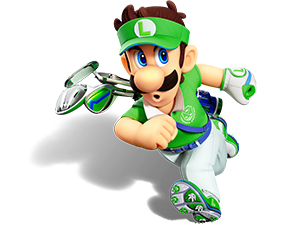
Luigi
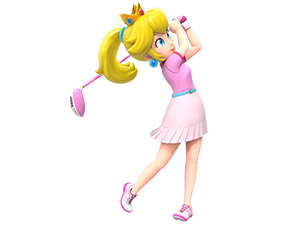
Princess Peach
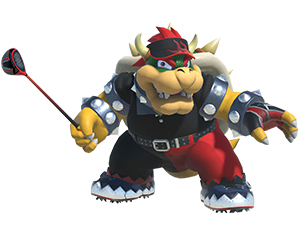
Bowser
5.2 Golf Courses
Tee off on a variety of imaginative courses, each with its own unique challenges and aesthetics. From lush green fairways to sandy deserts and icy landscapes, every course offers a fresh golfing experience.

An aerial view of one of the many vibrant golf courses available in the game.
6. Multiplayer
Enjoy Mario Golf: Super Rush with friends and family through local or online multiplayer options.
6.1 Local Multiplayer
Up to four players can join in on the fun locally. Additional Joy-Con controllers or other accessories may be required for multiplayer mode, sold separately.
6.2 Online Multiplayer
Compete against players worldwide with online multiplayer. A Nintendo Switch Online membership (sold separately) and a Nintendo Account are required for online features. Internet access is necessary.
An official trailer showcasing various gameplay elements and accolades for Mario Golf: Super Rush.
7. Specifications
| Feature | Detail |
|---|---|
| Platform | Nintendo Switch |
| Compatible Consoles | Nintendo Switch, Nintendo Switch - OLED Model, Nintendo Switch Lite |
| Release Date | June 25, 2021 |
| Language | English |
| ESRB Rating | Everyone (Mild Cartoon Violence, In-Game Purchases, Users Interact) |
| Item Model Number | HACPAT9HA |
| Manufacturer | Nintendo |
| Item Weight | 1.76 ounces |
| Product Dimensions | 0.42 x 6.72 x 4.1 inches |
8. Troubleshooting
If you encounter any issues while playing Mario Golf: Super Rush, please consider the following general troubleshooting steps:
- Game Not Loading: Ensure the game card is inserted correctly and your Nintendo Switch system software is up to date. Try restarting the console.
- Controller Issues: Check that your Joy-Con controllers are properly attached or paired. Ensure they are charged. If using motion controls, ensure you have enough space and are holding the controller correctly.
- Online Connectivity: Verify your internet connection. For online play, a Nintendo Switch Online membership is required.
- Performance Problems: Close any other running applications on your Switch. Ensure sufficient storage space is available if you have downloaded content.
9. Maintenance
To ensure the longevity of your Mario Golf: Super Rush game card and Nintendo Switch console, follow these maintenance tips:
- Game Card Care: Handle the game card by its edges. Avoid touching the metal connectors. Store the card in its original case when not in use to protect it from dust and damage.
- Console Cleaning: Regularly wipe your Nintendo Switch console and controllers with a soft, dry cloth. Avoid using harsh chemicals or abrasive materials.
- Software Updates: Keep your game and console software updated to benefit from performance improvements and bug fixes.
10. Warranty & Support
This product is covered by Nintendo's Limited Warranty. For specific warranty details and support, please refer to the documentation included with your Nintendo Switch console or visit the official Nintendo support website.
For further assistance, please visit the Nintendo Support website: nintendo.com/switch-online
For health and safety information, please read the Nintendo Switch Health & Safety Information booklet before setup or use of your system.


