
Introduction
This user manual provides essential information for the safe and efficient operation of your Toshiba GR-EF31-S No Frost 2-Door Refrigerator. Please read these instructions carefully before using the appliance and keep them for future reference.
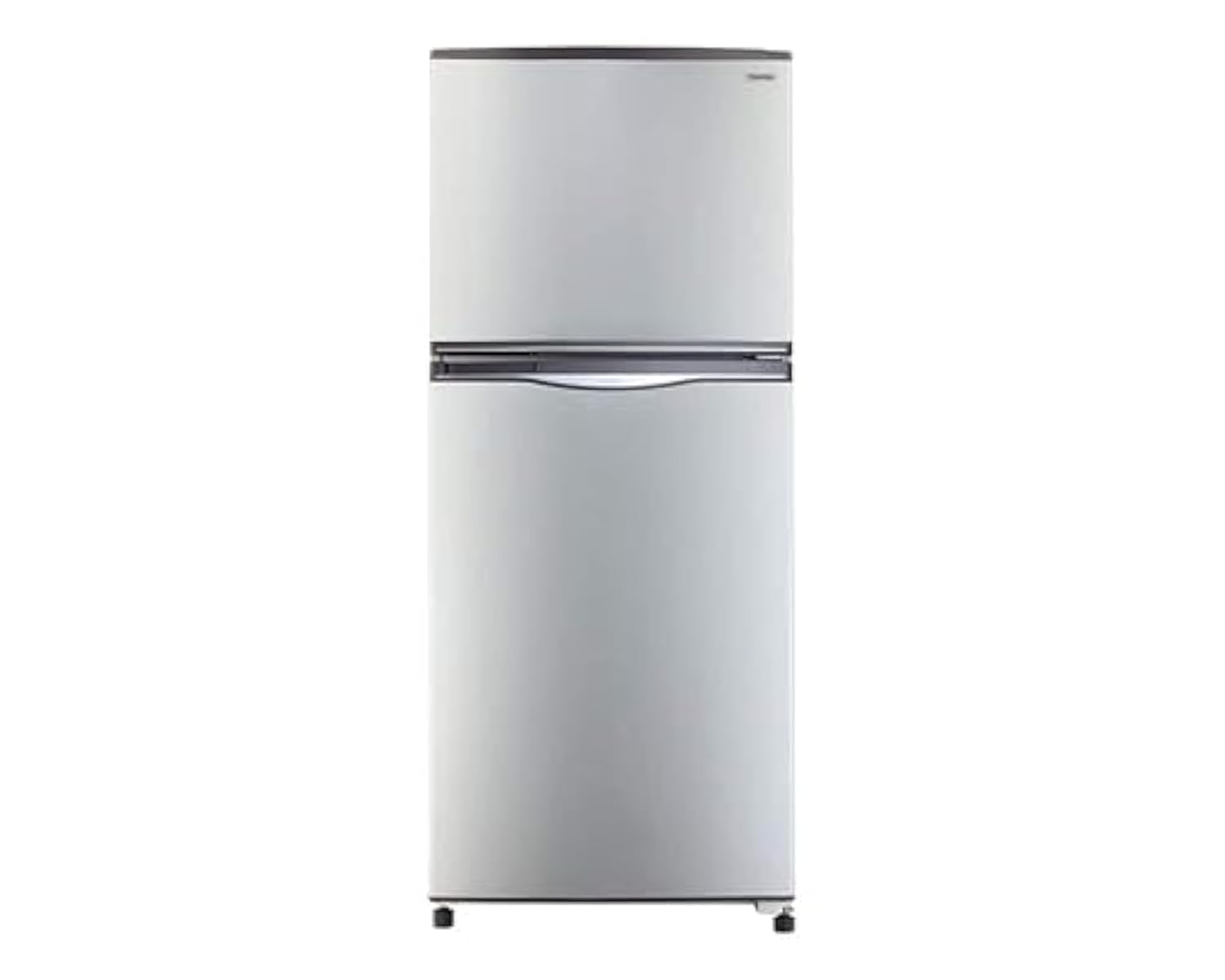
Image: Toshiba GR-EF31-S No Frost 2-Door Refrigerator in Silver. This image shows the front view of the refrigerator, highlighting its two-door design and silver finish.
Your Toshiba refrigerator features a 296-liter total capacity, a No Frost system to prevent ice buildup, and a Platinum odor-removing filter for fresh air circulation. It is designed with glass shelves for durability and easy cleaning, operates CFC-free, and boasts a low-noise design for a quiet environment.
1. Setup and Installation
- Unpacking: Carefully remove all packaging materials, including tape and protective films. Inspect the refrigerator for any damage during transit.
- Placement:
- Place the refrigerator on a firm, level surface to ensure stability and proper door alignment.
- Ensure adequate ventilation around the appliance. Leave at least 10 cm (4 inches) of space at the back and sides, and 30 cm (12 inches) at the top for proper air circulation.
- Avoid placing the refrigerator in direct sunlight or near heat sources such as stoves, heaters, or radiators, as this can increase energy consumption.
- Initial Cleaning: Before first use, clean the interior and exterior of the refrigerator with a soft cloth and a mild detergent solution. Rinse and dry thoroughly.
- Power Connection:
- Ensure the power outlet is properly grounded and matches the voltage requirements specified on the refrigerator's rating label.
- Do not use extension cords or multiple outlet adapters.
- After positioning, wait at least 2-4 hours before plugging in the refrigerator to allow the refrigerant to settle.
- First Use: Plug in the refrigerator. Set the temperature controls to the recommended settings (refer to the Operating section). Allow the appliance to run for several hours (at least 4-6 hours) before storing food to ensure it reaches the optimal cooling temperature.
2. Operating Instructions
2.1 Temperature Control
Your refrigerator is equipped with adjustable temperature controls for both the refrigerator and freezer compartments. Locate the control dial or panel, typically inside the refrigerator compartment or on the front door.
- Refrigerator Compartment: The recommended temperature setting is usually between 2°C and 4°C (35°F and 40°F). Adjust the dial to a higher number for colder temperatures or a lower number for warmer temperatures.
- Freezer Compartment: The recommended temperature setting is typically -18°C (0°F). Adjust as needed for optimal freezing.
- Allow several hours for the temperature to stabilize after making adjustments.
2.2 Food Storage Guidelines
- Fresh Food: Store fruits and vegetables in the crisper drawers. Meats and dairy products should be stored on shelves, preferably in their original packaging or airtight containers.
- Freezer: Ensure all items are properly sealed to prevent freezer burn. Avoid overloading the freezer, as this can impede air circulation.
- Platinum Odor-Removing Filter: This filter helps maintain a fresh interior environment. No specific user action is required for its operation, but ensure good air circulation by not blocking vents.
- Glass Shelves: These shelves are designed for durability. Avoid placing excessively hot items directly on them.
3. Maintenance and Care
3.1 Cleaning
- Interior Cleaning:
- Unplug the refrigerator before cleaning.
- Remove all food items and removable parts (shelves, drawers).
- Wash interior surfaces with a solution of mild detergent and warm water. Avoid abrasive cleaners or harsh chemicals.
- Rinse with clean water and dry thoroughly with a soft cloth.
- Exterior Cleaning: Wipe the exterior surfaces with a soft cloth dampened with mild detergent. For the silver finish, use a non-abrasive cleaner specifically designed for stainless steel or similar finishes, if applicable.
- Door Seals: Clean door gaskets regularly with warm, soapy water to ensure a tight seal. A dirty or sticky gasket can prevent the door from closing properly, leading to increased energy consumption.
- Condenser Coils: For optimal efficiency, clean the condenser coils (located at the back or bottom of the refrigerator) at least once a year using a vacuum cleaner or a soft brush. Unplug the appliance before cleaning.
3.2 Defrosting
Your Toshiba GR-EF31-S refrigerator features a No Frost system, which automatically prevents ice buildup in both the freezer and refrigerator compartments. Manual defrosting is generally not required. If you notice excessive frost, ensure the door seals are intact and the doors are closing properly.
3.3 Power Outage
In case of a power outage, keep the refrigerator doors closed as much as possible to maintain the internal temperature. Food can remain frozen for several hours depending on the ambient temperature and how full the freezer is.
4. Troubleshooting Guide
Before contacting customer service, please check the following common issues and solutions:
| Problem | Possible Cause | Solution |
|---|---|---|
| Refrigerator does not operate. | No power supply. | Check if the power cord is properly plugged in. Check the circuit breaker or fuse. |
| Refrigerator is not cooling sufficiently. | Temperature setting is too high; door is frequently opened; large amount of warm food added; poor ventilation. | Adjust temperature to a colder setting. Avoid frequent door openings. Allow warm food to cool before placing in fridge. Ensure adequate space around the unit. |
| Unusual noises. | Refrigerator is not level; objects vibrating against the unit; normal operating sounds. | Adjust leveling feet. Move objects away from the refrigerator. Gurgling, humming, and clicking sounds are normal. |
| Water on the floor or inside the refrigerator. | Drain tube blocked; door not sealing properly. | Clear any blockage in the drain tube. Check and clean door gaskets. |
| Odor inside the refrigerator. | Food not properly covered; interior needs cleaning. | Ensure all food is covered. Clean the interior thoroughly. The Platinum odor filter helps, but proper food storage is key. |
5. Specifications
| Feature | Detail |
|---|---|
| Brand Name | Toshiba |
| Model Name | GR-EF31-S |
| Model Number | GR-EF31-S |
| Total Capacity | 296 Liters |
| Net Refrigerator Capacity | 296 Liters (Note: This value appears to be the total capacity, not solely the refrigerator compartment capacity, based on available data.) |
| Freezer Capacity | 296 Liters (Note: This value appears to be the total capacity, not solely the freezer compartment capacity, based on available data.) |
| Fresh Food Capacity | 296 Liters (Note: This value appears to be the total capacity, not solely the fresh food compartment capacity, based on available data.) |
| Number of Doors | 2 |
| Color | Silver |
| Product Dimensions (Depth × Width × Height) | 68.1 cm × 60.4 cm × 150.1 cm |
| Net Weight | 55 kg |
| Gross Weight | 60 kg |
| Special Features | Low Noise Level, Platinum Odor Filter, CFC-Free |
| Installation Type | Freestanding |
| Defrost System Type | Automatic (No Frost) |
| Finish Type | Glossy |
| Shelf Type | Glass |
| Form Factor | Standard Depth |
| Cooling Method | Compressor Air |
| Adjustable Temperature Control | No (Based on provided specification data. Please refer to the product itself for physical controls.) |
| Compressor Type | Reciprocating or Rotary Screw |
| Convertible Freezer | No |
| Customizable | No |
| Electric | Yes |
| Number of Sections | 2 |
| Power Source | result.feed.gl_major_appliances-power_supply_type_ar (Information not fully translated, please refer to product label for details) |
| Wireless Product | No |
| Lock Type | Electronic |
| Style | Plain |
| Door Material Type | Glass |
Note: Specifications are subject to change without notice. Please refer to the product label for the most accurate information.
6. Warranty and Support
Your Toshiba GR-EF31-S Refrigerator comes with a manufacturer's warranty. Please refer to the warranty card included with your purchase for specific terms, conditions, and duration of coverage.
For technical assistance, service requests, or to inquire about warranty claims, please contact Toshiba customer support. Contact information can typically be found on the warranty card, the official Toshiba website, or your purchase documentation.
Important: Keep your proof of purchase (receipt or invoice) as it will be required for any warranty service.