
1. Introduction
The Lascar EL-WiFi-TPX+ is a high-accuracy wireless temperature data logger designed for remote environmental monitoring. It utilizes an external thermistor probe to measure temperatures within a range of -40°C to +125°C (-40°F to +257°F). Data is uploaded to the EasyLog Cloud via a standard WiFi network, providing accessible monitoring from any internet-enabled device.
Key Features
- Measures and records temperature using an external thermistor probe.
- Wide temperature measurement range of -40°C to 125°C with typical ±0.2°C accuracy.
- Equipped with audio (sounder) and visual (blinking LED) alarms for temperature breaches.
- Enables monitoring on any device (including Android and iOS) with a web browser via the EasyLog Cloud.
- Internal data storage ensures no data loss during WiFi disconnections, with automatic upload upon reconnection.
- Remote configuration and alarm alerts via EasyLog Cloud.
2. Package Contents
- EL-WiFi-TPX+ Temperature Data Logger
- 3-Meter Thermistor Probe
- Rechargeable Lithium Battery (pre-installed or separate)
- Micro USB Cable
- Wall Mounting Bracket
3. Setup Guide
3.1 Initial Device Overview

Image 1: Front view of the EL-WiFi-TPX+ data logger showing the digital display with temperature reading, WiFi signal indicator, alarm light indicator, and battery level. The external thermistor probe is visible on the right side.

Image 2: Side view of the EL-WiFi-TPX+ data logger, highlighting its compact design and the connection point for the external thermistor probe.
3.2 Battery Installation and Charging
The EL-WiFi-TPX+ comes with a rechargeable lithium battery. Ensure the battery is fully charged before initial use. Connect the device to a standard USB power source using the supplied Micro USB cable. The battery indicator on the display will show charging status.
3.3 Connecting the Thermistor Probe
Carefully insert the 3-meter thermistor probe into the designated port on the side of the data logger. Ensure a secure connection for accurate temperature readings.
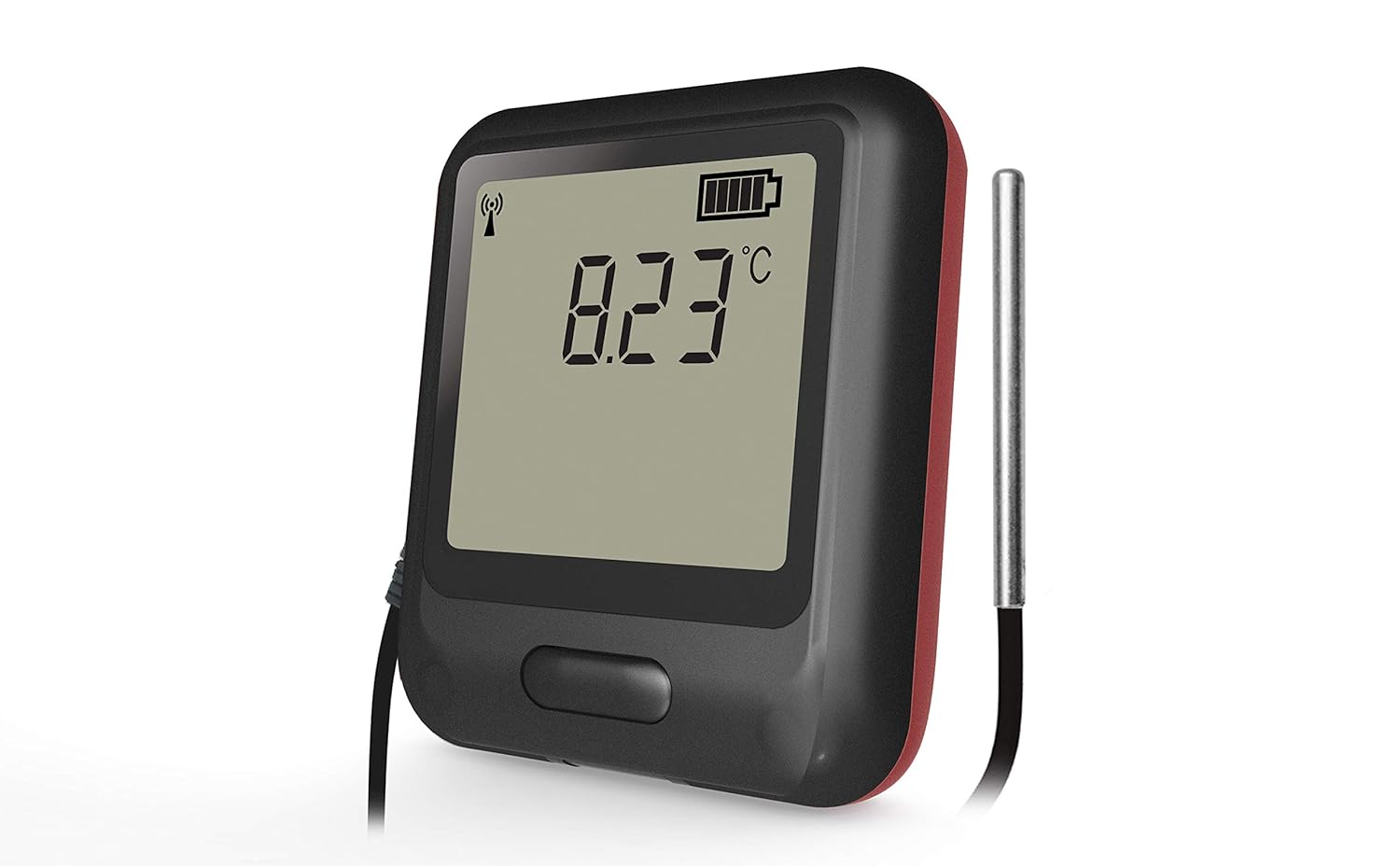
Image 3: Close-up view of the EL-WiFi-TPX+ data logger showing the external thermistor probe securely connected to the device, ready for temperature measurement.
3.4 WiFi Network Configuration
The EL-WiFi-TPX+ connects to your WiFi network to upload data to the EasyLog Cloud.
- Download the EasyLog Cloud App (available for Android and iOS) or visit the EasyLog Cloud website.
- Follow the on-screen instructions to register your device and connect it to your local WiFi network. This typically involves putting the device into setup mode and entering your network credentials.
- Ensure the device is within range of your WiFi router for stable connection.

Image 4: Two EL-WiFi-TPX+ data loggers, one showing a temperature reading and the other indicating wireless communication, demonstrating the device's ability to connect and transmit data wirelessly.
4. Operation
4.1 Monitoring Temperature Data
Once configured, the device will begin measuring and logging temperature data. The current temperature is displayed on the device's screen.
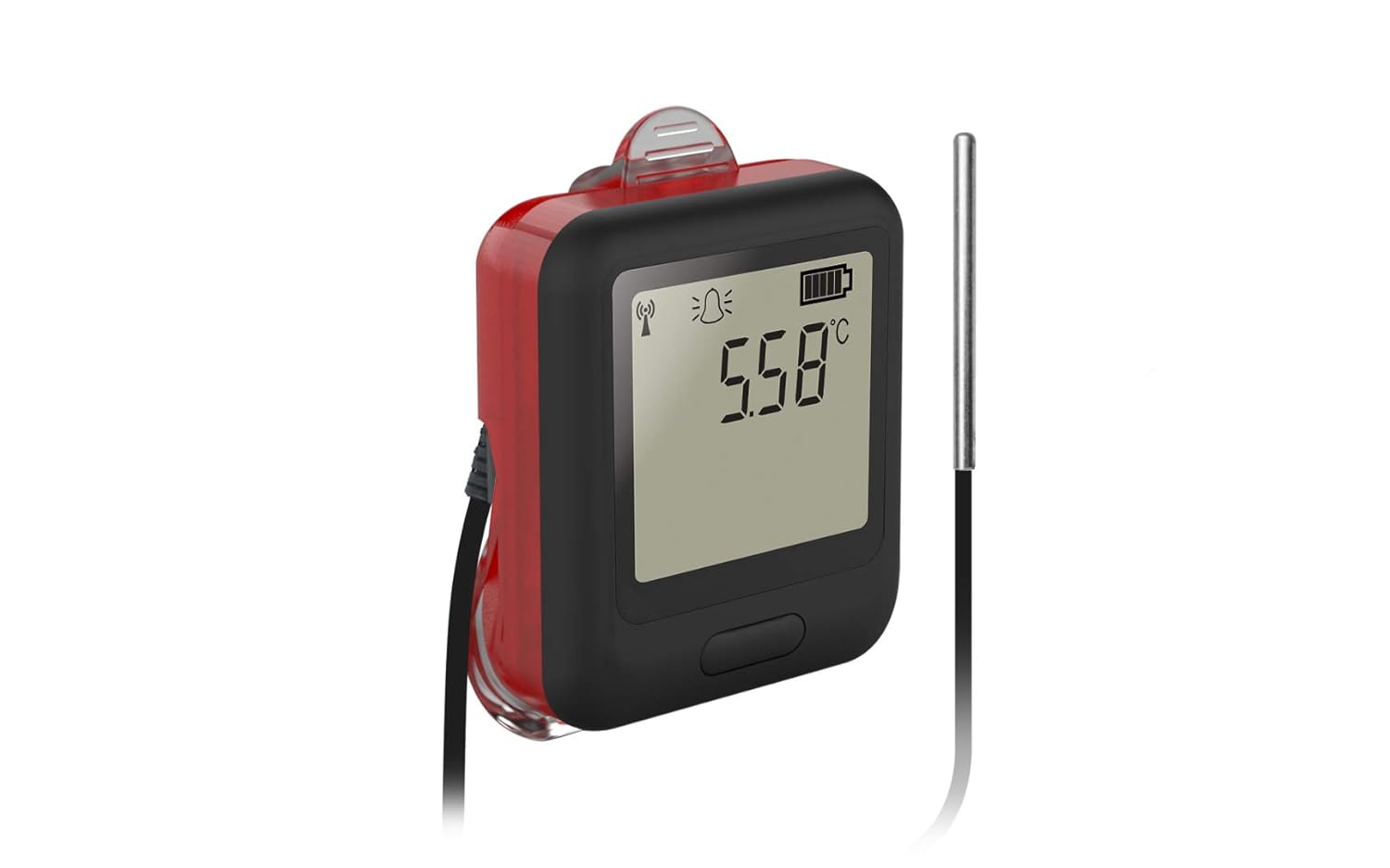
Image 5: Front view of the EL-WiFi-TPX+ data logger displaying a temperature reading of 5.58°C on its digital screen, indicating active temperature monitoring.
4.2 Accessing Data via EasyLog Cloud
All logged data is periodically uploaded to the EasyLog Cloud.
- Log in to your EasyLog Cloud account via the app or web browser.
- View real-time data, historical graphs, and download data logs.
- Configure logging intervals, alarm thresholds, and notification settings remotely.
4.3 Alarm Functions
The EL-WiFi-TPX+ features configurable high and low temperature alarms.
If a temperature breach occurs, the device will activate its visual (blinking LED) and audio (sounder) alarms. Email alerts can also be configured through the EasyLog Cloud.

Image 6: Front view of the EL-WiFi-TPX+ data logger with a red glow around its edges, indicating an active alarm condition, alongside a temperature reading of 8.23°C.
5. Maintenance
5.1 Cleaning
Wipe the device clean with a soft, damp cloth. Do not use abrasive cleaners or immerse the device in water.
5.2 Battery Care
To prolong battery life, avoid extreme temperatures and fully discharge and recharge the battery periodically if the device is stored for extended periods.
5.3 Probe Care
Handle the thermistor probe carefully. Avoid bending or kinking the cable excessively. Ensure the probe tip is clean for accurate readings.
6. Troubleshooting
6.1 Device Not Connecting to WiFi
- Ensure the device is within range of your WiFi router.
- Verify WiFi network credentials entered during setup.
- Check if your WiFi network is 2.4GHz (5GHz networks may not be supported).
- Restart the data logger and your WiFi router.
6.2 Inaccurate Temperature Readings
- Ensure the thermistor probe is securely connected.
- Check if the probe tip is clean and free from obstructions.
- Verify the probe is placed in the environment you wish to monitor, away from direct heat sources or drafts.
- Consider recalibration if persistent inaccuracies are observed.
6.3 Alarms Not Triggering
- Verify alarm thresholds are correctly set in the EasyLog Cloud.
- Check if the device has a stable WiFi connection to receive updated settings.
- Ensure the device's sounder and LED are not physically obstructed.
7. Technical Specifications
| Feature | Detail |
|---|---|
| Temperature Measurement Range | -40°C to +125°C (-40°F to +257°F) |
| Accuracy | Typical ±0.2°C |
| Connectivity | WiFi |
| Power Source | Rechargeable Lithium Polymer Battery |
| Included Components | Data Logger, 3-Meter Thermistor Probe, Micro USB Cable, Wall Bracket |
| Display Type | Digital |
| Outer Material | Polycarbonate (PC) |
| Product Care | Wipe Clean |
| Manufacturer | Lascar Electronics |
| ASIN | B08WRK5PN2 |
| First Available | April 10, 2020 |
| Item Length | 118.11 Inches |
8. Warranty and Support
For warranty information and technical support, please refer to the official Lascar Electronics website or contact their customer service directly. Specific warranty terms may vary by region and purchase date.


