
KIANO 43-inch Elegance 4K UHD Smart TV User Manual
Model: Elegance TV 43
Introduction
This manual provides essential information for the safe and efficient use of your KIANO 43-inch Elegance 4K UHD Smart TV. Please read these instructions carefully before operating the device and retain them for future reference. Your KIANO Elegance TV features a 4K UHD (3840x2160) resolution display with HDR10 support, an Android 11 operating system for smart functionalities, Wi-Fi and Bluetooth connectivity, and integrated Dolby Audio.
1. Setup
1.1 Unpacking and Checking Contents
Carefully remove the TV from its packaging. Ensure all accessories are present:
- KIANO 43-inch Elegance Smart TV
- Remote Control
- Power Cable
- TV Stands (2x) and Screws
- User Manual (this document)
1.2 Attaching the TV Stands or Wall Mount
For Stand Installation:
- Place the TV face down on a soft, flat surface to prevent screen damage.
- Align each stand with the corresponding slots on the bottom of the TV.
- Secure the stands using the provided screws.
For Wall Mounting (VESA 200x200mm):
If you intend to wall mount your TV, ensure you use a VESA-compatible wall mount kit (not included) that supports the TV's weight and VESA dimensions (200x200mm). Follow the instructions provided with your wall mount kit.

Image 1.1: Front view of the KIANO 43-inch Elegance Smart TV.
1.3 Connecting External Devices
Your KIANO TV offers various connectivity options:
- HDMI Ports (2x): Connect Blu-ray players, game consoles, or set-top boxes.
- USB Ports (2x): Connect USB drives for media playback.
- CI Slot: For conditional access modules (CAM) from your service provider.
- RJ45 LAN: For wired internet connection.
- AV Input: For older devices using composite video and stereo audio.
- Headphone Jack: For private listening.
- Antenna/Satellite Input: For DVB-T2/C/S2 signals.
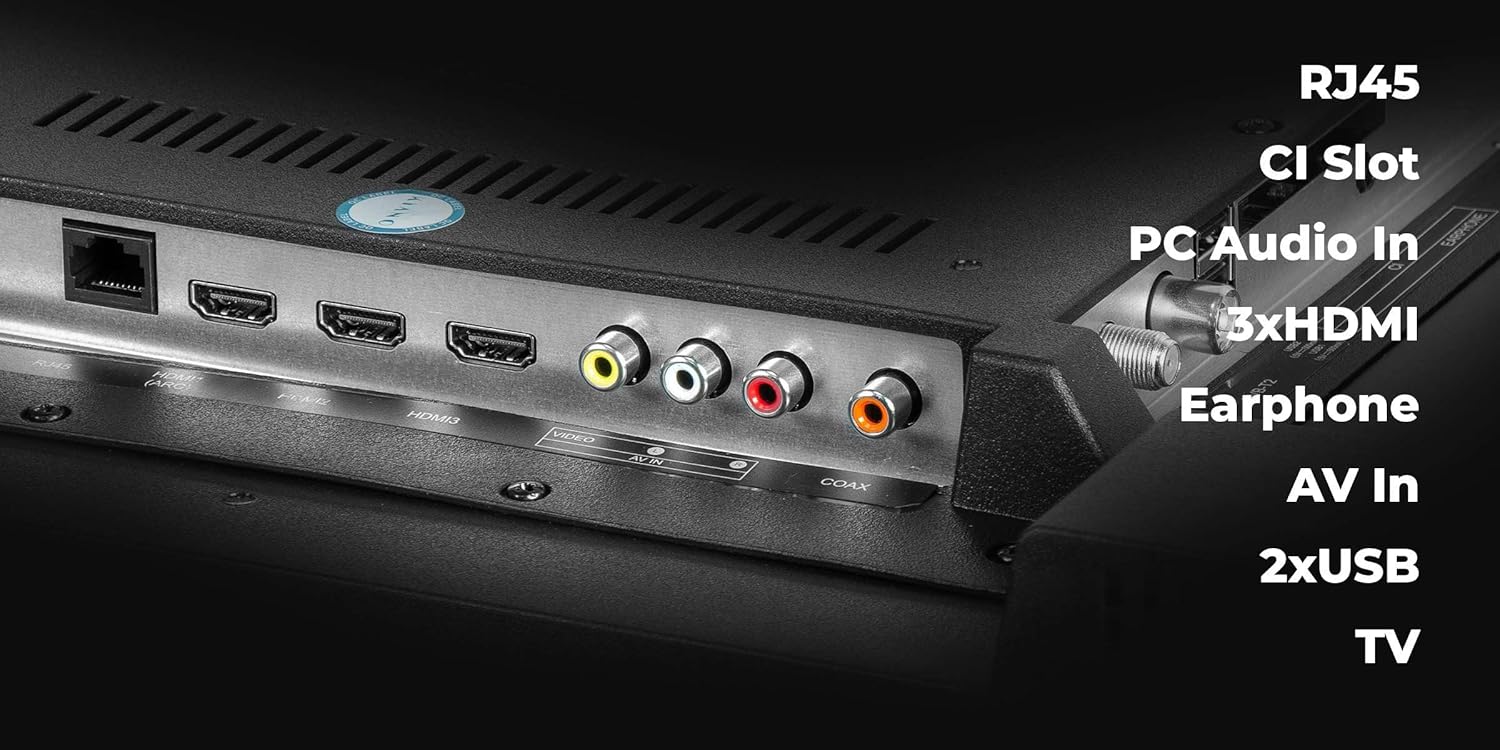
Image 1.2: Rear connectivity ports of the KIANO Smart TV.
1.4 Power Connection and First-Time Setup
- Connect the power cable to the TV and then to a power outlet.
- Press the power button on the remote control or on the TV itself.
- Follow the on-screen instructions for initial setup, including language selection, network connection (Wi-Fi or LAN), and channel scanning for DVB-T2/C/S2 signals.
2. Operating Your TV
2.1 Remote Control Overview
The remote control allows you to navigate menus, adjust settings, and access smart features. Insert two AAA batteries (not included) into the remote control, ensuring correct polarity.

Image 2.1: KIANO Smart TV Remote Control.
2.2 Basic Navigation and Smart Features
- Power On/Off: Press the red power button.
- Volume Control: Use the VOL +/- buttons.
- Channel Selection: Use the CH +/- buttons or number pad.
- Input Source: Press the SOURCE button to select HDMI, AV, or TV tuner.
- Smart TV Access: Your Android 11 interface provides quick access to applications like Netflix, YouTube, and a web browser. Navigate using the directional pad and OK button.
- Network Connection: Access the settings menu to connect to your Wi-Fi network or configure a wired LAN connection.
- Bluetooth: Pair Bluetooth devices such as headphones or speakers through the TV's settings menu.
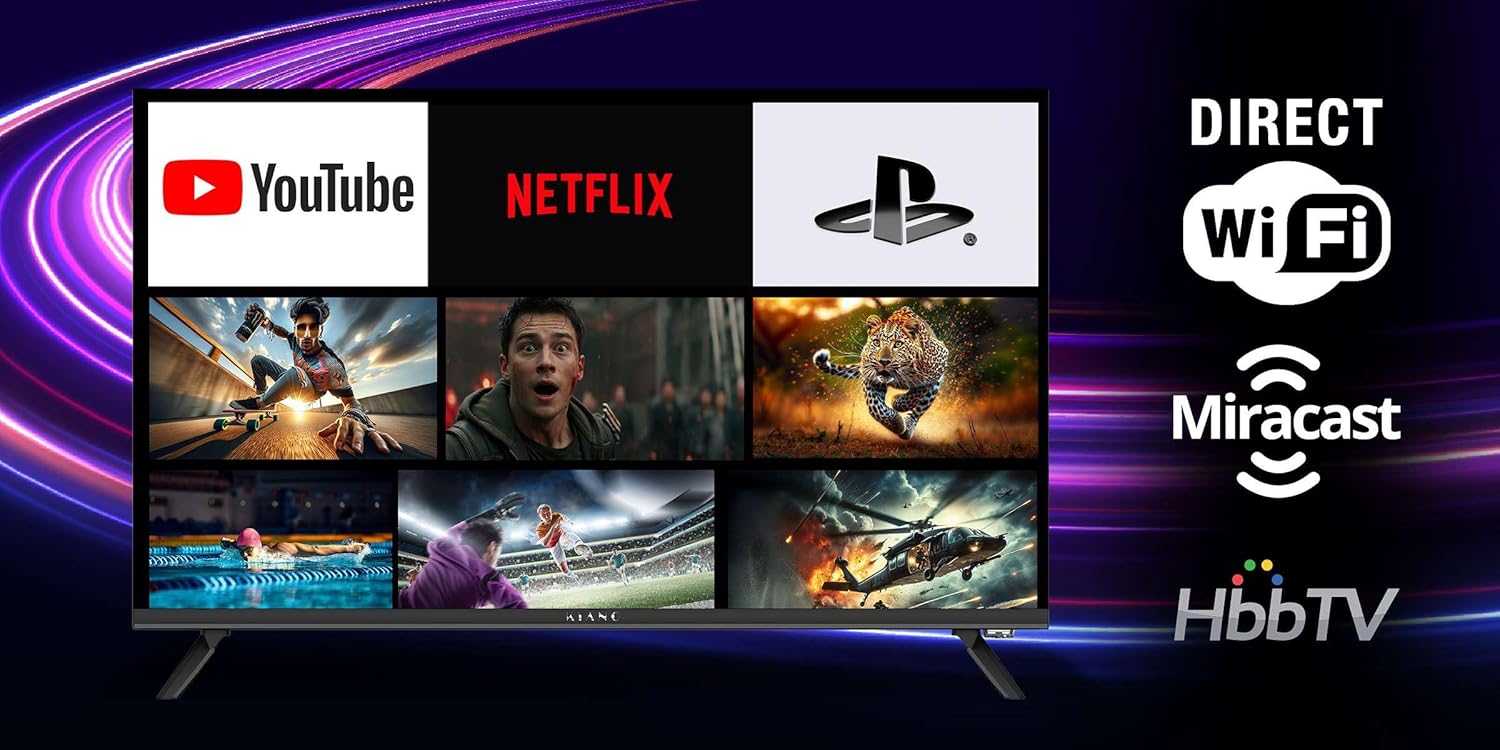
Image 2.2: Smart TV interface with popular applications.
3. Maintenance
3.1 Cleaning Your TV
- Screen: Gently wipe the screen with a soft, lint-free cloth. For stubborn marks, use a screen-specific cleaning solution applied to the cloth, not directly to the screen.
- TV Body: Use a soft, dry cloth to wipe dust and dirt from the TV's frame and back panel.
- Do not use abrasive cleaners, waxes, or solvents as they can damage the finish. Always unplug the TV before cleaning.
3.2 Software Updates
Your KIANO Smart TV may receive software updates to improve performance and add new features. You can usually check for updates in the TV's settings menu under 'System' or 'About'. Ensure your TV is connected to the internet before checking for updates.
4. Troubleshooting
If you encounter issues with your TV, refer to the following common problems and solutions:
| Problem | Possible Solution |
|---|---|
| No power | Check if the power cable is securely connected to the TV and the power outlet. Ensure the outlet is active. Try a different power outlet. |
| No picture, but sound is present | Check the input source. Ensure external devices are powered on and connected correctly. Try a different HDMI cable. |
| No sound, but picture is present | Check the volume level and mute status. Ensure external audio devices are connected correctly. Check audio output settings in the TV menu. |
| Remote control not working | Replace the batteries. Ensure there are no obstructions between the remote and the TV's IR sensor. |
| Wi-Fi connection issues | Restart your router and modem. Check Wi-Fi settings on the TV. Ensure the TV is within range of your Wi-Fi network. |
| Apps are slow or crashing | Close and reopen the app. Clear the app's cache in the TV settings. Ensure the TV's software is up to date. Restart the TV. |
If the problem persists after trying these solutions, you may consider performing a factory reset (Note: This will erase all personal settings and installed applications) or contact customer support.
5. Technical Specifications
| Feature | Specification |
|---|---|
| Screen Size | 43 Inches |
| Display Technology | LED (DLED panel) |
| Resolution | 4K UHD (3840 x 2160) |
| HDR Support | HDR10 |
| Operating System | Android 11 |
| Connectivity | Wi-Fi, Bluetooth, RJ45 LAN |
| HDMI Ports | 2 |
| USB Ports | 2 |
| Audio | 2x 10W Front Speakers, Dolby Digital Plus |
| Tuners | DVB-T2/C/S2 |
| VESA Compatibility | 200 x 200 mm |
| Power Consumption | Max. 75 W (≤ 0.5 W in standby) |
| Product Dimensions (DxWxH) | 9 cm x 95.5 cm x 55.3 cm |
| Image Format | 1.78:1 |

Image 5.1: KIANO 43-inch Elegance Smart TV dimensions.
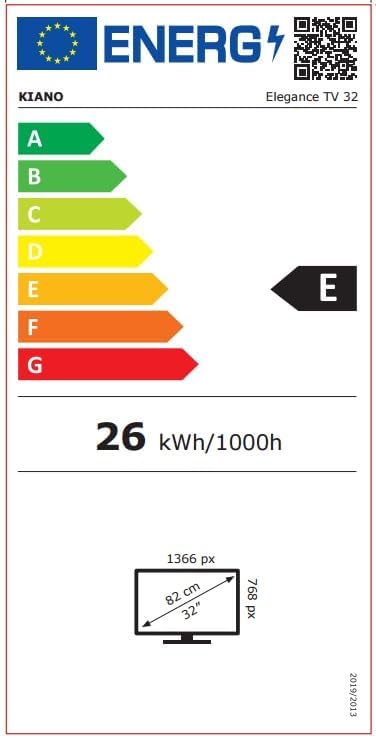
Image 5.2: Energy efficiency label for KIANO Elegance TV (example for 32-inch model, actual 43-inch model may vary slightly).
6. Warranty Information
Your KIANO 43-inch Elegance Smart TV comes with a 2-year manufacturer's warranty. Please retain your proof of purchase for warranty claims. Additionally, spare parts for this model are guaranteed to be available for 7 years from the date of purchase.
7. Customer Support
For further assistance, technical support, or warranty inquiries, please refer to the contact information provided with your purchase documentation or visit the official KIANO website. When contacting support, please have your TV's model number (Elegance TV 43) and serial number ready.