
1. Product Overview
The Samsung Galaxy Fit 2 is a Bluetooth-enabled, waterproof fitness tracking smart band designed to monitor various aspects of your daily activity and well-being. It features a curved, full-color AMOLED display for easy interaction and information display.

Image: Front view of the Samsung Galaxy Fit 2 smart band in red, displaying time, date, and step count.
Key features include automatic activity detection, continuous activity and sleep tracking, and notification management directly from the band. Its durable design is suitable for various environments, including water-based activities.

Image: A close-up view of the Samsung Galaxy Fit 2, highlighting its curved, sleek design and vibrant display.
2. Setup
2.1 Initial Charging
Before first use, fully charge your Galaxy Fit 2. Connect the charging cable to the band and a power source. The battery icon on the display will indicate charging status.
2.2 Pairing with a Smartphone
- Ensure your smartphone's Bluetooth is enabled.
- Download and install the Galaxy Wearable app from your smartphone's app store.
- Open the Galaxy Wearable app and follow the on-screen instructions to pair your Galaxy Fit 2. The app will guide you through the connection process.
- Confirm the pairing request on both your smartphone and the Galaxy Fit 2.

Image: The Galaxy Fit 2 displayed next to a smartphone, illustrating how the device pairs and syncs data, specifically showing a stress tracking interface on the phone.
3. Operating Instructions
3.1 Activity Tracking
The Galaxy Fit 2 automatically detects and tracks various activities such as walking, running, and elliptical workouts. It continuously monitors daily steps, calories burned, and water intake.

Image: A person performing a kettlebell exercise, with the Galaxy Fit 2 visible on their wrist, demonstrating its automatic activity tracking capability.
3.2 Sleep Monitoring
The device tracks your sleep patterns continuously, providing insights into your sleep quality. This includes tracking different sleep stages throughout the night.

Image: A person sleeping, with the Galaxy Fit 2 visible on their wrist, illustrating the device's ability to track sleep patterns.

Image: A visual representation of sleep tracking data from the Galaxy Fit 2, showing sleep score and different sleep stages over time.
3.3 Notifications and Quick Replies
Receive notifications for incoming calls and texts directly on your Galaxy Fit 2. You can also send quick, preset replies from the band. The device allows you to monitor schedules and weather forecasts.

Image: The Galaxy Fit 2 display showing various functions including music control, incoming notifications, and quick reply options for messages.
3.4 Battery Life
The Galaxy Fit 2 is designed for extended use, with a battery that can last up to 15 days on a single charge, depending on usage patterns.

Image: The Galaxy Fit 2 display showing 100% battery life, with a person drinking coffee in the background, illustrating its long-lasting battery for continuous use.
4. Maintenance
4.1 Cleaning Your Device
Regularly clean your Galaxy Fit 2 and its band with a soft, dry cloth. Avoid using harsh chemicals or abrasive materials.
4.2 Water Resistance
The Galaxy Fit 2 is water-resistant up to 50 meters per ISO standard 22810:2010. It is suitable for swimming but not intended for scuba diving. After use in seawater, rinse the device thoroughly with fresh water and dry it completely to prevent corrosion.
Avoid excessive, sudden temperature changes and high-velocity activities while wearing the device in water.
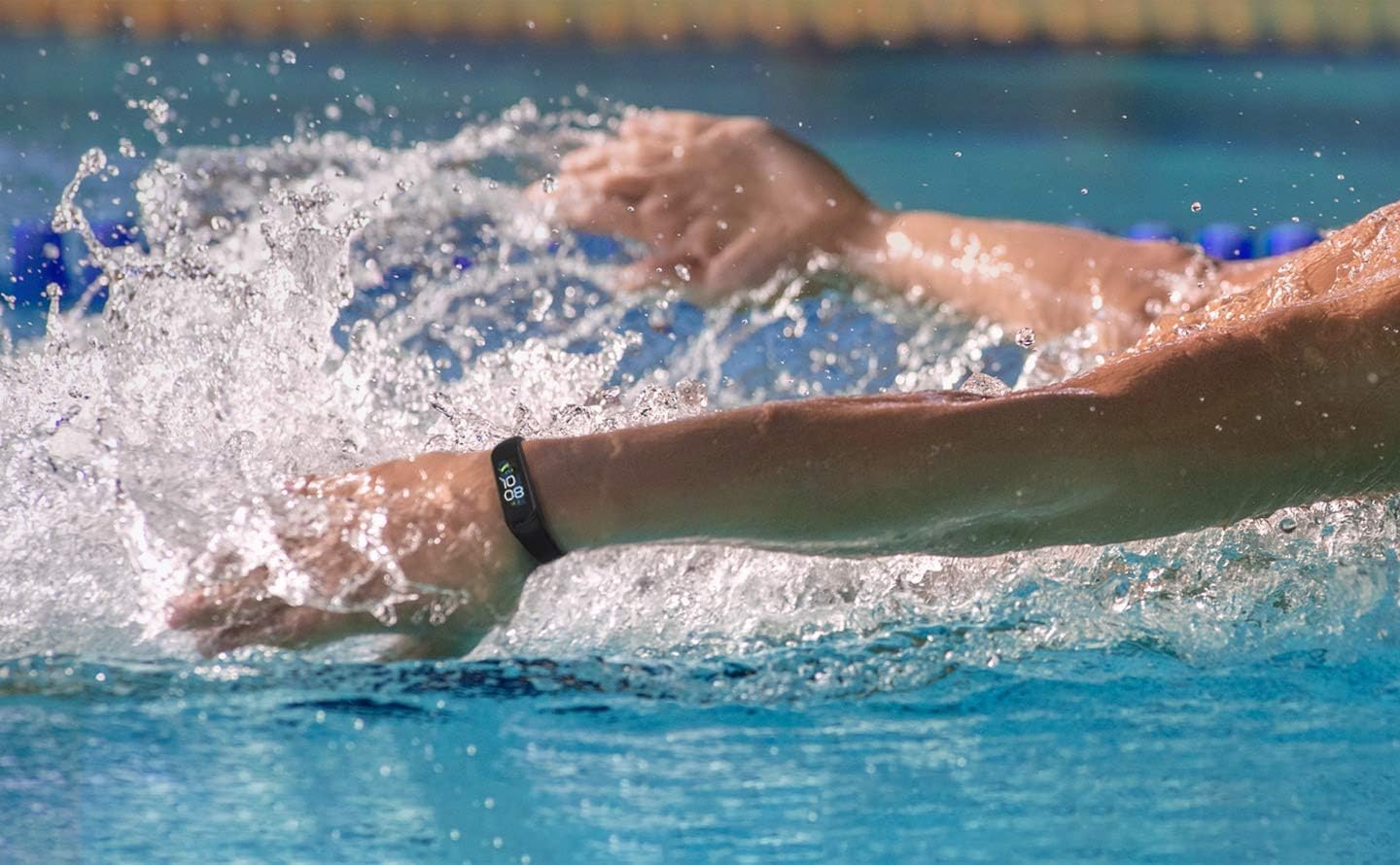
Image: A person swimming laps in a pool, with the Galaxy Fit 2 visible on their wrist, demonstrating its water-resistant capabilities.
5. Troubleshooting
5.1 Device Not Responding
- Ensure the device is charged. Connect it to the charger for at least 10 minutes.
- Attempt a soft reset by holding the home button (if applicable) or connecting to the charger.
5.2 Pairing Issues
- Verify Bluetooth is active on your smartphone.
- Ensure the Galaxy Fit 2 is within range of your smartphone.
- Restart both the Galaxy Fit 2 and your smartphone.
- Clear Bluetooth cache on your smartphone (refer to your phone's settings).
5.3 Inaccurate Tracking Data
- Ensure the band is worn snugly on your wrist, not too loose or too tight.
- Check for any software updates for the Galaxy Fit 2 via the Galaxy Wearable app.
- Calibrate the device if an option is available in the app.
For persistent issues, refer to the official Samsung support website or contact customer service.
6. Specifications
| Feature | Detail |
|---|---|
| Model Name | Galaxy Fit 2 |
| Item Model Number | SM-R375NZKAEUA |
| Brand | Samsung |
| Screen Size | 1.1 Inches |
| Display Type | AMOLED |
| Shape | Rectangular |
| GPS | No GPS |
| Battery Cell Composition | Lithium Ion |
| Connectivity Technology | Bluetooth |
| Wireless Communication Standard | Bluetooth |
| Operating System | Android (compatible) |
| Special Feature | Slim Fit, Universal, Wireless |
| Water Resistance | 50 meters (ISO standard 22810:2010) |
| Item Weight | 3.2 ounces |
| Package Dimensions | 4.6 x 3.6 x 2 inches |
7. Warranty and Support
7.1 Amazon Renewed Guarantee
As a renewed product, the Samsung Galaxy Fit 2 is eligible for replacement or refund under the Amazon Renewed Guarantee if you are not satisfied with your purchase. This product has been professionally inspected and tested to work and look like new by Amazon-qualified suppliers.
7.2 Manufacturer Support
For product-specific technical support, software updates, or detailed user guides, please visit the official Samsung support website or contact Samsung customer service directly. Contact information can typically be found on the Samsung website or in the Galaxy Wearable application.


