
Oli 66933
Oli CT213 Car Magnetic Holder for Mobile Phone Universal - Instruction Manual
Model: 66933 | Brand: Oli
Introduction
Thank you for choosing the Oli CT213 Car Magnetic Holder for Mobile Phone Universal. This manual provides detailed instructions for the proper setup, operation, and maintenance of your new magnetic phone holder. Please read this manual carefully before use to ensure optimal performance and longevity of the product.

This image shows the front view of the Oli CT213 Car Magnetic Phone Holder, highlighting its compact design and magnetic surface.
Setup and Installation
Follow these steps to properly install your magnetic phone holder in your vehicle.
- Choose a Location: Identify a suitable air vent in your car where the holder can be securely attached without obstructing your view or vehicle controls. The holder is designed for horizontal or vertical air vents.
- Attach to Air Vent: The Oli CT213 holder features 2 patent ventilation clips. Gently push the clip onto one of the slats of your car's air vent until it is firmly seated. Ensure the holder is stable and does not wobble.
- Prepare Your Phone: For optimal magnetic adhesion, attach the included metal plate to the back of your mobile phone or inside your phone case. Ensure the surface is clean and dry before applying the adhesive metal plate.
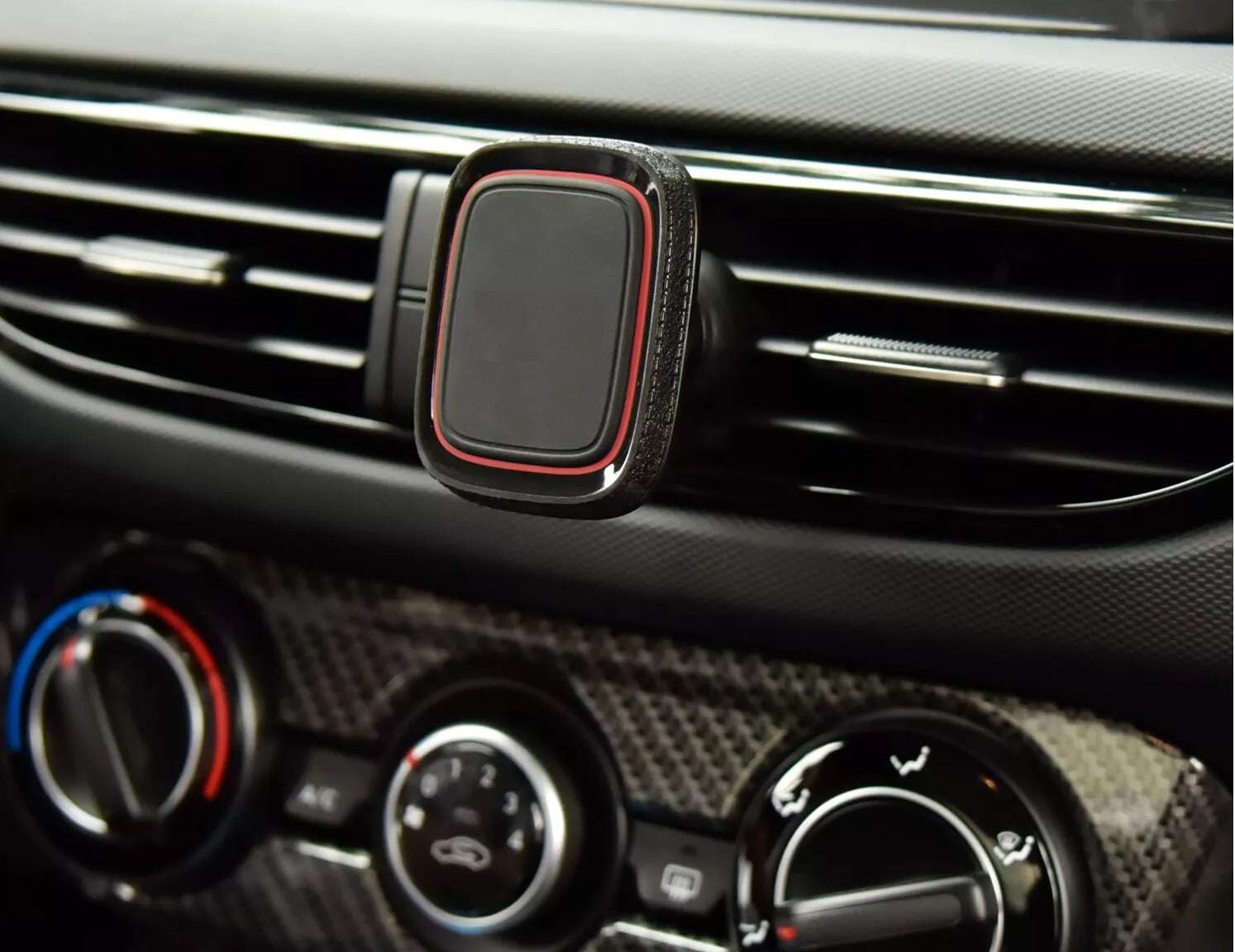
The magnetic phone holder is securely attached to a car's air vent, demonstrating its discreet placement and how it integrates into the vehicle's interior.
Operating Instructions
Using your Oli CT213 magnetic phone holder is straightforward.
- Mounting Your Phone: Once the metal plate is attached to your phone, simply bring your phone close to the magnetic surface of the holder. The strong N45 neodymium magnets will securely hold your phone in place.
- Adjusting Viewing Angle: The holder features a round ball head that allows for 360° rotation. You can easily rotate your phone to achieve a comfortable viewing angle, whether you prefer vertical or horizontal orientation. Gently pivot the phone to adjust its position.
- Removing Your Phone: To remove your phone, simply pull it away from the magnetic surface.
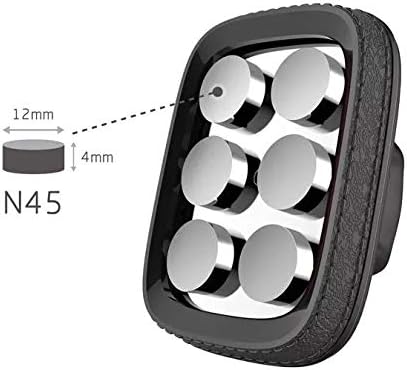
This image illustrates the powerful internal structure of the holder, revealing the six N45 neodymium magnets responsible for its strong grip on mobile devices. Dimensions of the magnets are also shown.
Maintenance
To ensure the longevity and optimal performance of your magnetic phone holder, follow these simple maintenance guidelines:
- Cleaning: Wipe the surface of the holder with a soft, damp cloth. Avoid using harsh chemicals or abrasive cleaners, as these may damage the material.
- Inspection: Periodically check the air vent clip for any signs of wear or damage. Ensure it remains securely attached to the vent.
- Temperature: Avoid exposing the holder to extreme temperatures, both hot and cold, for prolonged periods, as this may affect the magnetic strength or material integrity.
Troubleshooting
If you encounter any issues with your Oli CT213 magnetic phone holder, refer to the following common problems and solutions:
- Phone is not holding securely:
- Ensure the metal plate is properly attached to your phone or phone case and is centered for maximum contact with the magnets.
- Verify that the magnetic holder is firmly clipped into the air vent and is not loose.
- Check if there are any obstructions or thick phone cases that might be reducing the magnetic force.
- Holder wobbles in the air vent:
- Re-seat the holder firmly into the air vent. Ensure both clips are engaged if applicable.
- Confirm that the air vent slats are strong enough to support the holder and phone weight.
- Difficulty adjusting the viewing angle:
- Ensure the ball joint is not overly tightened (if adjustable) or obstructed. Gently apply force to rotate.
Specifications
| Feature | Detail |
|---|---|
| Brand | Oli |
| Model Number | 66933 |
| Product Dimensions | 6 x 4 x 1.4 cm |
| Item Weight | 87 g |
| Magnetic Force | 6 x N45 Neodymium Magnets (holds up to 4 kg) |
| Mounting Type | Vent |
| Rotation | 360° Rotatable (ball head) |
| Compatible Devices | Smartphones (iPhone, Samsung, Huawei, Xiaomi, Redmi, Google) |
| Colour | black |
| Date First Available | 18 Feb. 2021 |
| Manufacturer | Sky Mobile |
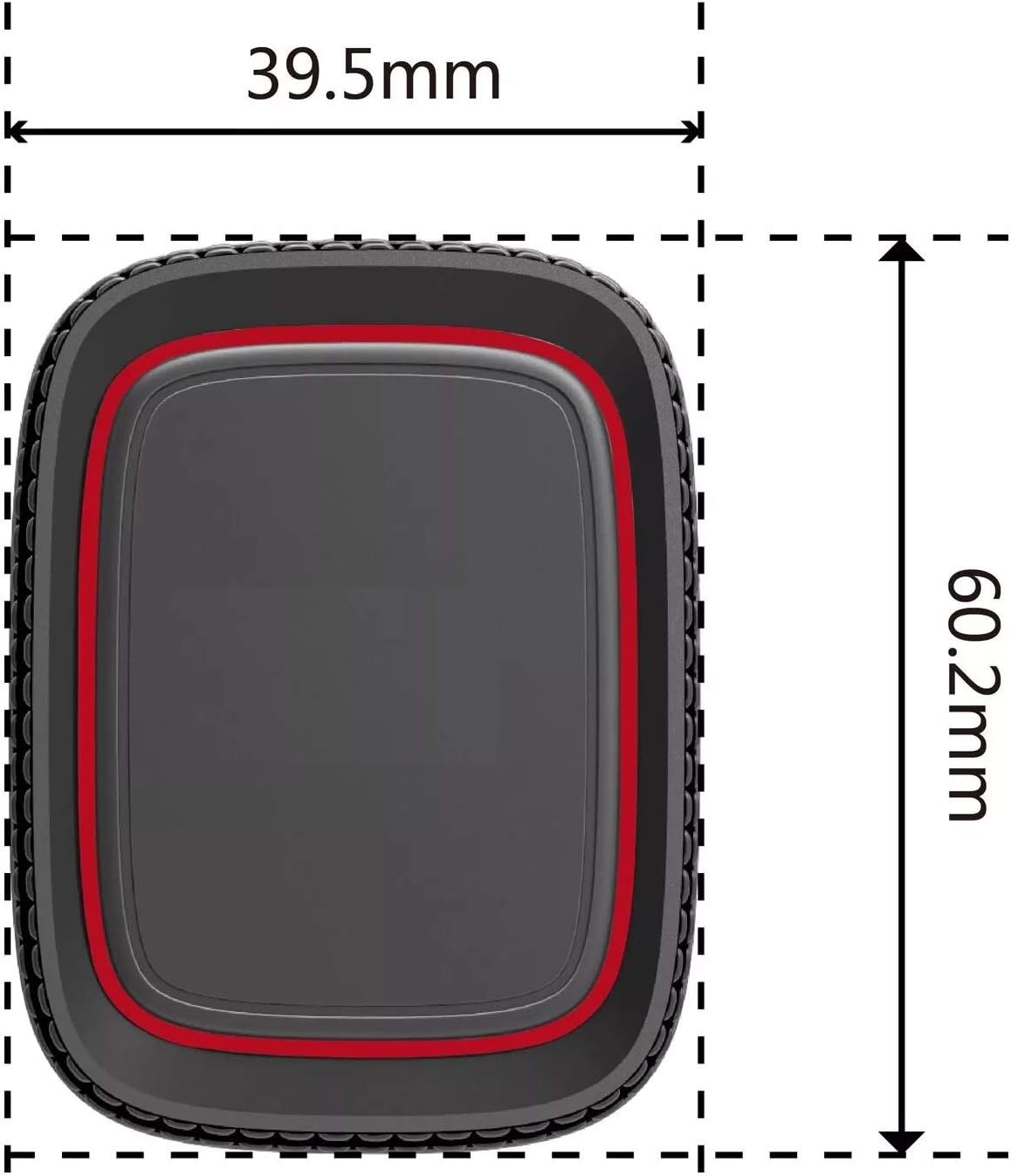
This diagram provides the precise measurements of the magnetic phone holder, showing its length and width for compatibility assessment.
Product Videos
No official product videos from the seller are available for this item in the provided data.
Warranty and Support
Information regarding product warranty and customer support contact details is not available in the provided product data. Please refer to the product packaging or the retailer's website for specific warranty terms and support options.
Ask a question about this manual
Ask about setup, troubleshooting, compatibility, parts, safety, or missing instructions. Manuals+ will review the question and use this page’s manual context to help answer it.