
1. Product Overview
This product provides a set of interchangeable ABXY buttons designed for the Nintendo Switch Pro Controller. These replacement buttons allow for customization of the controller's appearance and button layout according to user preference. The buttons feature a chameleon purple blue finish, which changes color when viewed from different angles.
Note: This package includes only the ABXY button surfaces and their bases. The Nintendo Switch Pro Controller itself and any electronic components are not included.

Image 1.1: eXtremeRate Chameleon Purple Blue Interchangeable ABXY Buttons.
2. Package Contents
Verify that all the following items are included in your package:
- ABXY button surfaces (Chameleon Purple Blue)
- ABXY button bases
- Prying stick
- 2MM PH00 screwdriver
- Spare screws

Image 2.1: Included components: ABXY buttons, bases, prying stick, screwdriver, and spare screws.
3. Installation Guide
The installation process requires moderate electronic installation experience. Please proceed with caution. It is recommended to watch a video guide before attempting installation.
3.1. Video Installation Guide
For a detailed visual guide, search for "ExtremeRate Switch Pro Interchangeable ABXY Guide" or "ZqLBxczlzkc" on YouTube. This video will provide step-by-step instructions for disassembling your controller and replacing the buttons.
3.2. General Installation Steps (Refer to video for details)
- Prepare Your Workspace: Ensure you have a clean, well-lit area with enough space to work.
- Disassemble the Controller: Carefully open your Nintendo Switch Pro Controller using the provided screwdriver and prying stick. Follow the video guide closely to avoid damaging internal components.
- Remove Original ABXY Buttons: Once the controller is open, locate the existing ABXY buttons and their bases. Gently remove them.
- Install New ABXY Buttons: Place the new eXtremeRate ABXY button bases into their respective slots. Ensure they are correctly oriented.
- Attach New ABXY Button Surfaces: Place the Chameleon Purple Blue button surfaces onto their corresponding bases.
- Reassemble the Controller: Carefully reassemble the controller, ensuring all screws are tightened appropriately and no components are pinched.

Image 3.1: Illustration of the interchangeable ABXY button components.

Image 3.2: View of the installed Chameleon Purple Blue ABXY buttons on a Nintendo Switch Pro Controller.
4. Operation
Once installed, the eXtremeRate Chameleon Purple Blue ABXY buttons function identically to the original buttons. They provide tactile feedback and respond to presses as expected. The primary benefit is the customized aesthetic and the ability to swap button layouts if desired (e.g., for specific game control schemes).
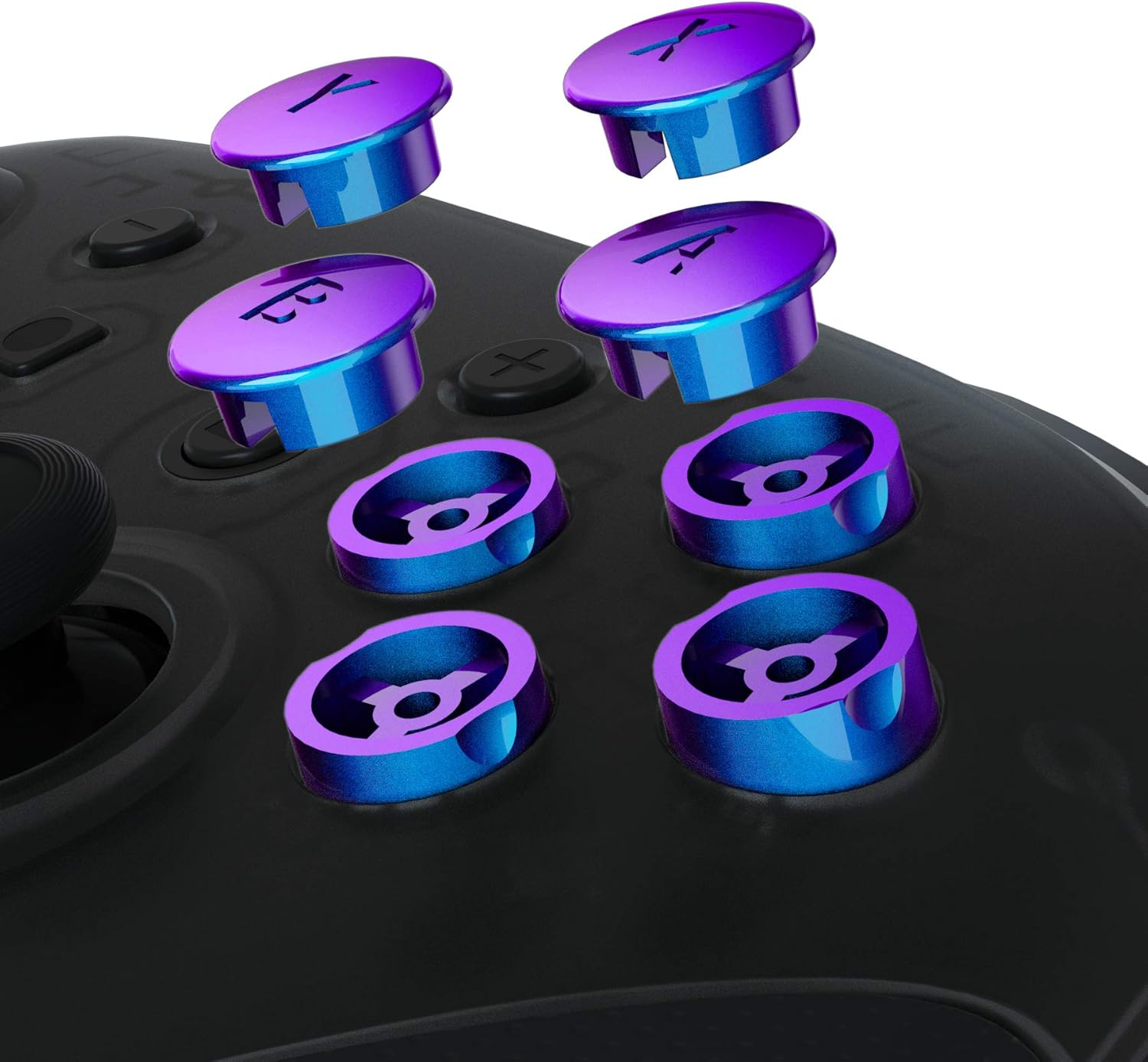
Image 4.1: Close-up of the installed buttons on the controller.
5. Maintenance
To ensure the longevity and appearance of your eXtremeRate ABXY buttons, follow these cleaning guidelines:
- It is recommended to clean the buttons with a wipe dampened with water.
- If alcohol is used, clean with a wipe dampened with less than 70% alcohol.
- After cleaning, place the product in a ventilated area to dry completely.
- Do not spray water or alcohol directly onto the product surface.
- Do not use any other organic solvents for cleaning.
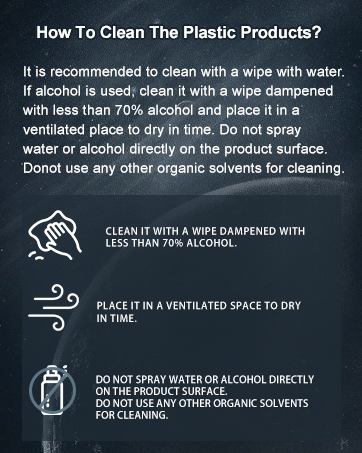
Image 5.1: Cleaning instructions for plastic products.
6. Troubleshooting
If you encounter any issues after installation, consider the following:
- Buttons not responding: Ensure all internal components are correctly seated and connected. Double-check that the button bases are properly aligned.
- Buttons feeling stiff: Verify that no wires or other components are obstructing the button's movement. Ensure screws are not overtightened.
- Visual defects: If the buttons appear scratched or damaged, they may have been mishandled during installation.
For further assistance, refer to the installation video or contact eXtremeRate customer support.
7. Specifications
| Feature | Detail |
|---|---|
| Compatible Devices | Nintendo Switch Pro Controller |
| Material | Acrylonitrile Butadiene Styrene (ABS) |
| Color | Chameleon Purple Blue |
| Brand | eXtremeRate |
| Item Weight | 30 Grams |
| ASIN | B08VVTS4RN |
8. Warranty and Support
For information regarding product warranty or technical support, please refer to the official eXtremeRate website or contact their customer service directly. Details may also be available on the product packaging or the retailer's website where the product was purchased.
eXtremeRate Official Store: Visit the eXtremeRate Store on Amazon