
1. Introduction
The BRUNNER Devil Double Grill is a compact, portable gas camping stove designed for outdoor cooking. It features two independently adjustable burners and an integrated piezo ignition system, making it suitable for various cooking tasks while camping or caravanning. This manual provides essential information for the safe and efficient use of your appliance.
2. Safety Information
WARNING: Failure to follow these instructions could result in fire, explosion, or carbon monoxide poisoning, which could cause property damage, personal injury, or death.
- Read all instructions thoroughly before assembling or operating this appliance.
- Use this appliance only in well-ventilated outdoor areas. Never use it indoors, in a garage, or any enclosed area.
- Keep the appliance away from flammable materials, gasoline, and other flammable vapors and liquids.
- Ensure gas cartridges are correctly installed and sealed to prevent leaks. Always check for gas leaks before lighting.
- Do not modify the appliance or use it for any purpose other than its intended use.
- Keep children and pets away from the operating stove.
- Always allow the appliance to cool completely before cleaning or storing.
- If you smell gas, immediately turn off the gas supply, extinguish any open flames, and ventilate the area. Do not attempt to light the appliance.
3. Setup
- Unpacking: Carefully remove the stove and all components from the packaging. Check for any damage.
- Placement: Place the stove on a stable, level, non-combustible surface in a well-ventilated outdoor area. Ensure there is adequate clearance from walls and other objects.
- Gas Cartridge Installation:

Image: Close-up view of a gas cartridge being inserted into the side compartment of the BRUNNER Devil Double Grill. The cartridge is labeled 'ERGAGAZ'.
The BRUNNER Devil Double Grill uses bayonet gas cartridges (2 x 30 mbar connection). Open the gas cartridge compartment on the side of the stove. Align the gas cartridge with the connector and push firmly until it clicks into place. Ensure a secure fit to prevent gas leaks. Close the compartment cover. Repeat for the second burner if using two cartridges.
- Grill Plate (Optional): If using the removable cast aluminum grill plate, place it securely over the burners.
4. Operating Instructions
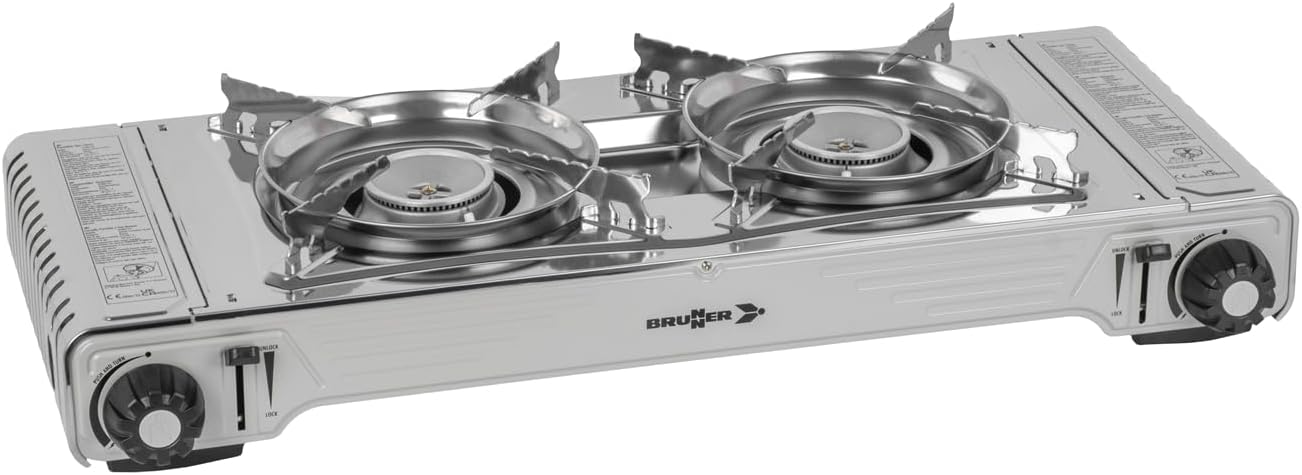
Image: The BRUNNER Devil Double Grill camping stove, showing the two burners, control knobs, and overall compact design.
- Lighting the Burner: Turn the control knob for the desired burner counter-clockwise to the 'IGNITE' position. You will hear a click as the piezo igniter sparks. If the burner does not light immediately, repeat the process.
- Adjusting the Flame: Once lit, adjust the flame intensity by rotating the control knob. Turn clockwise for a lower flame and counter-clockwise for a higher flame. The burners are continuously and separately adjustable.
- Using the Grill Plate:
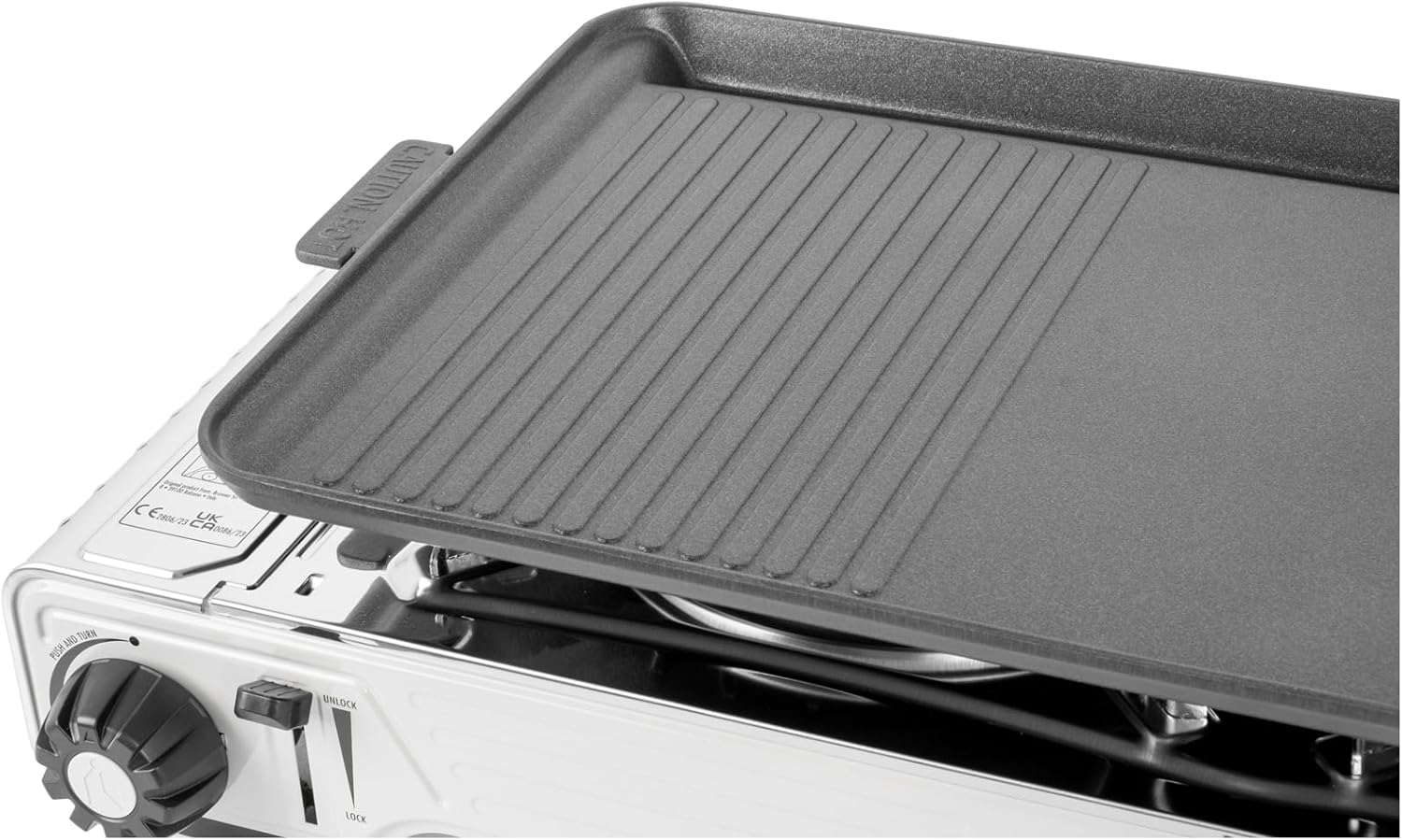
Image: Close-up view of the removable cast aluminum grill plate placed on top of the BRUNNER Devil Double Grill, showing its ribbed surface.
Place the grill plate over the lit burners. Allow it to preheat for a few minutes before placing food on it. Adjust the flame as needed for cooking.
- Shutting Down: When finished cooking, turn the control knobs clockwise to the 'OFF' position until the flame extinguishes. Allow the stove to cool completely before handling or storing.
5. Maintenance
- Cleaning the Stove: After each use, ensure the stove is cool. Wipe down the exterior surfaces with a damp cloth. For stubborn stains, use a mild detergent. Do not use abrasive cleaners or scouring pads.
- Cleaning the Grill Plate: The cast aluminum grill plate is removable for easy cleaning. Wash with warm, soapy water and a non-abrasive sponge. Dry thoroughly to prevent rust.
- Storage: Store the stove in a dry, cool place, away from direct sunlight and extreme temperatures. Ensure gas cartridges are removed before long-term storage.
6. Troubleshooting
- Burner does not light:
- Check if the gas cartridge is correctly installed and has gas.
- Ensure the control knob is turned fully to the 'IGNITE' position.
- Verify that the piezo igniter is sparking. If not, it may require manual ignition with a long match or lighter (exercise extreme caution).
- Uneven flame or low flame:
- The gas cartridge may be running low. Replace it if necessary.
- Check for any obstructions in the burner ports. Clean if blocked.
- Smell of gas:
- Immediately turn off the gas supply at the cartridge.
- Move the appliance to a well-ventilated area.
- Check all connections for leaks using a soapy water solution (bubbles indicate a leak).
- Do not attempt to light the appliance if a leak is detected. Contact customer support.
If problems persist after attempting these troubleshooting steps, please contact BRUNNER customer support.
7. Specifications

Image: Diagram showing the key dimensions of the BRUNNER Devil Double Grill: 67.9 cm length, 28.6 cm width, and 12.5 cm height.
| Feature | Detail |
|---|---|
| Model Number | 8022068027777 |
| Brand | BRUNNER |
| Product Dimensions (L x W x H) | 67.9 x 28.6 x 12.5 cm |
| Cooking Plate Dimensions (L x W x H) | 28 x 53 x 2.6 cm |
| Item Weight | 7.1 Kilograms |
| Number of Main Burners | 2 |
| Heat Output (per burner) | 2200 W (2.2 KW) |
| Fuel Type | Gas (Bayonet gas cartridges, 2 x 30 mbar) |
| Ignition Type | Piezo Ignition |
| Material | Aluminum, Stainless Steel |
| Included Components | Barbecue utensils, carrying case |
| Assembly Required | Yes |
| Installation Type | Freestanding |
8. Warranty and Support
For warranty information or technical support, please refer to the documentation provided with your purchase or contact BRUNNER customer service directly. Keep your proof of purchase for any warranty claims.
For further assistance, visit the official BRUNNER website or contact their authorized service centers.