

Important Safety Information
WARNING: Read the ENTIRE instruction manual to become familiar with the features of the product before operating. Failure to operate the product correctly can result in damage to the product, personal property, and cause serious injury. This is a sophisticated hobby product. It must be operated with caution and common sense and requires some basic mechanical ability. Failure to operate this Product in a safe and responsible manner could result in injury or damage to the product or other property. This product is not intended for use by children without direct adult supervision. Do not use with incompatible components or alter this product in any way outside of the instructions provided by Horizon Hobby, LLC. The product manual contains instructions for safety, operation, and maintenance. It is essential to read and follow all the instructions and warnings in the manual, prior to assembly, setup, or use, in order to operate correctly and avoid damage or serious injury.
Product Overview
The Spektrum NX10 is a 10-channel transmitter designed for remote control aircraft and vehicles, offering advanced features and reliable performance. It integrates modern technology to enhance the user experience for hobbyists.
Key Features:
- Backlit 3.2” Display: Features a 320x240 resolution screen with multiple color palette choices and user-customizable colors for clear visibility.
- Wi-Fi Connectivity: Enables easy product registration and convenient firmware updates directly from the transmitter.
- Hall-Effect Sensor Gimbals: Provides superb ergonomics and precise control with durable, smooth-operating gimbals.
- Smart Technology Compatibility: Ready for use with Spektrum Smart Technology components right out of the box, simplifying battery management and telemetry.
- High-Capacity Battery: Includes a 3.7V 6000mAh 1S Lithium Ion transmitter battery, offering extended operating times.
- Magnetic USB Charging: Comes with a magnetic USB Cable and Micro USB Adapter for convenient and easy USB charging.
What's in the Box:
- (1) Spektrum™ NX10 10-Channel DSMX® Transmitter
- (1) 6000mAh LiIon transmitter battery
- (1) Magnetic USB Cable and Micro USB Adapter for USB charging
- (1) NX10 Transmitter Neck Strap
- (1) Product Manual (this document)

Figure 1: Front view of the Spektrum NX10 10-Channel Transmitter, showcasing its display and control sticks.
Setup
Battery Installation and Charging:
The Spektrum NX10 comes with a pre-installed 3.7V 6000mAh 1S Lithium Ion battery. To access the battery compartment, locate the battery cover on the back of the transmitter and open it. Ensure the battery is securely connected.
For charging, use the provided magnetic USB Cable and Micro USB Adapter. Connect the adapter to the micro USB port on the back of the transmitter and the USB cable to a compatible USB power source. The transmitter's display will indicate charging status. It is recommended to fully charge the battery before first use.

Figure 2: Rear view of the NX10 with the battery compartment open, showing the installed 6000mAh Lithium Ion battery.

Figure 3: The back of the NX10 transmitter, highlighting the charging ports (Micro USB) and trainer port.
Initial Power-On and Wi-Fi Setup:
To power on the transmitter, press and hold the power button located on the front panel until the screen illuminates. Upon first power-on, you may be prompted to set up basic preferences and connect to a Wi-Fi network. Wi-Fi connectivity is crucial for product registration and future firmware updates.
Navigate to the system settings menu to connect to your Wi-Fi network. This allows for convenient over-the-air updates, ensuring your transmitter always has the latest features and improvements.
Binding to a Receiver:
The Spektrum NX10 utilizes DSMX® 2.4GHz radio system technology for reliable communication with compatible receivers. To bind your transmitter to a receiver:
- Ensure both the transmitter and receiver are powered off.
- Place the receiver in bind mode (refer to your receiver's manual for specific instructions). This usually involves holding a bind button while powering on the receiver.
- On the NX10 transmitter, navigate to the "Bind" function within the system settings.
- Initiate the binding process on the transmitter. The transmitter will search for the receiver in bind mode.
- Once bound, the receiver's LED will indicate a successful connection (usually a solid light). Power cycle both the transmitter and receiver to confirm the bind.
Operating the Transmitter
The Spektrum NX10 offers a comprehensive set of controls and a user-friendly interface for precise control of your RC models.
Controls and Functions:
The transmitter features two main control sticks (gimbals) for primary flight controls (throttle, aileron, elevator, rudder). Various switches, knobs, and sliders are strategically placed for easy access to auxiliary functions and adjustments.

Figure 4: Top view of the NX10, showing the array of switches and trim levers for various functions.

Figure 5: The bottom side of the NX10, illustrating the rotary knobs and sliders that can be assigned to different channels or functions.
Display Screen and Navigation:
The 3.2-inch backlit display provides clear information on model settings, telemetry data, and system status. Navigation is intuitive, allowing users to easily access and adjust parameters. The display offers multiple color palette choices for personalized viewing.
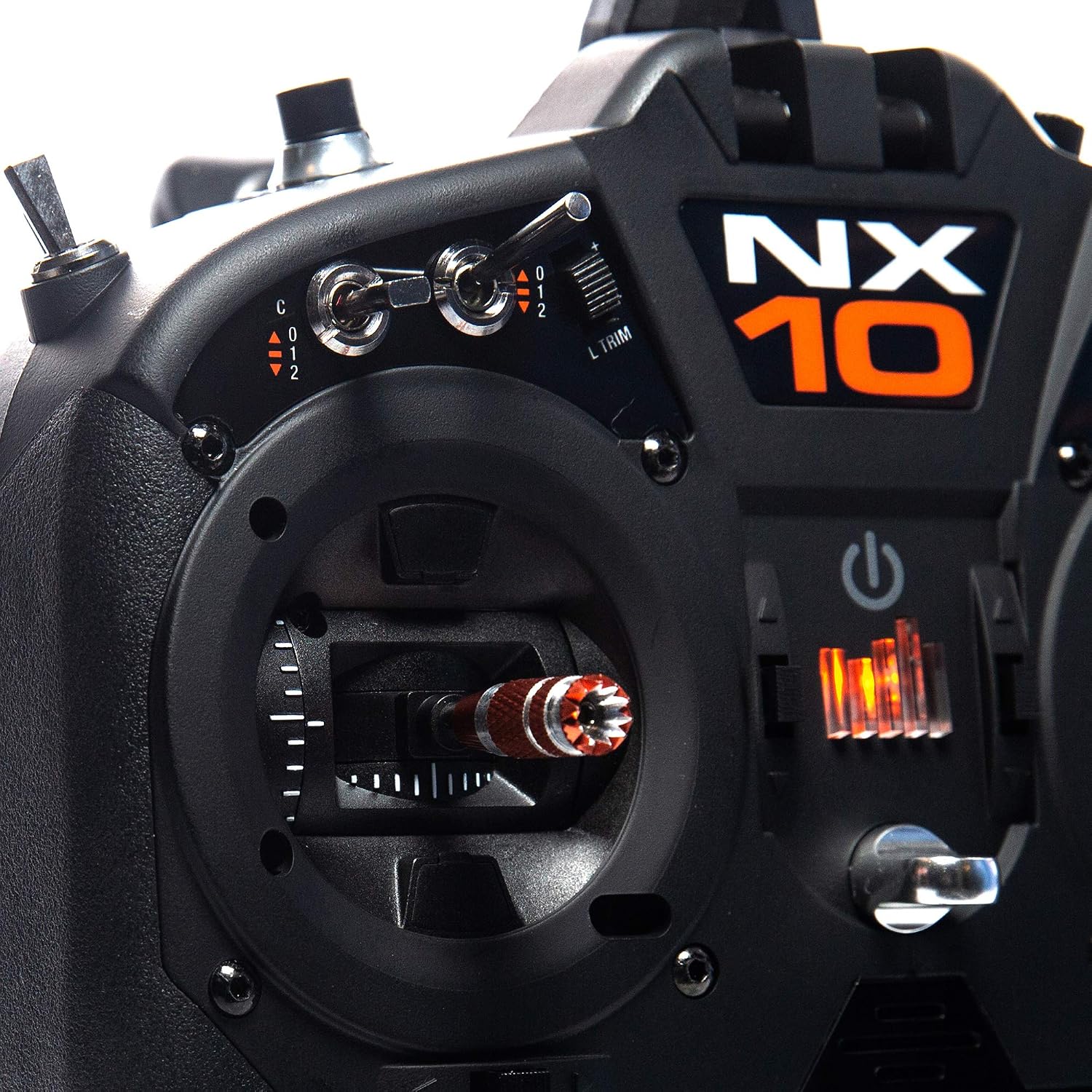
Figure 6: A close-up view of the Hall-Effect sensor gimbals, highlighting their robust construction and smooth operation.
Audio Alerts and Telemetry:
The NX10 supports voice audio alerts, providing specific warnings and telemetry callouts without requiring you to look at the screen. This feature is highly beneficial for maintaining focus on your model during flight. For example, it can announce remaining timer duration, battery voltage, or other critical telemetry data.
Understanding NX Series Transmitters:
For a detailed comparison and understanding of the Spektrum NX series transmitters, including the NX10, NX8+, and NX7e+, watch the official buyer's guide video below. This video highlights key differences in features like Wi-Fi capabilities, screen size, ergonomics, battery life, and Hall-Effect gimbals, helping users choose the best transmitter for their needs.
Video 1: Spektrum Buyer's Guide: NX+ Air Transmitters. This video provides a comprehensive overview and comparison of the Spektrum NX series, including the NX10, NX8+, and NX7e+ models.
Maintenance
Proper maintenance ensures the longevity and reliable performance of your Spektrum NX10 transmitter.
General Care:
- Keep the transmitter clean and free from dust and debris. Use a soft, dry cloth for cleaning.
- Avoid exposing the transmitter to extreme temperatures, direct sunlight for prolonged periods, or moisture.
- Store the transmitter in a safe place when not in use, preferably in a protective case, to prevent physical damage.
Firmware Updates:
Spektrum regularly releases firmware updates to improve performance, add new features, and address any issues. It is highly recommended to keep your NX10's firmware up to date.
Thanks to its built-in Wi-Fi connectivity, updating the firmware is straightforward. Simply connect your transmitter to a Wi-Fi network and navigate to the update section in the system menu. Follow the on-screen prompts to download and install the latest firmware. Alternatively, updates can be performed via a USB-C connection to a computer or using a Micro SD card.
Troubleshooting
If you encounter any issues with your Spektrum NX10 transmitter, refer to the following common troubleshooting steps:
| Problem | Possible Cause | Solution |
|---|---|---|
| Transmitter does not power on. | Low or depleted battery. | Charge the transmitter battery using the provided USB cable and adapter. |
| Transmitter does not bind to receiver. | Incorrect binding procedure; receiver not in bind mode; incompatible receiver. | Ensure correct binding steps are followed for both transmitter and receiver. Verify receiver compatibility. |
| Controls are unresponsive or erratic. | Loss of signal; incorrect model setup; damaged components. | Check signal strength. Verify model settings (channel assignments, mixes). Inspect gimbals and switches for damage. |
| Wi-Fi connection issues. | Incorrect Wi-Fi password; out of range; network interference. | Re-enter Wi-Fi password. Move closer to the Wi-Fi router. Try connecting to a different network. |
| Firmware update fails. | Unstable Wi-Fi connection; insufficient battery; corrupted download. | Ensure stable Wi-Fi. Fully charge battery. Try updating via USB or Micro SD card. |
For further assistance, please contact Spektrum Product Support.
Specifications
| Feature | Detail |
|---|---|
| Product Dimensions | 12 x 9.3 x 5.5 inches |
| Item Weight | 3.73 pounds |
| Item Model Number | SPMR10100 |
| Manufacturer Recommended Age | 14 years and up |
| Batteries | 1 Lithium Ion battery required (included) |
| Brand | Spektrum |
| Special Feature | Digital Display, Wi-Fi Connectivity |
| Max Number of Supported Devices | 10 (channels) |
| Compatible Devices | BNF Aircraft, DSMX® receivers |
Warranty and Support
For warranty information, please refer to the official Spektrum website or the warranty card included with your product. Spektrum products are backed by Horizon Hobby, LLC, ensuring quality and customer satisfaction.
For technical support, troubleshooting assistance, or service inquiries, please visit the Horizon Hobby Support page or contact their customer service directly. Always provide your product model number (SPMR10100) when seeking support.