
Introduction
This manual provides essential information for the safe and efficient operation, maintenance, and troubleshooting of your Hoover Power 6 Advanced 2200W Vacuum Cleaner, model CDCY-P6ME. Please read these instructions carefully before using the appliance and retain them for future reference.
Safety Information
Always follow basic safety precautions when using electrical appliances to reduce the risk of fire, electric shock, or injury. This appliance is for domestic use only.
- Do not use the vacuum cleaner outdoors or on wet surfaces.
- Do not allow children to operate the vacuum cleaner.
- Unplug from the outlet when not in use and before cleaning or servicing.
- Do not pick up flammable or combustible liquids, hot ashes, or sharp objects.
- Inspect the power cord and plug for damage before each use.
Product Components
Familiarize yourself with the main components of your Hoover Power 6 Advanced vacuum cleaner.

Image: The main unit of the Hoover Power 6 Advanced vacuum cleaner, showcasing its compact design and transparent dust bin.
- Main Unit with Motor and Dust Bin
- Flexible Hose
- Telescopic Extension Tube
- Floor Nozzle
- Crevice Tool (if included)
- Upholstery Tool (if included)
Setup and Assembly
- Unpacking: Carefully remove all components from the packaging. Retain packaging for storage or future transport.
- Attach the Hose: Insert the flexible hose into the suction inlet on the main unit until it clicks securely into place.

Image: The Hoover Power 6 Advanced vacuum cleaner fully assembled with its flexible hose and floor nozzle, ready for use.
- Connect Extension Tube and Nozzle: Attach the telescopic extension tube to the hose handle. Then, connect the desired floor nozzle or accessory tool to the end of the extension tube.
- Power Connection: Extend the power cord and plug it into a suitable electrical outlet.
Operating Instructions
Powering On/Off
To start the vacuum cleaner, press the power button located on the main unit. Press it again to turn off the appliance.
Adjusting Suction Power
The Hoover Power 6 Advanced features a powerful 2200W motor. Suction power can typically be adjusted via a slider or dial on the hose handle or main unit, if available, to suit different cleaning tasks and surfaces.
Cleaning Different Surfaces
- Hard Floors: Use the floor nozzle with brushes extended (if applicable) for optimal cleaning without scratching.

Image: A woman using the Hoover Power 6 Advanced vacuum cleaner on a wooden floor in a kitchen setting, demonstrating its maneuverability.
- Carpets and Rugs: Retract brushes (if applicable) on the floor nozzle for deeper cleaning. The 2200W motor provides strong suction for effective carpet cleaning.
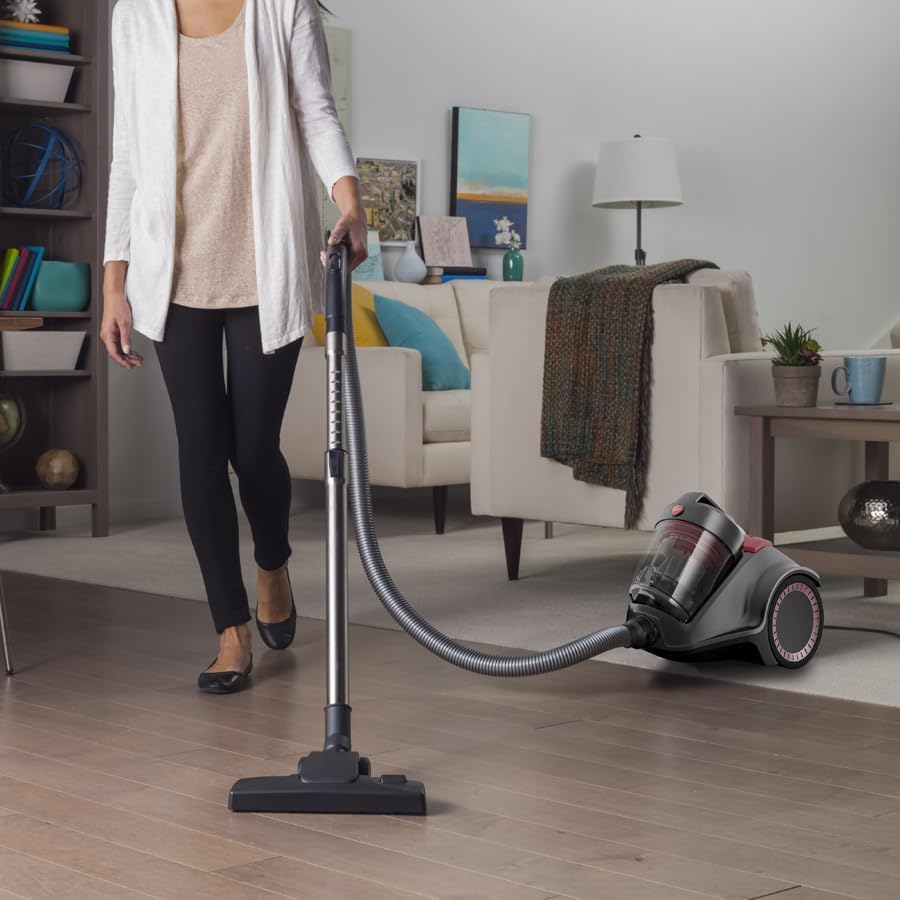
Image: A woman vacuuming a light-colored carpet in a living room with the Hoover Power 6 Advanced, highlighting its use on soft surfaces.
- Above Floor Cleaning: Use the crevice tool for tight spaces and edges, and the upholstery tool for furniture and curtains.
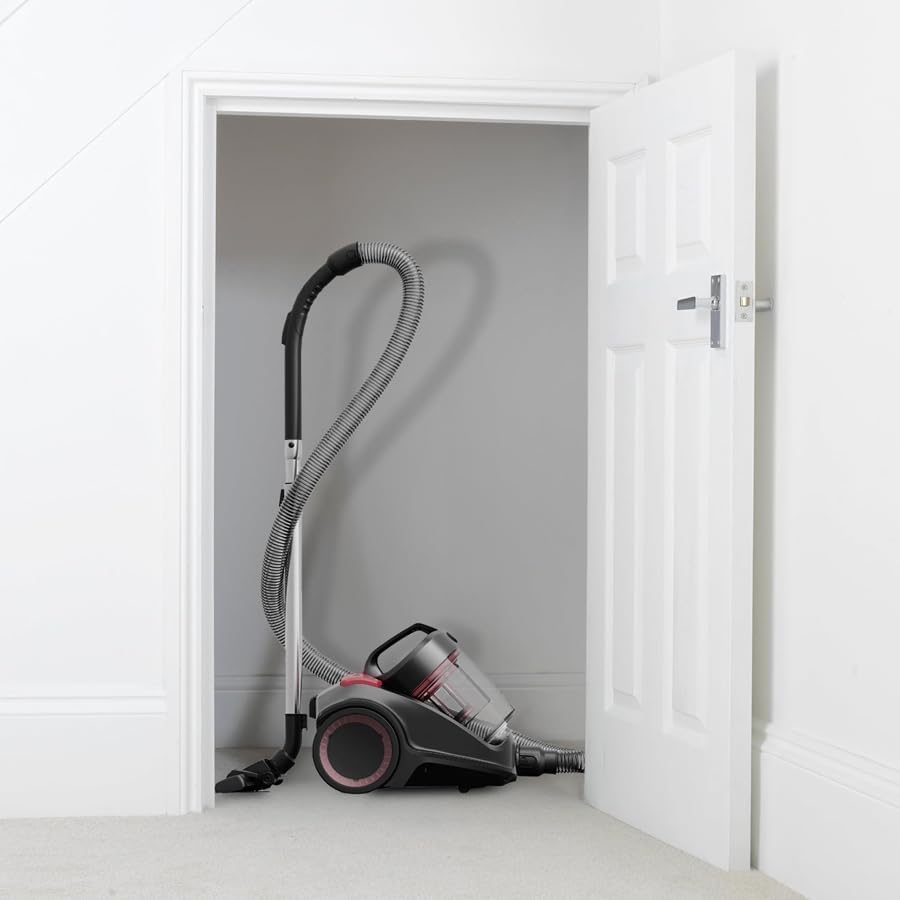
Image: A woman carrying the Hoover Power 6 Advanced vacuum cleaner up a carpeted staircase, demonstrating its portability for multi-level cleaning.
Maintenance
Emptying the Dust Bin
The Hoover Power 6 Advanced features a large capacity, one-touch easy empty bin. Empty the bin regularly to maintain optimal suction power.
- Ensure the vacuum cleaner is unplugged.
- Press the bin release button to detach the dust bin from the main unit.
- Position the bin over a waste receptacle.
- Press the one-touch empty button to open the bottom flap and release the dirt.
- Close the flap and reattach the dust bin to the main unit, ensuring it clicks into place.

Image: A detailed view of the Hoover Power 6 Advanced dust bin, illustrating the cyclonic technology that separates dust from the air.
Cleaning the HEPA Filter
The HEPA filter traps fine dust and allergens. Regular cleaning is crucial for maintaining filtration efficiency and suction power. The filter should be cleaned periodically, or when a noticeable decrease in suction occurs.
- Unplug the vacuum cleaner.
- Remove the dust bin as described above.
- Locate and remove the HEPA filter, usually found within or near the dust bin assembly.
- Tap the filter gently over a waste bin to dislodge loose dust.
- If washable, rinse the filter under cold running water until the water runs clear. Do not use detergents.
- Allow the filter to air dry completely for at least 24 hours before reinserting. Do not use a hairdryer or other heating devices.
- Reassemble the filter and dust bin.
Note: The HEPA filter is designed to capture 99.9% of fine dust and particles, making this model suitable for allergy sufferers.
General Cleaning
- Wipe the exterior of the vacuum cleaner with a damp cloth. Do not use abrasive cleaners.
- Check the hose and nozzles for blockages regularly.
Troubleshooting
| Problem | Possible Cause | Solution |
|---|---|---|
| Vacuum cleaner does not turn on. | No power supply. | Check if the plug is securely in the outlet. Check the circuit breaker. |
| Loss of suction. | Full dust bin, clogged filter, or blockage in hose/nozzle. | Empty the dust bin. Clean or replace the HEPA filter. Check and clear any blockages. |
| Vacuum cleaner overheats and shuts off. | Clogged filter, full dust bin, or motor obstruction. | Turn off and unplug the unit. Empty the dust bin and clean the HEPA filter. Allow the unit to cool for at least 30 minutes. Check for any visible obstructions in the air path. |
| Unusual noise during operation. | Foreign object in the hose or nozzle, or motor issue. | Turn off and unplug. Inspect hose and nozzle for obstructions. If noise persists, contact customer support. |
Specifications
| Feature | Detail |
|---|---|
| Brand | Hoover |
| Model Number | CDCY-P6ME |
| Color | Grey Red |
| Product Dimensions | 49 x 32 x 40 cm |
| Item Weight | 6.4 Kilograms |
| Capacity (Dust Bin) | 3 Liters |
| Power / Wattage | 2200 watts |
| Voltage | 2200 Volts |
| Special Features | Cyclonic Technology |
| Filter Type | HEPA |
| Surface Recommendation | Hard Floor, Carpet |
| Power Source | Corded Electric |
| Cordless | No |
Warranty and Support
Your Hoover Power 6 Advanced 2200W Vacuum Cleaner is covered by a manufacturer's warranty. Please refer to the warranty card included with your purchase for specific terms and conditions, including warranty duration and coverage details.
For technical assistance, spare parts, or warranty claims, please contact Hoover customer support. Contact information can typically be found on the Hoover official website or on your product packaging.
It is recommended to register your product online to facilitate warranty service and receive important product updates.
Disposal Information
When disposing of the appliance, please follow local regulations for waste disposal. Do not dispose of electrical appliances with general household waste. Recycle where facilities exist. Contact your local authority for information regarding available collection schemes.