Introduction
The FWFX Dance Mat is an electronic dancing game designed for both children and adults, offering a variety of interactive modes for physical activity and entertainment. This manual provides essential information for setting up, operating, maintaining, and troubleshooting your dance mat to ensure a safe and enjoyable experience.
Safety Information
WARNING: CHOKING HAZARD - Small parts. Not suitable for children under 3 years of age. Adult supervision is recommended during use, especially for younger children, to prevent accidents and ensure proper handling of components.
- Ensure the dance mat is placed on a flat, non-slip surface to prevent falls during play.
- Keep the mat away from water or excessive moisture.
- Do not attempt to disassemble or modify the product.
- Use only the provided cables and power adapter.
- Remove batteries from controllers if the device will not be used for an extended period.
What's in the Box
Please check the package contents to ensure all items are present:
- 1 x Dance mat
- 2 x Game Handles (Wireless Controllers)
- 1 x HDMI cable
- 1 x USB cable + charger
- 1 x Host (Main console unit)
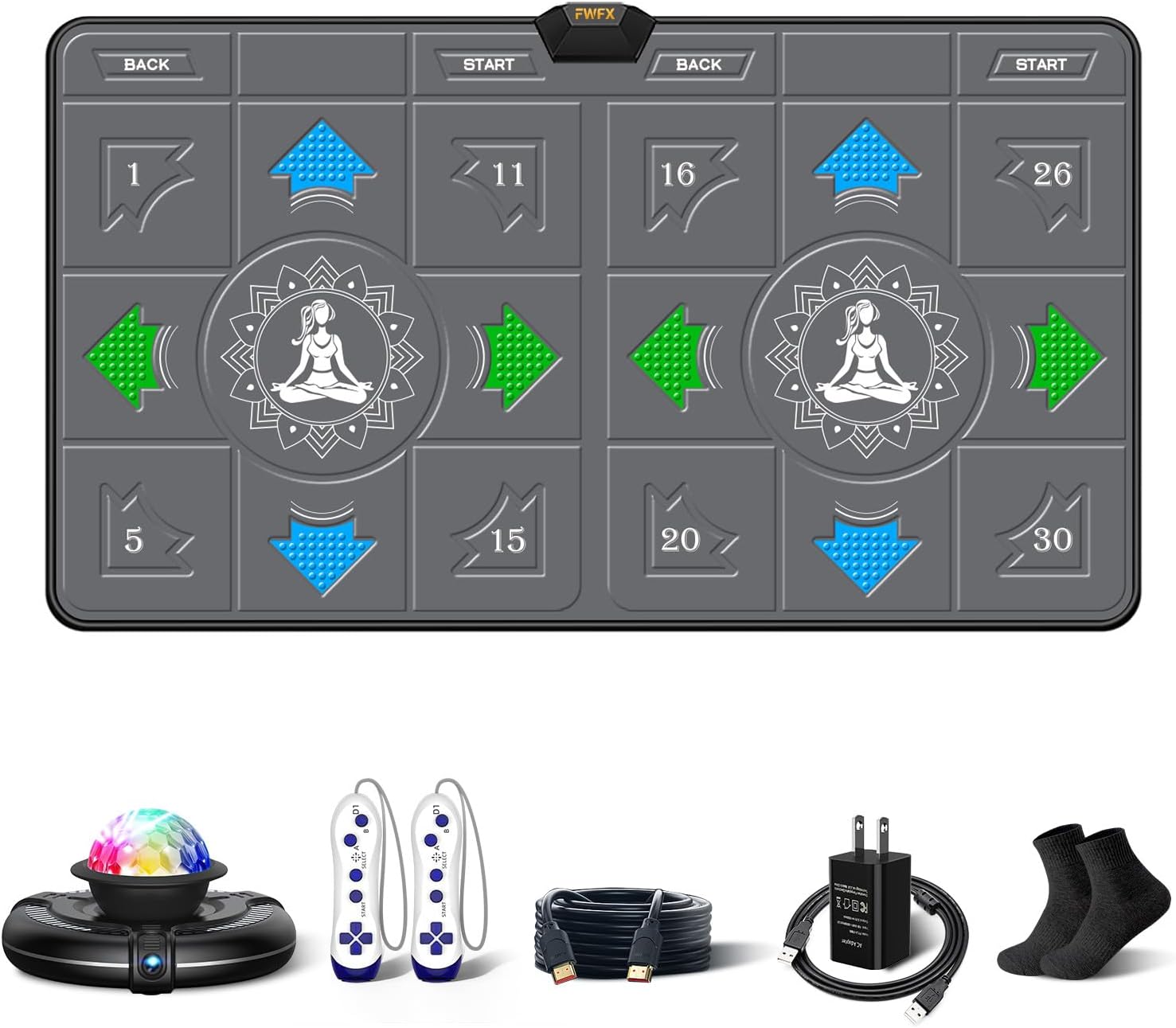
Figure 1: All components included in the FWFX Dance Mat package.
Setup Instructions
- Unpack Components: Carefully remove all items from the packaging.
- Place the Dance Mat: Unroll the dance mat and place it on a flat, stable surface, ensuring there is enough space around it for movement.
- Connect the Host:
- Connect the HDMI cable from the host unit to an HDMI input port on your TV, PC monitor, or projector.
- Connect the USB cable to the host unit and then to the charger. Plug the charger into a power outlet.
- Install Batteries in Controllers: The wireless game handles require 6 x 1.5V AAA batteries (not included). Open the battery compartment on each controller and insert the batteries, observing polarity.
- Power On: Turn on your TV/monitor/projector and select the correct HDMI input source. Then, power on the FWFX Dance Mat host unit. The system will boot up automatically.

Figure 2: Connection diagram for the FWFX Dance Mat host unit to a display device.
Operating Instructions
Navigate through the menu using the wireless controllers or the mat's directional pads. Select your desired game mode or activity.
Dance Modes
The dance mat supports various dance modes, including 4-key, 6-key, hands & feet, MTV, and cartoon modes. There are 149 dance tracks available. Free quarterly song updates are provided to keep content fresh.
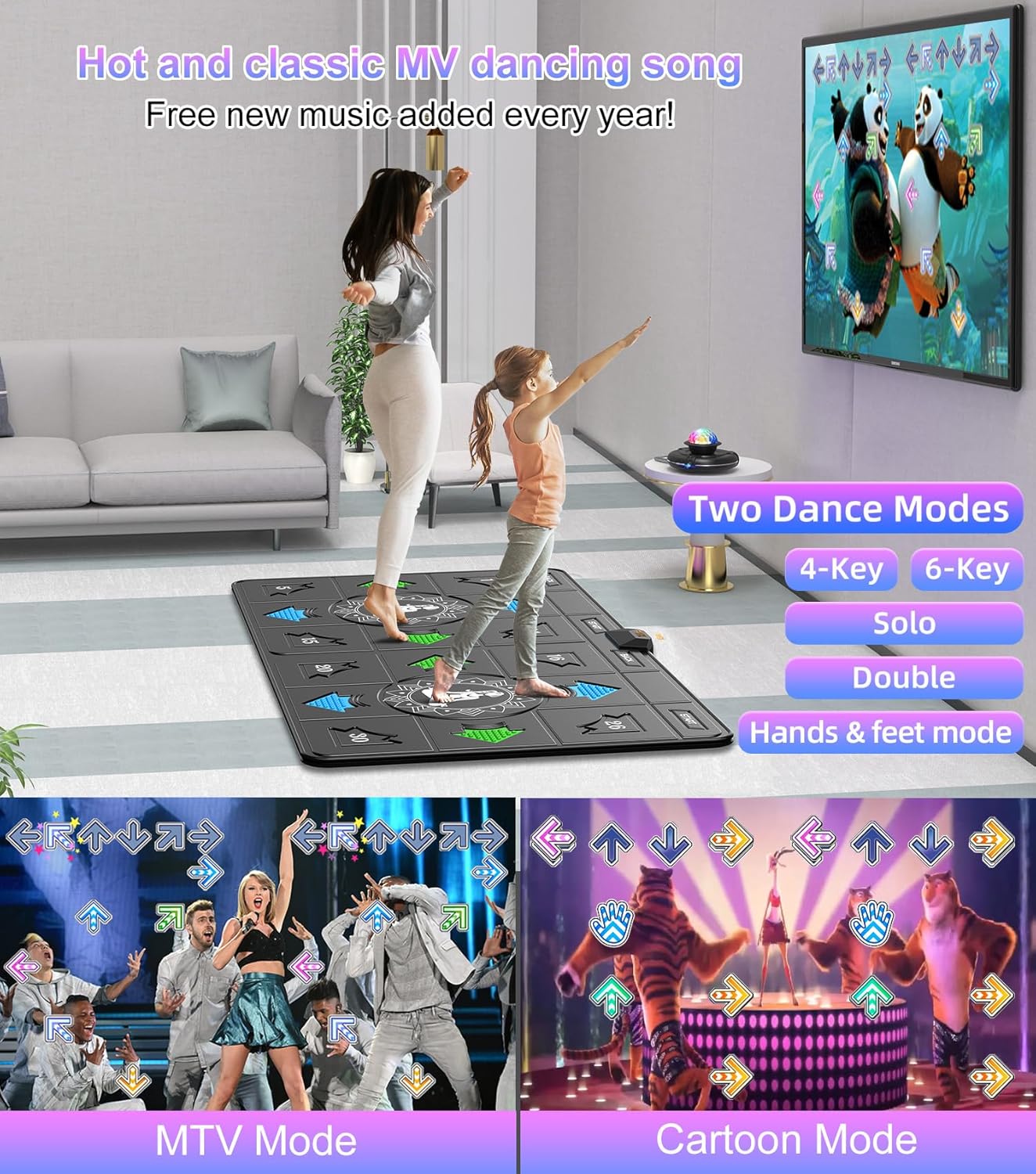
Figure 3: Overview of various dance modes and song options.
Wireless Handle Interactive Games
Engage in 72 classic, sports, and puzzle games using the wireless controllers. These games promote interaction and coordination.

Figure 4: Examples of wireless handle interactive games.
Camera Somatosensory Games
The built-in AR camera allows for 9 interactive camera games where your movements are captured and rendered on screen in real-time, providing an immersive experience.

Figure 5: Family enjoying a camera somatosensory game.
Running Modes
Utilize the 3 running games to simulate outdoor running indoors, providing a fun way to exercise.

Figure 6: Users engaging in a running mode game.
Yoga and Aerobics
Access 45 sets of yoga and aerobics exercise videos directly through the system, turning your dance mat into a fitness assistant.

Figure 7: Yoga instruction available on the FWFX Dance Mat.
Maintenance
Cleaning
The dance mat features a 3D waterproof blanket surface, making it easy to clean. Use a soft, damp cloth to wipe down the surface. Avoid harsh chemicals or abrasive cleaners.

Figure 8: Mat construction with moisture-resistant surface.
Storage
The dance mat is designed to be foldable for easy storage. After use, carefully fold the mat and store it in a dry place, away from direct sunlight and extreme temperatures.

Figure 9: Foldable design for easy storage.
Troubleshooting
| Problem | Possible Cause | Solution |
|---|---|---|
| No image/signal on TV | Incorrect HDMI input selected; Loose HDMI cable; Host not powered on. | Ensure TV is on correct HDMI input. Check HDMI cable connection. Verify host unit is powered on. |
| Controllers unresponsive | Low or dead batteries; Controllers not paired. | Replace AAA batteries in controllers. Refer to the on-screen instructions for pairing controllers if necessary. |
| Mat unresponsive | Loose connection to host; Mat damaged. | Ensure the mat is securely connected to the host unit. If issues persist, contact customer support. |
| Camera games not working | Camera lens obstructed; Insufficient lighting; Camera not properly positioned. | Ensure the camera lens on the host is clear. Provide adequate lighting in the play area. Adjust the camera angle for optimal tracking. |
If you encounter any issues not listed here or if the suggested solutions do not resolve the problem, please contact FWFX customer support for assistance.
Specifications
| Feature | Detail |
|---|---|
| Product Dimensions | 65.4 x 36.6 x 0.6 inches |
| Item Weight | 6.6 pounds |
| Model Number | 724494315074 |
| Manufacturer Recommended Age | 8 years and up |
| Connectivity | HDMI (for display), USB (for power) |
| Controller Batteries | 6 x 1.5V AAA batteries (not included) |
| Dance Tracks | 149 |
| Wireless Games | 72 |
| Camera Games | 9 |
| Running Games | 3 |
| Yoga/Aerobics Videos | 45 sets |
Warranty and Support
The FWFX Dance Mat comes with a 2-year warranty. Additionally, a 30-day money-back guarantee is offered for your peace of mind.
For product support, technical assistance, or warranty claims, please contact FWFX customer service. You may also find additional resources, including manuals and downloads, on the official FWFX website:
You can also visit the official FWFX store on Amazon for more information: FWFX Amazon Store