
FreedConn Bluetooth_TMAX-E
FreedConn TMAX-E
Motorcycle Helmet Bluetooth Headset User Manual
Model: Bluetooth_TMAX-E | Brand: FreedConn
Introduction
This user manual provides detailed instructions for the installation, operation, and maintenance of your FreedConn TMAX-E Motorcycle Helmet Bluetooth Headset. Please read this manual thoroughly before using the device to ensure proper function and safety.
The FreedConn TMAX-E is a versatile Bluetooth 5.0 headset designed for motorcycle helmets, offering features such as 6-person intercom communication up to 1000 meters, music sharing, phone call management with speed dialing, FM radio, and advanced noise reduction. Its waterproof, dustproof, and sun protection design ensures durability in various conditions.
Package Contents
Verify that all items listed below are included in your package:
- 1 x FreedConn TMAX-E Bluetooth Headset Unit
- 1 x Boots Protector (Included as a free accessory)
- Stereo Ear Speakers
- Noise Canceling Microphone (Boom and Soft wire options)
- Mounting Clamp
- USB Charging Cable
- User Manual (This document)
Product Overview and Components
Familiarize yourself with the main components of your FreedConn TMAX-E headset:

Image: Diagram showing the FreedConn TMAX-E unit with labeled components including Indicator Light, Multi-function Button, Jog Wheel, Charger Socket, Headset Socket, Stereo Ear Speakers, and Noise Canceling Microphone.
- Indicator Light: Displays device status (e.g., power, pairing, charging).
- Multi-function Button: Used for power, pairing, answering calls, and other primary controls.
- Jog Wheel: Controls volume, navigates menus, and changes FM stations.
- Charger Socket: USB port for charging the device.
- Headset Socket: Connects the stereo ear speakers and microphone.
- Stereo Ear Speakers: Provide audio output.
- Noise Canceling Microphone: Captures your voice while reducing ambient noise. Available in boom and soft wire versions.
Setup and Installation
1. Charging the Device
Before first use, fully charge the TMAX-E unit. Connect the provided USB charging cable to the charger socket on the unit and to a USB power source (e.g., computer, wall adapter). The indicator light will show charging status and turn off when fully charged. A full charge takes approximately 2 hours.
2. Helmet Installation Procedure
Follow these steps to properly install the FreedConn TMAX-E unit into your motorcycle helmet:

Image: Step-by-step diagram illustrating the installation of the Bluetooth unit into a helmet.
- Loosen Screws: Loosen the screws on the back of the clamp using the provided screwdriver.
- Insert Clamp: Open the helmet lining. Insert the clamp into the proper position on the left side of the helmet. Fasten the screw securely, but do not overtighten to avoid damaging the clamp.
- Slide BT Receiver: Slide the Bluetooth receiver unit into the slot of the clamp. Ensure it is locked securely in place.
- Position Speakers: Open the helmet lining at the ear's position. Clean the EPS surface and paste the Velcro onto the rough surface. Attach the stereo ear speakers to the Velcro inside the helmet, aligning them with your ears.
- Attach Microphone: Attach the hook surface of the microphone's Velcro to the rough surface and properly tidy the helmet lining. Position the microphone close to your mouth.
- Connect Headset: Insert the headphone plug into the corresponding headset jack on the receiver unit to complete the installation.
3. Initial Pairing (Bluetooth)
To pair your TMAX-E with your mobile phone or other Bluetooth devices:
- Ensure the TMAX-E is powered off.
- Press and hold the Multi-function Button until the indicator light flashes red and blue alternately, indicating pairing mode.
- On your mobile phone, enable Bluetooth and search for new devices.
- Select "FreedConn TMAX-E" from the list of available devices.
- Once connected, the indicator light will flash blue slowly.

Image: Illustration showing the FreedConn TMAX-E unit simultaneously connected to two mobile phones, one for incoming calls and one for music playback.
The TMAX-E supports connecting to two mobile phones simultaneously, allowing you to manage calls from one and music from another, or handle calls from both.

Image: Diagram illustrating the FreedConn TMAX-E's ability to wirelessly connect to multiple devices, including smartphones, MP3 players, and GPS units.
Operating Instructions
Power On/Off
- Power On: Press and hold the Multi-function Button for approximately 3 seconds until the indicator light flashes blue.
- Power Off: Press and hold the Multi-function Button for approximately 5 seconds until the indicator light flashes red and then turns off.
Intercom Function (6 Riders)
The TMAX-E supports intercom communication for up to 6 riders within a 1000-meter range. Ensure all units are paired for intercom use.
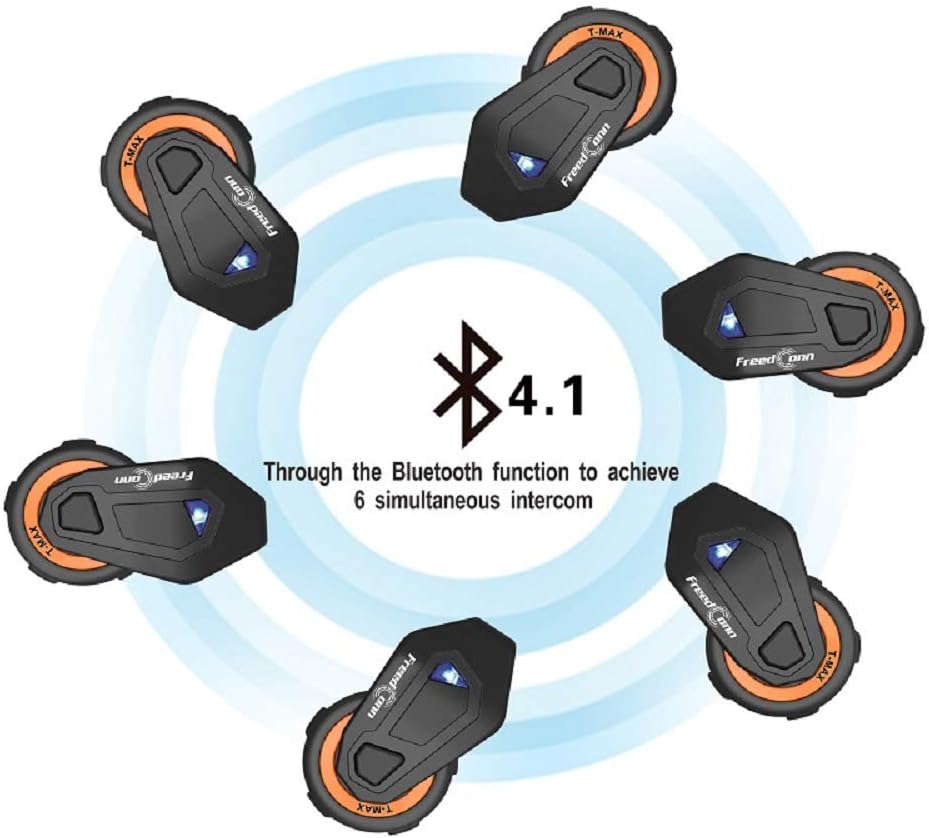
Image: Graphic showing six FreedConn TMAX-E units arranged in a circle, indicating their ability to connect for 6 simultaneous intercom conversations via Bluetooth 4.1 (note: product specifications state Bluetooth 5.0).
- Initiate Intercom: Short press the Intercom Button (if available, or specific button designated for intercom) to start an intercom conversation.
- End Intercom: Short press the Intercom Button again to end the conversation.
- Refer to the detailed pairing instructions for multi-unit intercom in the full manual (not provided here, but implied by the feature).
Music Playback
- Play/Pause: Short press the Multi-function Button.
- Next Track: Rotate the Jog Wheel forward.
- Previous Track: Rotate the Jog Wheel backward.
- Volume Up/Down: Rotate the Jog Wheel and hold to adjust volume.
Phone Calls
- Answer Call: Short press the Multi-function Button when a call comes in.
- End Call: Short press the Multi-function Button during a call.
- Reject Call: Press and hold the Multi-function Button for 2 seconds when a call comes in.
- Redial Last Number: Double-press the Multi-function Button.
FM Radio
- Turn On/Off FM: Press a dedicated FM button or a combination of buttons (refer to specific button mapping if available).
- Scan Stations: Use the Jog Wheel or specific buttons to scan for available FM stations.
Advanced Features
- Intelligent Noise Reduction: The TMAX-E features advanced noise control technology to minimize wind and road noise for clearer communication and audio.
- Voice Prompt: The device provides voice prompts for various operations and status updates, enhancing user experience.
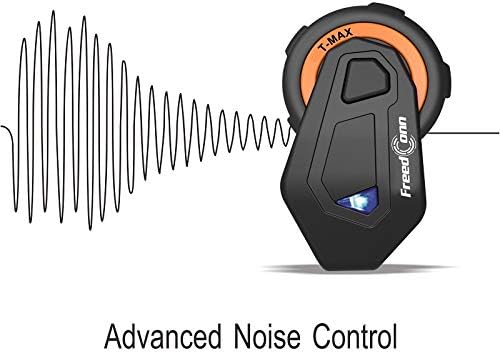
Image: Graphic illustrating the concept of advanced noise control, showing sound waves being dampened around the TMAX-E unit.
Image: Illustration of the 'Voice Prompt' feature, showing a speech bubble above the TMAX-E unit.
Maintenance and Care
- Cleaning: Wipe the unit with a soft, damp cloth. Do not use harsh chemicals or abrasive cleaners. Ensure the charging port cover is securely closed to maintain waterproof integrity.
- Storage: Store the device in a cool, dry place away from direct sunlight and extreme temperatures.
- Battery Care: For optimal battery life, charge the device regularly, even if not in use for extended periods. Avoid fully discharging the battery frequently.
- Water Resistance: While the device is waterproof, avoid submerging it in water for prolonged periods. Ensure all ports are sealed before exposure to water.
Troubleshooting
| Problem | Possible Cause | Solution |
|---|---|---|
| Device does not power on. | Low battery; Device frozen. | Charge the device fully. Perform a hard reset (refer to manual for specific reset procedure if available, otherwise hold power button for longer). |
| Cannot pair with phone. | Device not in pairing mode; Bluetooth off on phone; Too many paired devices. | Ensure TMAX-E is in pairing mode (flashing red/blue). Turn phone's Bluetooth off and on. Clear old Bluetooth connections on phone. |
| Intercom not connecting. | Units out of range; Incorrect pairing sequence. | Ensure units are within 1000m. Re-initiate intercom pairing sequence for all units. |
| Poor audio quality/noise. | Microphone not positioned correctly; Excessive wind noise; Speakers misplaced. | Adjust microphone closer to mouth. Ensure helmet lining is properly sealed. Reposition speakers for optimal sound. |
Specifications
| Feature | Detail |
|---|---|
| Model | Bluetooth_TMAX-E |
| Bluetooth Version | 5.0 |
| Intercom Range | Up to 1000 meters (6 riders) |
| Battery Type | Lithium Polymer (included) |
| Charging Time | Approximately 2 hours |
| Standby Time | Up to 12 days |
| Water Resistance Level | Waterproof |
| Control Type | Media Control, Touch |
| Compatible Devices | Mobile Phones, Tablets, Bluetooth-enabled Devices |
| Product Dimensions | 6 x 3 x 4.5 inches |
| Item Weight | 14.9 ounces |
Warranty and Support
FreedConn products are manufactured to high quality standards. For information regarding warranty coverage, please refer to the warranty card included with your product or visit the official FreedConn website. Keep your purchase receipt as proof of purchase.
For technical support, troubleshooting assistance, or any inquiries regarding your FreedConn TMAX-E headset, please contact FreedConn customer service through their official channels. Contact information can typically be found on the product packaging or the brand's official website.
Important Note on Videos
No official product videos were provided in the available data for this manual. Please refer to the text descriptions and images for all instructions and product information.
Ask a question about this manual
Ask about setup, troubleshooting, compatibility, parts, safety, or missing instructions. Manuals+ will review the question and use this page’s manual context to help answer it.