Introduction
The Mecurate Digital Pin Type Wood Moisture Meter is a reliable and essential tool designed for accurately detecting moisture content in various materials, including wood and building materials. It is ideal for homeowners, woodworkers, painters, and architects to identify moisture levels, prevent potential damage, and ensure optimal conditions for projects. This manual provides detailed instructions for the proper use, maintenance, and troubleshooting of your device.
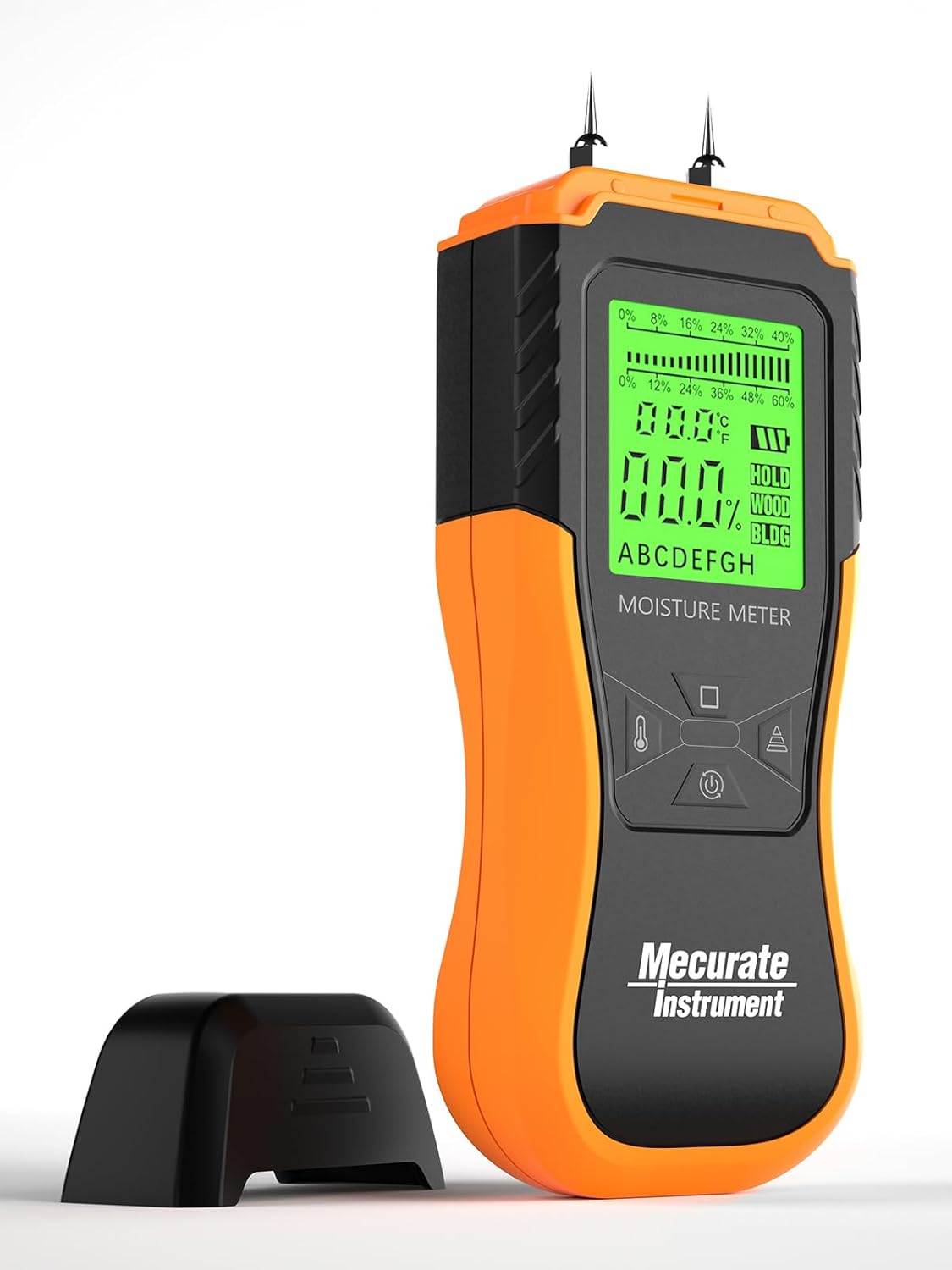
Image: The Mecurate Digital Pin Type Wood Moisture Meter with its protective cap removed, showcasing the measurement pins and the backlit display.
Key Features
- Accurate & Trusted Measures: Detects moisture content from wood to building material with reliable performance.
- 2 Modes & 8 Scales: Features dedicated modes for wood and building materials. The wood mode includes 8 calibrated scales for different wood densities, ensuring guaranteed accuracy.
- 0.1% Resolution: Provides precise moisture readings.
- 3 Colored Indicators: Intuitive on-screen icons (low/medium/high) for quick identification of dampness.
- Multi-Function & Easy Use: Integrated temperature detection in °C/°F, a Hold button to freeze readings, and a low battery indicator.
- Large Backlit Display: Jumbo smart backlit display for extended visibility in any ambient brightness.
- Ergonomic Design: Side covered with anti-slip material for a comfortable and firm grip.
- Self-Testing Aid: Protective cap includes a "Self-Testing" aid for pre-use calibration.
- Portable: Comes with a water-resistant carry pouch and a "Wood Type Quick-Search Index Table" printed on the back for convenience.
What's in the Box
Your Mecurate Digital Pin Type Wood Moisture Meter package includes:
- Mecurate Digital Pin Type Wood Moisture Meter
- 2 AAA Batteries (included)
- Water Resistant Carry Pouch
- User Manual (with full wood list)

Image: A visual representation of the items included in the product box: the moisture meter, batteries, carry bag, and user manual.
Setup
1. Battery Installation
The device requires 2 AAA batteries, which are included. Open the battery compartment cover located on the back of the device and insert the batteries, ensuring correct polarity. Close the cover securely.
2. Self-Testing Before Use
Before taking measurements, it is recommended to perform a self-test to ensure the device is accurately calibrated. Remove the protective cap from the pins. The cap has two small holes designed for self-testing. Insert the pins into these holes and take a reading. The display should show a specific value (refer to your printed user manual for the exact expected value for self-test). This confirms the meter is functioning correctly.

Image: A hand demonstrating the self-testing procedure by inserting the meter's pins into the designated holes on the protective cap.
Operating Instructions
1. Power On/Off
Press the power button ( ) to turn the device on. The backlit LCD display will illuminate. The device will automatically power off after 3 minutes of inactivity to conserve battery life.
2. Select Working Mode
The meter has two main modes: Wood Mode and Building Mode. Press the MODE button ( ) to switch between these modes. The selected mode will be indicated on the display.
- Wood Mode: For measuring moisture in various types of wood. It comes with 8 calibrated scales (A-H) for different wood densities. Refer to the "Wood Type Quick-Search Index Table" printed on the back of the device or the full list in the user manual to select the correct scale for your wood type.
- Building Mode: For measuring moisture in building materials such as drywall, concrete, and plaster. Composite wood should also be measured in Building Mode.

Image: A close-up of the moisture meter's display showing the selection of Wood Mode or Building Mode, with a quick-search table for wood types on the back of the device.
3. Taking a Measurement
Gently push the two pins into the testing surface (wood or building material). Ensure the pins penetrate deep enough to get a stable reading. Hold the meter steady for approximately one second until the reading stabilizes on the display.

Image: A hand pressing the moisture meter's pins into a wall surface to take a reading.
4. Reading the Numbers
The moisture content percentage will be displayed on the screen. The 3 colored indicators (Low, Mid, High) will also light up to give a quick visual reference of the moisture level:
- Wood Mode: Low (<12%), Mid (12-15.9%), High (16-60%)
- Building Mode: Low (<17%), Mid (17-19.9%), High (20-33%)
To freeze the reading on the display, press the HOLD button ( ). Press it again to resume live readings.

Image: A hand pressing the hold button on the moisture meter to freeze the displayed moisture reading.
5. Temperature Measurement
The device can also measure ambient temperature. Press the temperature button ( ) to switch between Celsius (°C) and Fahrenheit (°F).
Official Product Video: Mecurate wood moisture meter
Video: An official demonstration video from Mecurate Instrument showcasing the features and usage of the wood moisture meter, including its design, display, and measurement capabilities.
Maintenance
- Cleaning: Wipe the device with a dry, soft cloth after each use. Do not use abrasive cleaners or solvents.
- Storage: Store the meter in its protective carry pouch in a cool, dry place when not in use. Ensure the protective cap is on the pins to prevent damage and injury.
- Battery Replacement: Replace batteries when the low battery indicator appears on the display to ensure accurate readings.
Troubleshooting
- Inaccurate Readings:
- Ensure the correct wood type scale (A-H) or building mode is selected.
- Verify that the pins are fully inserted into the material.
- Perform a self-test using the protective cap to check calibration.
- Check battery level and replace if low.
- Display Not Working:
- Check battery installation and ensure batteries are not depleted.
- The device automatically powers off after 3 minutes of inactivity; press the power button to reactivate.
- No Reading:
- Ensure the pins make good contact with the material.
- The material might be too dry or too wet for the meter's range.
Specifications
| Feature | Detail |
|---|---|
| Brand | Mecurate |
| Model Number | WMM |
| Color | Orange |
| Item Weight | 7.4 ounces |
| Power Source | Battery Powered |
| Batteries | 2 AAA batteries (included) |
| Operating Humidity | 0-100% |
| Temperature Accuracy | 1 degree Celsius |
| Resolution | 0.1% |
Warranty and Support
For detailed warranty information and customer support, please refer to the official user guide included in your product packaging. You can also download the User Guide (PDF) from the following link: Mecurate User Guide PDF.
For further assistance, please visit the official Mecurate Store on Amazon: Mecurate Store.


