
1. Introduction
Thank you for choosing the TECKNET Wireless Doorbell. This manual provides detailed instructions for the installation, operation, and maintenance of your new doorbell system. Please read this manual thoroughly before use to ensure proper functionality and safety.

Image 1.1: The TECKNET Wireless Doorbell system, including one self-powered push button and two plug-in receivers with integrated sockets.
2. Product Overview
2.1 Components
- 1 x Self-Powered Doorbell Push Button (Transmitter)
- 2 x Plug-through Doorbell Receivers (Chimes)
- Mounting Hardware (Double-sided adhesive tape, screws, and anchors)
- User Manual
2.2 Key Features
- Self-Powered Transmitter: No batteries required for the push button. It generates its own power when pressed.
- Plug-through Receiver: Each receiver plugs into a standard wall socket and includes an additional socket, allowing other appliances to be plugged in.
- Extended Wireless Range: Up to 1300ft (400m) in open areas.
- 60 Chimes & 5 Volume Levels: Customizable sound options from 0dB to 110dB.
- IP66 Waterproof Transmitter: Designed to withstand various weather conditions.
- Memory Function: Retains selected chime and volume settings after power loss.
- Easy Installation: Can be installed using double-sided adhesive or screws.
3. Setup and Installation
3.1 Receiver Installation
- Select a suitable indoor wall socket for each receiver. Ensure the location is within the wireless range of the push button.
- Plug the receiver directly into the wall socket. The LED indicator will light up.
- If using the integrated socket, ensure the connected appliance does not exceed the maximum load power (e.g., 1100 Watts for US style).

Image 3.1: A receiver plugged into a wall socket, demonstrating the pass-through socket feature.
3.2 Push Button (Transmitter) Installation
The push button can be installed using either double-sided adhesive or screws.
- Choose a Location: Select a flat, clean surface near your door. Avoid placing the transmitter on metal surfaces, as this may reduce the wireless range.
- Adhesive Installation:
- Clean the mounting surface thoroughly.
- Peel off one side of the double-sided adhesive tape and attach it to the back of the push button.
- Peel off the other side of the tape and firmly press the push button onto the desired surface for at least 30 seconds.
- Screw Installation:
- Open the back cover of the push button.
- Mark the positions for drilling holes using the back cover as a template.
- Drill holes, insert the provided anchors, and secure the back cover with screws.
- Attach the front part of the push button to the secured back cover.

Image 3.2: Visual guide for both adhesive and screw-mount installation methods for the push button.
3.3 Pairing (If Needed)
The doorbell system is typically pre-paired at the factory. If the push button does not trigger the receiver, or if you wish to pair additional push buttons/receivers, follow these steps:
- Plug the receiver into a power outlet.
- Press and hold the volume button on the receiver for 3 seconds until the LED indicator flashes rapidly. This indicates pairing mode.
- Immediately press the push button. The receiver will chime and its LED will flash, confirming successful pairing.
- Repeat for any additional push buttons or receivers.
4. Operating Instructions
4.1 Changing Ringtones
To change the chime melody:
- Press the "Chime Selection" button on the side of the receiver to cycle through the 60 available melodies.
- Once you hear your desired chime, stop pressing the button. The receiver will automatically save this selection.
4.2 Adjusting Volume
To adjust the volume level:
- Press the "Volume" button on the side of the receiver to cycle through the 5 volume levels (0dB to 110dB).
- The receiver will automatically save the selected volume level.

Image 4.1: Illustration of the 5 volume levels and the variety of 60 ringtones available on the doorbell receiver.
4.3 Memory Function
The doorbell system is equipped with a memory function. Your chosen chime melody and volume level will be retained even if the receiver is unplugged or experiences a power outage.
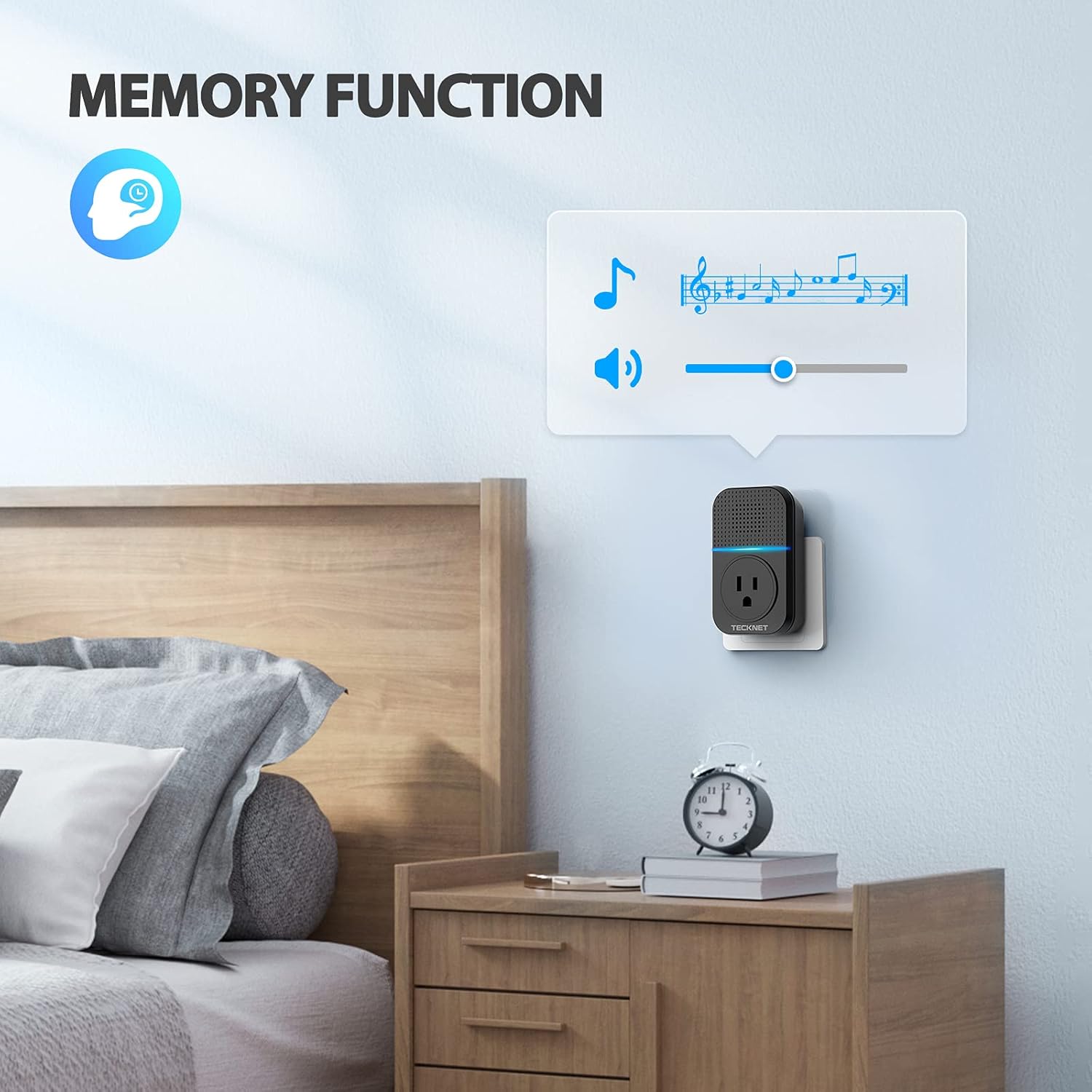
Image 4.2: The doorbell receiver demonstrating its memory function, retaining settings even after being unplugged.
5. Maintenance
5.1 Cleaning
To clean the doorbell components, use a soft, dry cloth. Do not use abrasive cleaners, solvents, or harsh chemicals, as these may damage the product.
5.2 Environmental Conditions
The push button is IP66 waterproof and designed to operate reliably in temperatures ranging from -4°F to 140°F (-20°C to 60°C). Ensure the push button is installed in a location that does not exceed these temperature limits for optimal performance.

Image 5.1: The push button's IP66 waterproof rating and wide operating temperature range for outdoor use.
6. Troubleshooting
| Problem | Possible Cause | Solution |
|---|---|---|
| Doorbell does not ring. | Receiver is unplugged or power outage. | Ensure receiver is securely plugged into a working power outlet. |
| Push button is out of range. | Relocate the receiver closer to the push button or ensure no significant obstructions. | |
| Interference from metal objects or thick walls. | Avoid mounting the push button directly on metal doors or frames. Test different locations for optimal signal. | |
| Doorbell is not paired. | Follow the pairing instructions in Section 3.3. | |
| Volume is too low or too high. | Volume setting needs adjustment. | Press the "Volume" button on the receiver to adjust to the desired level. |
| Chime melody is not desired. | Incorrect chime selected. | Press the "Chime Selection" button on the receiver to cycle to a different melody. |
7. Specifications
- Model Number: TK-WD003
- Wireless Range: Up to 1300ft (400m) in open areas
- Ringtones: 60 selectable melodies
- Volume Levels: 5 levels (0dB - 110dB)
- Transmitter Power Source: Self-powered (no battery required)
- Receiver Power Source: AC 100-240V (Plug-in)
- Receiver Integrated Socket Max Load: 1100W (US style)
- Waterproof Rating (Transmitter): IP66
- Operating Temperature: -4°F to 140°F (-20°C to 60°C)
- Dimensions (Push Button): Approximately 3.15 x 1.9 inches
- Dimensions (Receiver): Approximately 3.9 x 2.5 inches
- Weight: Approximately 11.7 ounces (total package)
8. Warranty and Support
TECKNET products are designed for reliability and performance. For warranty information and customer support, please refer to the official TECKNET website or contact their customer service directly. Registering your product may extend your warranty period.
For further assistance, please visit: www.tecknet.com


