
1. Safety Instructions
- The control box is not waterproof. Do not submerge it in water.
- If the device is not used for a week or more, remove the batteries to prevent potential damage from battery leakage.
- Always be aware of your surroundings when operating the metal detector.
- Avoid using the detector near power lines or electrical cables to prevent interference or hazards.
- Exercise caution when digging to avoid injury or damage to property.
2. Assembly and Ergonomic Adjustments
The SUFFLA MD3040 metal detector is designed for easy assembly and ergonomic use. Follow these steps for setup and adjustment:
2.1 Assembling the Detector
- Attach the search coil to the lower stem.
- Connect the lower stem to the middle stem, ensuring the cable is securely wrapped around the stem.
- Attach the control box to the upper stem and connect the cable from the search coil to the control box. Secure with the screw nut.
- Adjust the stem length to a comfortable position using the adjustable rod.
- Secure the armrest to your forearm using the Velcro strap for stability and comfort during prolonged use.

Figure 1: Fully assembled SUFFLA MD3040 Metal Detector, showing the control box, adjustable stem, and search coil.

Figure 2: Close-up of the ergonomic armrest, designed for comfortable and balanced operation.

Figure 3: The 11-inch waterproof search coil, suitable for various environments including shallow water.

Figure 4: The LCD display with adjustable backlight, showing various settings and target information.
3. Operating Modes
The SUFFLA MD3040 features 5 distinct operation modes to optimize your metal detection experience. The device also includes an intelligent memory function that saves your settings even after power-off.
3.1 Mode Selection
- ALL METAL Mode: Detects all types of metal objects. This mode is ideal for general treasure hunting when you want to find any metallic item.
- PINPOINT (PP) Mode: Used to precisely locate the exact position of a detected target. Press the "PP" button to activate this mode after a target is identified.
- DISC (Discrimination) Mode: Allows you to discriminate against unwanted metal types. Adjust the DISC numeric range to ignore specific targets.
- NOTCH Mode: Enables you to selectively eliminate certain categories of metal from detection. This is useful for filtering out common junk metals.
- TONE Mode: Provides different audio tones for various metal types, helping you identify targets without looking at the screen.

Figure 5: Visual representation of how different detection modes can include or exclude metal objects.

Figure 6: The metal detector is capable of detecting various metals including ancient coins, gold, silver, bronze, iron, tin, silver dollars, and aluminum.
4. Settings and Adjustments
The LCD display provides intuitive control over various settings:
- Sensitivity Level: Adjust the sensitivity to increase or decrease the detection depth and responsiveness. Higher sensitivity can detect smaller or deeper objects but may also pick up more interference.
- Backlight: The LCD display features an adjustable backlight for clear visibility in various lighting conditions, day or night.
- Volume Control: Adjust the audio volume for comfortable listening, especially when using headphones.
- Headphone Jack: A 3.5mm headphone jack is provided for private listening, which is useful in noisy environments or for discreet operation.
- Battery Condition: The display shows the current battery level, allowing you to monitor power and plan your detection sessions.

Figure 7: The control panel highlighting the intelligent memory function, which retains your preferred settings.
5. Maintenance and Care
- Keep the control box dry at all times. It is not waterproof.
- Clean the search coil and stem with a damp cloth after use, especially after detecting in wet or muddy conditions.
- Store the metal detector in a cool, dry place. If storing for extended periods, remove the batteries.
- Avoid exposing the device to extreme temperatures or direct sunlight for prolonged durations.
- Regularly check all connections and fasteners to ensure they are secure.
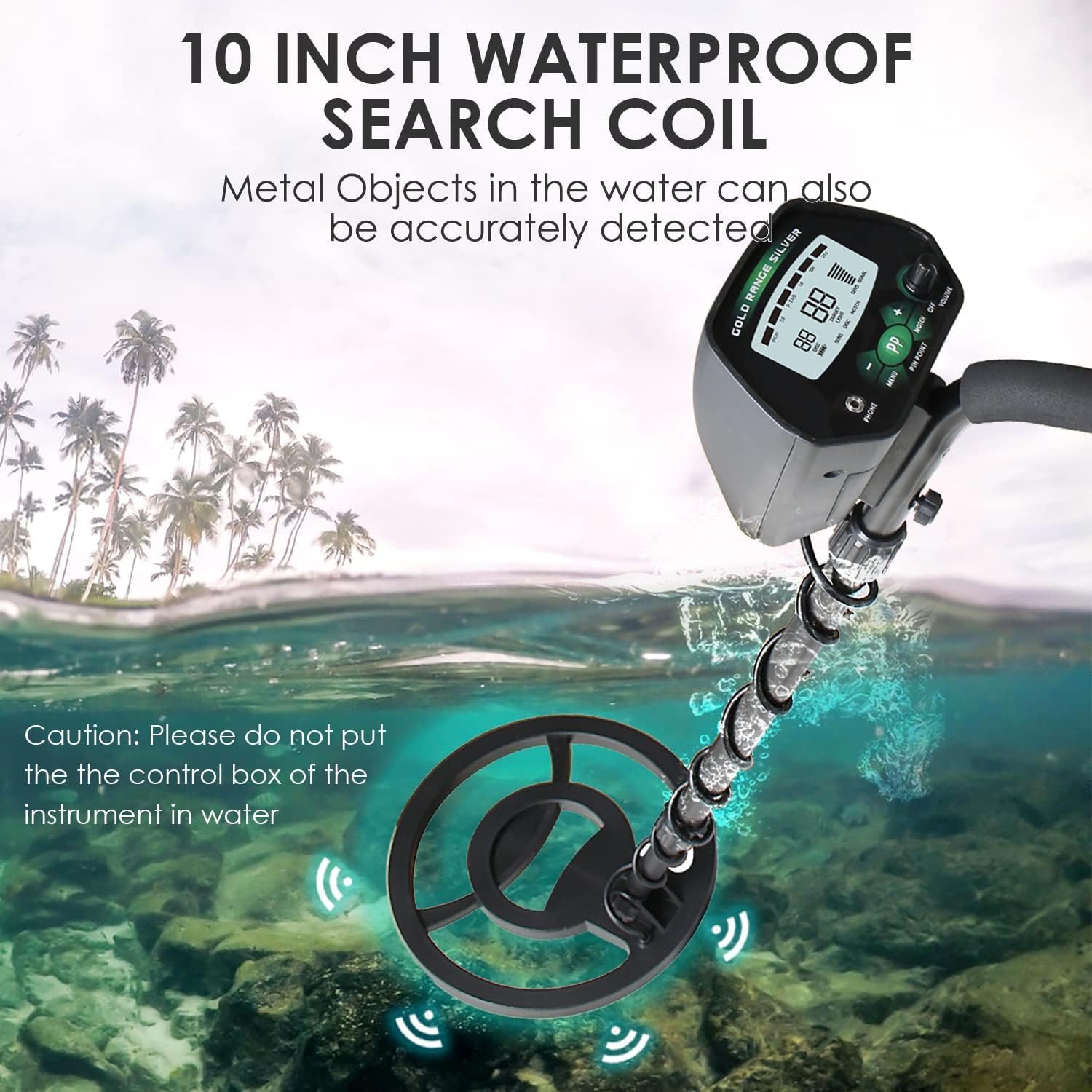
Figure 8: The 11-inch search coil is waterproof, allowing for detection in shallow water. Remember, the control box must remain dry.
6. Troubleshooting
- No Power: Ensure batteries are correctly installed and fully charged. Check for any corrosion in the battery compartment.
- Erratic Signals: Reduce sensitivity settings. Move away from known sources of electromagnetic interference (e.g., power lines, other electronic devices). Ensure the search coil cable is tightly wound around the stem.
- No Detection: Verify the detector is turned on and the search coil is properly connected. Check that the chosen mode is appropriate for the target metals.
- Inaccurate Pinpointing: Practice sweeping the coil slowly over the target area in a cross-pattern to narrow down the location.
7. Product Specifications
| Brand | SUFFLA |
| Model Number | MD3040 |
| Search Coil | 11-inch, IP68 Waterproof |
| Detection Modes | ALL METAL, PINPOINT, DISC, NOTCH, TONE |
| Adjustable Stem Length | 41" to 52" (103 cm to 132.1 cm) |
| Power Source | Battery Powered (Batteries required: Yes) |
| Material | Metal |
| Item Weight | 2.75 Pounds (1.25 kg) |
| Control Box | Not waterproof |
| Display | LCD with adjustable backlight |