
Introduction
This manual provides instructions for the AFesar Synthetic Leather Folio Case, designed specifically for the Kindle 4th and 5th Generation e-readers (Model D01100). Please ensure your Kindle model matches the specifications to guarantee proper fit and function. This cover is not compatible with other Kindle models.

Figure 1: Compatibility Check. Verify your Kindle model (D01100) by comparing it to the device shown in the image before installation.
Product Features
- Specifically designed for Kindle 4th and Kindle 5th Generation (Model: D01100).
- Protects your Kindle from scratches, bumps, and dust.
- Lightweight and compact for easy portability and handling.
- Features a magnetic clasp to ensure the cover remains securely closed.

Figure 2: Fall Prevention Feature. The cover is designed to offer protection against accidental drops and impacts.

Figure 3: Magnetic Clasp Mechanism. A metal clip and integrated magnets ensure the cover stays closed, protecting the screen.
Installation Guide
Follow these steps to properly install your Kindle into the AFesar folio case:
- Ensure your Kindle is clean and free of dust or debris.
- Align your Kindle with the hard shell frame of the cover. The screen should face the open side of the cover.
- Gently press your Kindle into the frame until it snaps securely into place. Ensure all edges are seated correctly within the frame.
- Verify that all ports (charging, headphone) and buttons (power, page turn) are accessible through the designated cutouts.
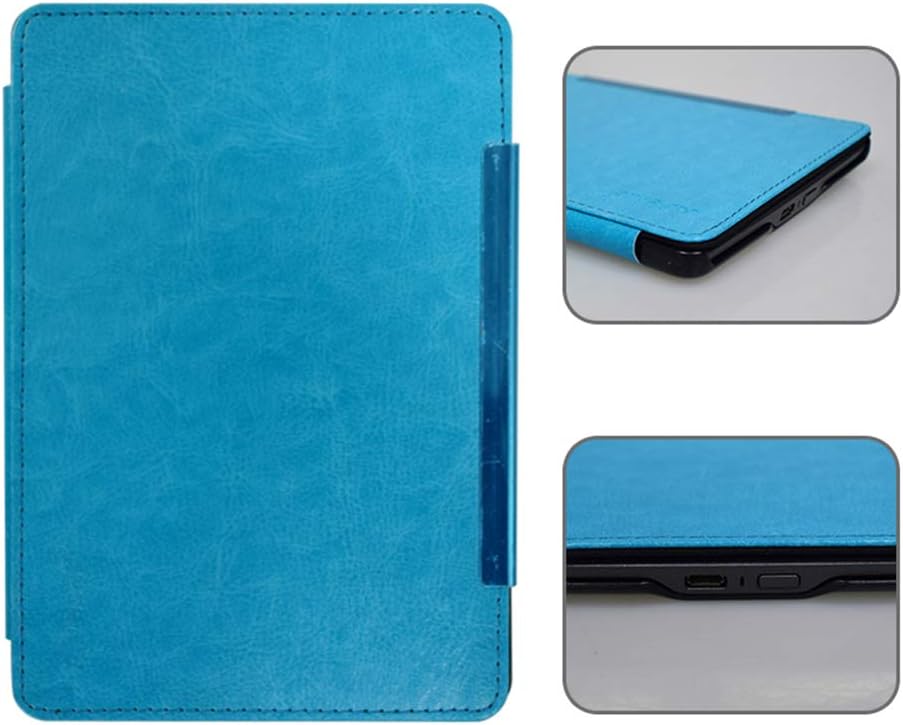
Figure 4: Port and Button Access. The cover provides precise cutouts for all essential Kindle functions.
Usage Instructions
The AFesar Kindle cover is designed for straightforward use. Simply open the folio cover to access your Kindle's screen and begin reading. When not in use, close the cover to protect the screen from scratches and dust. The magnetic clasp will help keep the cover securely shut.
Care and Maintenance
To maintain the appearance and longevity of your synthetic leather cover, follow these care instructions:
- Cleaning: Gently wipe the exterior of the cover with a soft, slightly damp cloth. For stubborn marks, a mild soap solution can be used, followed by wiping with a clean, damp cloth.
- Avoid Chemicals: Do not use harsh chemicals, abrasive cleaners, or solvents, as these can damage the synthetic leather material.
- Storage: Store the cover away from direct sunlight and extreme temperatures to prevent fading or material degradation.
- Protection: While the cover offers fall prevention, avoid dropping your device from significant heights to ensure maximum protection.
Troubleshooting
Compatibility Issues
If the cover does not fit your device, double-check that your Kindle is indeed a 4th or 5th Generation model (D01100). This cover is not designed for other Kindle models, including the Kindle 5 Touch. Refer to Figure 1 in the Introduction section to verify your device model.
Magnetic Closure Not Engaging
If the magnetic clasp does not securely hold the cover closed, gently check if the metal strip on the cover aligns correctly with the internal magnets. In some rare instances, a slight adjustment or gentle bending of the front cover might be needed to ensure proper alignment and engagement of the magnets. Ensure no foreign objects are obstructing the closure mechanism.
Product Specifications
| Feature | Detail |
|---|---|
| Product Dimensions | 6.5 x 4.5 x 0.34 inches |
| Item Weight | 3.87 ounces |
| Compatible Devices | Kindle 4th/5th Generation (Model: D01100) |
| Material | Synthetic Leather (Shell Type: Hard) |
| Color | Blue |
| Special Features | Lightweight, Magnetic Closure, Fall Prevention |
| Manufacturer | AFesar |
Warranty and Support
For specific warranty information, terms, and conditions related to your AFesar Kindle Cover, please refer to the documentation provided with your purchase or contact the manufacturer, AFesar, directly. For product support or inquiries, please reach out to the seller through your purchase platform.