
Introduction
Thank you for choosing the Tarrington House MWDF 6925G Microwave with Flat Grill Base. This appliance is designed for convenient cooking, reheating, and grilling of various food items. Please read this manual carefully before operating the appliance to ensure safe and efficient use. Keep this manual for future reference.
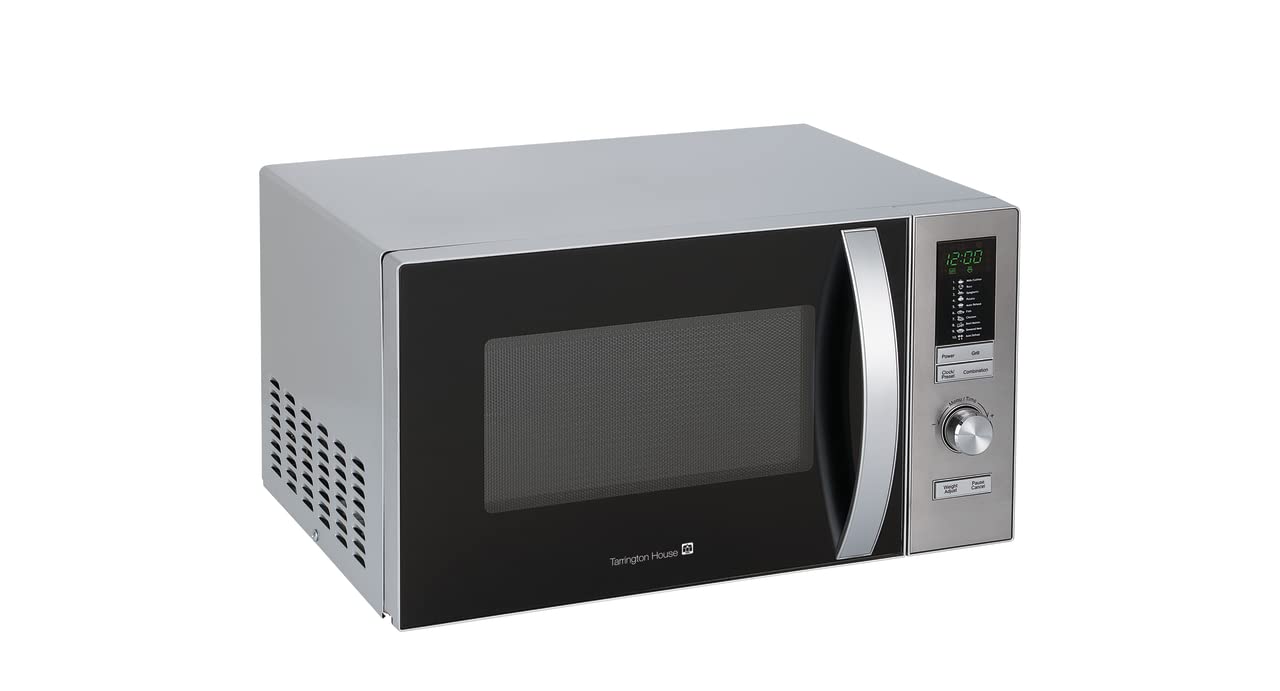
Image: Front view of the Tarrington House MWDF 6925G microwave oven, showing the control panel, door handle, and ventilation on the side.
Important Safety Instructions
When using electrical appliances, basic safety precautions should always be followed to reduce the risk of fire, electric shock, and injury to persons.
- Read all instructions before using the appliance.
- Do not operate the microwave oven if it has a damaged cord or plug, if it is not working properly, or if it has been damaged or dropped.
- Do not heat liquids or other foods in sealed containers as they are liable to explode.
- Only allow children to use the oven without supervision when adequate instructions have been given so that the child is able to use the oven in a safe way and understands the hazards of improper use.
- Always ensure food is thoroughly cooked to avoid foodborne illness.
- Do not use corrosive chemicals or vapors in this appliance.
- Do not use this appliance for commercial purposes. It is intended for household use only.
- The appliance must be earthed. Connect only to a properly earthed outlet.
Product Overview
Familiarize yourself with the components of your microwave oven.
- Control Panel: Used to select cooking functions, time, and power levels.
- Door Handle: For opening and closing the microwave door.
- Observation Window: Allows you to view food during cooking.
- Flat Grill Base: The cooking surface inside the microwave, suitable for both microwave and grill functions.
- Ventilation Openings: Ensure these are not blocked for proper operation.
Setup and Installation
Proper installation is crucial for the safe and efficient operation of your microwave oven.
Unpacking
- Remove all packaging materials from inside and outside the oven.
- Check the oven for any damage, such as dents or a misaligned door. Do not operate if damaged.
Placement
- Place the oven on a flat, stable surface that can support its weight and the heaviest food item likely to be cooked in it.
- Ensure adequate ventilation. Leave a minimum of 20 cm (8 inches) of space above the oven, 10 cm (4 inches) at the rear, and 5 cm (2 inches) on both sides.
- Keep the oven away from heat sources, steam, or splashing liquids.
- This model is designed for built-in installation. Follow specific cabinet installation instructions if provided separately.
Electrical Connection
- Plug the power cord into a standard earthed electrical outlet. Ensure the voltage and frequency match the ratings on the appliance label.
- Do not use extension cords or adapters.
Operating Instructions
This section details how to use the various functions of your microwave oven.
Setting the Clock
Upon initial power-up or after a power outage, the display will show '0:00'.
- Press the 'Clock' button once.
- Turn the 'Adjust' knob to set the hour.
- Press 'Clock' again.
- Turn the 'Adjust' knob to set the minutes.
- Press 'Clock' to confirm the setting.
Microwave Cooking
- Place food in a microwave-safe container on the flat base.
- Close the door securely.
- Press the 'Microwave' button.
- Turn the 'Adjust' knob to select the desired power level (e.g., P100 for 100% power, P80 for 80% power).
- Press 'Microwave' again.
- Turn the 'Adjust' knob to set the cooking time.
- Press 'Start' to begin cooking.
Grill Cooking
The grill function is ideal for browning and crisping food.
- Place food directly on the flat base or on a heat-resistant rack if desired.
- Close the door.
- Press the 'Grill' button.
- Turn the 'Adjust' knob to set the grilling time.
- Press 'Start' to begin grilling.
Combination Cooking
This mode combines microwave and grill functions for faster cooking and browning.
- Place food in a suitable container.
- Close the door.
- Press the 'Combination' button repeatedly to select the desired combination mode (e.g., C-1 for 55% microwave, 45% grill; C-2 for 36% microwave, 64% grill).
- Turn the 'Adjust' knob to set the cooking time.
- Press 'Start' to begin.
Control Panel Lock (Child Lock)
This feature prevents accidental operation, especially by children.
- To activate: Press and hold the 'Pause/Cancel' button for 3 seconds. A lock indicator will appear on the display.
- To deactivate: Press and hold the 'Pause/Cancel' button for 3 seconds again. The lock indicator will disappear.
Maintenance and Cleaning
Regular cleaning helps maintain the performance and longevity of your microwave oven.
- Always unplug the appliance before cleaning.
- Clean the interior and exterior surfaces with a damp cloth and mild detergent. Avoid abrasive cleaners.
- For stubborn food splatters inside, place a bowl of water with lemon slices in the oven and microwave on high for 5-10 minutes. The steam will loosen the residue, making it easier to wipe clean.
- Clean the door seals and adjacent parts regularly to ensure proper door closure.
- Do not immerse the appliance in water or other liquids.
Troubleshooting
If you encounter issues with your microwave oven, refer to the following common problems and solutions:
| Problem | Possible Cause | Solution |
|---|---|---|
| Oven does not start | Power cord not plugged in; Door not closed properly; Fuse blown or circuit breaker tripped. | Ensure plug is firmly in outlet; Close door securely; Check household fuse/circuit breaker. |
| Food not cooking evenly | Insufficient stirring/turning; Incorrect power level or cooking time. | Stir or turn food halfway through cooking; Adjust power level and time as needed. |
| Sparking inside the oven | Metal in the oven; Food residue. | Remove any metal objects; Clean the oven interior thoroughly. |
| Oven light not working | Bulb needs replacement. | Contact qualified service personnel for bulb replacement. |
Specifications
Detailed technical information for the Tarrington House MWDF 6925G Microwave Oven.
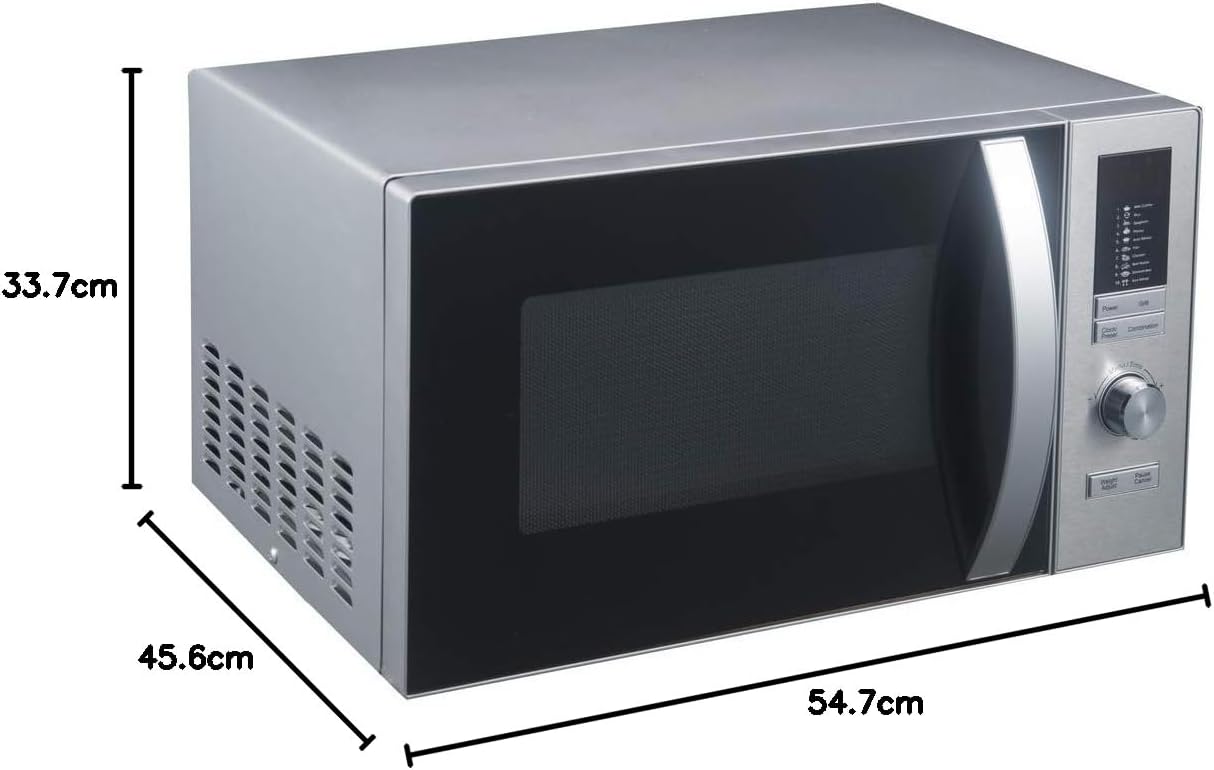
Image: Diagram showing the dimensions of the Tarrington House MWDF 6925G microwave oven: 33.7 cm height, 45.6 cm depth, and 54.7 cm width.
| Feature | Specification |
|---|---|
| Brand | Tarrington House |
| Model Name | MWDF 6925G |
| Product Dimensions (D x W x H) | 45.6 cm x 54.7 cm x 33.7 cm |
| Color | Silver |
| Capacity | 25 Liters |
| Wattage (Microwave) | 1000 Watts |
| Special Feature | Control Panel Lock |
| Material | Metal |
| Included Components | Grill |
| Input Interface | Buttons |
| Product Weight | 14 Kilograms |
| Installation Type | Built-in |
| GTIN | 04337053546008 |
| ASIN | B08V1WBD53 |
Warranty and Support
Tarrington House products are manufactured to high-quality standards. For warranty information and customer support, please refer to the warranty card included with your purchase or contact your retailer. Keep your proof of purchase for any warranty claims.