
1. Introduction
Thank you for choosing the imuto X30 27000mAh 30W USB-C PD Power Bank. This portable charger is designed to provide reliable and fast power to your electronic devices on the go. Featuring a high-capacity battery, multiple output ports, and advanced safety features, the X30 ensures your devices stay charged efficiently and securely.

Image 1.1: The imuto X30 Power Bank, showcasing its compact design and integrated LED display indicating full charge.
2. Package Contents
Please check the package for the following items:
- 1 x imuto X30 30W Portable Charger
- 1 x USB-C to USB-C Cable (3A)
- 1 x User Manual
3. Product Overview
Familiarize yourself with the components of your imuto X30 Power Bank.

Image 3.1: Diagram illustrating the imuto X30 Power Bank's ports, including one USB-C (Input & Output) and two USB-A outputs, along with compatible devices and charging wattages.
- USB-C Port (Input & Output): Supports Power Delivery (PD) up to 30W for both charging the power bank and charging compatible devices.
- USB-A Ports (Output): Two ports supporting Quick Charge (QC) up to 18W (or 22.5W max total for both) for charging various devices.
- LED Digital Display: Shows the remaining battery percentage.
- Power Button: Activates the LED display and initiates low-current charging mode.
4. Specifications
| Feature | Specification |
|---|---|
| Model | X30 |
| Battery Capacity | 27000mAh |
| USB-C Input/Output | PD 30W Max |
| USB-A Output (x2) | QC 18W Max (each), 22.5W Max (total) |
| Battery Composition | Lithium-polymer |
| Weight | 459 Grams |
| Special Features | Fast Charging, LED Digital Display, Low-Current Mode |
5. Setup and Charging the Power Bank
Before first use, fully charge your imuto X30 Power Bank.
- Connect the provided USB-C to USB-C cable to the USB-C port on the power bank.
- Connect the other end of the USB-C cable to a compatible USB-C PD wall charger (not included). For optimal charging speed, use a 30W or higher PD charger.
- The LED display will show the charging progress. The power bank is fully charged when the display shows "100%".
A full charge from 0% to 100% typically takes approximately 5.5 hours with a 30W PD charger.

Image 5.1: The imuto X30 Power Bank connected to a wall charger via its USB-C port, illustrating the fast recharge capability of 5.5 hours compared to standard chargers.
6. Operating Instructions: Charging Your Devices
The imuto X30 can charge up to three devices simultaneously.
- Standard Charging:
- Connect your device to one of the USB-A output ports using a compatible USB cable.
- For USB-C compatible devices, use the USB-C port with a USB-C to USB-C or USB-C to Lightning cable.
- The power bank will automatically begin charging your device. The LED display will show the remaining battery percentage.
- Fast Charging (PD 30W):
- To utilize the 30W Power Delivery (PD) feature, connect your PD-compatible device (e.g., iPhone 14/13/12 series, iPad, MacBook Air M1) to the USB-C port using a USB-C to USB-C or USB-C to Lightning cable.
- This allows for significantly faster charging speeds for supported devices.

Image 6.1: The imuto X30 Power Bank simultaneously charging an iPhone, an iPad, and a Samsung Galaxy S20, demonstrating its multi-device charging capability.

Image 6.2: An iPhone 14 being charged by the imuto X30 Power Bank via its bi-directional USB-C PD 30W port, highlighting fast charging capabilities.
7. Low-Current Charging Mode
This mode is designed for charging low-power devices such as wireless earbuds, smartwatches, and fitness trackers, which require a lower current (approx. 10mA) to prevent overcharging or damage.
- Double-click the power button.
- The LED display will show "][", indicating that the power bank is now in low-current charging mode.
- Connect your low-current device to one of the USB-A ports.
- To exit low-current charging mode, double-click the power button again, or the mode will automatically deactivate after a few hours.
8. Safety Information and Precautions
To ensure safe operation and prolong the lifespan of your power bank, please observe the following:
- Do not expose the power bank to extreme temperatures (hot or cold), direct sunlight, or high humidity.
- Do not disassemble, modify, or attempt to repair the device.
- Keep away from water and other liquids.
- Avoid dropping or subjecting the power bank to strong impacts.
- Use only certified cables and chargers.
- Keep out of reach of children.
- Dispose of the power bank according to local regulations for electronic waste.
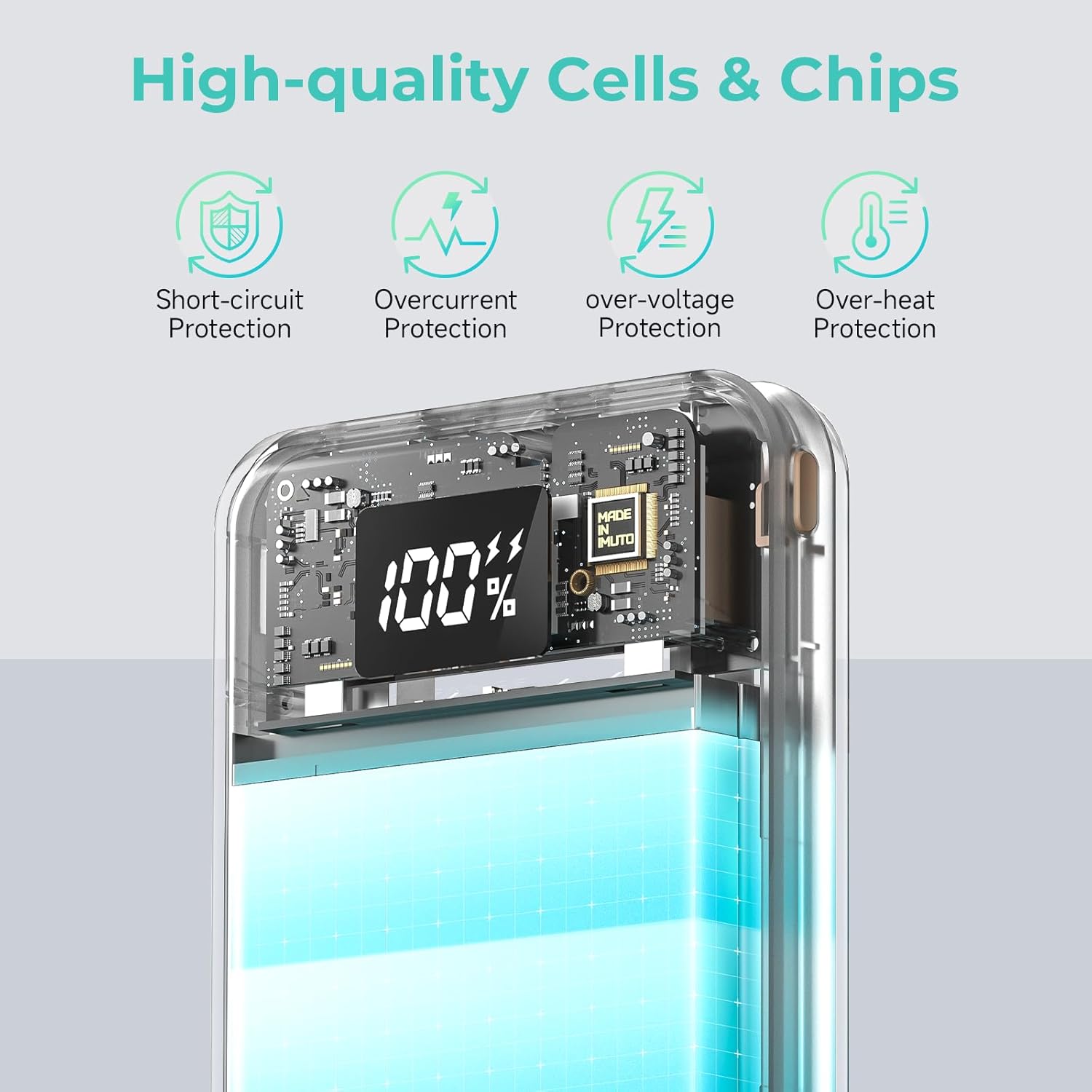
Image 8.1: An internal view of the imuto X30 Power Bank, highlighting its integrated safety features such as short-circuit, overcurrent, over-voltage, and over-heat protection.
9. Troubleshooting
- Power bank not charging:
- Ensure the charging cable is securely connected to both the power bank and the wall charger.
- Verify that the wall charger is functioning correctly and connected to a power source.
- Try a different USB-C cable or wall charger.
- Device not charging from power bank:
- Check if the power bank has sufficient charge (refer to the LED display).
- Ensure the charging cable is securely connected to both the power bank and your device.
- Try a different charging cable or a different port on the power bank.
- If charging a low-power device, ensure low-current charging mode is activated.
- Slow charging:
- Ensure you are using a fast-charging compatible cable and your device supports fast charging.
- For PD 30W charging, use the USB-C port with a PD-compatible device and cable.
- Charging multiple devices simultaneously may reduce individual charging speeds.
10. Maintenance and Storage
- Clean the power bank with a soft, dry cloth. Do not use harsh chemicals or abrasive materials.
- Store the power bank in a cool, dry place, away from direct sunlight and extreme temperatures.
- If storing for an extended period, charge the power bank to approximately 50-75% every 3-6 months to maintain battery health.

Image 10.1: A user operating the imuto X30 Power Bank on an airplane, signifying its compliance with airline safety standards for portable electronic devices.
11. Warranty and Support
imuto products come with a standard warranty. For detailed warranty information, product support, or technical assistance, please refer to the warranty card included in your package or visit the official imuto website. Please have your product model and purchase date available when contacting support.