
Introduction
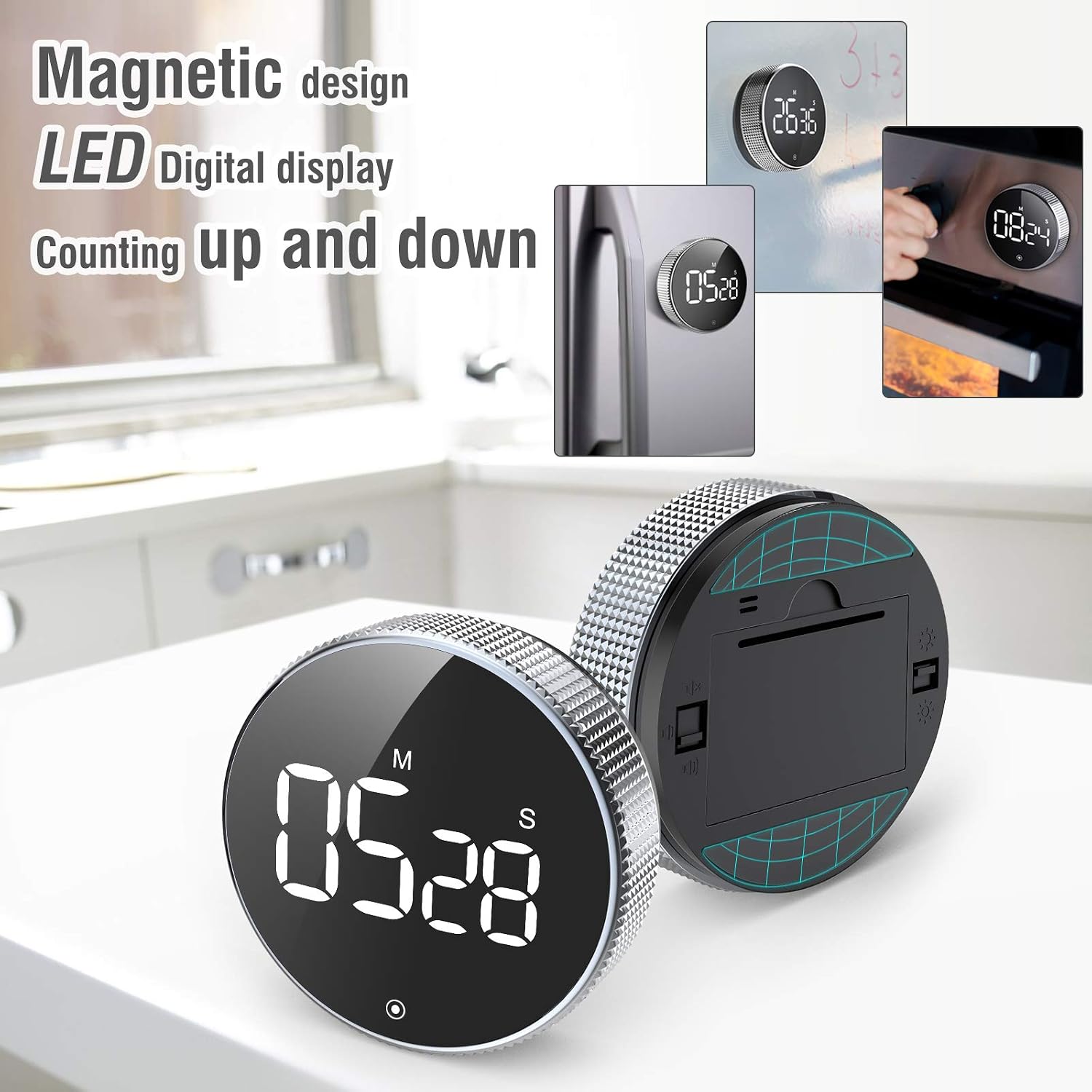
Thank you for choosing the monkeyD Magnetic Digital Timer. This electronic countdown and count-up timer is designed for various applications, including cooking, studying, and managing time efficiently. It features a clear LED digital display, magnetic installation, and adjustable alarm sound modes. Please read this manual carefully to ensure proper use and maintenance of your device.


Setup
1. Battery Installation
- Locate the battery compartment on the back of the timer.
- Open the battery cover by sliding or gently prying it off.
- Insert 3 AAA batteries (not included), ensuring correct polarity (+/-) as indicated inside the compartment.
- Replace the battery cover securely.
2. Initial Power On
After installing the batteries, the LED display should illuminate, indicating the timer is ready for use.
Operating Instructions
1. Setting the Timer (Countdown)
- To set the desired time, rotate the outer ring of the timer.
- Rotating clockwise increases the time, and rotating counter-clockwise decreases it.
- The timer adjusts in 5-second increments for quick setting.
- The maximum timing range is 99 minutes and 55 seconds.
- Once the desired time is displayed, press the button on the front face to start the countdown.

2. Starting, Pausing, and Stopping
- Start: Press the button on the front face once to begin the countdown.
- Pause: During a countdown, press the button once to pause the timer.
- Resume: While paused, press the button again to resume the countdown.
- Stop/Reset: To stop and reset the timer to zero, press and hold the button for approximately 3 seconds.
3. Counting Up (Stopwatch Mode)
- From the reset state (00:00 displayed), press the button on the front face once to start counting up.
- The timer will count up from 00:00.
- To pause the count-up, press the button once. Press again to resume.
- To reset the stopwatch, press and hold the button for approximately 3 seconds.
4. Alarm Sound Modes
The timer offers three alarm sound modes, which can be adjusted using the switch on the back of the device:
- Loud Mode (80-90dB): Suitable for noisy environments or when you need a strong reminder.
- Normal Mode (60-75dB): Standard alarm volume for general use.
- Mute/Silent Mode: The alarm will flash visually without producing sound, ideal for quiet environments like libraries or study areas.

5. Magnetic Mounting
The timer features a strong magnetic back, allowing it to be conveniently attached to metal surfaces such as refrigerators, whiteboards, or oven doors. This keeps your timer visible and accessible.
Maintenance
Cleaning
Wipe the timer with a soft, dry cloth. Do not use abrasive cleaners or immerse the device in water.
Battery Replacement
When the display dims or the timer functions erratically, it is time to replace the batteries. Follow the battery installation steps in the Setup section.
Troubleshooting
- Timer not turning on: Ensure batteries are installed correctly with proper polarity and are not depleted. Replace batteries if necessary.
- Display is dim or flickering: This indicates low battery power. Replace the batteries.
- Alarm not sounding: Check the alarm sound mode switch on the back of the timer. Ensure it is not set to Mute mode.
- Timer not responding to rotation: Ensure the timer is not paused or in an error state. Try resetting the timer by holding the front button for 3 seconds.
Specifications
| Feature | Detail |
|---|---|
| Brand | monkeyD |
| Model | B08TZJL2NW |
| Material | Acrylonitrile Butadiene Styrene (ABS) |
| Timing Range | 0-99 minutes, 0-55 seconds |
| Adjustment | Rotary knob, 5-second increments |
| Display | LED Digital Display |
| Functions | Countdown, Count-up (Stopwatch) |
| Alarm Modes | Loud (80-90dB), Normal (60-75dB), Mute |
| Mounting | Magnetic back |
| Power Source | 3 x AAA Batteries (not included) |
| Dimensions | 4.88 x 3.98 x 1.46 inches (Package) |
| Item Weight | 5.3 ounces |
Warranty and Support
For warranty information or technical support, please refer to the product packaging or contact the retailer where the product was purchased. You may also visit the official monkeyD website for further assistance.