
1. Introduction
This manual provides essential information for the proper installation, operation, and maintenance of your Adrian Steel PARTC Composite Partition with Visibility. This partition is specifically designed for installation in Transit Connect vehicles to create a secure and visible separation between the cargo area and the driver's cabin. Please read these instructions thoroughly before proceeding with installation or use.
2. Safety Information
WARNING: Failure to follow these safety instructions may result in injury or damage.
- Always secure the partition properly to prevent it from shifting or falling during vehicle movement. An unsecured partition can become a projectile in the event of a sudden stop or collision.
- Do not operate the vehicle with the partition unattended or in an unsecured state.
- Ensure all mounting hardware is tightened securely according to manufacturer specifications. Regularly check for loose fasteners.
- Keep hands and fingers clear of moving parts during installation.
- Wear appropriate personal protective equipment (PPE) during installation, such as safety glasses and gloves.
- If you are unsure about any part of the installation process, consult a qualified professional.
3. Package Contents
Verify that all components are present before beginning installation. The standard package for the Adrian Steel PARTC Composite Partition should include:
- Composite Partition Panel with Visibility Window (1)
- Mounting Hardware Kit (bolts, nuts, washers, brackets, etc.)
- Installation Instructions (refer to specific vehicle model instructions if provided separately by Adrian Steel)
If any parts are missing or damaged, contact your supplier or Adrian Steel customer service immediately.
4. Setup and Installation
The Adrian Steel PARTC Composite Partition is designed for a precise fit in Transit Connect vehicles. Installation typically involves securing the partition to the vehicle's interior structure.
4.1 Tools Required (Typical)
- Socket Wrench Set
- Drill (if new mounting points are required)
- Measuring Tape
- Marker or Pencil
- Safety Glasses and Gloves
4.2 General Installation Steps
- Prepare the Vehicle: Clear the cargo area of the Transit Connect. Ensure the vehicle is parked on a level surface with the parking brake engaged.
- Position the Partition: Carefully place the composite partition into the cargo area, aligning it with the intended mounting points within the vehicle. The visibility window should face the driver's cabin.
- Mark Mounting Points: If not pre-drilled, use the partition as a template to mark the locations for drilling new mounting holes on the vehicle's interior panels or frame.
- Drill Holes (if necessary): Drill pilot holes at the marked locations, taking care to avoid any vehicle wiring, fuel lines, or other critical components.
- Secure the Partition: Attach the partition using the provided mounting hardware. Start by loosely fastening all bolts, then progressively tighten them evenly to ensure a secure and stable fit.
- Final Check: Verify that the partition is firmly secured and does not wobble or shift. All bolts should be tight.
It is highly recommended to refer to any specific installation guides provided by Adrian Steel for your exact Transit Connect model, as vehicle-specific instructions may vary.
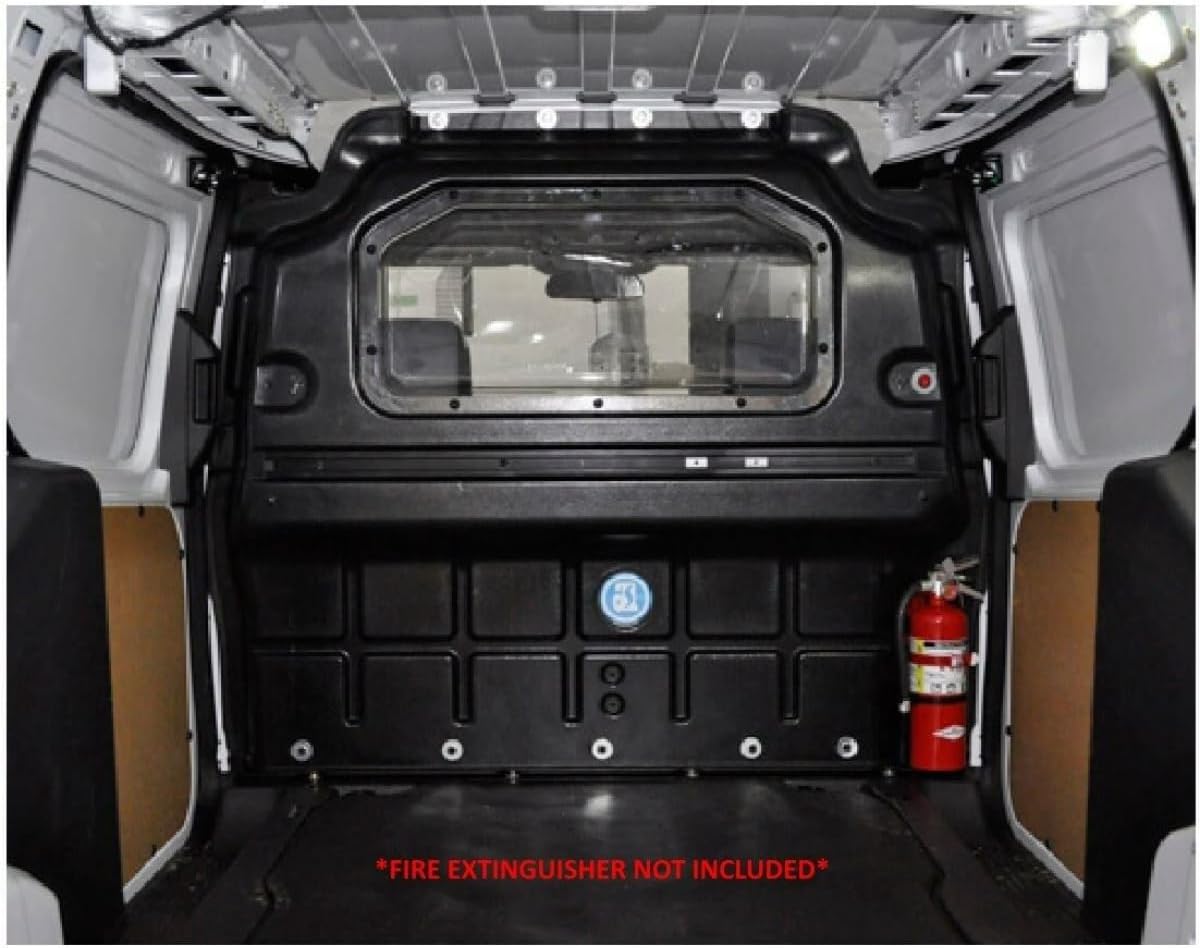
Figure 1: Rear view of the Adrian Steel PARTC Composite Partition installed in a Transit Connect. Note the visibility window and secure mounting.
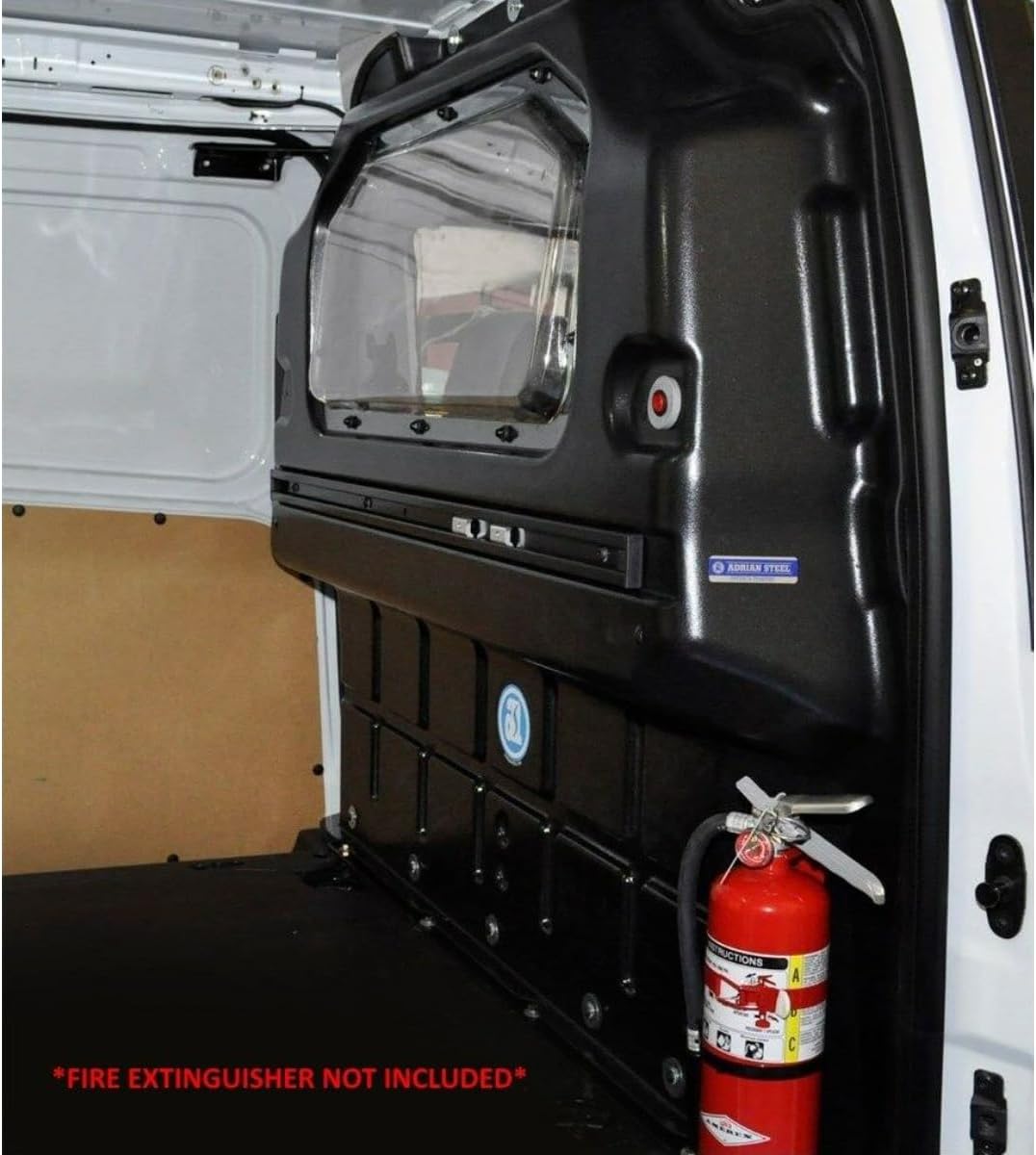
Figure 2: Side view of the Adrian Steel PARTC Composite Partition, showing its profile and integration within the Transit Connect cargo space.
5. Operation and Usage
The Adrian Steel PARTC Composite Partition serves as a fixed barrier between the driver's compartment and the cargo area of your Transit Connect. Its primary functions include:
- Safety: Prevents cargo from shifting forward into the driver's cabin during sudden stops or collisions.
- Security: Adds a layer of security for tools and equipment stored in the cargo area.
- Visibility: The integrated window allows for rear visibility, enhancing driving safety.
- Climate Control: Helps to maintain separate climate zones, improving heating and cooling efficiency in the driver's cabin.
No active operation is required for the partition itself once installed. Ensure that the visibility window remains clear for optimal rear view.
6. Maintenance
Regular maintenance will ensure the longevity and continued safety of your Adrian Steel PARTC Composite Partition.
- Cleaning: Wipe the partition with a dry cloth to remove dust and dirt. For more stubborn marks, a damp cloth with mild soap can be used, followed by drying. Avoid abrasive cleaners or solvents that could damage the composite material or window.
- Hardware Check: Periodically inspect all mounting hardware (bolts, nuts, brackets) for tightness. Re-tighten any loose fasteners to prevent rattling or instability.
- Damage Inspection: Regularly check the partition for any signs of damage, such as cracks in the composite material or window, or bent mounting brackets. Damaged components should be replaced immediately.
7. Troubleshooting
This section addresses common issues you might encounter with your partition.
- Rattling Noise: If the partition rattles during vehicle operation, check all mounting bolts and nuts. They may have loosened over time. Tighten them securely. Ensure no tools or loose items are resting against the partition.
- Reduced Visibility: If the visibility window is obscured, clean it thoroughly as described in the Maintenance section. If the window is scratched or damaged, consider replacement for optimal safety.
- Partition Feels Loose: This is a critical safety concern. Immediately pull over and inspect all mounting points. Re-tighten any loose hardware. If the issue persists, professional inspection is recommended.
8. Specifications
| Feature | Specification |
|---|---|
| Model Number | PARTC |
| Brand | Adrian Steel |
| Material | Composite |
| Color | Black |
| Vehicle Fit | Transit Connect |
| Special Feature | Visibility Window |
| Product Dimensions (L x W x H) | 6.75 x 70.5 x 66 inches |
| Item Weight | 43.9 pounds |
| UPC | 643934595152 |
9. Warranty Information
For specific warranty details regarding your Adrian Steel PARTC Composite Partition, please refer to the warranty documentation provided at the time of purchase or visit the official Adrian Steel website. Warranty terms typically cover manufacturing defects for a specified period.
10. Support
If you require further assistance, have questions about installation, or need to order replacement parts, please contact Adrian Steel customer support through their official website or the contact information provided with your purchase. When contacting support, please have your product model number (PARTC) and purchase details readily available.