
1. Introduction
The HVAC YELLOW HAT Surge Protector Voltage Brownout Outlet, Model SP, is designed to safeguard your valuable electrical appliances from various power irregularities. This device provides protection against voltage spikes, instant surges, voltage fluctuations, brownouts, and both excessively high and low voltage conditions. By automatically cutting off power when voltage limits are exceeded and re-establishing it safely, it helps extend the lifespan of your electronics.
This manual provides essential information for the proper installation, operation, and maintenance of your surge protector. Please read it thoroughly before use.

Image 1.1: The HVAC YELLOW HAT Surge Protector, illustrating its protective function against electrical issues.
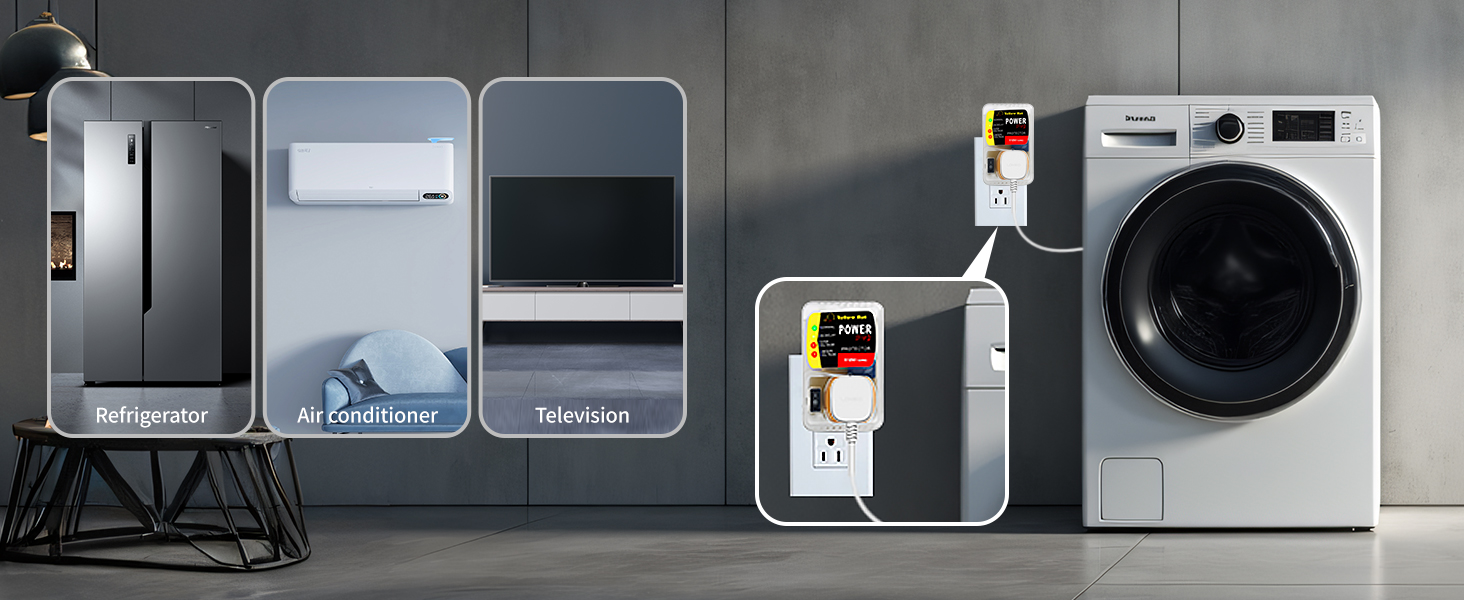
Image 1.2: The surge protector in use, demonstrating its compatibility with various household appliances such as refrigerators, air conditioners, televisions, and washing machines.
2. Safety Information
Please observe the following safety precautions to prevent injury or damage to the device and connected appliances:
- Keep children away from the voltage protector.
- Do not disassemble or modify the device.
- Ensure the device is used within its specified voltage and current ratings (110V, 15A, 2200 Watts).
- Avoid exposing the device to water or extreme temperatures.
- Do not use if the device or its casing appears damaged.
3. Product Overview
3.1 Key Features
- Automatic Induction Protection: Protects devices from voltage spikes, surges, fluctuations, and brownouts.
- Easy-to-Understand Indicators: LED lights clearly display the current voltage status (Normal, On Delay, Over Voltage, Under Voltage).
- Delay Function: Provides a 2-4 minute delay before re-establishing power after a fluctuation, ensuring voltage stability.
- Adjustable Minimum Voltage: A knob allows adjustment of the minimum voltage cut-off from 90V to 140V.
- Versatile Compatibility: Suitable for various appliances including air conditioners, TVs, laptops, microwaves, washing machines, and refrigerators.
3.2 Components

Image 3.1: Labeled components of the surge protector, including (1) Knob for minimal voltage control, (2) Power Outlet, (3) On/Off Switch, and (4) Indicator Lights.
- Knob (1): Used to adjust the minimal voltage cut-off setting.
- Outlet (2): Standard 3-prong outlet for connecting your appliance.
- Switch (3): On/Off toggle switch for manual power control.
- Indicator Lights (4): LEDs that display the operational status and voltage conditions.
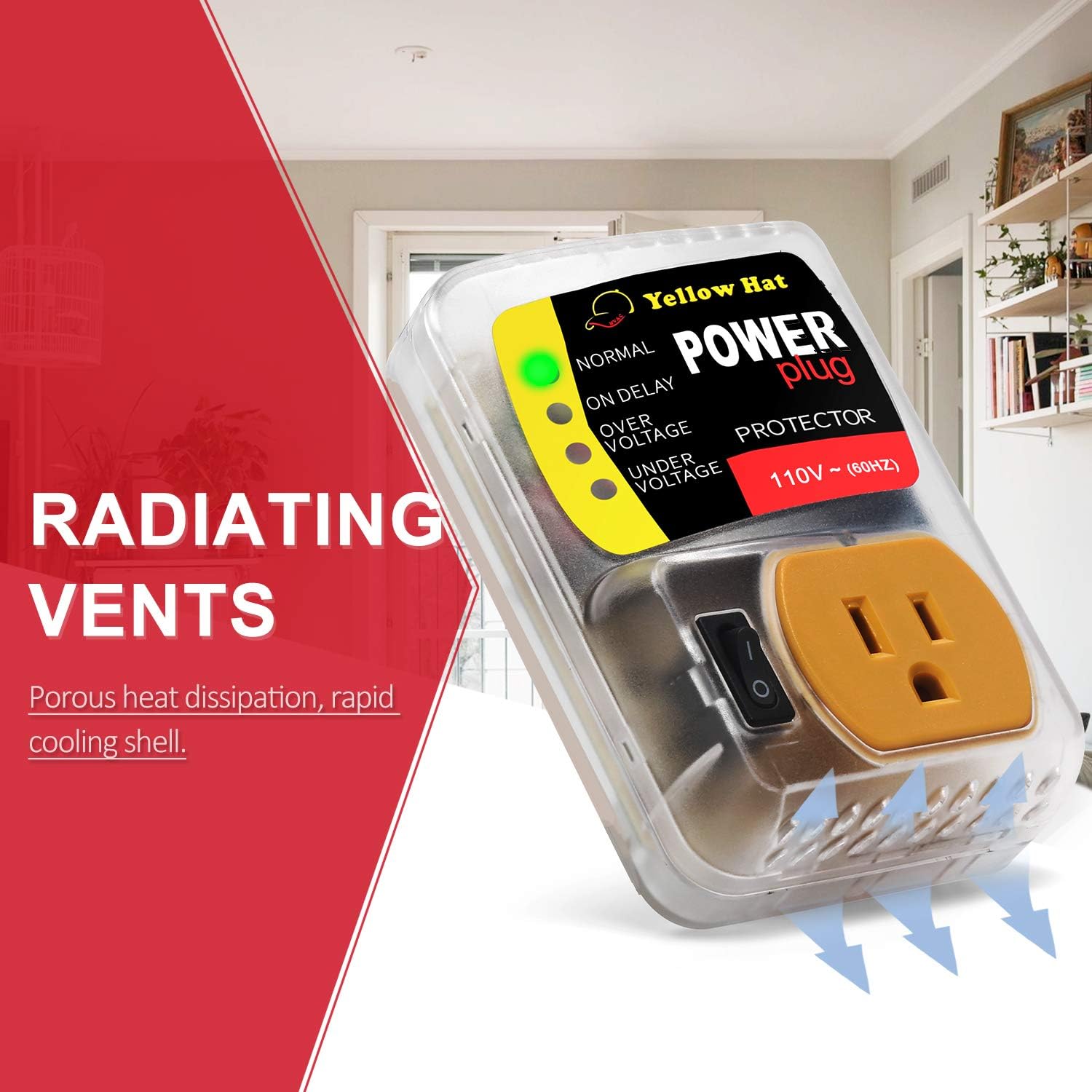
Image 3.2: The surge protector features porous radiating vents for efficient heat dissipation and rapid cooling.
4. Setup and Installation
Follow these steps to install your surge protector:
- Ensure the appliance you intend to protect is turned off and unplugged from the wall outlet.
- Plug the HVAC YELLOW HAT Surge Protector directly into a standard 110V wall outlet.
- Plug your appliance's power cord into the outlet on the surge protector.
- Turn on the surge protector using its On/Off switch.
- Turn on your appliance.

Image 4.1: The surge protector automatically cuts off power to the connected appliance if the voltage rating exceeds its minimum or maximum capacity, protecting the device.
5. Operating Instructions
The surge protector features a series of indicator lights to communicate its operational status:

Image 5.1: The indicator lights provide real-time feedback on voltage conditions, helping users understand the protection status.
- Green Light (NORMAL): Indicates that the voltage is within the safe operating range, and power is supplied to the appliance.
- Yellow Light (ON DELAY): Illuminates when the device detects a voltage fluctuation and is in a delay period (2-4 minutes) to ensure voltage stability before restoring power.
- Red Light (OVER VOLTAGE): Indicates that the input voltage has exceeded the maximum allowable limit, and power to the appliance has been cut off for protection.
- Red Light (UNDER VOLTAGE): Indicates that the input voltage has dropped below the minimum allowable limit, and power to the appliance has been cut off for protection.
5.1 Delay Function
When the surge protector detects an over-voltage or under-voltage condition, it will automatically cut off power to the connected appliance. After the voltage returns to a safe range, the device initiates a delay period of 2-4 minutes (indicated by the 'ON DELAY' light) to confirm voltage stability before restoring power. This delay protects sensitive appliance components from rapid power cycling or unstable voltage upon restoration.
6. Adjustable Settings
The surge protector allows you to adjust the minimum voltage cut-off threshold to suit your specific needs.

Image 6.1: The adjustable knob on the back of the surge protector allows users to set the desired minimum voltage cut-off between 90V and 140V.
To adjust the minimum voltage cut-off:
- Locate the adjustable knob on the side of the surge protector (refer to Image 3.1, component 1).
- Using a small flathead screwdriver, carefully turn the knob to set your desired minimum voltage between 90V and 140V.
- It is recommended to consult your appliance's specifications for its optimal operating voltage range before making adjustments.
7. Troubleshooting
If your appliance is not receiving power or the indicator lights are behaving unexpectedly, refer to the following:
| Symptom | Indicator Light | Possible Cause | Solution |
|---|---|---|---|
| Appliance not turning on | Red (OVER VOLTAGE) | Input voltage is too high. | Wait for voltage to stabilize. The protector will automatically restore power after the delay. If persistent, check household wiring or consult an electrician. |
| Appliance not turning on | Red (UNDER VOLTAGE) | Input voltage is too low (brownout). | Wait for voltage to stabilize. The protector will automatically restore power after the delay. If persistent, check household wiring or consult an electrician. |
| Appliance not turning on immediately | Yellow (ON DELAY) | Voltage fluctuation detected; device is in delay mode. | This is normal operation. Wait 2-4 minutes for the delay to complete and power to be restored. |
| No lights, no power | None | Protector is off, unplugged, or faulty. | Ensure the On/Off switch is in the 'On' position. Check if the protector is securely plugged into the wall outlet. Test the wall outlet with another device. If still unresponsive, the unit may be faulty. |
8. Specifications
| Specification | Value |
|---|---|
| Model Number | SP |
| Brand | HVAC YELLOW HAT |
| Voltage Rating | 110 Volts |
| Amperage Rating | 15 Amps |
| Maximum Power | 2200 Watts |
| Total Power Outlets | 1 |
| Special Feature | Surge Protection, Voltage Protection, Brownout Protection, Delay Function |
| Adjustable Under Voltage Cut-off | 90V to 140V |
| Over Voltage Cut-off | 140V (fixed) |
| Delay Time | 2-4 minutes |
| Product Dimensions | 4.72 x 3.11 x 0.04 inches |
| Item Weight | 5.9 ounces |
9. Additional Resources
For further details and a downloadable version of this manual, please refer to the official product documentation:
- Official User Guide (PDF): Download PDF
- Manufacturer Website: HVAC YELLOW HAT Products