1. Introduction
This manual provides instructions for the proper use and maintenance of your JBL LIVE 300 True Wireless Headphones. Please read this manual thoroughly before operating the device to ensure optimal performance and longevity.
2. Package Contents
The JBL LIVE 300 package typically includes the following items:
- JBL LIVE 300 True Wireless Earbuds (Left and Right)
- Charging Case
- Multiple sizes of ear tips for a comfortable fit
- USB Charging Cable
- Quick Start Guide (This document serves as a comprehensive guide)
- Safety Sheet
3. Product Overview
Familiarize yourself with the components of your JBL LIVE 300 headphones.
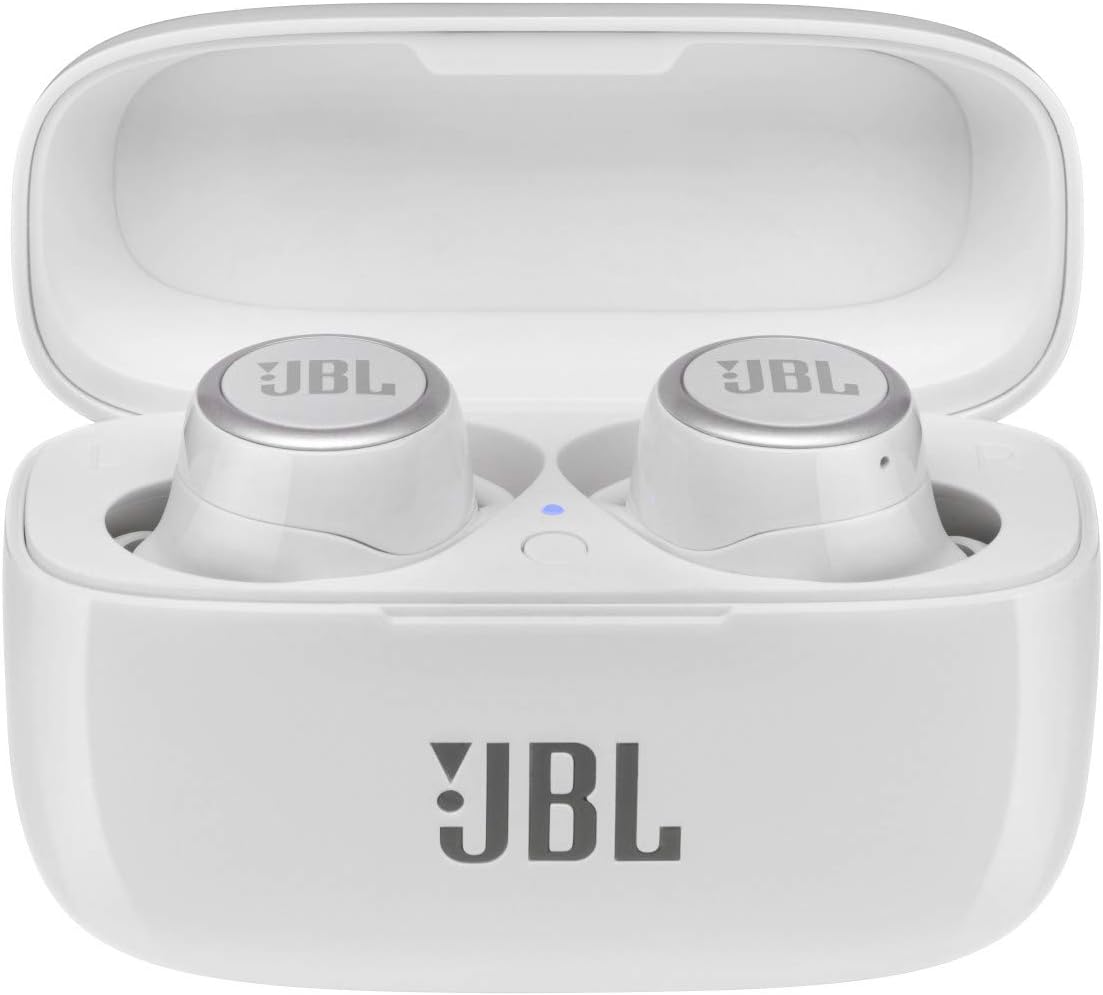
Figure 3.1: JBL LIVE 300 True Wireless Earbuds in their open charging case. The earbuds are white with silver JBL logos, and the case is also white with a JBL logo on the front.

Figure 3.2: Front view of the JBL LIVE 300 True Wireless Earbuds, showcasing the touch control surface with the JBL logo and the ear tips.

Figure 3.3: Inner view of the JBL LIVE 300 True Wireless Earbuds, highlighting the charging contacts and proximity sensors for in-ear detection.
4. Setup
4.1. Charging the Earbuds and Case
Before first use, fully charge the earbuds and the charging case. Connect the provided USB charging cable to the charging case and a power source. The charging case provides up to an additional 14 hours of listening time, while the earbuds offer up to 6 hours on a single charge. A 10-minute charge can provide approximately one hour of playback.

Figure 4.1: The closed JBL LIVE 300 charging case, ready for charging or storage.
4.2. Pairing with a Bluetooth Device
- Ensure the earbuds are in the charging case and the case lid is open.
- On your device (smartphone, tablet, laptop), navigate to the Bluetooth settings.
- Select "JBL LIVE 300" from the list of available devices.
- Once connected, a confirmation sound will play, and the earbuds are ready for use.
The earbuds utilize Bluetooth 5.0 technology, offering a wireless range of up to 10 meters (33 feet).
4.3. Wearing the Earbuds
Select the ear tips that provide the most secure and comfortable fit for optimal sound quality and noise isolation. Insert the earbuds into your ears and gently twist them to ensure a snug fit. The earpiece shape is designed for in-ear placement.

Figure 4.2: A person wearing the JBL LIVE 300 True Wireless Earbuds, demonstrating their discreet and comfortable fit.
5. Operating the Headphones
5.1. Touch Controls
The JBL LIVE 300 earbuds feature touch controls for various functions. Specific gestures (taps, swipes) on the earbud surface control playback, calls, and special features. Refer to the JBL Headphones app for customizable control settings.
5.2. Ambient Aware and TalkThru
- Ambient Aware: This feature allows you to hear your surroundings while listening to music, enhancing situational awareness.
- TalkThru: Reduces music volume and amplifies external voices, enabling conversations without removing the earbuds.
These features can typically be activated or adjusted via the touch controls or the JBL Headphones app.
5.3. Stereo Calls
The earbuds support stereo calls, providing clear audio for both incoming and outgoing conversations. Hands-free functionality is integrated for convenience.
6. Maintenance
6.1. Cleaning
Regularly clean your earbuds and charging case to maintain performance and hygiene. Use a soft, dry, lint-free cloth. For ear tips, remove them and clean with a mild soap solution, then rinse and dry thoroughly before reattaching. Avoid using harsh chemicals or abrasive materials.
6.2. Storage
When not in use, store the earbuds in their charging case to protect them from dust, damage, and to keep them charged. Store the case in a cool, dry place away from direct sunlight and extreme temperatures.
6.3. Water Resistance
The JBL LIVE 300 headphones are water resistant. This means they can withstand splashes and light rain, but they are not designed for submersion in water. Ensure the earbuds are dry before placing them back in the charging case to prevent damage.
7. Troubleshooting
If you encounter issues with your JBL LIVE 300 headphones, refer to the following common solutions:
- No Sound/Poor Sound Quality:
- Ensure earbuds are properly charged.
- Check Bluetooth connection and ensure earbuds are paired.
- Adjust volume on both the earbuds and your connected device.
- Clean ear tips and earbud grilles to remove any obstructions.
- Try different ear tip sizes for a better seal.
- Earbuds Not Connecting/Frequent Disconnections:
- Ensure both earbuds are fully charged.
- Place earbuds back in the case, close the lid, wait a few seconds, then open to reset.
- Forget the device in your phone's Bluetooth settings and re-pair.
- Ensure no other Bluetooth devices are interfering.
- Update the JBL Headphones app and earbud firmware if available.
- Charging Issues:
- Verify the charging cable is securely connected to both the case and power source.
- Ensure the charging contacts on the earbuds and inside the case are clean and free of debris.
- Try a different charging cable or power adapter.
- Touch Controls Not Responding:
- Ensure the earbuds are clean and dry.
- Restart the earbuds by placing them in the case and closing the lid.
- Check the JBL Headphones app for any customized control settings that might be affecting functionality.
8. Specifications
| Feature | Detail |
|---|---|
| Model Name | LIVE 300 |
| Brand | JBL |
| Connectivity Technology | Wireless (Bluetooth) |
| Bluetooth Version | 5.0 |
| Bluetooth Range | 10 Meters |
| Battery Life (Earbuds) | Up to 6 Hours |
| Carrying Case Battery Life | Up to 14 Hours (additional) |
| Charging Time (Quick Charge) | 10 minutes for 1 hour playback |
| Frequency Range | 20 Hz – 20 kHz |
| Sensitivity | 95 dB |
| Control Method | Touch |
| Water Resistance Level | Water Resistant |
| Noise Control | Sound Isolation, Ambient Aware, TalkThru |
| Item Weight | 2.3 Ounces |
| Product Dimensions | 3.94 x 1.81 x 6.3 inches |
| Compatible Devices | Various Bluetooth-enabled devices (smartphones, tablets, laptops, smart speakers) |
| UPC | 649661711988 |
9. Warranty and Support
JBL products are designed for durability and performance. For specific warranty information, please refer to the warranty card included with your product or visit the official JBL website. For technical support, troubleshooting assistance, or service inquiries, please contact JBL customer support through their official channels.
This product is offered as a renewed item. Renewed products are professionally inspected and tested to work and look like new. They are eligible for replacement or refund under the Amazon Renewed Guarantee if not satisfied with the purchase.
10. Safety Information
- Do not use the earbuds at high volume for extended periods to prevent hearing damage.
- Do not use the earbuds in situations where inability to hear ambient sounds could be dangerous (e.g., driving, cycling, walking in traffic).
- Keep the earbuds and charging case away from extreme temperatures, humidity, and liquids.
- Do not attempt to disassemble or modify the product.
- Dispose of batteries according to local regulations.


