
1. Product Overview
The BLACK+DECKER 12,000 BTU (8,000 BTU SACC) Portable Air Conditioner is a versatile 3-in-1 unit designed to provide cooling, dehumidification, and fan functions for spaces up to 550 sq. ft. It features a user-friendly interface, remote control, and an auto-evaporation system for convenient operation.

Figure 1: BLACK+DECKER Portable Air Conditioner and Remote Control
2. Safety Information
For detailed safety instructions and warnings, please refer to the official Safety Information PDF document:
3. Package Contents
Before beginning installation, ensure all components are present and undamaged:
- Portable Air Conditioner Unit
- Remote Control
- Window Kit (includes foam seal, slider bracket, 5.9 inch diameter air exhaust hose, hose inlet and outlet, 2 locking screws)
- Drain Hose
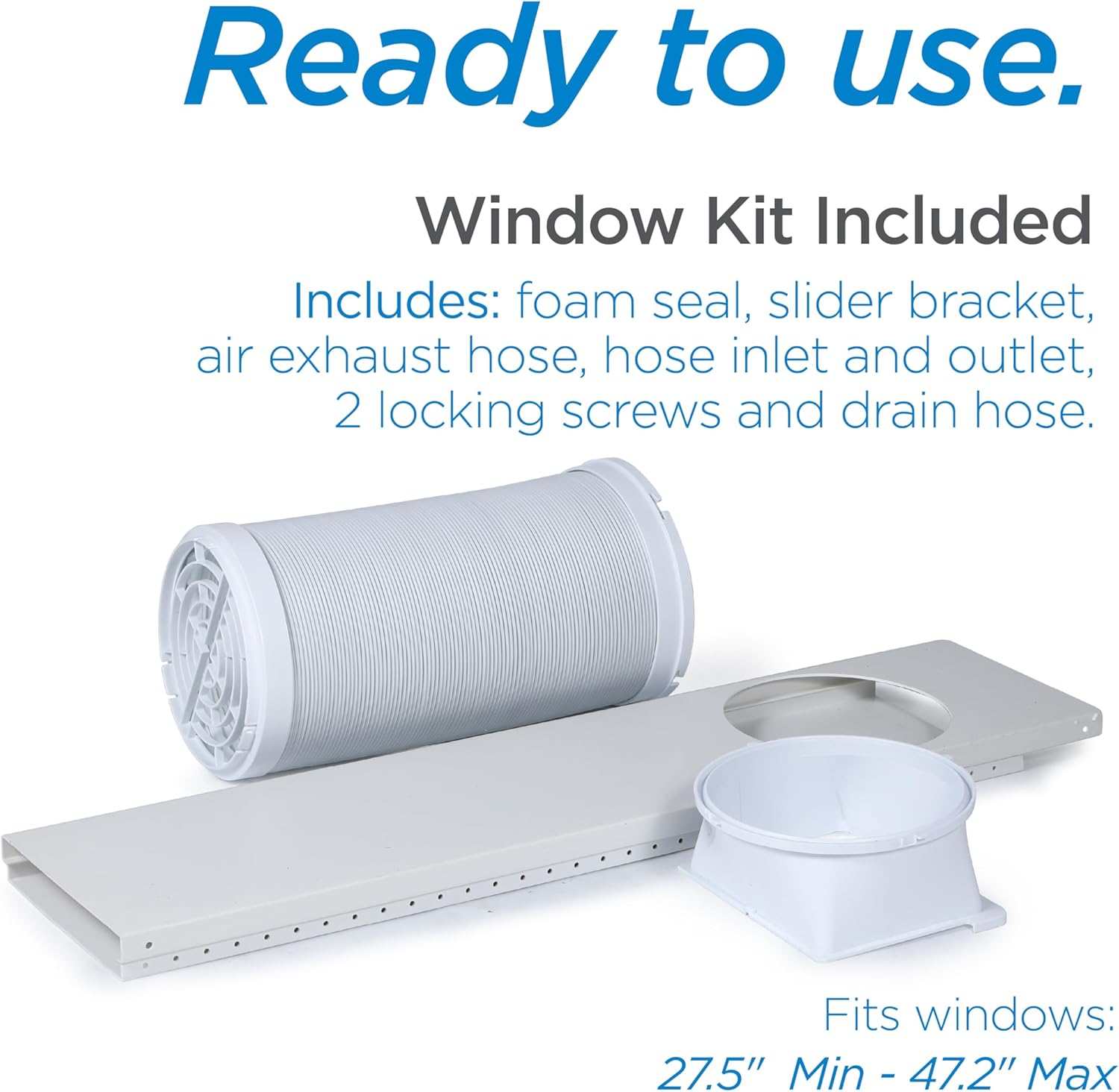
Figure 2: Included Window Kit Components
4. Setup and Installation
The portable air conditioner is designed for easy setup. Follow these steps for proper installation:
- Positioning: Place the unit on a flat, stable surface near a window and a grounded electrical outlet. Ensure there is at least 20 inches of space around the unit for proper airflow. The unit is equipped with handles and castors for easy movement.
- Window Kit Assembly: Assemble the window slider kit according to the instructions in the full installation manual. Adjust the slider bracket to fit your window opening (fits windows 27.5" Min - 47.2" Max).
- Exhaust Hose Connection: Attach the air exhaust hose to the unit's exhaust port and then to the window slider kit. Ensure a secure connection to prevent air leakage.
- Power Connection: Plug the power cord into a grounded 115 Volt electrical outlet.
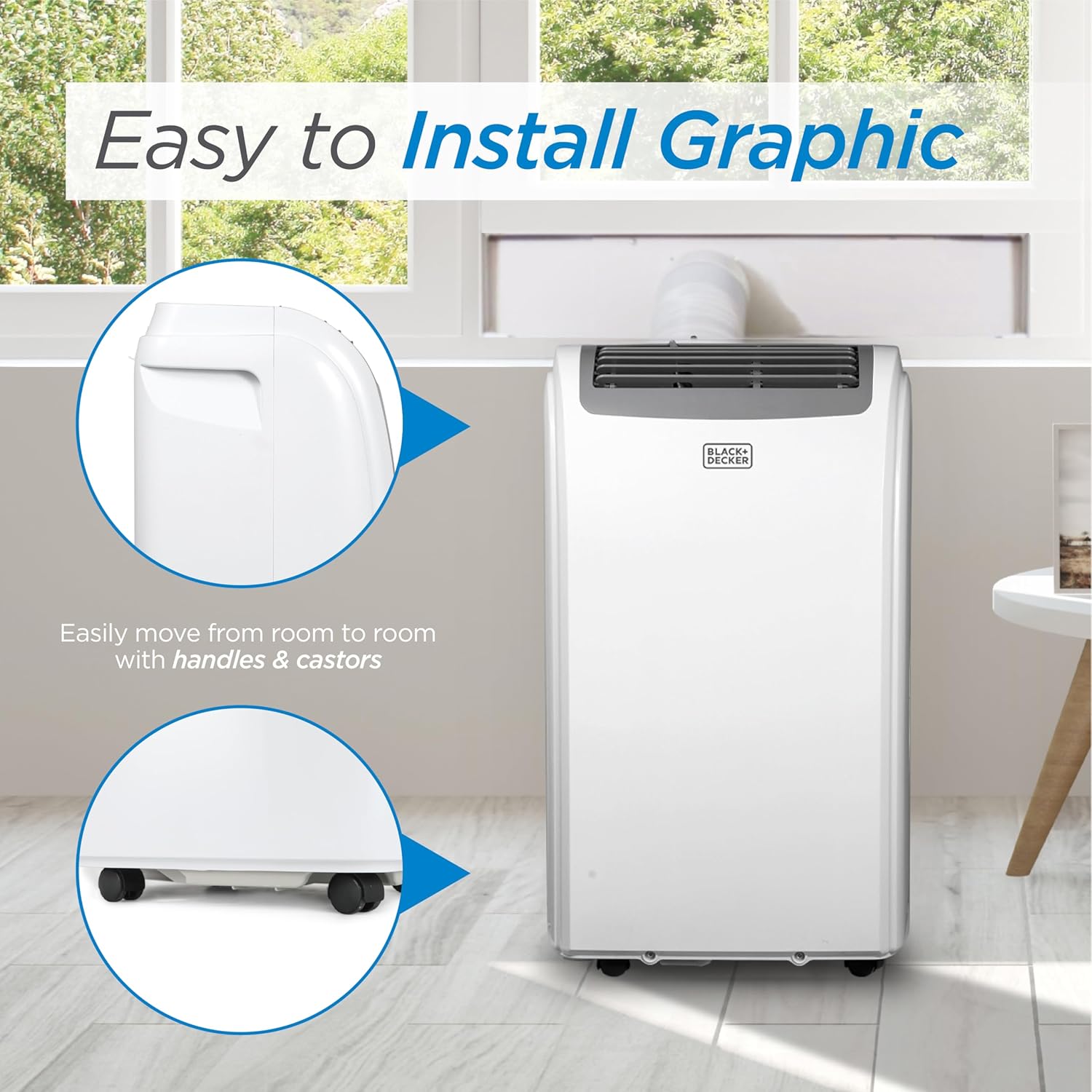
Figure 3: Easy Installation and Portability Features
For detailed installation steps, please refer to the official Installation Manual:
5. Operating Instructions
The unit can be operated using the top-mounted control panel or the full-function remote control.
5.1 Control Panel

Figure 4: Top-Mounted Control Panel
- Power Button: Turns the unit ON or OFF.
- Mode Button: Cycles through Cooling, Dehumidifier, and Fan modes.
- Temperature Adjustment (+/-): Increases or decreases the desired temperature setting.
- Fan Speed Button: Adjusts the fan speed (Low, Medium, High).
- Timer Button: Sets the auto ON/OFF timer.
5.2 Remote Control
The unit comes with an LCD full-function remote control for convenient adjustments from a distance.

Figure 5: Full Function Remote Control
5.3 Operating Modes
- Cool Mode: Provides powerful cooling for your space. Set your desired temperature using the +/- buttons.
- Dehumidifier Mode: Reduces humidity in the air without significant cooling. The unit features auto-evaporation, minimizing the need for manual draining.
- Fan Mode: Circulates air without cooling or dehumidifying. Adjust fan speed for desired airflow.
6. Maintenance
Regular maintenance ensures optimal performance and longevity of your air conditioner.
6.1 Filter Cleaning
The unit is equipped with a removable and washable filter. It is recommended to clean the air filter every two weeks or more frequently depending on usage and air quality.
- Turn off and unplug the unit before cleaning.
- Remove the filter from the back of the unit.
- Wash the filter with warm, soapy water. Rinse thoroughly.
- Allow the filter to air dry completely before reinserting it into the unit.

Figure 6: Removable Washable Filter
6.2 Unit Cleaning
Wipe the exterior of the unit with a soft, damp cloth. Do not use harsh chemicals or abrasive cleaners.
7. Troubleshooting
If you encounter issues with your air conditioner, try the following basic troubleshooting steps. For more complex problems, consult the full user manual or contact customer support.
- Unit does not turn on: Ensure the unit is properly plugged into a grounded outlet. Check if the power button has been pressed.
- Unit is not cooling: Verify the mode is set to 'Cool'. Check if the exhaust hose is properly installed and sealed. Ensure the air filter is clean.
- Water leakage: Confirm the drain hose is correctly attached if using continuous drainage. The auto-evaporation system handles most condensation, but in high humidity, some manual draining may be required.
- Noisy operation: Check for any obstructions in the fan or air vents. Ensure the unit is on a stable, level surface.
8. Specifications

Figure 7: Product Dimensions
| Feature | Detail |
|---|---|
| Model Number | BPP08WTB |
| Cooling Power | 12,000 BTU (ASHRAE), 8,000 BTU (SACC/CEC) |
| Coverage Area | Up to 550 sq. ft. |
| Functions | Cool, Dehumidify, Fan |
| Voltage | 115 Volts |
| Noise Level | 53 dB |
| Refrigerant | R-32 (Eco-friendly) |
| Product Dimensions | 17.32 x 27.2 x 13.2 inches (or 11.7"D x 16.5"W x 27.9"H) |
| Item Weight | 63.1 pounds |
9. Warranty and Support
This BLACK+DECKER Portable Air Conditioner comes with a 1-year warranty for labor and parts, covering manufacturing defects only.
For customer support or warranty claims, please contact BLACK+DECKER directly. Refer to the contact information provided in your product packaging or on the official BLACK+DECKER website.


