
1. Introduction
This manual provides instructions for the SVPRO 4K Autofocus USB Camera, Model SV-USB4K02AF-KL100W. This camera is designed for various applications including industrial vision, online classes, video conferencing, and streaming, offering 4K Ultra High Definition video capture with autofocus capabilities and integrated lighting.
2. Product Overview
Key Features
- Sony IMX415 Image Sensor: Equipped with a high-quality Sony IMX415 image sensor, providing 4K Ultra High Definition video.
- 4K UHD Resolution: Captures video at 3840x2160P resolution with a frame rate of 30fps (MJPEG), delivering clear and detailed images.
- Fast Autofocus: Ensures the camera maintains focus on the subject automatically, providing clear and sharp images.
- Integrated LED Light: Features 8 white LED lights for illumination in low-light conditions. The LED light can be manually controlled.
- 100° Wide Angle Lens: Provides a wide field of view (94.5 degrees FOV) with minimal distortion.
- Plug & Play Connectivity: Simple USB 2.0 connection for immediate use without driver installation.
- Wide Compatibility: Compatible with Windows XP/Vista/7/8/10, Linux (UVC), Mac-OS x 10.4.8 or later, and Android 4.0 or above (UVC).
- Tripod Mount: Includes a 1/4-inch screw hole at the bottom for mounting on tripods or other stands.
Package Contents
- SVPRO 4K Autofocus USB Camera
- USB Cable

Image: The SVPRO 4K Autofocus USB Camera, showing its compact design and integrated USB cable.

Image: Detailed view of the SVPRO 4K Autofocus USB Camera, highlighting its dimensions (36mm x 42mm x 42mm), the 1/4-inch tripod mount hole, and the LED light control.
3. Setup
System Requirements
- Operating System: Windows XP/Vista/7/8/10, Linux (with UVC support), Mac-OS x 10.4.8 or later, Android 4.0 or above (with UVC support).
- USB Port: Available USB 2.0 port.
Connection
- Connect the USB cable from the camera to an available USB 2.0 port on your computer or compatible device.
- The camera is plug-and-play and should be automatically recognized by your operating system without requiring additional driver installation.
- Open your preferred video conferencing, streaming, or recording software. Select the SVPRO camera as your video input device within the software settings.
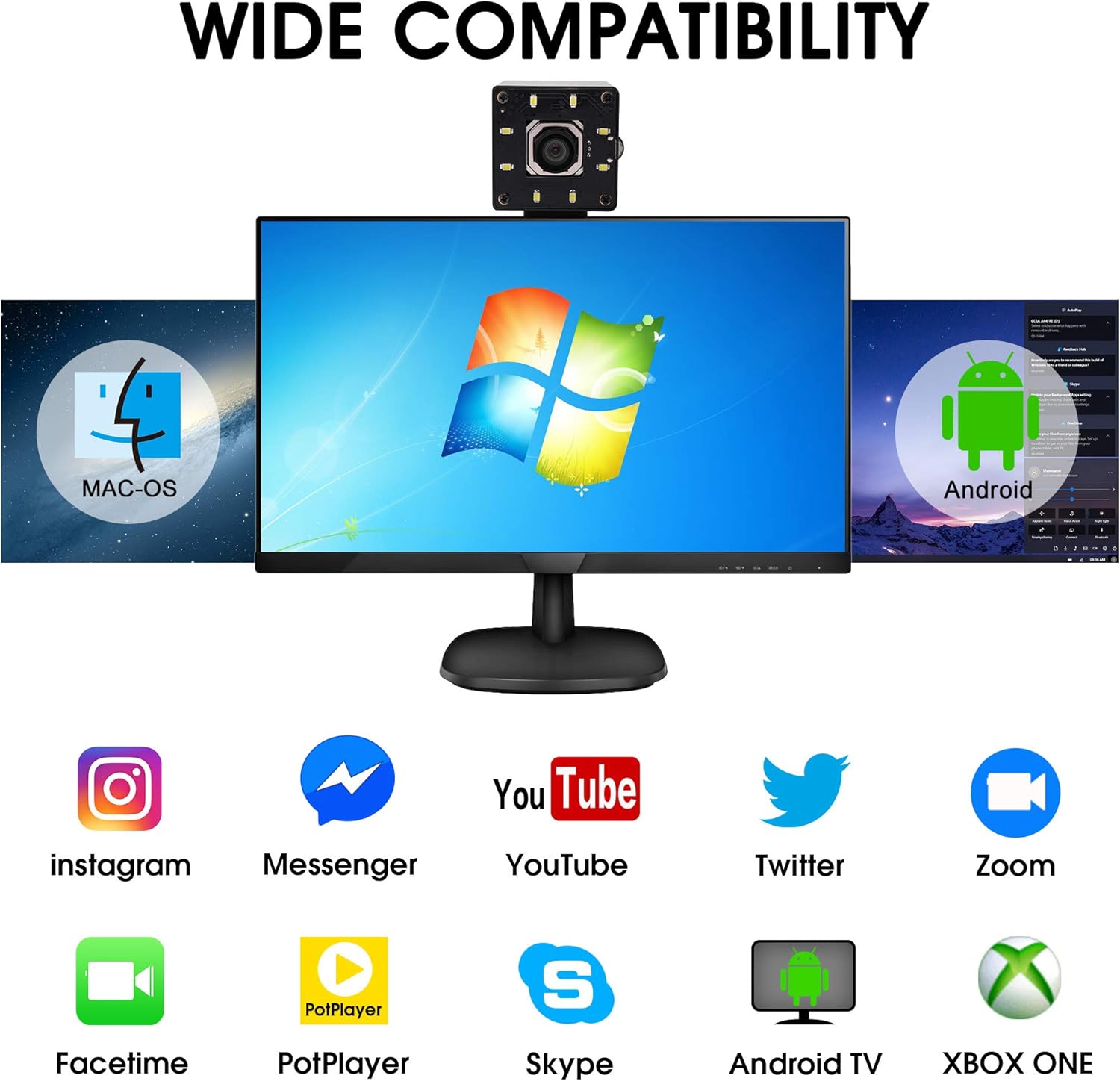
Image: The SVPRO 4K Autofocus USB Camera demonstrating compatibility with Mac OS, Windows, and Android operating systems, and various applications like Instagram, Messenger, YouTube, Twitter, Zoom, Facetime, PotPlayer, Skype, Android TV, and Xbox One.
4. Operating Instructions
Autofocus Function
The camera features a fast and accurate autofocus system that automatically adjusts the lens to keep your subject sharp. This function operates continuously to maintain optimal clarity during use.
LED Light Control
The integrated 8-piece white LED light can be manually turned on or off. Locate the control switch on the camera body to activate or deactivate the light as needed for improved visibility in dim environments.
Software Compatibility
The camera is compatible with most standard video communication and recording software. Ensure the camera is selected as the primary video input device within your application's settings. For advanced settings like brightness, contrast, hue, saturation, sharpness, gamma, white balance, and exposure, these can often be adjusted through your operating system's camera settings or within the specific application you are using.

Image: The SVPRO 4K Autofocus USB Camera emphasizing its 4K Ultra High Definition, super wide angle, and fast autofocus capabilities.

Image: A person using the SVPRO 4K Autofocus USB Camera for a video conference on a desktop computer, illustrating its application for online communication.
5. Maintenance
- Cleaning: Use a soft, dry cloth to clean the camera body. For the lens, use a specialized lens cleaning cloth and solution. Avoid abrasive materials or harsh chemicals.
- Storage: Store the camera in a cool, dry place away from direct sunlight and extreme temperatures when not in use.
- Handling: Avoid dropping the camera or subjecting it to strong impacts, which could damage internal components.
6. Troubleshooting
| Issue | Possible Solution |
|---|---|
| Camera not detected by computer | Ensure the USB cable is securely connected to both the camera and the computer. Try a different USB port or restart your computer. Verify your operating system meets the minimum requirements. |
| No video output | Check if the camera is selected as the video input device in your application settings. Ensure no other application is currently using the camera. |
| Image is blurry or out of focus | The camera features autofocus. Ensure there are no obstructions in front of the lens. If using software with manual focus options, ensure it is set to autofocus or adjusted correctly. |
| Poor image quality in low light | Activate the integrated LED light on the camera. Ensure sufficient ambient lighting in your environment. Adjust brightness settings in your software if available. |
| Color appears incorrect (e.g., too yellow) | Adjust the white balance settings within your operating system's camera controls or your video application. Ensure proper lighting conditions. |
7. Specifications
| Feature | Detail |
|---|---|
| Brand | SVPRO |
| Model Number | SV-USB4K02AF-KL100W |
| Image Sensor | SONY IMX415 (1/2.5") CMOS Sensor |
| Max Resolution | 3840x2160P |
| Frame Rate (MJPEG) | 4K@30fps, 2592x1944@30fps, 2048x1536@30fps, 1920x1080@30fps, etc. |
| Frame Rate (YUY2) | 3840x2160@1fps, 1920x1080@3fps, 1280x720@5fps, 640x480@30fps, etc. |
| Lens Type | Autofocus, 100° Wide Angle (FOV: 94.5°) |
| Special Features | Night Vision (8pcs white LED light), Autofocus |
| Connectivity | USB 2.0 |
| Cable Length | 3 meters |
| Power Supply | USB powered DC 5V/200mA |
| Product Dimensions | 1.42 x 1.65 x 1.89 inches (approx. 36 x 42 x 48 mm) |
| Item Weight | 6.3 ounces |
| Operating Temperature | 0°C to +60°C |
8. Warranty and Support
For warranty information, technical support, or service inquiries, please contact SVPRO customer support directly. You can find more information and contact details by visiting the official SVPRO store page: