
1. Product Overview
The Wathai AC Axial Fan (Model AC8025B110V-120V) is a versatile 80x80x25mm ventilation and exhaust fan designed for various DIY cooling projects and equipment. It operates on 110V or 120V AC power and is equipped with dual-ball bearings for extended lifespan and flexible mounting options. This manual provides essential information for the safe and effective use of your Wathai fan.

Figure 1: Wathai AC Axial Fan 80x80x25mm, showing the fan unit, protective grill, and attached AC power plug.
2. Key Features
- Dual-Ball Bearings: Engineered for a long lifespan of up to 50,000 hours, allowing for flexible mounting in flat or upright positions.
- Versatile Application: Suitable for a wide range of cooling needs, including audio/video receivers, server racks, storage sheds, server rooms, garages, tanning beds, LED signs, industrial machinery, and arcade systems.
- Complete Package: Includes one fan unit, one fan grill, one wiring head, one 59-inch power plug, and four mounting screws with nuts for easy installation.
- Optimized Performance: Provides efficient airflow and quiet operation at both 110V and 120V AC.
- Durable Construction: Features a heavy metal frame for enhanced durability and fall resistance.

Figure 2: Heavy metal frame construction of the fan, indicating durability.
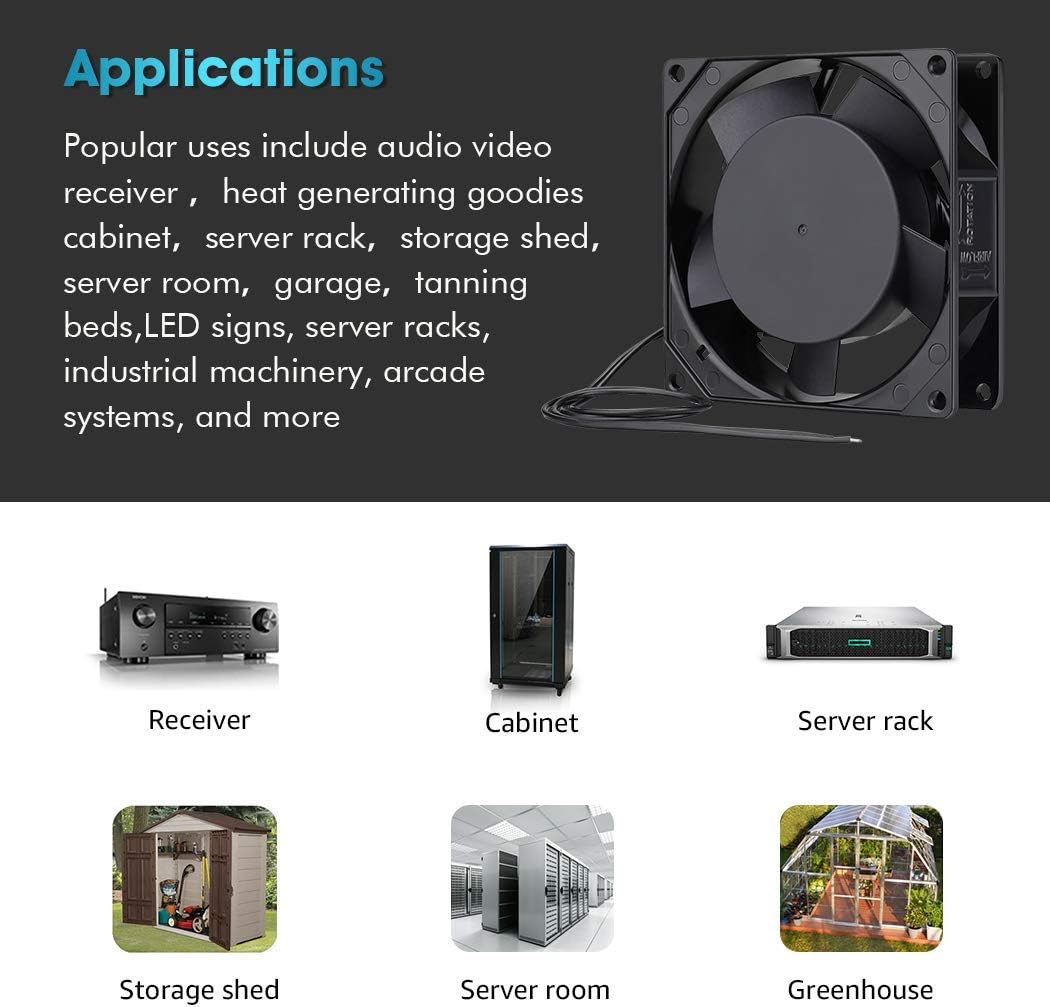
Figure 3: Fan and included accessories for installation.
3. Specifications
Detailed technical specifications for the Wathai AC Axial Fan 80x80x25mm:
| Specification | Value |
|---|---|
| Product Dimensions (LxWxH) | 0.98" x 3.15" x 3.15" (80x80x25mm) |
| Brand | Wathai |
| Model Number | AC8025B110V-120V |
| UPC | 702334355992 |
| Power Connector Type | AC Power plug |
| Voltage Range | 110V - 120V (AC) |
| Wattage | 11 watts |
| Cooling Method | Air |
| Material | Plastic |
| Bearing Type | Dual-ball bearings |
| Bearing Lifespan | 50,000 hours |
| Compatible Devices | Server, Audio/Video Receivers, Cabinets, etc. |
| Item Weight | 13.4 ounces |
| Noise Level (110V) | 30 dBA |
| Noise Level (120V) | 31 dBA |
| Maximum Rotational Speed (110V) | 2600 RPM |
| Maximum Rotational Speed (120V) | 2700 RPM |
| Air Flow Capacity (110V) | 24 CFM |
| Air Flow Capacity (120V) | 25 CFM |
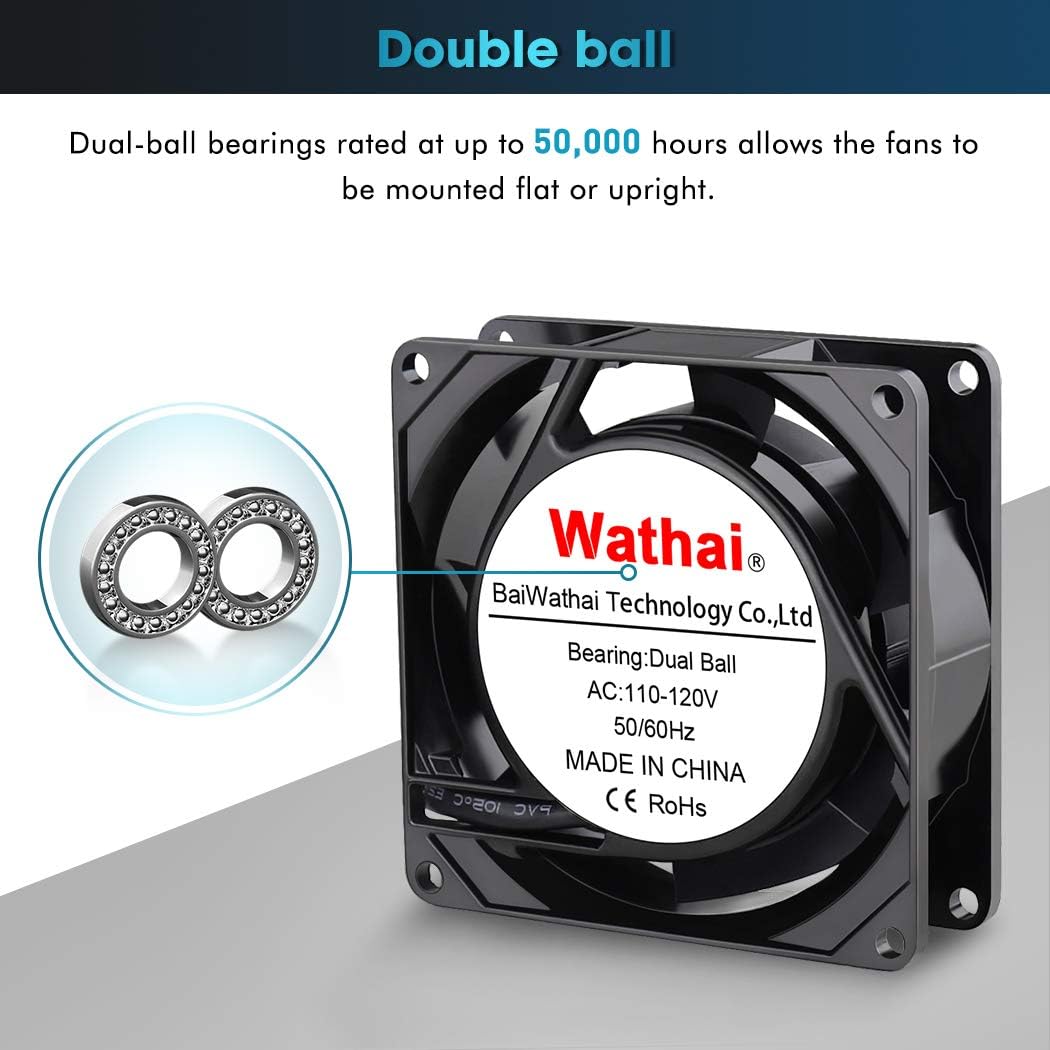
Figure 4: Visual representation of fan specifications.
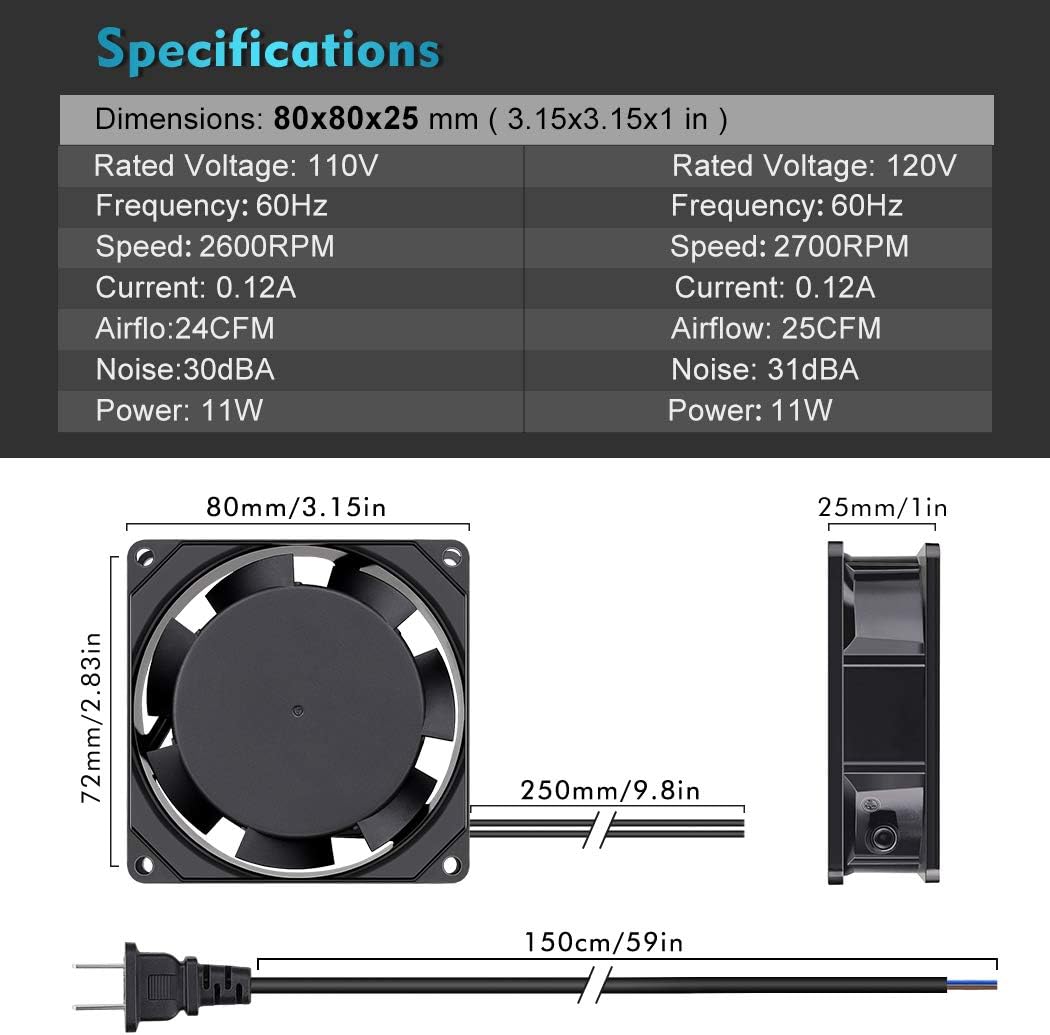
Figure 5: Dimensional drawing of the fan and power cord.
4. Setup and Installation
Follow these steps to properly set up and install your Wathai AC Axial Fan:
- Unpack Contents: Carefully remove the fan and all accessories from the packaging. Verify that all components listed in Section 2 ("Complete Package") are present.
- Choose Mounting Location: Select a location that allows for adequate airflow and ventilation. The fan can be mounted flat or upright due to its dual-ball bearings.
- Install Fan Grill: Attach the included fan grill to the desired side of the fan using the provided mounting screws and nuts. The grill helps protect the fan blades and prevents accidental contact.
- Mount the Fan: Secure the fan in your chosen location using the remaining mounting screws and nuts. Ensure the fan is stable and securely fastened.
- Connect Power: Plug the fan's AC power plug into a standard 110V or 120V AC electrical outlet. Ensure the outlet matches the fan's voltage requirements.
Important Note on Airflow: If mounting the fan directly against a solid surface like a wall, ensure there is sufficient space for air intake or exhaust. Mounting without adequate clearance can restrict airflow, potentially causing the motor to overheat and sustain damage. The fan is designed to pull air from one side and exhaust it from the opposite side.
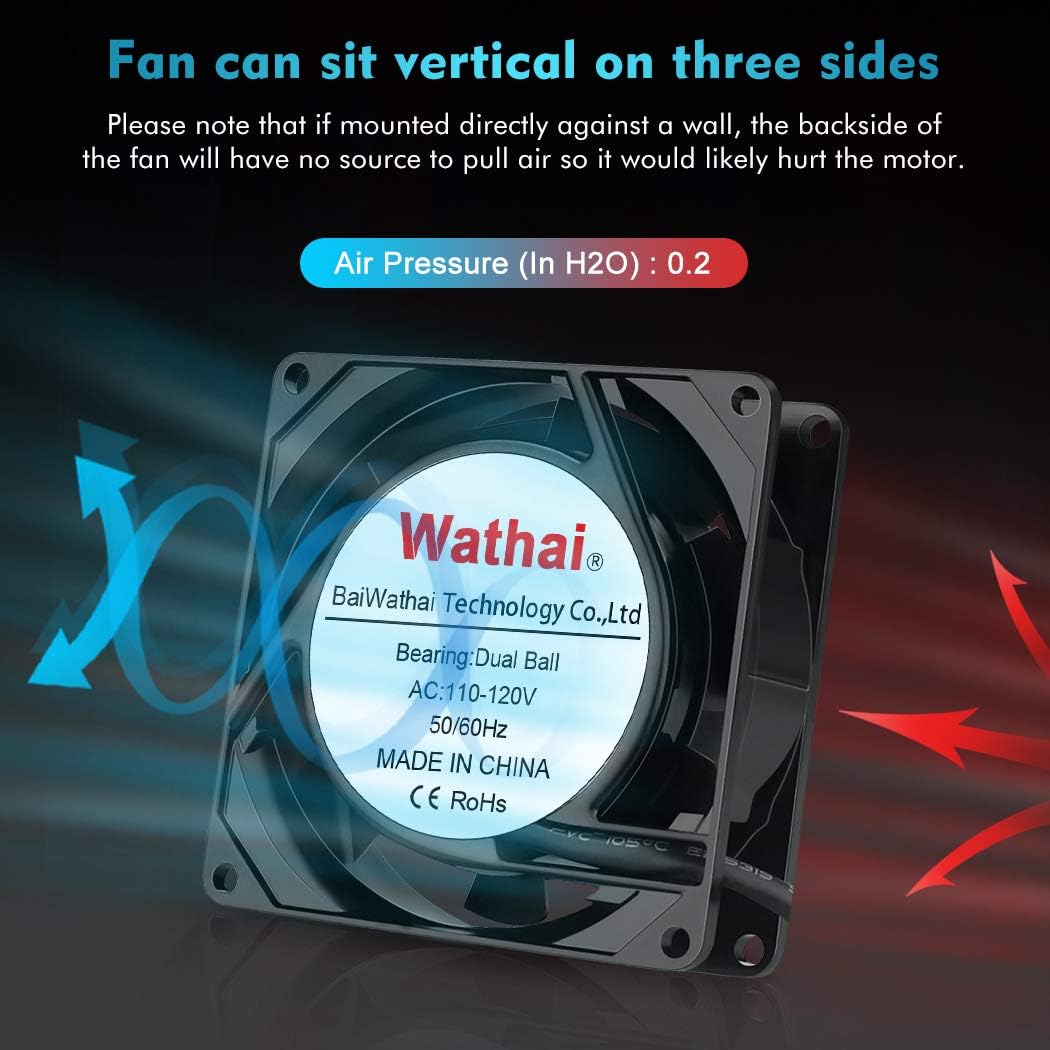
Figure 6: Illustration of fan airflow and proper mounting considerations.
5. Operating Instructions
Once installed, operating the Wathai AC Axial Fan is straightforward:
- Power On: Connect the fan's power plug to a live 110V or 120V AC outlet. The fan will begin operating immediately.
- Airflow Direction: The fan is designed to move air in a specific direction. Ensure the fan is oriented to provide cooling or ventilation to your desired area. Air is typically drawn in from the side with the motor label and expelled from the opposite side.
- Continuous Operation: The fan is designed for continuous operation. Its dual-ball bearings ensure long-term reliability.
Performance at Different Voltages:
- Under 60Hz / 110V:
- Speed: 2600 RPM
- Airflow: 24 CFM
- Current: 0.12A
- Power: 11W
- Noise: 30 dBA
- Under 60Hz / 120V:
- Speed: 2700 RPM
- Airflow: 25 CFM
- Current: 0.12A
- Power: 11W
- Noise: 31 dBA
6. Maintenance
To ensure the longevity and optimal performance of your Wathai AC Axial Fan, consider the following maintenance tips:
- Regular Cleaning: Periodically inspect the fan blades and grill for dust accumulation. Use a soft brush or compressed air to gently remove any dust or debris. Ensure the fan is unplugged before cleaning.
- Clear Obstructions: Ensure that the fan's intake and exhaust paths remain clear of any obstructions. Blocked airflow can reduce efficiency and potentially damage the motor.
- Bearing Lifespan: The dual-ball bearings are designed for a lifespan of up to 50,000 hours and typically do not require lubrication.
7. Troubleshooting
If you encounter issues with your Wathai AC Axial Fan, refer to the following common problems and solutions:
| Problem | Possible Cause | Solution |
|---|---|---|
| Fan does not spin. | No power, faulty outlet, damaged power cord, or internal fan issue. |
|
| Fan is unusually noisy. | Dust accumulation, obstruction, or bearing issue. |
|
| Fan produces a burning smell. | Motor overheating, electrical fault. |
|
8. Applications
The Wathai AC Axial Fan is designed for a variety of cooling and ventilation applications, including but not limited to:
- Audio/Video Receivers and heat-generating cabinets
- Server racks and server rooms
- Storage sheds and garages
- Tanning beds and LED signs
- Industrial machinery and arcade systems
- As a replacement fan for various electronic products

Figure 7: Examples of common applications for the fan.
9. Warranty and Support
Wathai is committed to providing high-quality products. For any questions, technical assistance, or warranty inquiries regarding your AC Axial Fan, please contact Wathai customer support. Refer to the product packaging or the official Wathai website for the most current contact information.
All Wathai products have passed CE & ROHS certifications, ensuring compliance with relevant safety and environmental standards.
10. Official Product Videos
No official product videos created by the seller were found for this specific model in the provided data. For additional product information or visual guides, please visit the official Wathai brand store or contact customer support.