
KUNGIX X13
KUNGIX Wireless Earbuds User Manual
Model: X13
1. Product Overview
The KUNGIX X13 Wireless Earbuds are designed for high-quality audio and convenience, featuring Bluetooth 5.0 connectivity, active noise cancellation, and IPX7 waterproofing. The included charging case provides extended battery life and a clear LED display for battery status.

Image: KUNGIX X13 Wireless Earbuds shown inside their open charging case, displaying the digital battery percentage.

Image: A graphic illustrating the earbuds with an emphasis on Bluetooth 5.0 technology, alongside icons representing Clear Call, Noise Reduction, Bluetooth 5.0, 72H Playtime, iOS & Android compatibility, and Touch Control.
2. Setup and Pairing
Initial Charging
Before first use, fully charge the earbuds and the charging case. Connect the provided USB-C cable to the charging case and a power source. The LED display on the case will indicate the charging status.
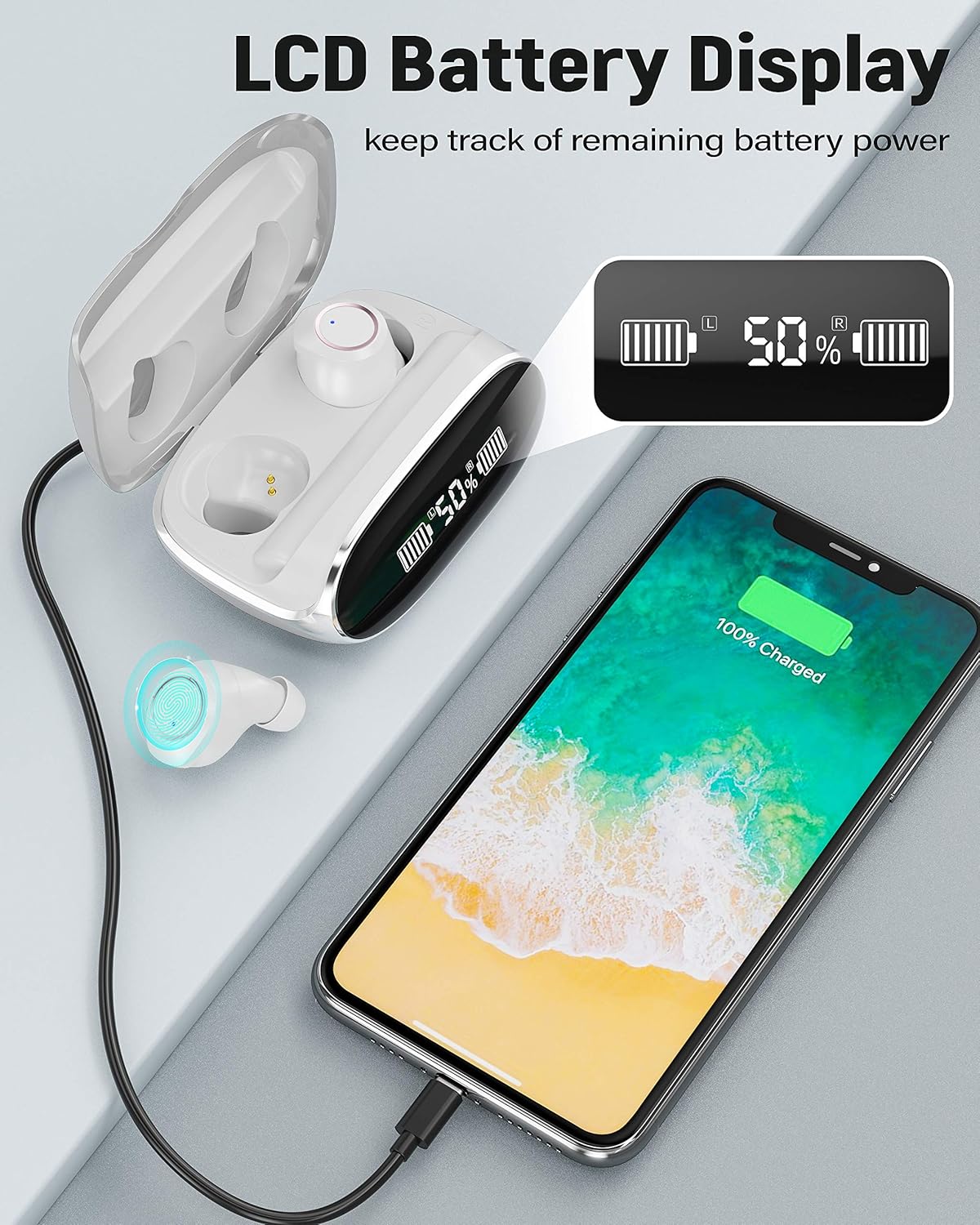
Image: The charging case with earbuds inside, connected via a USB-C cable to a smartphone, demonstrating the LCD battery display showing charging progress.
Automatic Pairing
- Open the charging case. The earbuds will automatically power on and enter pairing mode. The red and blue indicator lights on the earbuds will flash alternately.
- On your device (smartphone, tablet, or computer), enable Bluetooth.
- Search for "KG-X13" in the list of available Bluetooth devices and select it to connect.
- Once connected, the earbud indicator lights will turn off or flash slowly.

Image: A visual guide demonstrating the one-step connection process for the earbuds, showing them connecting to a smartphone with a "Connection Successful" message on the screen.
Single Earbud Mode
Either earbud can be used independently. Simply take one earbud out of the case, and it will automatically connect to the last paired device. The other earbud can remain in the case or be used later for stereo mode.
3. Operating Instructions
The KUNGIX X13 earbuds feature intuitive touch controls for various functions.
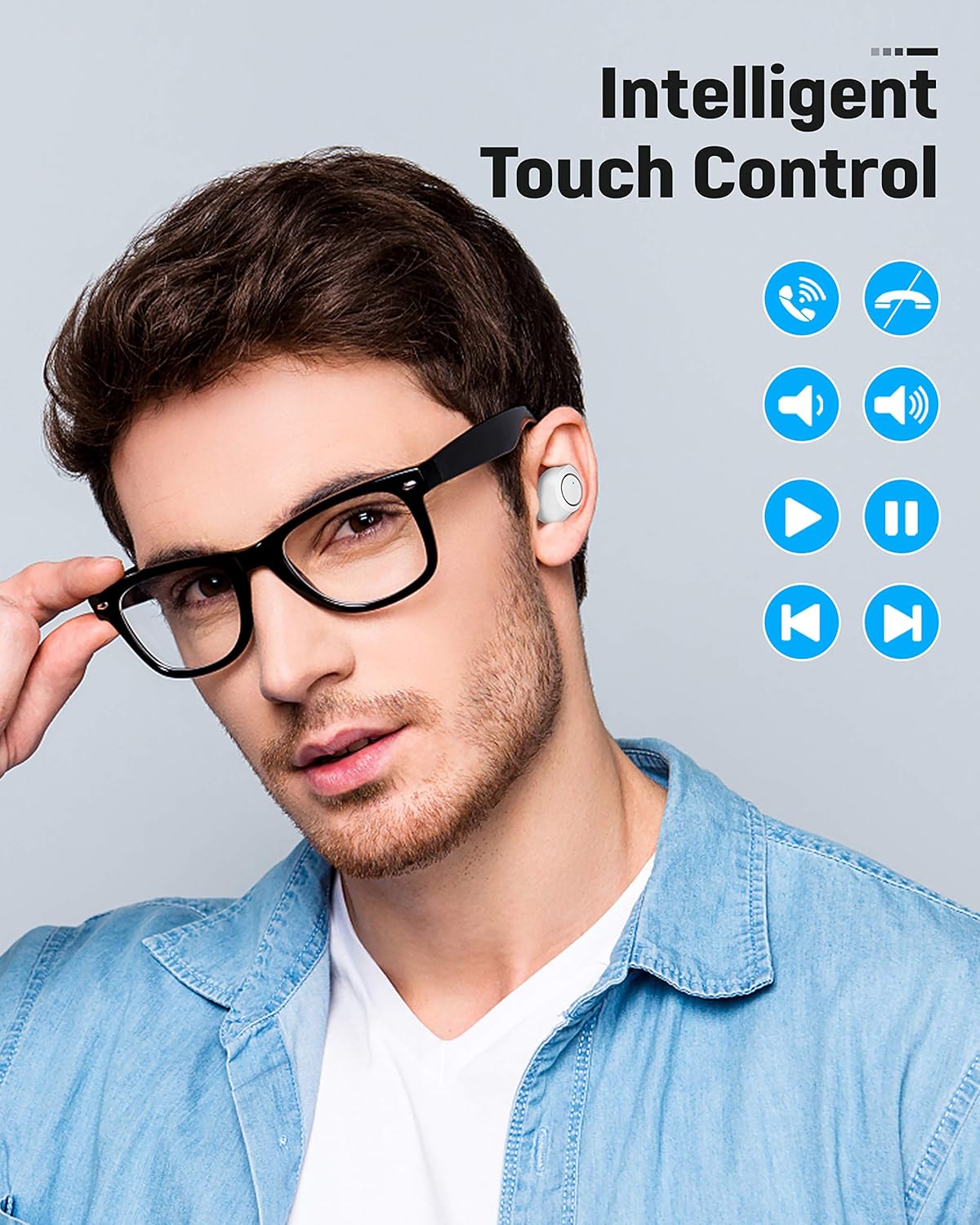
Image: A person wearing the earbuds, with a diagram illustrating the touch control functions for calls, volume, and music playback.
Music Playback Controls
- Play/Pause: Single tap on either earbud.
- Next Song: Triple tap on the right earbud.
- Previous Song: Triple tap on the left earbud.
- Volume Up: Single tap on the right earbud.
- Volume Down: Single tap on the left earbud.
Call Management Controls
- Answer/End Call: Single tap on either earbud.
- Reject Call: Double tap on either earbud.
- Activate Voice Assistant: Long press (2 seconds) on either earbud.
4. Maintenance and Care
Cleaning
Regularly clean your earbuds and charging case to ensure optimal performance and hygiene. Use a soft, dry, lint-free cloth. For stubborn dirt, a slightly damp cloth can be used, but ensure no moisture enters the charging ports or speaker grilles. Do not use abrasive cleaners or solvents.
Water Resistance (IPX7)
The earbuds are IPX7 waterproof, meaning they can withstand submersion in up to 1 meter of water for 30 minutes. This makes them suitable for sports and protection against sweat and rain. However, the charging case is not waterproof. Do not expose the charging case to water.

Image: The KUNGIX X13 earbuds shown with water splashing around them, illustrating their IPX7 waterproof capability.
Battery Care
To prolong battery life, avoid fully discharging the earbuds and charging case frequently. Store them in a cool, dry place when not in use. The charging case provides up to 72 hours of total playback time by recharging the earbuds multiple times.
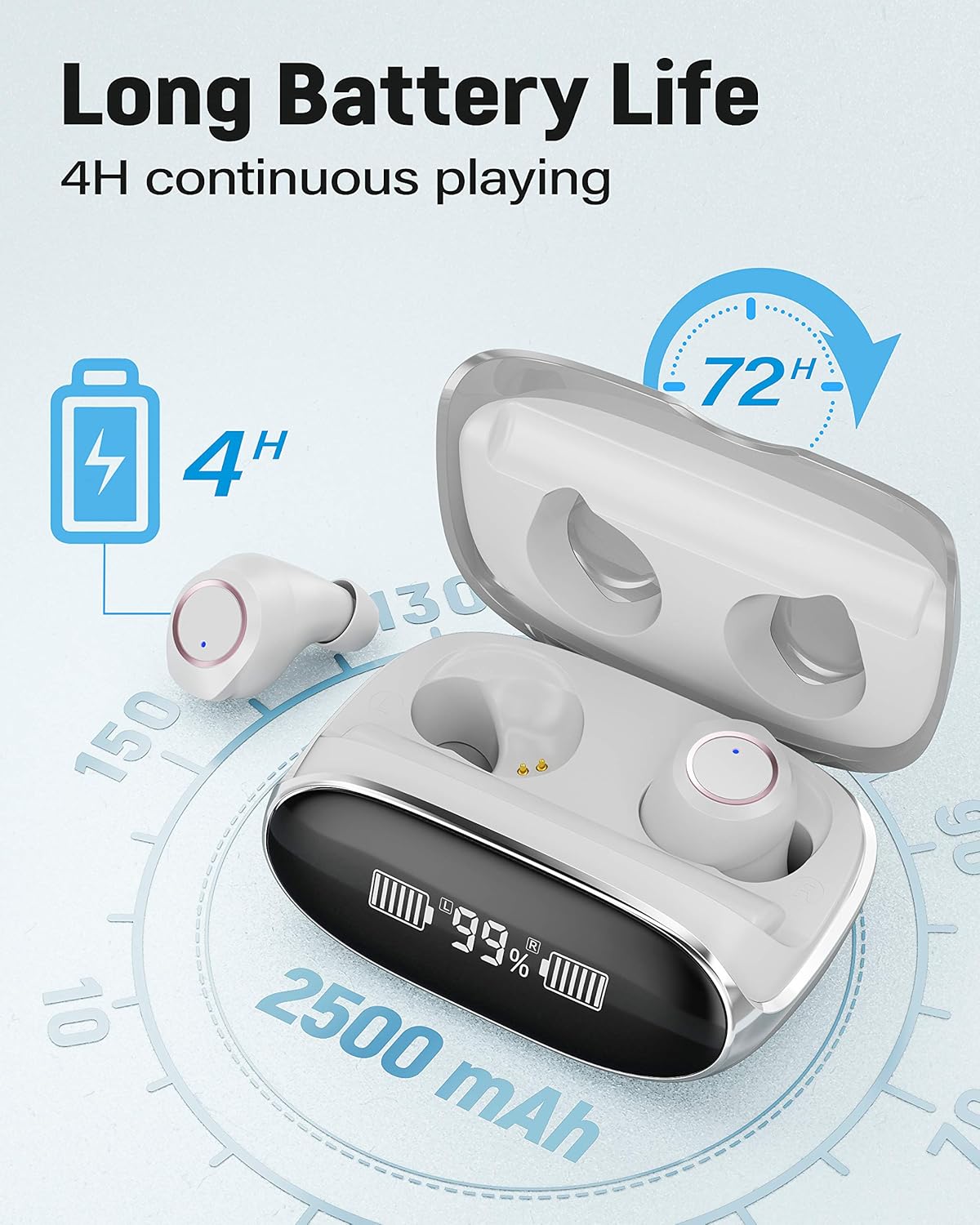
Image: A visual representation of the earbuds and charging case, highlighting the 72-hour total playback time and the 2500 mAh battery capacity of the case.
5. Troubleshooting
Pairing Issues
- Earbuds not connecting: Confirm that the earbuds are powered on and in pairing mode (red and blue indicator lights flashing alternately).
- Device cannot find earbuds: Restart both the earbuds (by placing them back in the case and taking them out) and your phone/device.
- Previous connection issues: Clear the Bluetooth pairing list on your mobile phone and attempt to pair again.
Sound Issues
- No sound: Ensure the earbuds are charged and properly connected to your device. Check the volume levels on both the earbuds and your device.
- Distorted sound: Move closer to your device to reduce interference. Ensure there are no physical obstructions between the earbuds and your device.
6. Specifications
| Feature | Specification |
|---|---|
| Brand | KUNGIX |
| Model Name | X13 |
| Product Number | BX13 |
| Connectivity Technology | Bluetooth 5.0 |
| Wireless Range | Approximately 10 m |
| Noise Control | Active Noise Cancellation |
| Water Resistance Level | IPX7 (Earbuds only) |
| Charging Case Battery | 2500-3000 mAh (theoretical max) |
| Earbud Playback Time | Up to 72 Hours (with charging case) |
| Microphone | Built-in, Stereo |
| Control Type | Touch Control, Volume Control |
| Compatible Devices | Bluetooth-enabled devices (phones, tablets, computers) |
| Material | Acrylonitrile Butadiene Styrene (ABS) |
| Product Dimensions | 6 x 5 x 2.5 cm |
| Product Weight | 50 g |
| Included Components | Cable |
7. Warranty and Support
For warranty information and customer support, please refer to the documentation provided with your purchase or contact KUNGIX customer service through the retailer where the product was purchased. Specific warranty terms may vary by region.
Ask a question about this manual
Ask about setup, troubleshooting, compatibility, parts, safety, or missing instructions. Manuals+ will review the question and use this page’s manual context to help answer it.