
1. Introduction
The StarNY EET100 is an integrated, high-sensitivity multimeter designed to measure various environmental air quality parameters. It combines a Dust sensor, VOC sensor, and Temperature & Humidity sensors into a single portable device. This manual provides essential information for the safe and effective use of your EET100 multimeter, including setup, operation, maintenance, and specifications.
The device offers multifunctionality, high accuracy, fast response, and ease of use, making it suitable for assessing air quality in daily life, work, and learning environments.
2. Product Overview
The EET100 multimeter is designed to provide comprehensive environmental air detection. It measures:
- Dust (PM2.5)
- Volatile Organic Compounds (VOC)
- Temperature
- Humidity
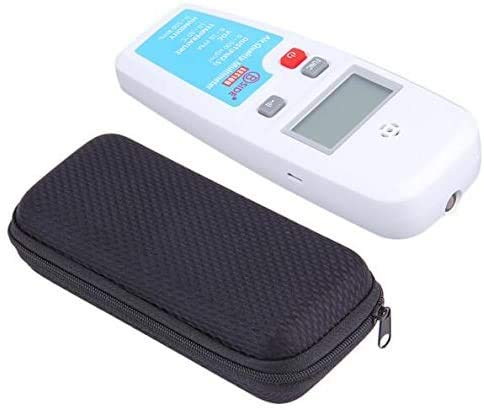
Figure 2.1: StarNY EET100 Air Quality Multimeter and Carrying Case.
This image shows the StarNY EET100 Air Quality Multimeter, a white handheld device with an LCD screen and buttons, alongside its black zippered protective carrying case.
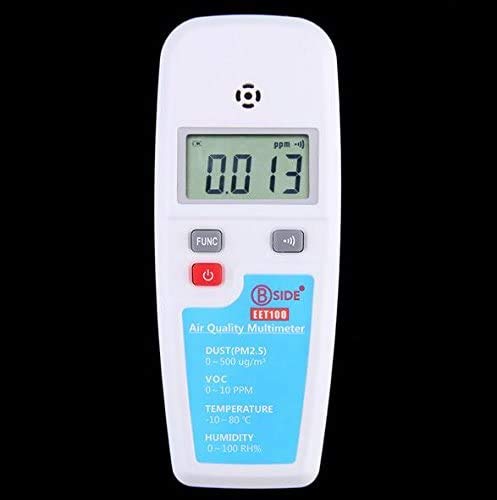
Figure 2.2: Front View of EET100 Multimeter.
A close-up of the front of the EET100 multimeter, highlighting the LCD display, the 'FUNC' button, the red power button, and the mute button. The product label 'B SIDE EET100 Air Quality Multimeter' is visible below the buttons, along with the listed measurement parameters.
3. Setup
3.1 Battery Installation
The EET100 multimeter is powered by a 3.7V Li-Battery (BL-5C). To install or replace the battery:
- Locate the battery compartment on the back of the device.
- Carefully slide open the battery compartment cover.
- Insert the BL-5C Li-Battery, ensuring correct polarity.
- Close the battery compartment cover securely.
The device can also be powered via a Micro USB supply.
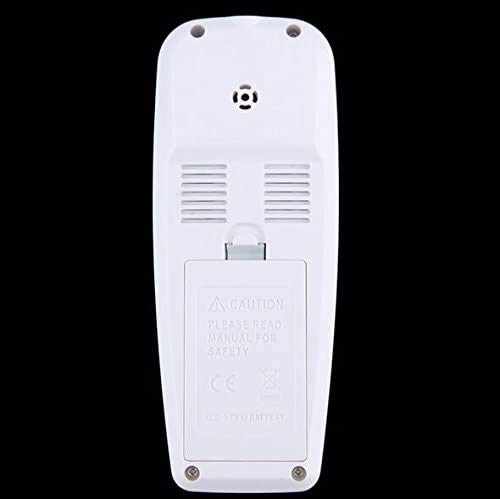
Figure 3.1: Rear View with Battery Compartment.
This image displays the back of the EET100 multimeter, showing the battery compartment cover with a 'CAUTION PLEASE READ MANUAL FOR SAFETY' warning, along with ventilation grilles and screw points.
3.2 Initial Power-On and VOC Sensor Preheating
After installing the battery or connecting via Micro USB:
- Press and hold the red power button (U) to turn on the device.
- When measuring VOC, the VOC sensor requires a preheating period of approximately 5 minutes for accurate readings. Ensure the device is powered on and allowed to stabilize before taking VOC measurements.
4. Operating Instructions
4.1 Power On/Off
- To power on: Press and hold the red power button (U).
- To power off: Press and hold the red power button (U) again until the device shuts down.
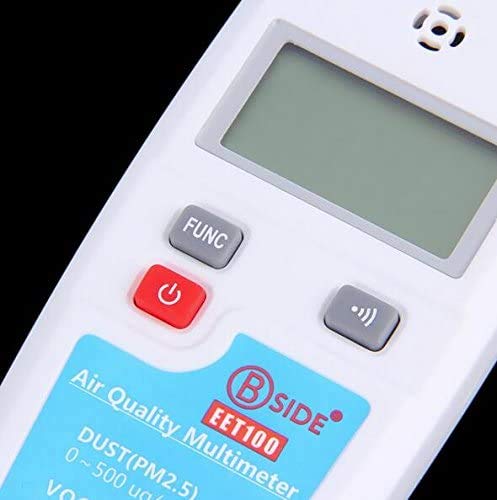
Figure 4.1: Control Buttons.
A detailed view of the EET100's control panel, showing the 'FUNC' button (gray), the red power button with a universal power symbol, and the mute button (gray with speaker icon). The product label with measurement ranges is also visible.
4.2 Switching Measurement Modes
Press the 'FUNC' button to cycle through the different measurement modes: Dust (PM2.5), VOC, Temperature, and Humidity. The current mode will be indicated on the LCD display.
4.3 Taking Measurements
Once the desired mode is selected, the device will automatically begin sampling and display the readings on the LCD screen.
- Dust / PM2.5: The device will display the PM2.5 concentration in µg/m³. The sampling cycle is 1 second.
- VOC: The device will display the VOC concentration in ppm. Remember to allow for a 5-minute preheating period for accurate readings. The sampling cycle is 1 second.
- Temperature: The device will display the ambient temperature in °C. The sampling cycle is 2 seconds.
- Humidity: The device will display the relative humidity in RH%. The sampling cycle is 2 seconds.
5. Applications
The StarNY EET100 Air Quality Multimeter can be used in various scenarios for environmental monitoring:
- Living air quality testing
- House decoration air quality testing
- Alcohol testing (e.g., for drunk driving scenarios)
- Sewer tunnels safety working assessment
- Gas station leak detection
- Factory air quality testing
- Smoking test
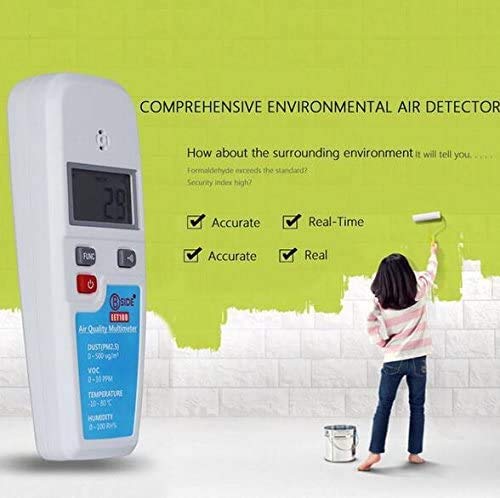
Figure 5.1: Environmental Air Detection.
This image shows the EET100 multimeter in a conceptual setting, illustrating its use for comprehensive environmental air detection. The device displays a reading of '29', and text prompts like 'How about the surrounding environment it will tell you...' and 'Formaldehyde exceeds the standard? Security Index high?' are present, along with checkmarks for 'Accurate' and 'Real-Time'.
6. Maintenance
6.1 Cleaning
To clean the device, use a soft, dry cloth. Do not use abrasive cleaners or solvents, as these can damage the casing or sensors.
6.2 Storage
When not in use, store the multimeter in its protective carrying bag in a cool, dry place, away from direct sunlight and extreme temperatures.
6.3 Battery Care
If the device will not be used for an extended period, it is recommended to remove the battery to prevent leakage and damage.
7. Troubleshooting
If you encounter issues with your EET100 multimeter, consider the following:
- Device not powering on: Check if the battery is correctly installed and charged, or try connecting via Micro USB.
- Inaccurate VOC readings: Ensure the VOC sensor has been preheated for at least 5 minutes.
- No display: Check battery power and ensure the device is turned on.
For persistent issues, please contact StarNY customer support.
8. Specifications
| Parameter | Specification |
|---|---|
| Dust / PM2.5 | Range: 0-500 µg/m³ Accuracy: 10% Sampling cycle: 1 second |
| VOC | Range: 0-10 ppm Accuracy: 10% Sampling cycle: 1 second (VOC sensor requires 5 minutes preheat) |
| Temperature | Range: -10-80 °C Accuracy: 0.3 °C Sampling cycle: 2 seconds |
| Humidity | Range: 0-100 RH% Accuracy: 3 RH% Sampling cycle: 2 seconds |
| Power | 3.7V Li-Battery: BL-5C Micro USB Supply |
| Battery Life | DUST/PM2.5 mode: 35 Hours VOC mode: 8 Hours Temperature & Humidity mode: 35 Hours |
| Dimensions | Approx. 15 x 6 x 3 cm |
| Manufacturer | StarNY |
| ASIN | B08T8BFBJB |
| UPC | 765083462281 |
9. Safety Information
Please read this manual thoroughly before operating the device to ensure safe and correct usage. Pay attention to all caution statements and warnings.
- Do not attempt to disassemble or modify the device.
- Keep the device away from water and high humidity environments.
- Avoid exposing the device to extreme temperatures or direct sunlight for prolonged periods.
- Use only the specified battery type (BL-5C) and charging methods.
10. Warranty and Support
For warranty information or technical support, please refer to the purchase documentation or contact your retailer/manufacturer directly. Keep your proof of purchase for any warranty claims.
Manufacturer: StarNY