
XTRARM XTR-LA2055-600
XTRARM TiTon Double 80 cm TV Wall Mount User Manual
Model: XTR-LA2055-600
1. Introduction
Thank you for choosing the XTRARM TiTon Double 80 cm TV Wall Mount. This robust and versatile wall mount is designed to securely hold medium to large TV sets, offering exceptional flexibility with its full motion, swivel, tilt, and rotation capabilities. It is suitable for heavy TVs and monitors that comply with the specified VESA dimensions. The extended wall distance allows for mounting in various locations, including corner areas. This manual provides essential information for safe installation, operation, and maintenance of your new TV wall mount.

2. Safety Information
Please read all safety warnings and instructions carefully before installation and use. Failure to follow these instructions may result in property damage, serious injury, or death.
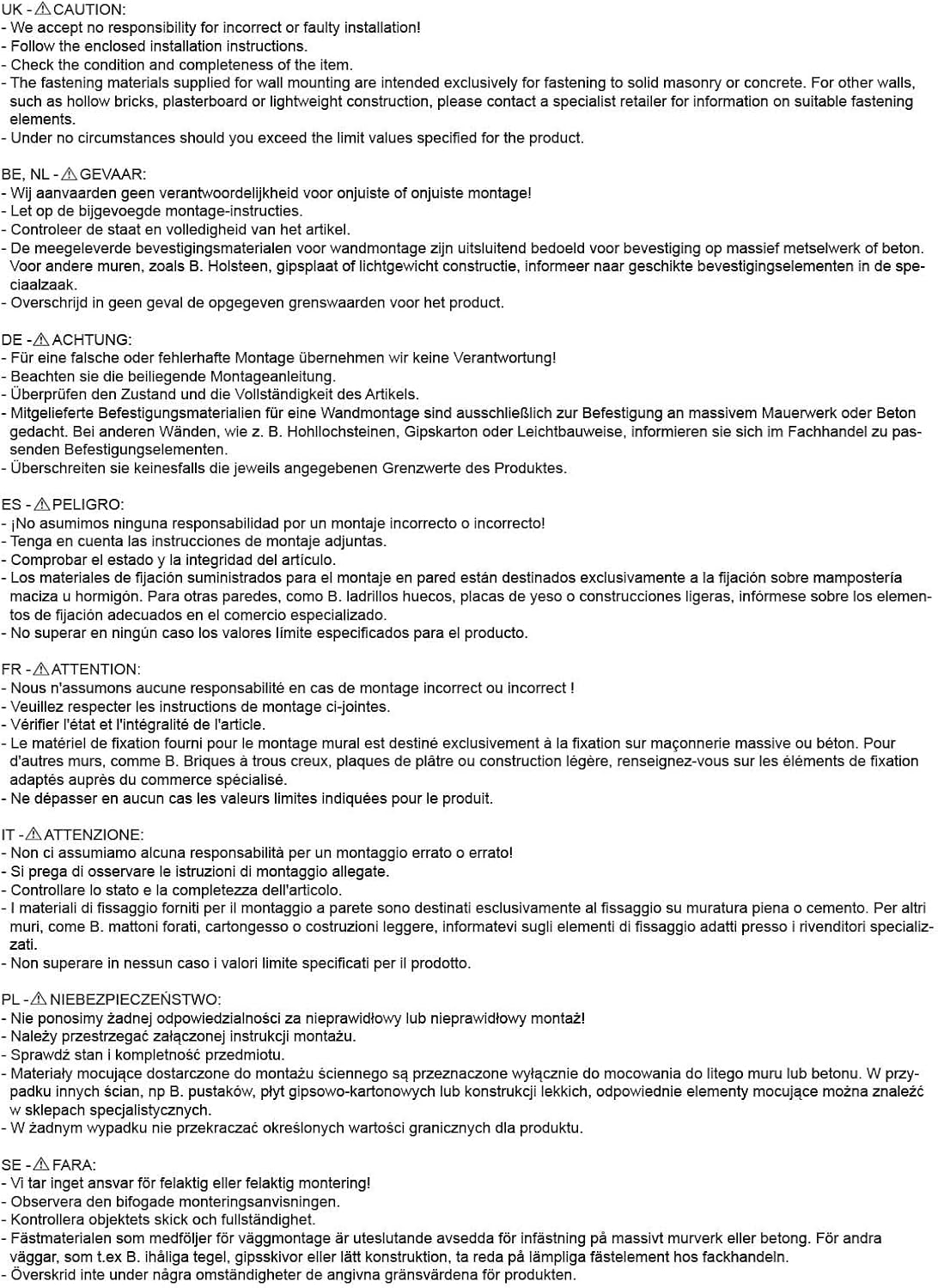
- Professional Installation Recommended: We accept no responsibility for incorrect or faulty installation. If you are unsure about the installation process, consult a qualified professional.
- Follow Instructions: Always adhere strictly to the enclosed installation instructions.
- Check Contents: Before beginning installation, verify the condition and completeness of all components.
- Wall Type Compatibility: The provided fastening materials are exclusively for solid masonry or concrete walls. For other wall types (e.g., hollow bricks, plasterboard, lightweight construction), contact a specialist retailer for appropriate fastening elements.
- Weight and Size Limits: Never exceed the maximum load capacity of 120 kg or the recommended TV size range of 37-110 inches. Ensure your TV's VESA pattern is compatible (max. 600x400mm).
- Secure Fastening: Ensure all screws and bolts are tightened securely to prevent accidental detachment.
- Children and Pets: Keep children and pets away from the installation area. Do not allow them to play with the mount or TV.
3. Package Contents
Carefully unpack the box and ensure all items listed below are present and undamaged. If any parts are missing or damaged, do not proceed with installation and contact customer support.
- XTRARM TiTon Double 80 cm TV Wall Mount Assembly
- Standard Mounting Material (for TV and wall)
- Drilling Template
- Small Spirit Level
- Velcro Straps for Cable Management

4. Setup and Installation
4.1 Pre-installation Checks
- TV Compatibility: Verify your TV's weight (max. 120 kg) and VESA mounting pattern (max. 600x400mm). The mount supports TVs from 37 to 110 inches.
- Wall Type: Ensure your wall can support the combined weight of the mount and your TV. Use appropriate fasteners for your specific wall construction.
- Location: Choose a mounting location free from electrical wires, water pipes, or other obstructions. Consider viewing angles and desired extension.
4.2 Mounting the Wall Plate
- Position the drilling template on the wall at the desired height. Use the included spirit level to ensure it is perfectly horizontal.
- Mark the drilling points through the template.
- Drill holes at the marked positions using an appropriate drill bit for your wall type.
- Insert wall anchors (if required for your wall type).
- Attach the wall plate securely to the wall using the provided screws.
4.3 Attaching TV Brackets
- Carefully place your TV face down on a soft, clean surface.
- Align the TV mounting brackets with the VESA holes on the back of your TV.
- Secure the brackets to the TV using the appropriate screws and spacers from the provided hardware kit. Ensure they are tightened firmly.
4.4 Mounting TV to Wall Mount
- With assistance, carefully lift the TV with the attached brackets.
- Hook the TV brackets onto the arms of the wall mount.
- Secure the TV to the mount using the locking mechanisms or screws as per the detailed installation guide.

5. Operation
The XTRARM TiTon Double 80 cm TV wall mount offers a wide range of motion for optimal viewing.
5.1 Adjusting Swivel
The mount allows for a 180° swivel motion, enabling you to turn your TV left or right to achieve the perfect viewing angle from different positions in the room.
5.2 Adjusting Tilt
You can tilt the TV from -5° to +12° to reduce glare or optimize viewing from a higher or lower position.

5.3 Adjusting Rotation (Portrait/Landscape)
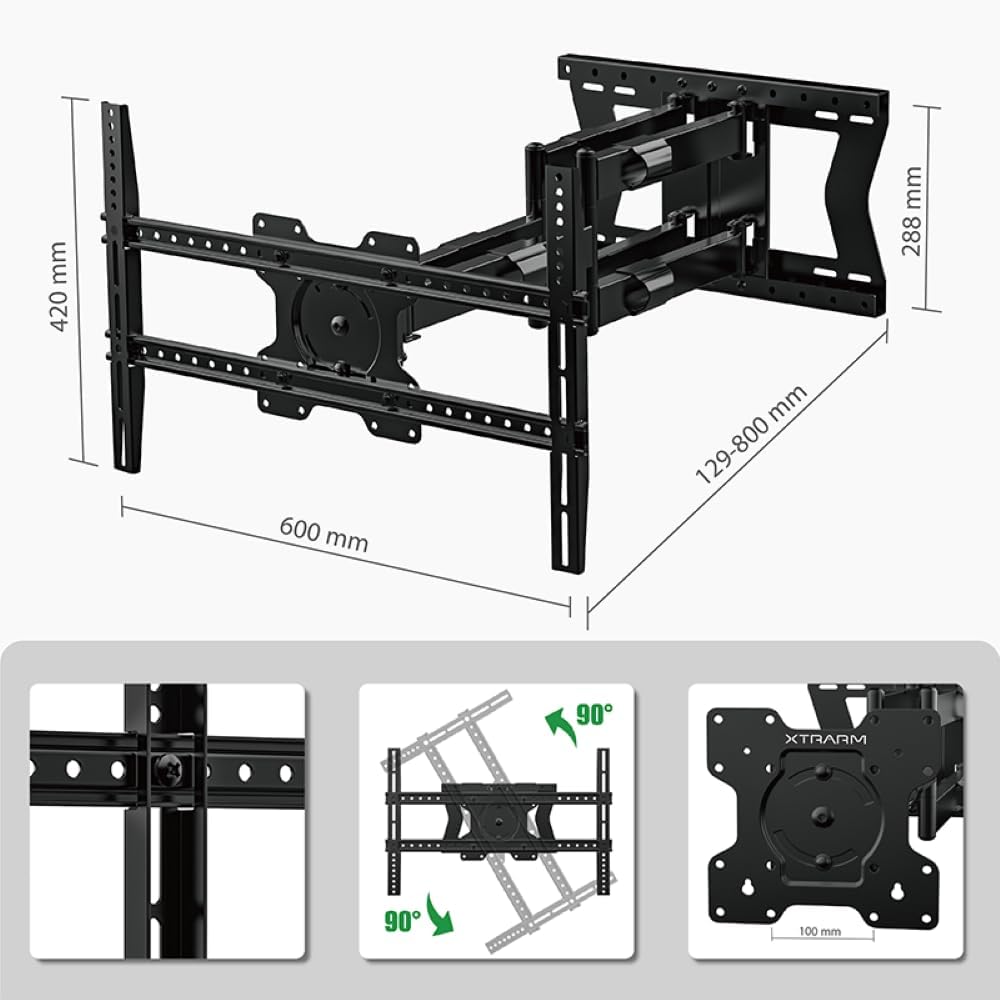
The mount supports a full 90° rotation, allowing you to switch your TV between landscape and portrait orientations. This feature is particularly useful for digital signage or unique viewing experiences.

5.4 Extending/Retracting Arm
The articulated arm allows the TV to extend from a minimum distance of 12.9 cm to a maximum of 80 cm from the wall. This provides significant flexibility for viewing from various angles or for accessing the back of the TV.

5.5 Cable Management
The mount features integrated cable management to keep your device cables organized and out of sight. Use the provided Velcro straps to bundle cables along the arm for a neat appearance.
6. Maintenance
- Cleaning: Clean the mount with a soft, dry cloth. Do not use abrasive cleaners or solvents, as they may damage the finish.
- Periodic Checks: Periodically check all screws and connections to ensure they remain tight and secure. Over time, vibrations or frequent adjustments may loosen fasteners.
- Lubrication: The moving parts are designed for smooth operation. If any joints become stiff, a small amount of silicone-based lubricant can be applied, but this is generally not required for normal use.
7. Troubleshooting
| Problem | Possible Cause | Solution |
|---|---|---|
| TV is not level | Wall plate not level during installation; TV not properly adjusted on brackets. | Re-check wall plate level and adjust if necessary. Use the fine-tuning adjustment on the TV brackets (if available) to level the TV. |
| Mount is difficult to move/adjust | Joints are stiff; mount is new and needs to be worked. | Move the mount through its full range of motion several times. If still stiff, apply a small amount of silicone lubricant to the joints. |
| TV feels unstable on the mount | Screws not tightened sufficiently; incorrect VESA screws used; wall anchors not secure. | Ensure all screws securing the TV to the brackets and the brackets to the mount are fully tightened. Verify correct VESA screw length. Re-check wall plate security. |
| Mount detaches from wall | Incorrect wall type fasteners; wall not strong enough; improper installation. | IMMEDIATELY SECURE TV AND MOUNT. This is a critical safety issue. Consult a professional installer to assess wall integrity and re-install with appropriate fasteners. |
8. Specifications
- Brand: XTRARM
- Model Number: XTR-LA2055-600
- Product Dimensions: 80 x 65 x 42 cm
- Item Weight: 13 kg
- Mounting Type: Wall Mount
- Movement Type: Articulating, Swivel, Turn, Tilt, Rotate
- Material: Metal
- Color: Black
- Recommended TV Size: Approx. 37-110 Inches (93-275 cm)
- Maximum Load Capacity: 120 kg
- VESA Compatibility: Max. 600x400 mm (Supports 100x100mm up to 600x400mm)
- Wall Distance: 12.9 cm (min) / 80 cm (max)
- Tilt Angle: -5° / +12°
- Swivel Angle: 180°
- Rotation Angle: 180° (for landscape to portrait)
- Cable Management: Yes
- Drilling Template: Yes
- Mounting Accessories: Standard mounting material included

9. Warranty and Support
This XTRARM product is manufactured with high-quality materials and undergoes strict quality control. In the European Union, spare parts availability is guaranteed for 2 years from the date of purchase.
For any questions, technical assistance, or support regarding your XTRARM TiTon Double 80 cm TV Wall Mount, please refer to the contact information provided at the point of purchase or visit the official XTRARM website.
Ask a question about this manual
Ask about setup, troubleshooting, compatibility, parts, safety, or missing instructions. Manuals+ will review the question and use this page’s manual context to help answer it.