
Cuxwill 331-0777 FYFKF C5GC3
Cuxwill Toner Cartridge User Manual
Model: 331-0777 FYFKF C5GC3 (Cyan)
Introduction
This user manual provides comprehensive instructions for the installation, operation, and maintenance of your Cuxwill Compatible Toner Cartridge. Please read this manual carefully before use to ensure optimal performance and longevity of your product.
The Cuxwill 331-0777 FYFKF C5GC3 toner cartridge is designed to deliver high-quality prints with clear text, vivid photos, and consistent lines, offering a high page yield for your compatible Dell printers.
Product Overview
Your package includes two (2) Cyan compatible toner cartridges, model 331-0777 FYFKF C5GC3.
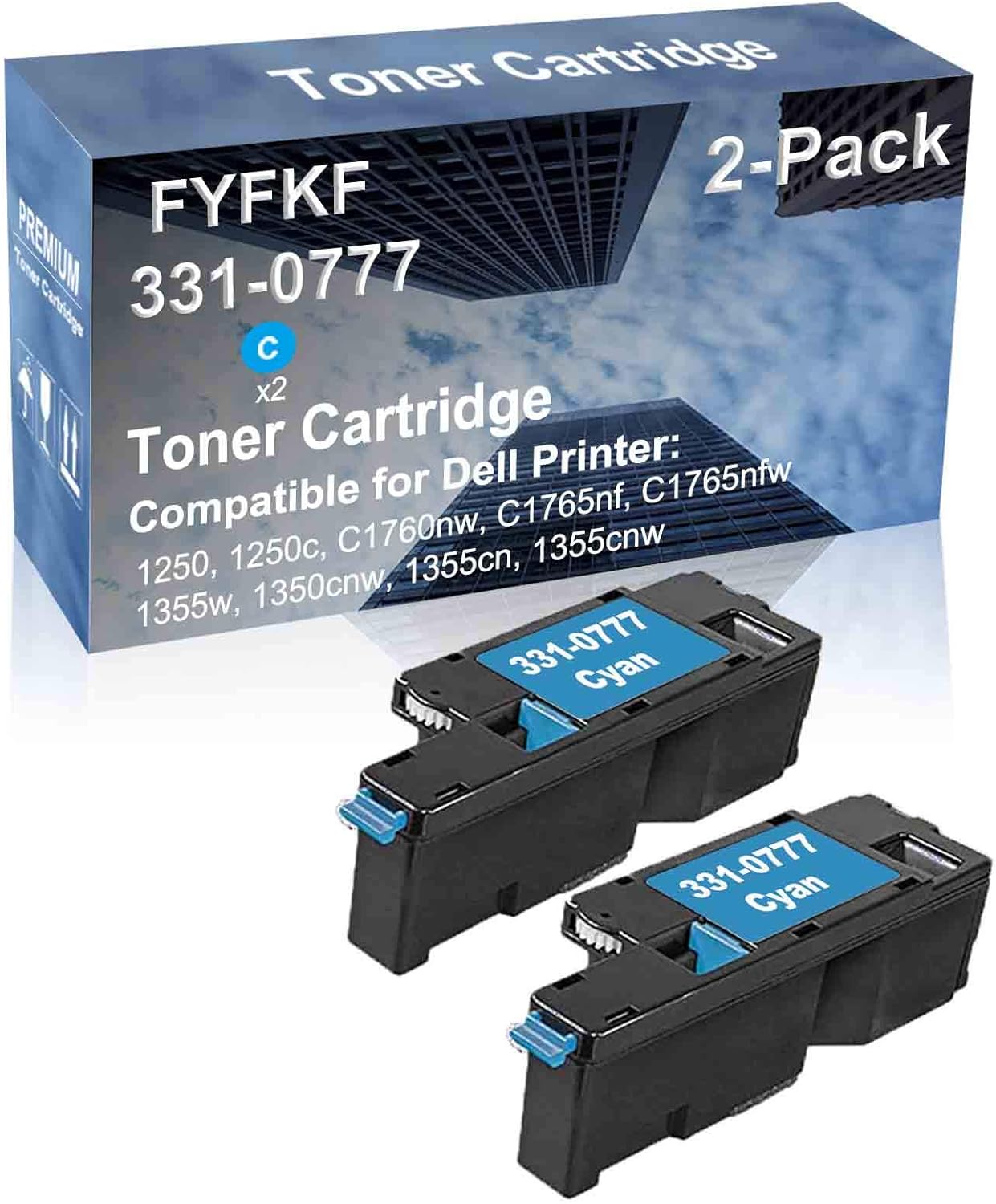
Figure 1: Cuxwill 2-Pack Cyan Toner Cartridges (331-0777 FYFKF C5GC3) and packaging.
This image displays the retail packaging for the Cuxwill toner cartridges, clearly showing "Toner Cartridge" and "2-Pack" on the box. Below the box, two individual cyan toner cartridges are visible, each labeled "331-0777 Cyan".
Key Features:
- High Page Yield: Up to 1,400 pages per cartridge, offering approximately 20% more pages compared to other standard cartridges.
- Print Quality: Engineered to produce clear text, vivid photos, and consistent lines for professional-grade documents.
- Compatibility: Designed for seamless integration with a range of Dell printer models.

Figure 2: Page Yield Comparison.
This image illustrates the higher page yield of Cuxwill toner cartridges ("Ours") compared to other brands ("Others"). It shows a larger stack of printed pages labeled "Ours" next to a smaller stack labeled "Others", indicating a greater output capacity.

Figure 3: Print Clarity Comparison.
This image demonstrates the superior print clarity of Cuxwill toner. It features two circular arrangements of colored pencils, one labeled "Ours" showing vibrant and distinct colors, and the other labeled "Others" appearing less sharp and vibrant.
Compatibility
The Cuxwill 331-0777 FYFKF C5GC3 toner cartridge is compatible with the following Dell printer models:
- Dell 1250
- Dell 1250c
- Dell C1760nw
- Dell C1765nf
- Dell C1765nfw
- Dell 1355w
- Dell 1350cnw
- Dell 1355cn
- Dell 1355cnw

Figure 4: Compatible Printer Models.
This image displays a comprehensive list of Dell printer models compatible with the Cuxwill toner cartridge, including 1250, 1250c, C1760nw, C1765nf, C1765nfw, 1355w, 1350cnw, 1355cn, and 1355cnw. A generic image of a multi-function printer is shown below the list.
Setup and Installation
Follow these steps to install the toner cartridge into your compatible Dell printer:
- Power Off Printer: Ensure your printer is turned off and unplugged from the power source before beginning installation.
- Open Printer Cover: Open the front cover or access panel of your printer to expose the toner cartridge compartment. Refer to your printer's specific manual for exact instructions on accessing the toner area.
- Remove Old Cartridge: Carefully remove the used toner cartridge by pulling it straight out. Place it in a protective bag for recycling.
- Prepare New Cartridge:
- Gently shake the new Cuxwill toner cartridge horizontally 5-6 times to distribute the toner evenly.
- Remove the orange protective cap or sealing tape from the cartridge. Do not touch the OPC drum or electrical contacts.
- Insert New Cartridge: Align the new cartridge with the slot in the printer and push it firmly until it clicks into place. Ensure it is securely seated.
- Close Printer Cover: Close the printer cover or access panel.
- Power On Printer: Plug in and power on your printer. The printer will typically perform a self-test and recognize the new cartridge.
Note: If you encounter any issues during installation, refer to your printer's user manual or the troubleshooting section of this guide.
Operating
Once installed, the Cuxwill toner cartridge operates seamlessly with your compatible Dell printer. No special settings are required for the cartridge itself.
- Print Quality: For best results, use recommended paper types for your printer.
- Toner Level Monitoring: Monitor toner levels through your printer's software or control panel. Replace the cartridge when the printer indicates low toner or print quality degrades significantly.
Maintenance
Toner cartridges generally require minimal maintenance. Proper handling and storage are key to ensuring their performance.
- Storage: Store unused toner cartridges in their original sealed packaging in a cool, dry place away from direct sunlight and extreme temperatures.
- Handling: Avoid touching the green OPC drum on the cartridge, as oils from your skin can affect print quality. If accidentally touched, gently wipe with a lint-free cloth.
- Recycling: Dispose of empty toner cartridges responsibly. Many manufacturers and retailers offer recycling programs.
Troubleshooting
If you encounter issues, try the following solutions:
| Problem | Possible Cause / Solution |
|---|---|
| Poor Print Quality (Streaks, Fades, Spots) |
|
| "Non-Genuine Cartridge" Message |
|
| Cartridge Not Recognized |
|
Specifications
| Attribute | Detail |
|---|---|
| Product Name | Compatible Toner Cartridge |
| Model Number | 331-0777 FYFKF C5GC3 |
| Color | Cyan |
| Page Yield | Up to 1,400 pages (at 5% coverage) |
| Shelf Life | 18 months |
| Dimensions | Approximately 12.8 x 2.8 x 6.3 inches (packaging) |
| Manufacturer | Cuxwill |
Warranty and Support
Cuxwill stands behind the quality of its products.
- Product Warranty: This toner cartridge comes with a 24-month product warranty from the date of purchase.
- Customer Satisfaction: We offer 100% customer satisfaction service.
- Contact Support: For any questions, issues, or warranty claims, please contact Cuxwill customer support through the retailer's platform or visit the official Cuxwill store on Amazon: Cuxwill Store.

Figure 5: Warranty and Customer Service Information.
This image highlights key customer assurances: an 18-month shelf life, a 24-month product warranty, and a commitment to 100% customer satisfaction service.
Ask a question about this manual
Ask about setup, troubleshooting, compatibility, parts, safety, or missing instructions. Manuals+ will review the question and use this page’s manual context to help answer it.