
lifoarey RL-XL0C2DS-PB3034
Lifoarey 1080P Full-time Color Security Camera User Manual
Model: RL-XL0C2DS-PB3034
1. Introduction
Thank you for choosing the Lifoarey 1080P Full-time Color Security Camera. This camera is designed for both indoor and outdoor surveillance, offering 24/7 recording capabilities with full-time color night vision. It is a wired CCTV camera compatible with various DVR systems.
Key features include:
- 1080P HD Resolution: Captures clear and colorful images with 1920 × 1080P resolution.
- Full-time Color Night Vision: Equipped with 2 warm light LEDs, providing vivid color images even in low-light conditions up to 85ft.
- Wide Viewing Angle: Features a 3.6mm lens with an 82.2° viewing angle.
- Durable & Waterproof: Constructed from premium ABS material with an IP66 rating, ensuring functionality in various weather conditions.
- Multi-compatible 4-in-1: Supports TVI, CVI, AHD, and CVBS video outputs, compatible with 1080P and 5MP COAX DVRs. Factory default is 1080P@30fps HD-TVI.
- Easy Installation: Designed for convenient ceiling mounting.

2. Setup and Installation
Before installation, ensure you have a compatible 1080P or 5MP DVR, a power supply for the camera, and BNC coaxial cables. This camera does not include a power supply or video cables.
2.1. Package Contents
- Lifoarey 1080P Full-time Color Security Camera (Model: RL-XL0C2DS-PB3034)
- Mounting Screws and Anchors
- User Manual (this document)
2.2. Installation Steps
- Choose a Location: Select a suitable indoor or outdoor location for the camera. Consider the desired viewing area and proximity to power and DVR connections.
- Mounting: Fix the desired installation angle first. Then, use the provided screws and anchors to securely mount the dome security camera on the ceiling or wall.
- Connect Power: Connect a 12V DC power supply (not included) to the camera's power input.
- Connect Video: Connect a BNC coaxial cable (not included) from the camera's video output to your compatible DVR.
- DVR Compatibility: The camera is pre-set at 1080P@30fps HD-TVI. If your DVR uses a different format (CVI, AHD, CVBS), you may need to switch the video output mode. Refer to your DVR's manual for specific instructions on input compatibility and switching modes.


3. Operating Instructions
The Lifoarey security camera operates by connecting to a compatible DVR system. It does not support direct recording to a microSD card.
3.1. 24/7 Full-time Color Night Vision
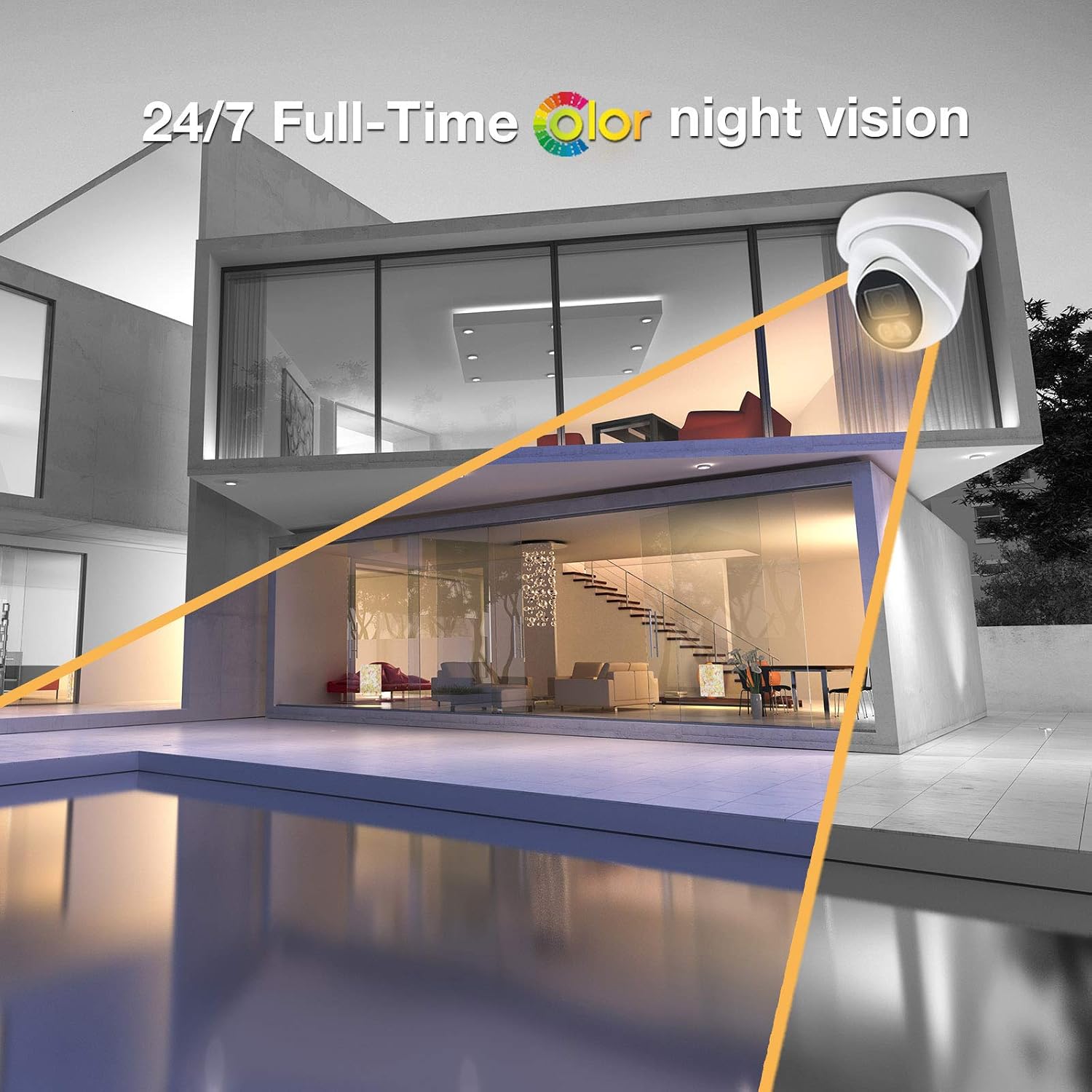
This camera features two built-in warm light LEDs that activate in low-light conditions, enabling the camera to capture clear and colorful images 24 hours a day. This provides superior detail compared to traditional black and white infrared night vision.

3.2. Wide View Angle
The 82.2° wide viewing angle allows the camera to cover a broad area, reducing the number of cameras needed for comprehensive surveillance.

3.3. Video Output Mode Switching
The camera's video output mode (TVI/CVI/AHD/CVBS) must be compatible with your DVR. By factory default, the camera is set to 1080P@30fps HD-TVI. If your DVR requires a different format, consult your DVR's manual for instructions on how to switch the input mode or if your DVR supports automatic detection.
4. Maintenance
To ensure optimal performance and longevity of your Lifoarey security camera, follow these maintenance guidelines:
- Cleaning: Regularly clean the camera lens and housing with a soft, damp cloth to remove dust, dirt, or water spots. Avoid using harsh chemicals or abrasive materials that could scratch the lens or damage the finish.
- Weather Protection: While the camera is IP66 weatherproof, extreme conditions can still impact performance. Ensure the camera is securely mounted to prevent movement during high winds.
- Cable Inspection: Periodically check all cable connections for any signs of wear, damage, or corrosion. Ensure connections remain tight and secure.
5. Troubleshooting
If you encounter issues with your Lifoarey security camera, refer to the following common problems and solutions:
| Problem | Possible Cause | Solution |
|---|---|---|
| No video signal or black screen | No power to camera; Loose video cable connection; Incompatible DVR resolution; Incorrect video output mode. | Ensure camera is receiving power. Check all BNC and power cable connections. Verify your DVR supports 1080P (2-Megapixel) input. Adjust camera video output mode if necessary (default is HD-TVI). |
| Poor image quality at night | Lens obstruction; Insufficient ambient light for color night vision. | Clean the camera lens. Ensure the warm light LEDs are not obstructed. The camera relies on its built-in warm lights for color night vision; ensure they are functioning. |
| Camera not recognized by DVR | Incompatible video format (TVI/CVI/AHD/CVBS); DVR resolution too low. | Confirm the camera's output mode matches your DVR's input. The camera's resolution (2-Megapixel) must be compatible with or lower than your DVR's maximum input resolution. It will not work with 960H/720P DVRs. |
| Camera does not have microSD slot | This is an analog camera. | This camera is designed to work with a DVR system and does not support local storage via microSD cards. |
6. Specifications
| Feature | Detail |
|---|---|
| Model Number | RL-XL0C2DS-PB3034 |
| Resolution | 1080P (1920 × 1080P) |
| Effective Still Resolution | 5 MP |
| Lens | 3.6mm |
| Viewing Angle | 82.2° |
| Night Vision Range | 85ft (Color Night Vision) / 50 Feet (General) |
| Low Light Technology | Night Color (2pcs warm light LEDs) |
| Connectivity Technology | Wired |
| Video Output Modes | TVI/CVI/AHD/CVBS (4-in-1) |
| Default Video Output | 1080P@30fps HD-TVI |
| International Protection Rating | IP66 (Weatherproof) |
| Material | Premium ABS |
| Mounting Type | Ceiling Mount |
| Power Source | AC/DC (12 Volts) |
| Item Weight | 9.9 ounces |
| Dimensions | 4.84 x 4.72 x 3.9 inches |
| UPC | 760606410350 |
7. Warranty and Support
Lifoarey provides a two-year warranty for this product. We also offer lifetime technical support to ensure your satisfaction with our after-sales service.
For any questions, technical assistance, or warranty claims, please contact Lifoarey customer support. You can also visit the official Lifoarey store for more information and resources:
Ask a question about this manual
Ask about setup, troubleshooting, compatibility, parts, safety, or missing instructions. Manuals+ will review the question and use this page’s manual context to help answer it.