
1. Introduction
This manual provides essential information for the safe and proper operation, setup, and maintenance of your Diecast Masters 1:16 scale Freightliner Cascadia RC Truck, Model 27006. Please read all instructions carefully before use.
Safety Warning: This product is recommended for ages 14 years and up. It is intended for display and careful operation, not for rough play. Keep out of reach of young children.
2. What's in the Box
Verify that all components are present upon unboxing:
- Replica Model (1:16 Freightliner Cascadia RC Truck)
- Remote Control
- Set of Batteries (for truck and remote)
- Diecast Masters Collector’s Display Packaging
- Molded Plastic Top Cover
- Foam Cavity

Image 1: The 1:16 scale Freightliner Cascadia RC Truck.
3. Setup
3.1. Battery Installation (Truck)
- Carefully turn the truck upside down to access the battery compartment.
- Open the battery compartment cover.
- Connect the rechargeable battery pack to the truck's battery connector.
- Securely close the battery compartment cover.
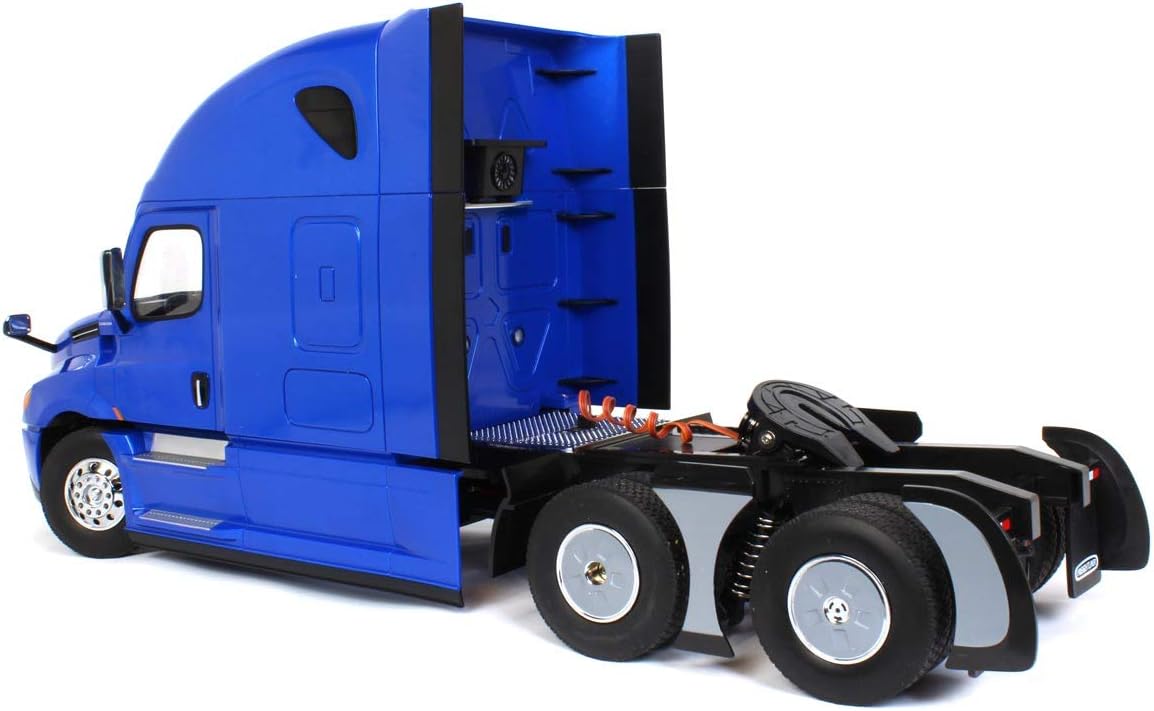
Image 2: Underside view of the truck, indicating the battery compartment location.
3.2. Battery Installation (Remote Control)
- Locate the battery compartment on the back of the remote control.
- Open the battery compartment cover.
- Insert the required batteries (typically AA, refer to remote for specifics) ensuring correct polarity.
- Close the battery compartment cover.

Image 3: Remote control layout, showing battery compartment on the back.
3.3. Pairing the Remote Control
The truck and remote control are pre-paired. If re-pairing is needed, ensure both devices are powered off. Turn on the truck, then turn on the remote. The indicator light on the remote should stop flashing, indicating a successful connection.
4. Operating Instructions
Familiarize yourself with the remote control layout (Image 3) before operating the truck.
4.1. Basic Controls
- Forward/Backward: Use the left joystick to move the truck forward or backward.
- Turn Left/Right: Use the right joystick to steer the truck left or right.
- Headlights: Press the designated button on the remote to toggle headlights.
- Turn Signal Lights: These activate automatically when turning.
- Brake Light: Activates when the truck slows down or stops.
- Back Light: Activates when the truck moves backward.
- Realistic Sound: The truck features realistic engine sounds. Use the sound button on the remote to toggle sound effects.
- 5th Wheel King Pin Lock/Unlock: Use the designated button to control the fifth wheel mechanism for attaching/detaching trailers (trailer sold separately).

Image 4: Front view of the Freightliner Cascadia RC Truck, highlighting headlights.

Image 5: Rear view of the Freightliner Cascadia RC Truck, showing the fifth wheel and rear lights.
4.2. Digital Proportional Control
This truck features digital proportional control, allowing for precise and smooth movements. The harder you press the joysticks, the faster or sharper the truck will respond.
5. Features
- Authentic Scale: 1:16 scale replica of the Freightliner Cascadia.
- Detailed Cab Interior: Features a realistic cab interior and raised roof sleeper cab.
- Wireless 2.4GHZ: Provides a stable and interference-free connection for remote control.
- Functional Lighting: Equipped with working headlights, turn signal lights, brake lights, and back lights for enhanced realism.
- Realistic Sound: Integrated sound effects mimic a real truck's engine and horn.
6. Maintenance
6.1. Cleaning
Wipe the truck and remote control with a soft, dry cloth. Avoid using water or chemical cleaners, as this may damage electronic components.
6.2. Storage
When not in use, store the truck and remote control in a cool, dry place, away from direct sunlight. Remove batteries from both devices if storing for extended periods to prevent leakage.
7. Troubleshooting
- Truck not responding: Ensure both the truck and remote control are powered on and batteries are correctly installed and charged. Re-pair the remote if necessary.
- Weak performance: Recharge the truck's battery. Replace remote control batteries if they are low.
- Interference: Operate the truck away from other electronic devices that may cause signal interference.
8. Specifications
- Model Number: 27006
- Scale: 1:16
- Product Dimensions: 22.5" L x 6.5" W x 10.25" H (approximately)
- Item Weight: 6.5 pounds
- Control Frequency: Wireless 2.4GHZ
- Manufacturer Recommended Age: 14 years and up
- Manufacturer: Yu-Lee (for Diecast Masters)
9. Important Safety Information
- Do not operate near people, pets, or obstacles to prevent accidents.
- Avoid operating in wet conditions or near water.
- Do not modify or disassemble the product, as this may cause damage or injury.
- Use only the specified batteries and charger.
- Supervise younger users to ensure safe operation.
10. Official Product Videos
Video 1: Diecast Masters 1:16 Freightliner Cascadia Truck Overview. This video provides a detailed look at the features and operation of the 1:16 scale Freightliner Cascadia RC truck.
11. Warranty and Support
For warranty information, technical support, or replacement parts, please contact Diecast Masters customer service. Refer to the product packaging or the official Diecast Masters website for contact details.