
1. Introduction
Thank you for choosing the Dpower Clip-on Light. This versatile 48 LED USB desk lamp is designed to provide optimal illumination for various tasks, including reading, studying, office work, and video conferencing. With its eye-protection features, adjustable color temperatures, and multiple brightness levels, it offers a customizable lighting experience. Please read this manual thoroughly before use to ensure proper operation and maintenance.
2. Important Safety Instructions
- Indoor Use Only: This lamp is designed for indoor use. Do not expose it to water or high humidity.
- Power Source: Use only with a compatible USB power source (e.g., computer USB port, power bank, USB wall adapter). Ensure the power source meets the lamp's voltage requirements.
- Avoid Over-bending: While the gooseneck is flexible, avoid excessive or repetitive bending at extreme angles to prevent damage.
- Cleaning: Disconnect from power before cleaning. Use a soft, dry cloth. Do not use liquid cleaners or aerosols.
- Children: Keep out of reach of small children.
3. Package Contents
Please check the package for the following items:
- Dpower Clip-on LED Lamp with integrated USB cable and inline control panel
4. Product Features

Figure 1: Dpower Clip-on Light in use, highlighting eye protection.
4.1 Eye Protection & Reduced Eye Strain
The lamp features 48 high-quality LED lights designed to emit a non-flickering and non-dazzling light. This helps to protect your eyesight and minimize eye strain, making it ideal for extended periods of reading, working, or studying.


Figure 2: Adjustable color temperatures and brightness levels.
4.2 Versatile Lighting Modes
Choose from three distinct color temperature options to match your environment and preference:
- Amber (3000K): Ideal for relaxation or bedtime reading.
- Warm-White (4500K): A balanced light suitable for general tasks.
- White (6500K): Bright, cool light for focused work or video conferencing.
Each color mode offers ten adjustable brightness levels, allowing precise control over illumination.
4.3 Memory Function
The lamp retains your last used brightness and color temperature settings, ensuring it powers on with your preferred configuration.
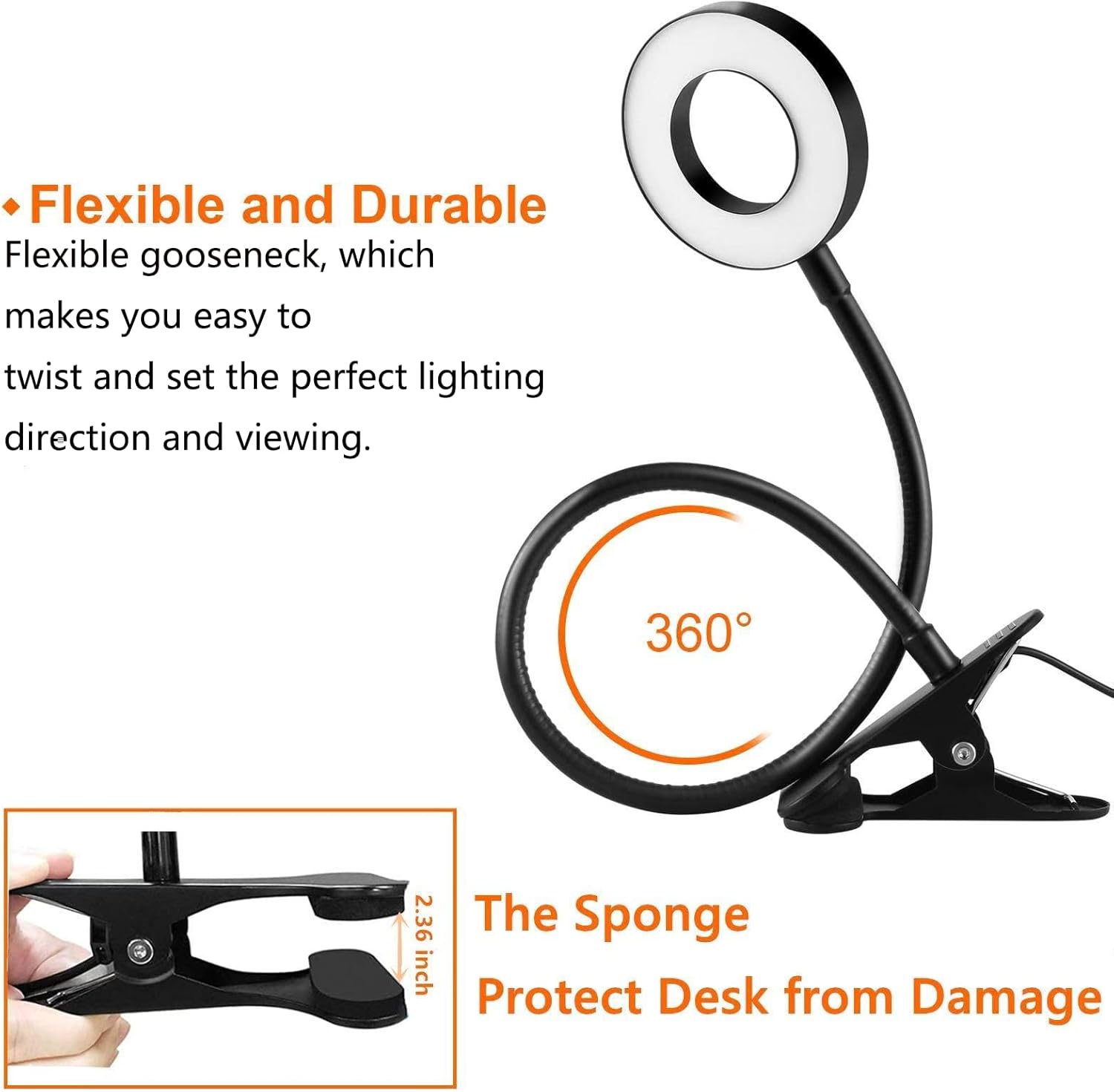
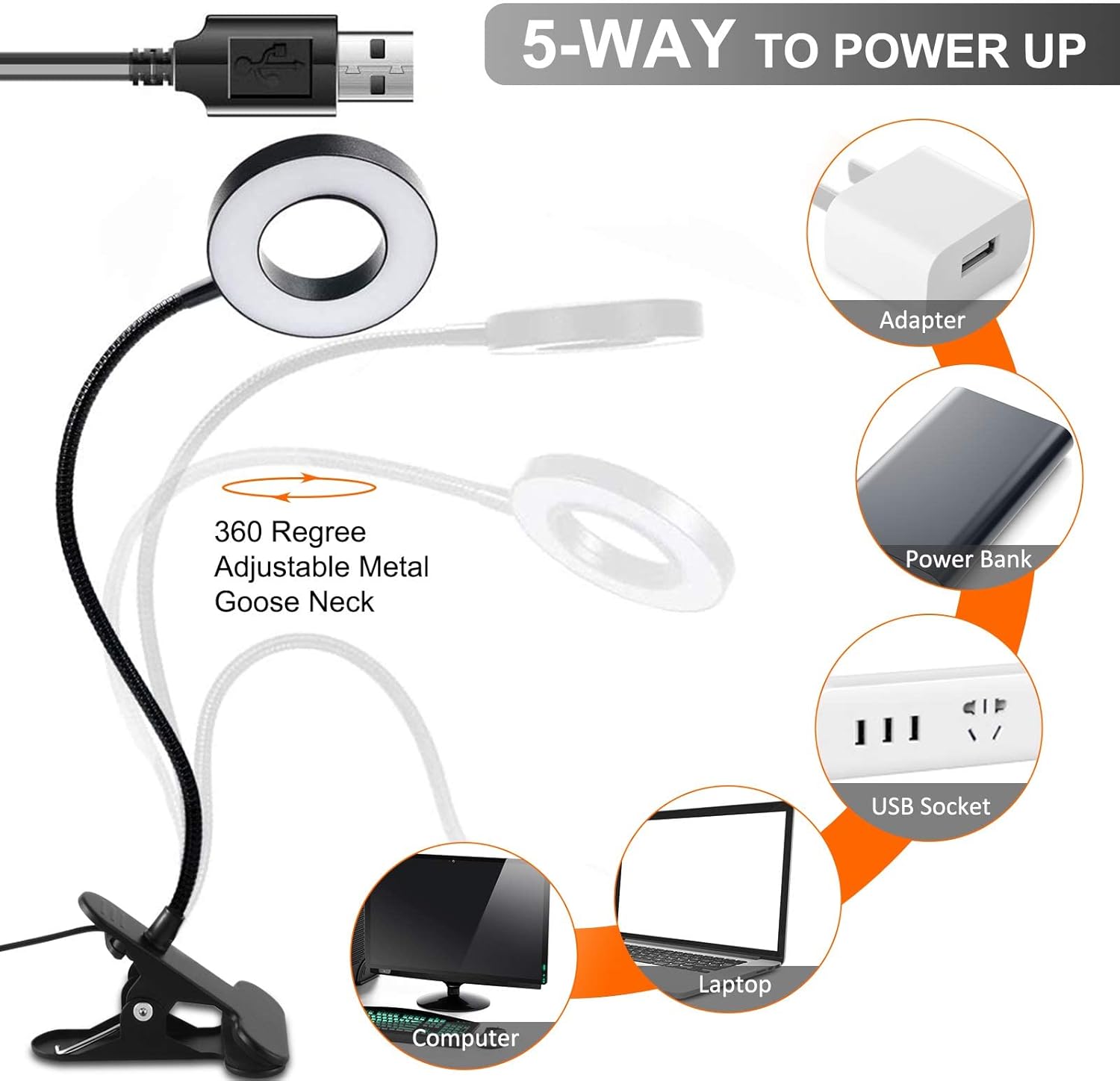
Figure 3: Flexible design and multiple power options.
4.4 Flexible & Convenient Design
The 360° adjustable gooseneck allows you to precisely direct the light to your desired area. The sturdy clip features sponge padding to protect surfaces from damage. The lamp is USB-powered and includes a 3.6ft (approximately 1.1m) cord for easy connection to various USB power sources.
4.5 Multi-Purpose Use
This clip-on lamp is suitable for a wide range of activities, including reading in bed, working at a desk, studying, and providing supplementary lighting for video conferencing.
5. Setup
- Unpack: Carefully remove the Dpower Clip-on Light from its packaging.
- Attach the Clamp: Securely attach the lamp's clamp to a stable surface such as a desk, headboard, or shelf. Ensure the surface thickness is compatible with the clamp's opening.
- Connect Power: Plug the USB connector of the lamp's power cord into a compatible USB power source (e.g., a computer USB port, a USB wall adapter, or a power bank).
- Adjust Position: Bend and position the flexible gooseneck to direct the light as needed.
6. Operating Instructions
The Dpower Clip-on Light is controlled via an inline remote panel on the power cord. The remote panel features several buttons for easy adjustment:

Figure 4: Inline control panel.
- Power On/Off: Press the Power button (⏻) to turn the lamp on or off.
- Adjust Brightness: Use the Plus (+) and Minus (-) buttons to cycle through 10 brightness levels.
- Change Color Mode: Press the Mode button (○) to switch between the three color temperatures: Amber (3000K), Warm-White (4500K), and White (6500K).
- Memory Function: The lamp will automatically remember your last selected brightness and color mode settings when turned off and on again.
7. Specifications
| Feature | Specification |
|---|---|
| Brand | Dpower |
| Model Number | Reading Light - 48 |
| Light Source Type | LED (48 LEDs) |
| Color Temperatures | 3 (Amber 3000K, Warm-White 4500K, White 6500K) |
| Brightness Levels | 10 |
| Control Method | Inline Remote (Touch buttons) |
| Gooseneck Flexibility | 360° Adjustable |
| Power Source | USB (3.6ft / 1.1m cord) |
| Product Dimensions | 19"D x 2.36"W x 19"H (approximate) |
| Item Weight | 9.9 ounces |
| Material | Metal (Base, Shade) |
| Finish Type | Matte |
| Indoor/Outdoor Usage | Indoor |
| Water Resistance Level | Not Water Resistant |
| Light Output Maximum | 500 Lumens |
Note: Some specifications in the source data (e.g., "Bulb Base: E27", "Light Source Type: Incandescent") appear to be generic and do not accurately reflect this LED product. The lamp uses integrated LEDs.
8. Maintenance
- Cleaning: To clean the lamp, first unplug it from the power source. Use a soft, dry, lint-free cloth to wipe down the surfaces. Do not use abrasive cleaners, solvents, or spray directly onto the lamp.
- Storage: When not in use for extended periods, store the lamp in a cool, dry place away from direct sunlight and extreme temperatures.
- Cable Care: Avoid kinking or sharply bending the power cable. Do not place heavy objects on the cable.
9. Troubleshooting
| Problem | Possible Cause | Solution |
|---|---|---|
| Lamp does not turn on. | No power or loose connection. | Ensure the USB cable is securely plugged into a working USB port. Try a different USB port or power adapter. |
| Light flickers or is unstable. | Insufficient power or faulty connection. | Check the USB connection. Use a power source that provides stable power. Avoid using USB hubs with many devices. |
| Gooseneck does not hold position. | Over-bending or wear. | Adjust the gooseneck carefully. If the issue persists after normal use, contact customer support. |
| Buttons on inline remote are unresponsive. | Power issue or internal fault. | Disconnect and reconnect the USB power. If the problem continues, contact customer support. |
10. Warranty and Support
The Dpower Clip-on Light comes with a one-year warranty from the date of purchase. This warranty covers manufacturing defects and issues arising from normal use.
For warranty claims, technical support, or any questions regarding your product, please contact Dpower customer service through the retailer where you purchased the item or visit the official Dpower website for contact information.
Please retain your proof of purchase for warranty validation.


