
1. Introduction
The Lunarlipes 200EP Tone Generator and Inductive Amplifier Probe Kit is designed for identifying and tracing wires or cables within a group without damaging their insulation. This kit is a valuable tool for cable and wire maintenance across various applications, including educational, home appliance, industrial, and commercial settings.
The inductive amplifier (probe) works in conjunction with the tone generator to accurately locate and test cables. Its features include an adjustable volume control, a spring-loaded ON/OFF button, and a durable carbon fiber tip designed to prevent accidental short circuits.

Image 1: The Lunarlipes 200EP Tone Generator Kit being used in various settings such as education, home appliance repair, industrial environments, offices, and markets, demonstrating its versatility.
2. Safety Precautions
To ensure safe and proper operation, please observe the following safety guidelines:
- Read this instruction manual thoroughly before using the device.
- Do not use the device on lines carrying strong electrical currents.
- Remove the batteries from the device when it will not be used for an extended period.
- Never use the device during a thunderstorm.
- Store the device in a dust-resistant and moisture-resistant environment.
3. Package Contents
Verify that all items are present in your package:
- 1 x Cable Tester (consisting of 1 Tone Generator and 1 Inductive Amplifier Probe)
- 1 x Replacement Head
- 1 x Storage Bag
- 1 x English User Manual

Image 2: The complete package contents of the Lunarlipes 200EP Tone Generator Kit, showing the tone generator (emitter), inductive amplifier (receiver), a replacement head, a storage bag, and the instruction manual. Key dimensions of each component are also indicated.
4. Product Overview and Setup
4.1 Components
The kit consists of two main parts: the Tone Generator (Emitter) and the Inductive Amplifier (Receiver).

Image 3: A detailed view of the Lunarlipes 200EP Tone Generator (Emitter) and Inductive Amplifier (Receiver), highlighting key features such as the horn, battery compartment, ON/OFF button, LED indicator, volume control, carbon fiber tip on the receiver, and the registered Jack-11, alligator clips, and spring-loaded ON/OFF button on the emitter.
4.2 Battery Installation
Both the Tone Generator and the Inductive Amplifier require 2 x 9V batteries (NEDA 1604, JIS 006P, or IEC 6LR61), which are not included in the package.
- Locate the battery compartment on both the Tone Generator and the Inductive Amplifier.
- Carefully open the battery compartment cover. Note that some models may have small nuts that can fall out; handle with care.
- Insert two 9V batteries, ensuring correct polarity.
- Close the battery compartment cover securely.

Image 4: The Lunarlipes 200EP Tone Generator, illustrating its battery compartment and various connection interfaces, including RJ-11 for telephone lines and alligator clips for general wire connections. This image also highlights the device's multifunctional testing capabilities.
5. Operation
5.1 Connecting the Tone Generator
The Tone Generator can be connected to the cable or wire you wish to trace using its RJ-11 connector or alligator clips.
- For RJ-11 connections (e.g., telephone lines): Plug the RJ-11 connector directly into the telephone jack or network port.
- For other wires/cables: Use the red and black alligator clips to connect to the conductors of the wire. For non-terminated cables, the clamp mode allows direct measurement.
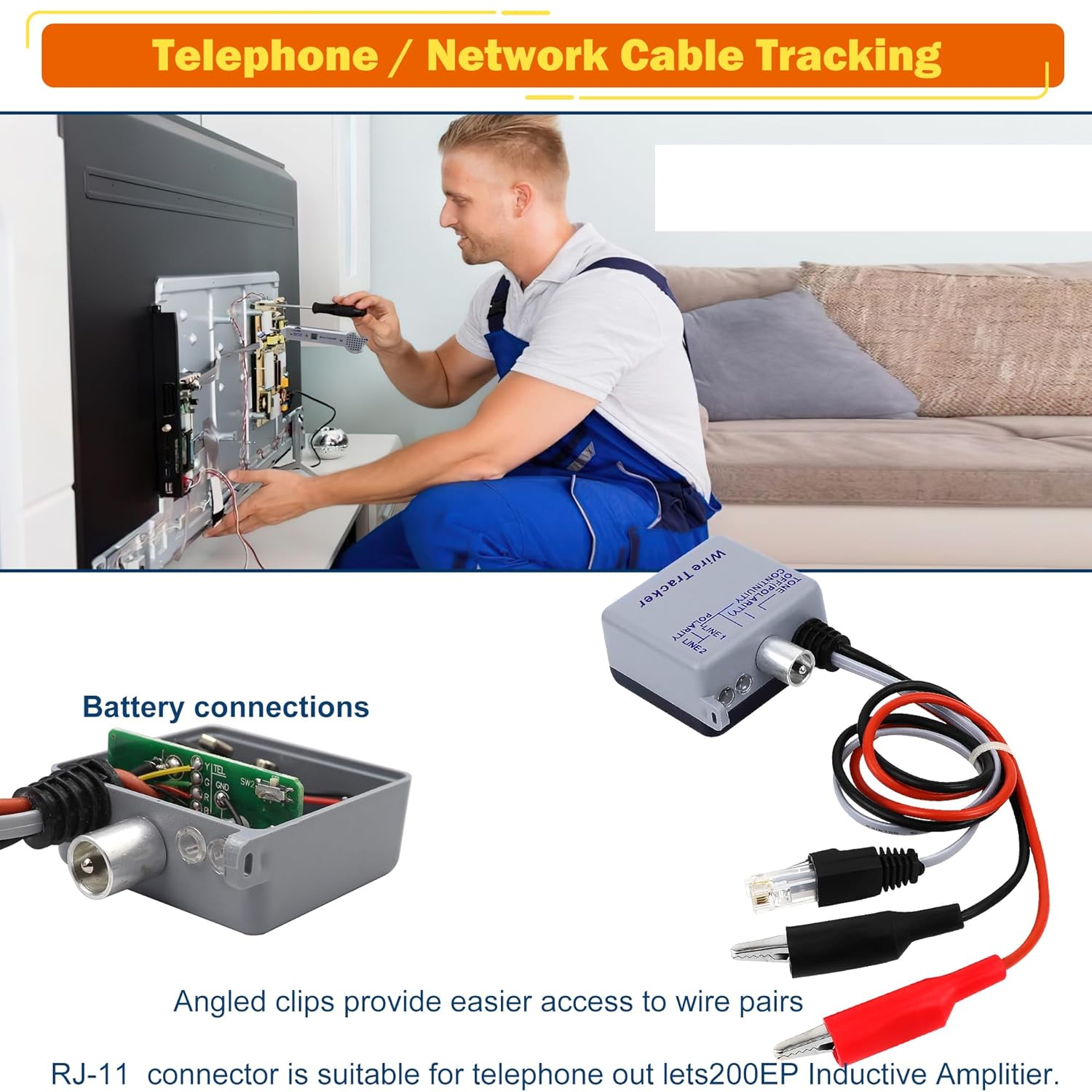
Image 5: An individual utilizing the Lunarlipes 200EP Tone Generator Kit to trace and identify telephone or network cables in a home or office setting, specifically behind a television, showcasing the device's utility in cable management and troubleshooting.
5.2 Using the Inductive Amplifier (Probe)
- Turn on the Inductive Amplifier by pressing its spring-loaded ON/OFF button.
- Adjust the volume control on the side of the probe to a comfortable listening level.
- Move the probe's carbon fiber tip along the suspected path of the cable. The built-in speaker will emit a tone, which will be loudest when the probe is directly over the toned wire.
- The insulated probe tip helps prevent accidental short circuits during tracing.

Image 6: A user holding the Lunarlipes 200EP Inductive Amplifier probe over a complex bundle of wires, demonstrating its capability for high-precision testing to accurately track breakpoints. The image also highlights the insulation probe's design to prevent conductor short circuits.
5.3 Tracing Wires and Cables
Once the Tone Generator is connected and emitting a signal, use the Inductive Amplifier to follow the signal and locate the specific wire or cable within a bundle or wall.

Image 7: The Lunarlipes 200EP Inductive Amplifier probe actively tracing cables within a network infrastructure, with visual cues indicating the detection of the tone generated by the emitter. This illustrates the kit's effectiveness in identifying specific cables in complex wiring setups.
5.4 Testing Telephone Lines
The device can identify three states of a telephone line:
- Clear: Indicates the line is idle.
- Busy: Indicates the line is in use.
- Ringing: Indicates an incoming call.

Image 8: The Lunarlipes 200EP Tone Generator connected to a standard telephone wall jack, illustrating its functionality in identifying the three operational states of a telephone line: Clear (idle), Busy (in use), and Ringing (incoming call). This highlights its utility for telephone line diagnostics.
5.5 Short Circuit Testing
The kit also supports short circuit testing, allowing you to quickly identify faults in cables and wires.
6. Specifications
| Feature | Specification |
|---|---|
| Material | Plastic |
| Gain | 30 dB nominal |
| Input Impedance | 100 M Ohm nominal |
| Probe Tip Resistance (Metal) | 0 Ohm |
| Probe Tip Resistance (Plastic) | 300 Ohm |
| Battery Type | 2 x 9V (NEDA 1604, JIS 006P, or IEC 6LR61) |
| Battery Life (nominal) | 50 hours |
| Operating Temperature | 0℃ - 50℃ (32°F - 122°F) |
| Dimensions (L x W x H) | Approx. 231 x 55 x 28 mm |
| Weight | Approx. 300 g |
| UPC | 725965637275 |
7. Maintenance and Storage
- To prolong battery life and prevent leakage, remove batteries from both units if the device will not be used for an extended period.
- Store the kit in its provided storage bag in a cool, dry, dust-resistant, and moisture-resistant environment.
- Clean the device with a soft, dry cloth. Do not use abrasive cleaners or solvents.
8. Troubleshooting
If you encounter issues with your Lunarlipes 200EP kit, consider the following:
- No tone from probe: Ensure batteries are correctly installed and charged in both the Tone Generator and the Inductive Amplifier. Check that the Tone Generator is properly connected to the wire.
- Weak tone: Adjust the volume control on the Inductive Amplifier. Ensure the probe tip is close to the toned wire.
- Interference: Strong electrical fields can interfere with the signal. Try to work away from power lines or large electrical equipment if possible.
9. Customer Support
For any questions, concerns, or assistance with your Lunarlipes 200EP Tone Generator and Inductive Amplifier Probe Kit, please do not hesitate to contact our customer support. We are committed to providing high-quality service and aim to offer satisfactory solutions within 24 hours.
Please refer to your purchase documentation or the seller's contact information for specific support channels.