
1. Introduction
Welcome to the user manual for your new Diesel Mega Chief Stainless Steel Men's Watch. This timepiece combines robust design with advanced analog and digital functionalities, offering a unique blend of modern and classic watchmaking. Designed for durability and style, your Mega Chief watch is a statement piece built for everyday wear and various activities.
This manual provides essential information on setting up, operating, maintaining, and troubleshooting your watch to ensure optimal performance and longevity.

Figure 1: Front view of the Diesel Mega Chief watch, showcasing its black stainless steel case, black sunray dial, gold-tone stick indices, and dual analog-digital display.
2. Components and Controls
Familiarize yourself with the key components of your Diesel Mega Chief watch:
- Crown: Used for setting analog time.
- Pushers (Buttons): Used for operating digital functions such as setting time, date, and using the chronograph.
- Analog Display: Traditional hour, minute, and second hands.
- Digital LCD Display: Shows digital time, date, day of the week, and other functions.
- Mineral Crystal Face: Resists scratches.
- Nylon-Wrapped Silicone Band: Durable and comfortable.

Figure 2: Side view of the watch, highlighting the gold-tone crown and pushers used for various adjustments.
3. Setup and Initial Configuration
3.1 Setting Analog Time
- Pull the crown out to the first position.
- Rotate the crown to set the hour and minute hands to the correct time.
- Push the crown back in to its normal position to start the watch.
3.2 Setting Digital Time and Date
The digital display offers various modes. Refer to the specific instructions below for setting the digital time and date:
- Press the bottom-left pusher (Mode button) repeatedly to cycle through modes (Time, Date, Alarm, Chronograph).
- When in Time mode, press and hold the top-left pusher (Adjust button) until the digits begin to flash.
- Use the top-right pusher (Start/Stop button) to increase the flashing value and the bottom-right pusher (Reset button) to move to the next setting (e.g., hours, minutes, 12/24-hour format).
- Once all settings are correct, press the Adjust button again to exit setting mode.
4. Operating Your Watch
4.1 Using the Chronograph (Stopwatch)
- Navigate to the Chronograph mode using the Mode button.
- Press the Start/Stop button to start the chronograph.
- Press the Start/Stop button again to pause/stop the chronograph.
- Press the Reset button to reset the chronograph to zero.
4.2 Water Resistance
Your Diesel Mega Chief watch is water resistant up to 100 meters (330 feet), or 10 ATM. This means it can be worn while bathing, swimming, snorkeling, and during shallow diving. Do not operate the crown or pushers while the watch is wet or submerged to prevent water ingress.
5. Maintenance and Care
To ensure the longevity and appearance of your watch, follow these care guidelines:
- Cleaning: Wipe the watch case and band regularly with a soft, dry cloth. For the silicone band, a damp cloth with mild soap can be used, then rinse and dry thoroughly.
- Avoid Chemicals: Do not expose your watch to harsh chemicals, solvents, or detergents, as these can damage the case, band, or internal components.
- Temperature Extremes: Avoid exposing the watch to extreme temperatures (hot or cold) or sudden temperature changes, which can affect accuracy and seals.
- Impact: While durable, avoid dropping or subjecting the watch to strong impacts.
- Battery Replacement: The watch uses 1 Lithium Metal battery. When the digital display fades or the analog hands stop, it's time for a battery replacement. It is recommended to have this done by a qualified watch technician to ensure proper sealing and water resistance.
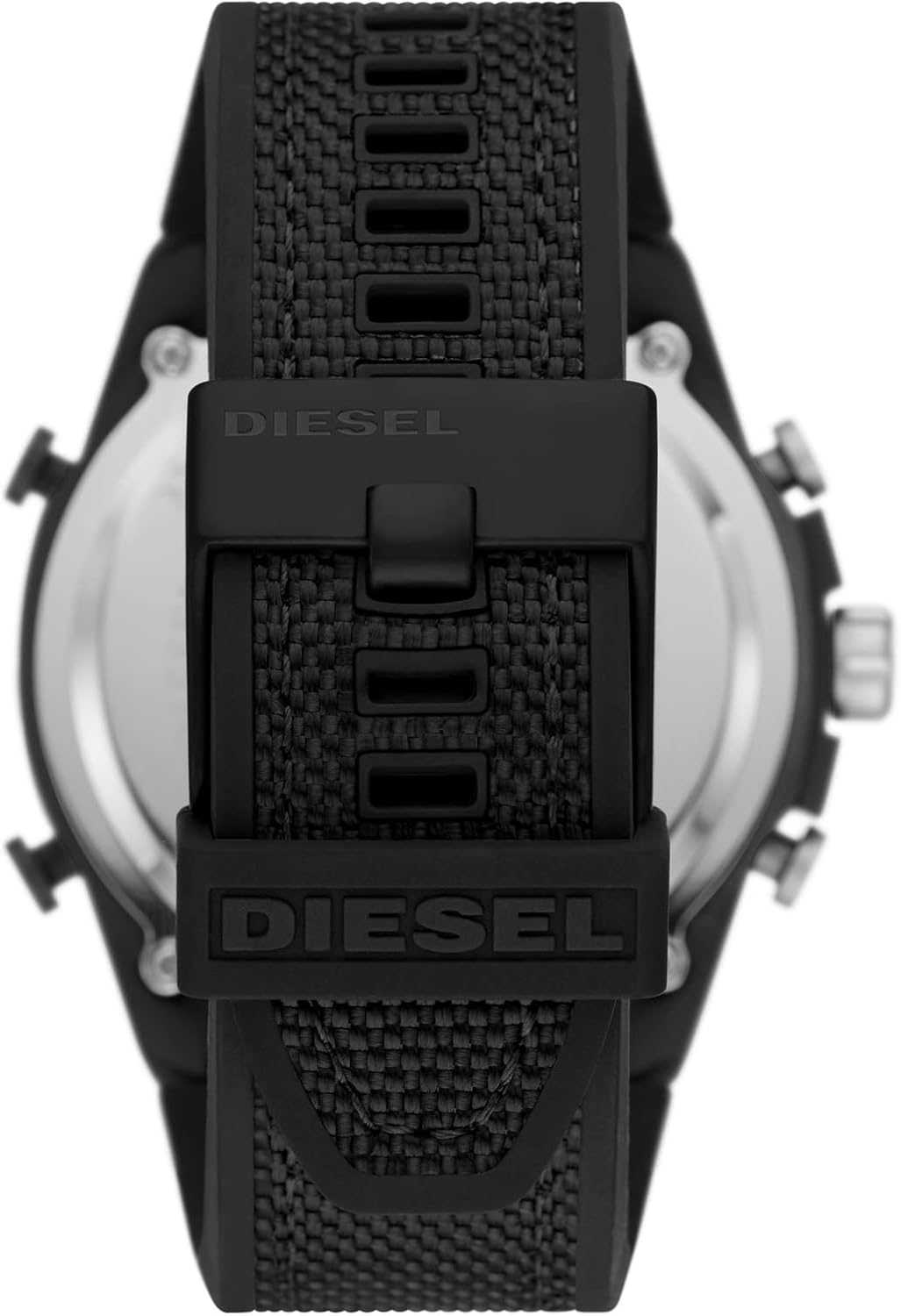
Figure 3: Rear view of the watch, showing the stainless steel case back and the durable nylon-wrapped silicone band with its buckle closure.
6. Troubleshooting
If you encounter issues with your Diesel Mega Chief watch, refer to the following common problems and solutions:
| Problem | Possible Cause | Solution |
|---|---|---|
| Analog hands not moving. | Battery depleted or crown pulled out. | Push crown in. If still not working, replace battery. |
| Digital display is blank or dim. | Battery depleted. | Replace battery. |
| Watch losing or gaining time. | Battery low, strong magnetic field, or internal issue. | Replace battery. Keep away from strong magnets. If problem persists, seek professional service. |
| Water inside the watch. | Crown/pushers operated underwater, or seals compromised. | Immediately take to a qualified watch technician for inspection and repair to prevent further damage. |
If the issue persists after attempting these solutions, please contact Diesel customer support or an authorized service center.
7. Specifications
| Feature | Detail |
|---|---|
| Model Number | DZ4552 |
| Case Diameter | 51mm |
| Case Material | Black Stainless Steel |
| Dial Color | Black Sunray with Gold-tone Accents |
| Crystal Type | Mineral Crystal |
| Band Width | 26mm |
| Band Material | Black Nylon-Wrapped Silicone |
| Movement | Multi-movement (Dual Analog and LCD Digital) |
| Water Resistance | 100m (330ft) / 10 ATM |
| Battery Type | 1 Lithium Metal battery (included) |
| Product Dimensions | 2.01 x 1.02 x 0.55 inches |
| Item Weight | 5.5 ounces |
8. Warranty and Support
Your Diesel Mega Chief watch is covered by a manufacturer's warranty. Please refer to the warranty card included with your purchase for specific terms and conditions, including coverage period and what is covered.
For technical support, service, or warranty claims, please contact Diesel customer service or visit an authorized Diesel service center. Contact information can typically be found on the official Diesel website or on your warranty documentation.
Online Resources:


