
1. Introduction
This manual provides comprehensive instructions for the LogiLink CR0047 USB 2.0 Smart ID Card Reader. This device is designed to facilitate secure access to various online services requiring chip card authentication, such as online tax reports, online banking, and digital identification (eID, DNIe). It offers broad compatibility with major operating systems and supports standard IC/ID cards.
2. Safety Information
- Do not expose the device to moisture or extreme temperatures.
- Avoid dropping or subjecting the device to strong impacts.
- Do not attempt to disassemble or repair the device yourself. Refer to qualified service personnel.
- Keep the device away from children.
- Ensure proper ventilation around the device during use.
3. Package Contents
Please verify that all items are present in the package:
- LogiLink CR0047 USB 2.0 Smart ID Card Reader
- User Manual (this document)

Image 3.1: The LogiLink CR0047 Smart ID Card Reader shown alongside its retail box, indicating typical package contents.
4. Setup
The LogiLink CR0047 Smart ID Card Reader is designed for plug-and-play functionality, requiring no driver installation on supported operating systems.
4.1. System Requirements
- Operating System: Windows, Mac OS Catalina 10.15 or later
- Available USB 2.0 Type-A port
4.2. Connecting the Card Reader
- Locate an available USB 2.0 Type-A port on your computer (desktop PC or laptop).
- Insert the USB connector of the LogiLink CR0047 into the USB port.
- The operating system should automatically detect and configure the device. No additional software or drivers are typically needed.

Image 4.1: The LogiLink CR0047 Smart ID Card Reader, showing its compact design and integrated USB cable for connection.

Image 4.2: The card reader connected to a laptop via its USB cable, with an ID card partially inserted into the slot, demonstrating a typical setup.
5. Operating
Once the card reader is connected and recognized by your computer, you can begin using it with compatible applications.
5.1. Inserting a Smart Card
- Ensure the smart card (IC/ID card) is clean and free of debris.
- Orient the card with the chip facing upwards and towards the card reader slot.
- Gently slide the card into the slot until it is fully seated. The anti-slip pads on the bottom of the reader help prevent movement during insertion.
- The application you are using will typically indicate when the card is detected and ready for use.

Image 5.1: A close-up view of an ID card being inserted into the designated slot of the LogiLink CR0047 card reader.
5.2. Supported Applications
The LogiLink CR0047 is compatible with applications that utilize ISO/IEC 7816 compliant chip cards and PC/SC 1.0 and 2.0 standards. Common uses include:
- Online tax reporting
- Online banking
- Digital identification (eID, DNIe)
- Access to secure government services
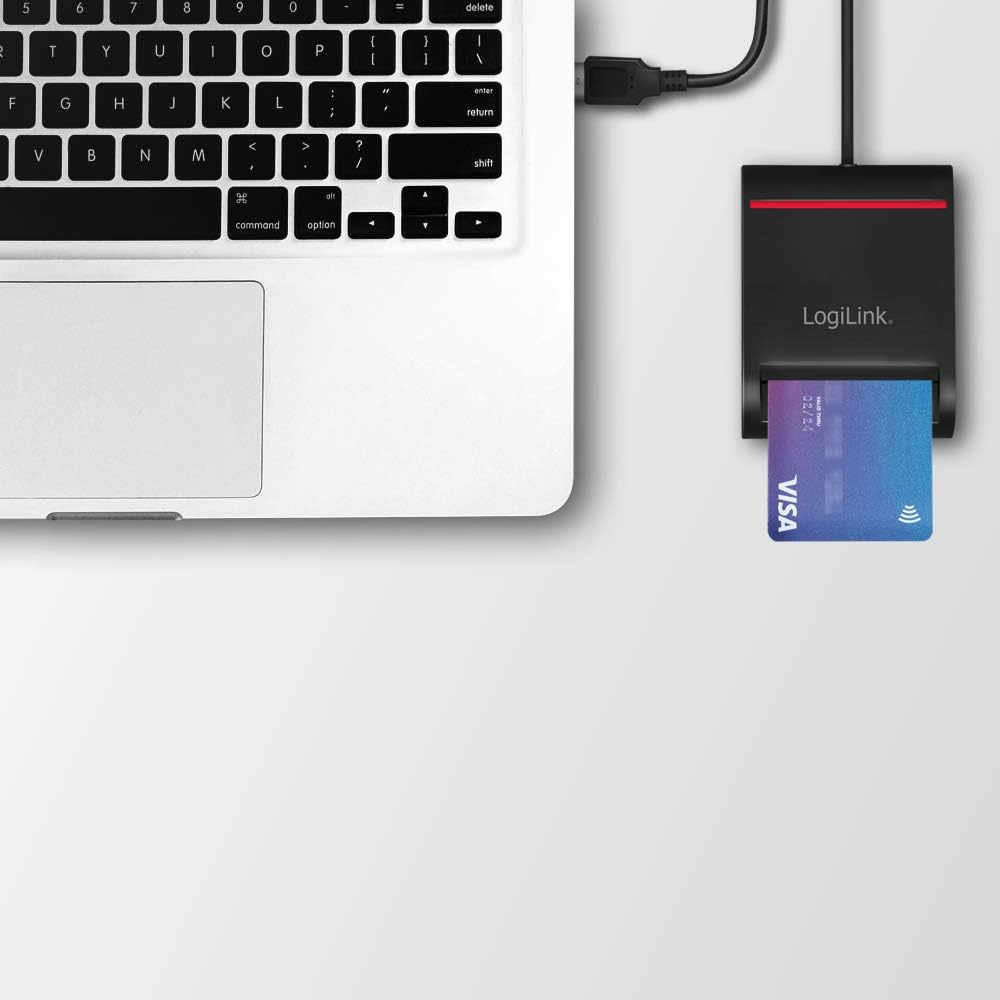
Image 5.2: The card reader connected to a laptop, demonstrating its use with a credit card (which often features a smart chip) for various applications.
6. Maintenance
To ensure optimal performance and longevity of your LogiLink CR0047 Smart ID Card Reader, follow these simple maintenance guidelines:
- Cleaning: Use a soft, dry, lint-free cloth to wipe the exterior of the device. Do not use liquid cleaners or abrasive materials.
- Storage: When not in use, store the card reader in a clean, dry environment, away from direct sunlight and extreme temperatures.
- Card Slot: Avoid inserting foreign objects into the card slot. If dust accumulates, use a can of compressed air to gently clear it.
7. Troubleshooting
If you encounter issues with your LogiLink CR0047 Smart ID Card Reader, refer to the following common problems and solutions:
| Problem | Possible Cause | Solution |
|---|---|---|
| Device not recognized by computer | Loose USB connection, incompatible OS, faulty USB port. | Ensure the USB cable is securely connected. Try a different USB port. Verify your operating system meets the minimum requirements (Windows, Mac OS Catalina 10.15 or later). |
| Smart card not detected | Card inserted incorrectly, dirty card chip, incompatible card, application issue. | Re-insert the card, ensuring the chip faces up and is fully seated. Clean the card's chip with a soft cloth. Confirm the card is an ISO/IEC 7816 compliant chip card. Ensure the application you are using is configured to detect smart card readers. |
| No driver found message | Misunderstanding of plug-and-play functionality. | The LogiLink CR0047 is plug-and-play and does not require manual driver installation on supported operating systems. If you receive this message, it might be an OS-specific error or an issue with the USB port. |
8. Specifications
| Feature | Detail |
|---|---|
| Model | CR0047 |
| Connectivity | USB 2.0 Type-A |
| Supported Card Types | IC/ID cards compliant with ISO/IEC 7816 Class A, B and C (5V/3V/1.8V) |
| Standards | PC/SC 1.0 and 2.0, USB CCID Transport Specification Rev1.1 |
| Operating System Support | Windows, Mac OS Catalina 10.15 or later |
| Plug & Play | Yes, no driver installation required |
| Dimensions (LxWxH) | 8.5 x 6.5 x 2.5 cm (3.35 x 2.56 x 0.98 inches) |
| Cable Length | 0.9 m |
| Weight | 2.26 ounces |
| Color | Black |
| Special Features | Anti-slip pads |
9. Warranty and Support
LogiLink products are designed for reliability and performance. For information regarding warranty coverage and technical support, please refer to the warranty card included with your product or visit the official LogiLink website. Please have your product model number (CR0047) and purchase details available when contacting support.