1. Introduction
The FWFX Wireless Electronic Dance Mat (Model A870II) is designed to provide an interactive and engaging exercise and gaming experience for individuals and families. This manual provides detailed instructions to ensure proper setup, operation, and maintenance of your dance mat system.

Image 1.1: FWFX Wireless Electronic Dance Mat in use, displaying a dance game on a television screen.
2. What's in the Box
Verify that all components are present in your package:
- 1 x Dancing Mat
- 2 x Game Handles (Wireless Controllers)
- 1 x HDMI Cable
- 1 x USB Cable + Power USB Adapter
- 1 x AR Game Center Host (with Disco Ball)

Image 2.1: Contents of the FWFX Dance Mat package, including the mat, controllers, cables, and host unit.
3. Setup Instructions
Follow these steps to set up your FWFX Dance Mat system:
- Unpack Components: Carefully remove all items from the packaging.
- Place the Dance Mat: Unfold the dance mat and place it on a flat, stable surface. Ensure there is sufficient space around the mat for movement.
- Connect the Host: Connect the AR Game Center Host to your display device (TV, PC, or projector) using the provided HDMI cable. Ensure your display device has a standard Type-A HDMI port.
- Power On: Connect the USB cable to the AR Game Center Host and the power USB adapter, then plug the adapter into a power outlet. Turn on the host unit using the ON/OFF switch.
- Insert Batteries: Insert 6 x 1.5V AAA batteries (not included) into the two wireless game handles.
- Select Input: Switch your display device's input source to the corresponding HDMI port.
- Start Playing: The system is now ready for use.

Image 3.1: Connection diagram for the FWFX Dance Mat host to a display device.
4. Operating Instructions
4.1 Dance Modes
The dance mat offers various dance modes to suit different preferences and skill levels:
- 4-Key & 6-Key Modes: Standard dance game modes with varying difficulty.
- Hands & Feet Mode: Incorporates upper body movements.
- MTV Mode: Dance along to music videos.
- Cartoon Mode: Features animated characters and environments.
- Solo, Double, & Multiplayer: Play individually or with others.

Image 4.1: Overview of available dance modes on the FWFX Dance Mat.
4.2 Wireless Handle Interactive Games
Engage in a variety of classic and somatosensory games using the wireless controllers:
- Over 72 wireless games are included, ranging from classic arcade titles to sports and puzzle games.
- The controllers provide 360-degree sensitive induction for responsive gameplay.

Image 4.2: Examples of wireless handle interactive games.
4.3 Camera Somatosensory Games
The built-in AR camera allows for immersive, real-time interaction with 9 camera games:
- The smart camera captures your movements and renders your figure on screen.
- Games include 'Super Fruits', 'Delicious Foods', 'Mystical Path', 'Follow Me', 'Undersea Adventure', 'Football Game', 'Happy Click', 'Mathematics', and 'Beat Mouse'.

Image 4.3: Family engaging with camera somatosensory games.
4.4 Running and Yoga Programs
The mat also supports fitness activities:
- Running Mode: Features 3 running programs for indoor exercise.
- Yoga & Aerobics: Includes 3 yoga programs with professional instruction for various poses and muscle exercises.

Image 4.4: Running mode in action on the FWFX Dance Mat.
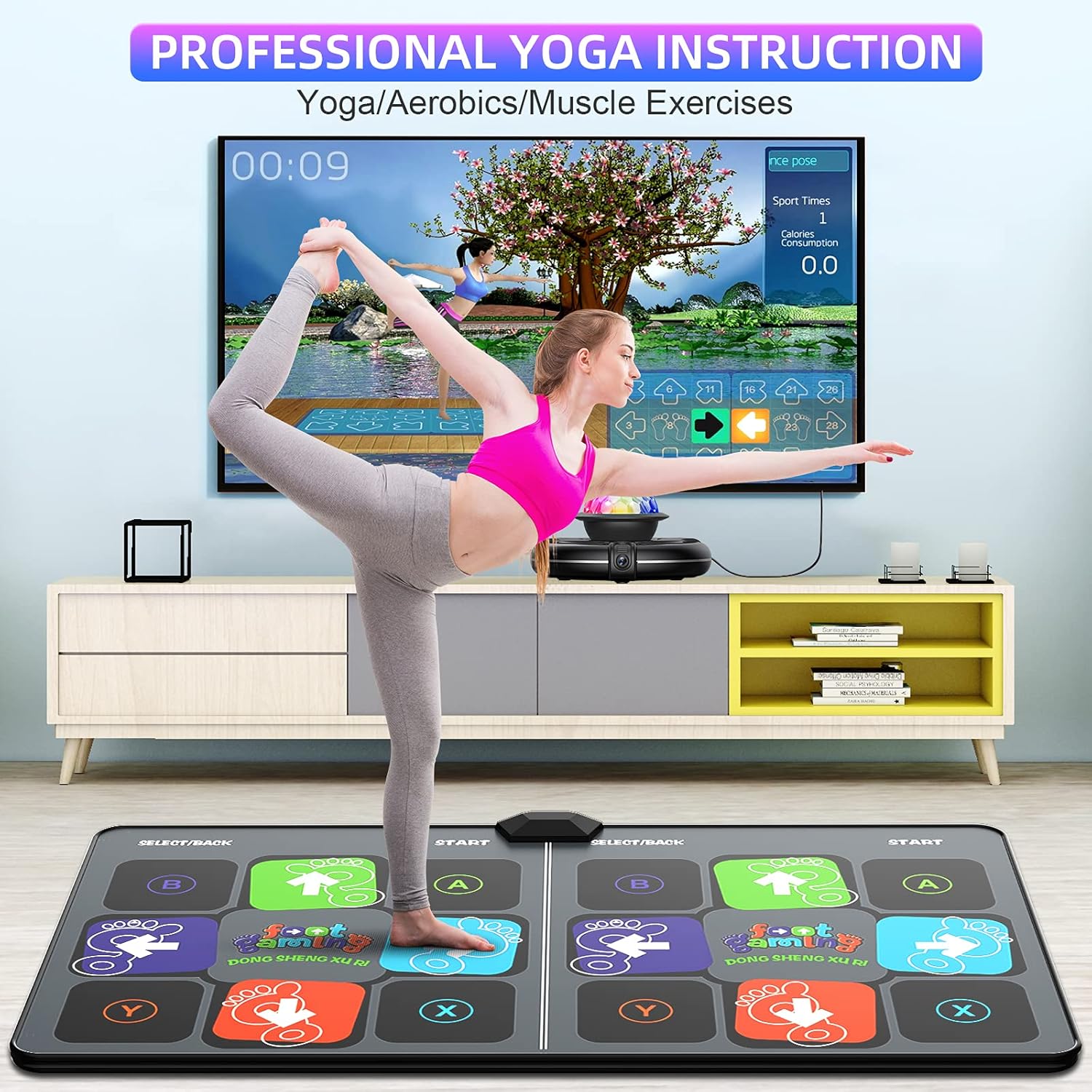
Image 4.5: Professional yoga instruction available on the FWFX Dance Mat.
5. Maintenance
To ensure the longevity and optimal performance of your FWFX Dance Mat:
- Cleaning: The mat features a waterproof PEVA surface. Wipe it clean with a damp cloth as needed. Avoid harsh chemicals or abrasive cleaners.
- Storage: The mat is foldable for easy storage. Fold it neatly and store it in a dry place away from direct sunlight and extreme temperatures.
- Battery Replacement: Replace batteries in the wireless controllers when performance degrades.

Image 5.1: Features highlighting the mat's durability, ease of cleaning, and storage.
6. Troubleshooting
If you encounter issues with your FWFX Dance Mat, refer to the following common problems and solutions:
- No Power/System Not Turning On:
- Ensure the USB power adapter is securely plugged into a working power outlet and the USB cable is firmly connected to the AR Game Center Host.
- Verify the ON/OFF switch on the host unit is in the 'ON' position.
- No Video Signal on TV/Monitor:
- Check that the HDMI cable is securely connected to both the AR Game Center Host and your display device.
- Ensure your TV/monitor is set to the correct HDMI input source.
- Try turning on the TV first, then the dance mat host, as some older TVs may require this sequence for proper signal detection.
- Controllers Not Responding:
- Check and replace the AAA batteries in the wireless game handles.
- Ensure the controllers are within range of the AR Game Center Host.
- SD Card Not Found Error:
- Ensure the SD card is properly inserted into the SD card slot on the AR Game Center Host.
- If the error persists, the SD card may be corrupted. Contact customer support for assistance. It is recommended to back up the contents of the SD card upon initial setup.
7. Specifications
| Feature | Detail |
|---|---|
| Product Dimensions | 65.4 x 36.6 x 0.43 inches |
| Item Weight | 5 pounds |
| Model Number | A870II |
| Manufacturer Recommended Age | 6 years and up |
| Connectivity | HDMI (Standard Type-A), Wireless Controllers |
| Power Source | USB Power Adapter |
| Controller Batteries | 6 x 1.5V AAA batteries (not included) |
8. Safety Information
WARNING: CHOKING HAZARD - Small parts. Not for children under 3 years.
- Always supervise children during use.
- Ensure the play area is clear of obstacles to prevent falls or injuries.
- Do not expose the mat or host unit to water or excessive moisture.
- Avoid placing heavy objects on the mat.
9. Warranty and Support
FWFX is committed to providing satisfactory after-sales service. Your product comes with a 2-year warranty and a 30-day money-back guarantee.
For any questions or support needs, please email FWFX customer service. You can also find additional resources and manuals on the official FWFX website:

