
TUMAKOU R01
TUMAKOU RF Facial Skin Radiofrecuencia Device
Instruction Manual
1. Product Overview
The TUMAKOU Radio Frequency Skin Tightening Machine is an advanced device utilizing bipolar radio frequency technology for skin tightening, wrinkle reduction, lifting, and overall skin rejuvenation on both the face and body. It is designed for convenient at-home use, offering salon-grade results.

Image: The TUMAKOU RF Skin Tightening Machine, showing the main unit, handle, and packaging.

Image: Illustration highlighting various treatment areas including face, eye area, neck, jaw, belly, buttocks, legs, and arms.
This device features a dual probe design, with a smaller probe for facial areas and a larger probe for body treatment. It offers 3 adjustable energy levels and 3 preset time settings (10, 20, 30 minutes) to customize your treatment experience.

Image: A cross-section diagram of skin showing how bipolar RF technology targets both the epidermis and dermis layers to promote collagen and elastic fiber regeneration. The working temperature range is approximately 55°C-65°C (131°F-149°F).
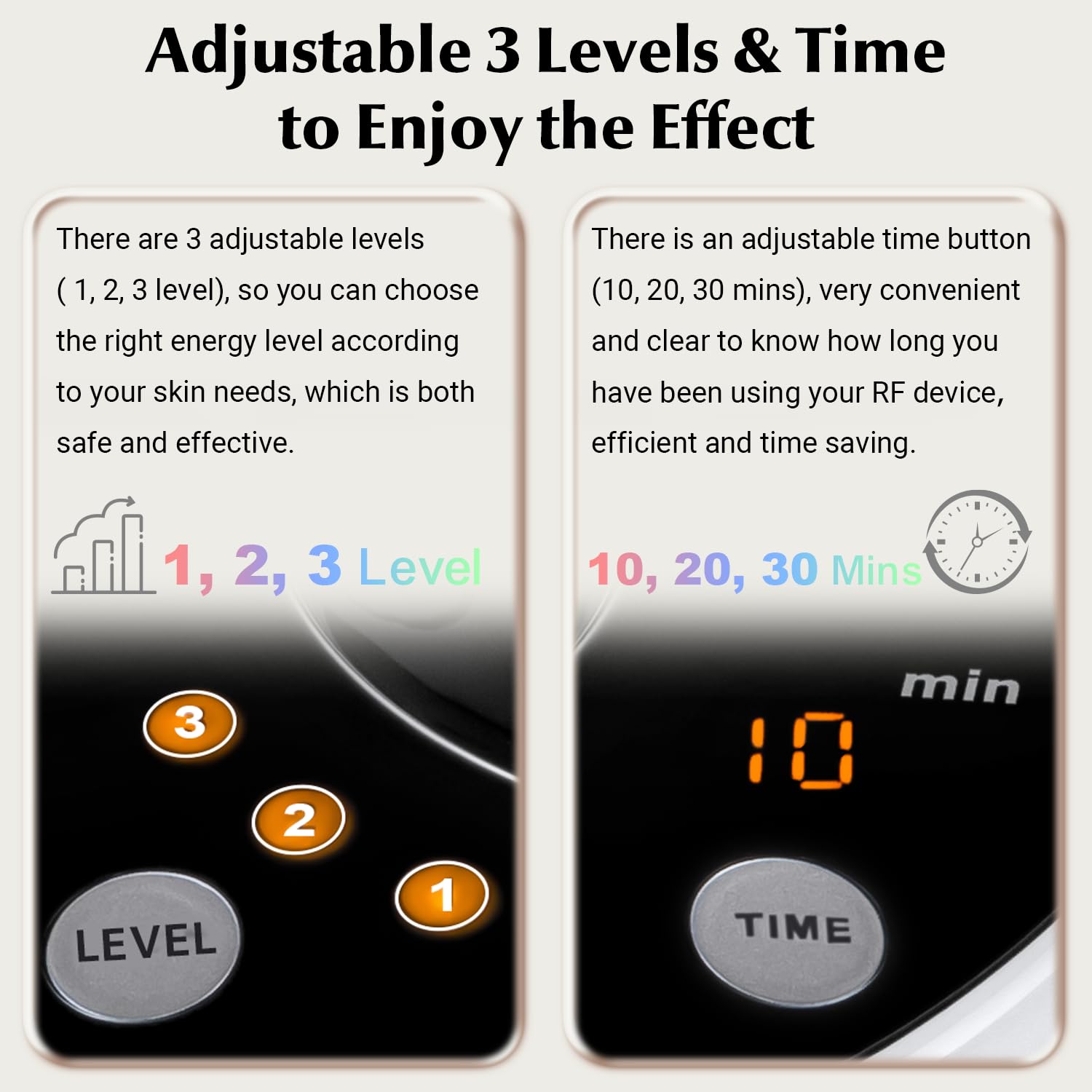
Image: Close-up of the device's control panel, illustrating the three adjustable energy levels (1, 2, 3) and the time settings (10, 20, 30 minutes) for customized use.
2. Setup
Before first use, ensure all components are present and undamaged. The package includes the main unit, a handle with a coiled cord, and two interchangeable probes (face and body).
Video: An unboxing and initial setup guide for the TUMAKOU RF Facial Skin Rejuvenation Machine, demonstrating how to prepare the device for use.
- Install the Probe: Select either the face probe or the body probe and securely screw it onto the handle. Ensure it is clean before attachment.
- Connect Power Cords: Plug both the handle's coiled cord and the main power cord into their respective ports on the back of the device. Ensure they are inserted TIGHTLY. Then, connect the main power cord to a suitable electrical outlet.
- Turn On the Device: Flip the power switch located on the back of the main unit to the 'ON' position.
- Apply Gel or Cream: Before starting treatment, apply a suitable conductive gel or cream to the area of skin you intend to treat. Note: This product does not include gel or cream.

Image: A hand demonstrating the installation of a treatment probe onto the device handle.

Image: A close-up view showing the proper connection of the handle cable and power cable into the device's ports. It is crucial to plug them in tightly and avoid alternating their positions.

Image: A hand applying a clear gel or cream to the skin, emphasizing the need for a conductive medium before using the device.
3. Operating Instructions
For optimal results, use the device 2-3 times a week, for 10-15 minutes per treatment area.
- Select Energy Level: Press the 'LEVEL' button to choose your desired energy level (1, 2, or 3). For first-time users, it is recommended to start with Level 1. The higher the level, the more intense the effect.
- Set Treatment Time: Press the 'TIME' button to select a preset treatment duration (10, 20, or 30 minutes).
- Begin Treatment: Gently move the device's probe in a circular motion over the treated area. Maintain continuous movement to ensure even heat distribution and avoid prolonged contact in one spot.
- Post-Treatment: After the session, turn off the device, unplug it, and clean the probe and main unit as described in the Maintenance section.

Image: A finger pressing the 'LEVEL' button on the device's control panel, indicating the selection of energy intensity.

Image: A woman demonstrating the use of the RF device on her face, moving it in a gentle circular motion, similar to a massage.
4. Maintenance
- Cleaning: After each use, wipe the probes and the main unit with a soft, damp cloth. Do not use abrasive cleaners or immerse the device in water.
- Storage: Store the device in a cool, dry place, away from direct sunlight and extreme temperatures. Keep it out of reach of children.
- Handle with Care: Avoid dropping the device or subjecting it to strong impacts.
5. Troubleshooting
If you encounter issues with your TUMAKOU RF device, please refer to the following common problems and solutions:

Image: A troubleshooting guide addressing the issue of the device not heating up, providing three key points for resolution.
| Problem | Possible Cause / Solution |
|---|---|
| Device does not heat up. |
|
| Probes are difficult to attach/detach. | Ensure the probes are aligned correctly with the handle's threading before screwing them on or off. Do not force them. |
| Device not turning on. | Check if the main power cord is securely plugged into both the device and the wall outlet. Ensure the power switch on the back of the unit is in the 'ON' position. |
6. Specifications
| Feature | Detail |
|---|---|
| Brand | TUMAKOU |
| Model Name | R01 |
| Product Dimensions | 8.27 x 8.27 x 5 inches |
| Item Weight | 4.72 Pounds (2.14 Kilograms) |
| Power Supply | 100-240V |
| Rated Frequency | 50-60Hz |
| Power | 50W |
| Energy Levels | 1, 2, 3 levels |
| Timer Settings | 10, 20, 30 mins |
| Skin Type | Normal |
| Manufacturer | Shenzhen Shishibang Technology Co., Ltd. |
7. Warranty and Support
For information regarding product warranty, returns, or technical support, please refer to the documentation included with your purchase or contact the manufacturer directly. You may also visit the TUMAKOU brand store on Amazon for additional resources and contact information.
Manufacturer: Shenzhen Shishibang Technology Co., Ltd.
Brand: TUMAKOU
Amazon Store Link: TUMAKOU Official Store
Ask a question about this manual
Ask about setup, troubleshooting, compatibility, parts, safety, or missing instructions. Manuals+ will review the question and use this page’s manual context to help answer it.