
1. Introduction
1.1 Product Overview
The Amewi RC T-90 Tank 1:16 Advanced Line is a highly detailed, ready-to-run (RTR) remote-controlled replica of the T-90 main battle tank. This model features advanced TK 6.0 electronics, an encapsulated metal gearbox, and metal swing arms for the wheels, providing a realistic and durable experience. It is designed for enthusiasts seeking an authentic RC tank experience with firing and smoke functions.
1.2 Key Features
- Scale: 1:16 detailed replica
- Drive System: Encapsulated metal gearbox with metal swing arms
- Electronics: Advanced TK 6.0 system
- Firing Function: Infrared (IR) battle system and BB pellet firing capability
- Smoke Function: Integrated smoke generator for realistic exhaust effects
- Sound Effects: Realistic engine and firing sounds
- Control: 2.4 GHz proportional remote control
2. Safety Instructions
Read all safety instructions before operating the product. Failure to do so may result in injury or damage to the product.
2.1 General Safety
- This product is not a toy for children under 14 years of age. Adult supervision is required for younger users.
- Keep hands, hair, and loose clothing away from moving parts such as tracks and gears.
- Operate the tank in open areas, away from people, pets, and obstacles.
- Do not operate in wet conditions or near water to prevent electrical damage.
- Always turn off the tank and remote control when not in use.
2.2 Battery Safety
- Use only the specified battery and charger.
- Do not overcharge or short-circuit batteries.
- Do not dispose of batteries in fire or expose them to extreme temperatures.
- If batteries leak, avoid contact with skin and eyes. Seek medical attention if contact occurs.
2.3 Firing Function Safety (BB Pellets)
- Always wear eye protection when operating the BB firing function.
- Never aim or fire at people, animals, or fragile objects.
- Use only the recommended 6mm BB pellets.
- Ensure the firing mechanism is clear of obstructions before firing.
2.4 Smoke Function Safety
- Use only the provided or recommended smoke fluid.
- Do not ingest smoke fluid. If ingested, seek medical attention immediately.
- Operate the smoke function in well-ventilated areas.
- Avoid direct contact with the smoke unit when hot.
3. Package Contents
Carefully unpack all items and ensure all components are present before beginning setup.
- Amewi RC T-90 Tank (1:16 Scale)
- 2.4 GHz Remote Control
- Rechargeable Li-Ion Battery for Tank
- Battery Charger
- 6mm BB Pellets
- Smoke Fluid Bottle
- Small Accessory/Tool Kit (e.g., antenna, target)
- Instruction Manual

Image 3.1: Included accessories for the Amewi RC T-90 Tank, showing the remote control, battery, charger, BBs, and smoke fluid.
4. Setup
4.1 Charging the Tank Battery
- Connect the charger to a suitable power outlet.
- Connect the tank's Li-Ion battery to the charger.
- Allow the battery to charge fully. The indicator light on the charger will change (e.g., from red to green) when charging is complete.
- Disconnect the battery from the charger once fully charged. Do not overcharge.
4.2 Installing Batteries in the Remote Control
- Open the battery compartment on the back of the remote control.
- Insert the required batteries (typically AA, not included) according to the polarity markings (+/-).
- Close the battery compartment securely.
4.3 Installing the Tank Battery
- Locate the battery compartment on the tank (refer to the internal view image for guidance). This is typically under a hatch on the tank's chassis.
- Open the battery compartment.
- Connect the fully charged Li-Ion battery to the tank's power connector, ensuring correct polarity.
- Carefully place the battery inside the compartment and close the hatch securely.

Image 4.1: Internal view of the tank, illustrating the layout of electronics and potential battery placement area.
4.4 Filling Smoke Fluid
- Locate the smoke fluid reservoir on the tank, usually near the rear exhaust vents.
- Carefully open the reservoir cap.
- Using the provided smoke fluid bottle, slowly add a few drops of smoke fluid into the reservoir. Do not overfill.
- Securely close the reservoir cap.
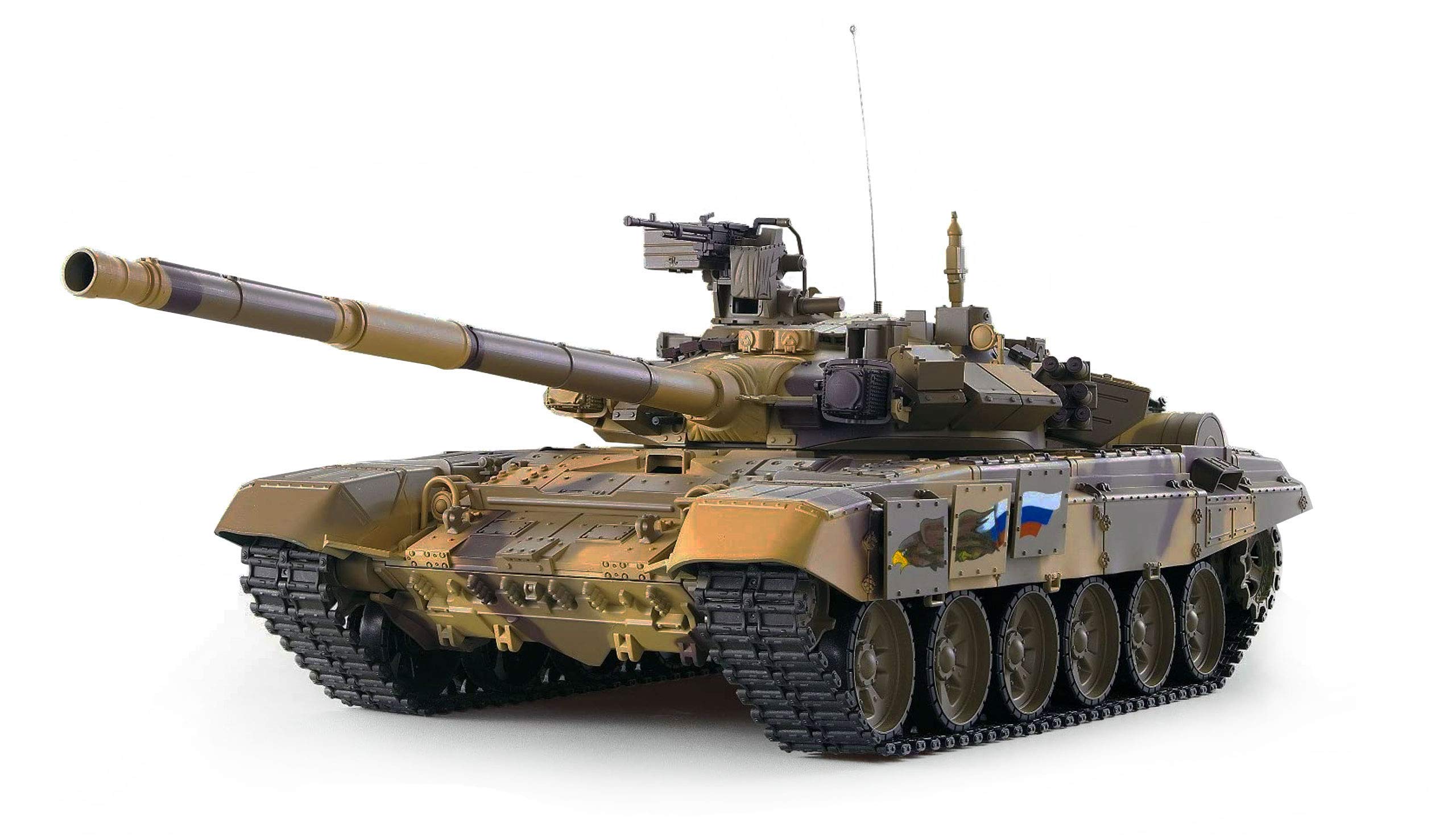
Image 4.2: The RC T-90 Tank with its smoke generator active, showing smoke emanating from the engine deck.
5. Operating Instructions
5.1 Remote Control Layout
Familiarize yourself with the remote control's functions before operating the tank.

Image 5.1: The 2.4 GHz remote control, featuring dual joysticks and dedicated buttons for volume, smoke, gun, and cannon functions.
- Left Joystick: Controls tank movement (forward/backward, turning).
- Right Joystick: Controls turret rotation and barrel elevation.
- VOLUME Button: Adjusts sound effects volume.
- SMOKE Button: Activates/deactivates the smoke generator.
- GUN Button: Activates the IR battle system or fires the main cannon (BBs).
- CANNON Button: Fires the main cannon (BBs) or activates specific IR functions.
- ON/OFF Switch: Powers the remote control.
5.2 Pairing the Remote Control and Tank
- Ensure the tank battery is installed and fully charged.
- Turn on the tank using its power switch (usually located on the chassis).
- Turn on the remote control using its ON/OFF switch.
- The remote control and tank should automatically pair. A confirmation sound or light indicator may signal a successful connection.
5.3 Driving the Tank
- Forward/Backward: Push the left joystick forward or backward.
- Turning: Push the left joystick left or right to turn the tank.
- Pivot Turn: Push one joystick forward and the other backward for a sharp turn in place.
5.4 Turret Control

Image 5.2: The tank's turret and main cannon demonstrating its range of vertical movement.
- Turret Rotation: Move the right joystick left or right to rotate the turret.
- Barrel Elevation: Move the right joystick forward or backward to raise or lower the main cannon barrel.
5.5 Firing Functions (IR/BB)
Always wear eye protection when using the BB firing function.
- Loading BBs: Open the BB loading hatch (usually on the turret) and carefully pour 6mm BB pellets into the magazine. Close the hatch securely.
- IR Battle Mode: Press the GUN button to activate the infrared battle system. The tank will emit an IR signal for battle simulations.
- BB Firing: Press the CANNON button to fire BB pellets. A firing sound will accompany the shot. Ensure the area is clear and safe before firing.
5.6 Smoke Generator
Press the SMOKE button on the remote control to toggle the smoke generator ON or OFF. Ensure the smoke fluid reservoir is filled for optimal performance.
5.7 Sound Effects
Press the VOLUME button to cycle through different volume levels or to mute the tank's sound effects (engine sounds, firing sounds).
6. Maintenance
6.1 Cleaning
- Use a soft, dry cloth to wipe down the tank's exterior after use.
- Remove any dirt or debris from the tracks and wheels to ensure smooth operation.
- Do not use water or harsh chemicals for cleaning.
6.2 Battery Care and Storage
- Always disconnect the battery from the tank when not in use.
- Store the battery in a cool, dry place, away from direct sunlight and extreme temperatures.
- For long-term storage, charge the Li-Ion battery to approximately 50% capacity.
- Remove batteries from the remote control if it will not be used for an extended period.
6.3 Gearbox and Track Inspection
- Periodically inspect the metal gearbox and tracks for any signs of wear or damage.
- Ensure the track links are free of debris and move smoothly.
- If any issues are detected, contact customer support for assistance.
7. Troubleshooting
| Problem | Possible Cause | Solution |
|---|---|---|
| Tank does not respond to remote control. | 1. Tank or remote control is off. 2. Batteries are low or dead. 3. Not paired correctly. | 1. Ensure both are switched ON. 2. Charge/replace batteries. 3. Re-pair the remote and tank (see Section 5.2). |
| No smoke is generated. | 1. Smoke fluid reservoir is empty. 2. Smoke function is off. 3. Smoke unit malfunction. | 1. Refill smoke fluid (see Section 4.4). 2. Press the SMOKE button on the remote. 3. Contact customer support. |
| BBs are not firing or firing weakly. | 1. BB magazine is empty. 2. Firing mechanism jammed. 3. Low tank battery. | 1. Reload BBs. 2. Clear any obstructions from the barrel. 3. Recharge tank battery. |
| Tank moves slowly or erratically. | 1. Low tank battery. 2. Debris in tracks/gears. 3. Interference. | 1. Recharge tank battery. 2. Clean tracks and inspect gears. 3. Move to an area with less interference. |
8. Specifications
| Feature | Detail |
|---|---|
| Model Name | T-90 |
| Brand | Amewi |
| Scale | 1:16 |
| Material | Metal (gearbox, swing arms) |
| Power Source | Battery Powered |
| Special Features | IR/BB Firing Function, Smoke Function |
| Age Range (Description) | Adult |
| Color | Camo, Black |
| Control Method | Remote Control Included |
| Approximate Size | 30-35 cm |
9. Warranty and Support
For warranty information, technical support, or replacement parts, please contact your retailer or the manufacturer directly. Keep your purchase receipt as proof of purchase.


