
1. Introduction
The PQWT L7000 is an advanced underground water leak detector designed for precise localization of water pipe leakages in both indoor and outdoor environments. Utilizing multi-sensor acoustic technology and a smart touchscreen interface, this device provides efficient and accurate detection, making it an invaluable tool for professional leak detection personnel.

Image: The PQWT L Series Outdoor Water Leak Detector in use, showing the main unit with a screen displaying signal bars and a person operating the device in an outdoor setting.
2. Safety Information
- Sensor Handling: It is forbidden to put the sensor directly into water. Please handle the sensor gently to prevent damage.
- Environmental Use: Do not use the device in flammable or explosive areas, such as locations with gasoline or natural gas, to prevent hazards.
- Outdoor Detection: For outdoor pipeline leak detection, always select the corresponding detection parameters based on the actual environmental conditions.
- Battery Care: If the instrument is not used for an extended period, charge it at least once a month to maintain battery health.
- Soft Soil/Lawn Use: When detecting in soft soil or on a lawn, it is recommended to connect the sensor to the sound pole and insert it into the soil for optimal performance.
3. Product Components & Package Contents
The PQWT L7000 kit includes the following main components:
- Host Machine: The main control unit with a 7-inch high-definition touchscreen display (800*480 resolution).
- Noise Reduction Headphone: Professional-grade headphones for clear audio detection.
- Sensors: The L7000 model typically includes a Horizontal Sensor, Vertical Sensor, Middle Sensor, and Large Sensor for various detection scenarios.
- Telescopic Pole: For connecting sensors and extending reach.
- Listening Rods: For inserting into soft ground.
- Strap: For carrying the host machine.
- Charger & USB Data Cable: For power and data transfer.
- Universal Adapter: For charging.
- Carry Case: For transport and protection of all components.

Image: A detailed view of all components included in the PQWT L7000 package, neatly arranged.

Image: Close-up view of the specialized acoustic sensors, highlighting their design for detecting leak sounds.
4. Setup Instructions
- Connect the Strap: Attach the provided strap to the host machine for comfortable carrying during operation.
- Connect the Sensor: Depending on the detection environment (indoor/outdoor, ground type), select the appropriate sensor (e.g., Middle Sensor for outdoor normal environment, Triangular Sensor for indoor ground, Square Sensor for narrow spaces like walls). Connect the sensor to the telescopic pole, then connect the pole to the host machine. Ensure the air plug is aligned with the small dot and inserted correctly.
- Connect Headphones: Plug the noise reduction headphones into the designated jack on the host machine.
- Power On: Long press and hold the "Switch Button" to boot the device and enter the main interface.

Image: Visual guide illustrating the four primary steps for assembling the PQWT L7000 detector.
Video: This video demonstrates the assembly process of the PQWT L-series water leak detector, including connecting components and initial setup.
5. Operating Instructions
The PQWT L7000 features two primary detection modes: General Detection Mode for scanning large areas and Locating Mode for pinpointing leak points.
5.1 General Detection Mode (Outdoor Example)
This mode is primarily used for quickly scanning large areas to identify potential leak locations.
- From the main interface, click to enter the "Outdoor" mode.
- Select the soil texture (e.g., "Hard") and pipe material (e.g., "Metal") according to the detecting environment.
- Click "General Detection" to enter the interface.
- Place the sensor above the suspected pipeline.
- Turn on the knob switch to receive sound. Listen to the volume and observe the spectrum change on the screen.
- After detecting the first point, press the knob switch to turn off the sound and move the sensor forward to detect the next points in the same manner.
- When the spectrum on the instrument screen is high and the sound in the headset is significantly increased, the area can be identified as a suspected leakage area and marked.

Image: An operator performing general detection outdoors, walking along a paved path with the detector.
5.2 Locating Mode (Outdoor Example)
This mode is used to pinpoint the exact leak locations within a suspected area.
- From the main interface, click to enter the "Locating" mode.
- In the suspected leakage area, start detection from the first point.
- Click any position in the spectrum bar. The signal value will be displayed on the top of the spectrum bar. The thin bar represents ambient noise, while the thick bar represents underground sound. Focus on the thick bar signal.
- After the thick bar is stable, click again any position in the spectrum bar to lock it. The signal value changes from red to black, indicating the detection at that point is completed.
- Repeat this process, moving along the suspected area. The detection point with the highest thick spectrum bar and largest signal value is judged as the suspected leaking point.
- The detection report in the locating mode can be stored after clicking the "Export" button and connecting to a computer.
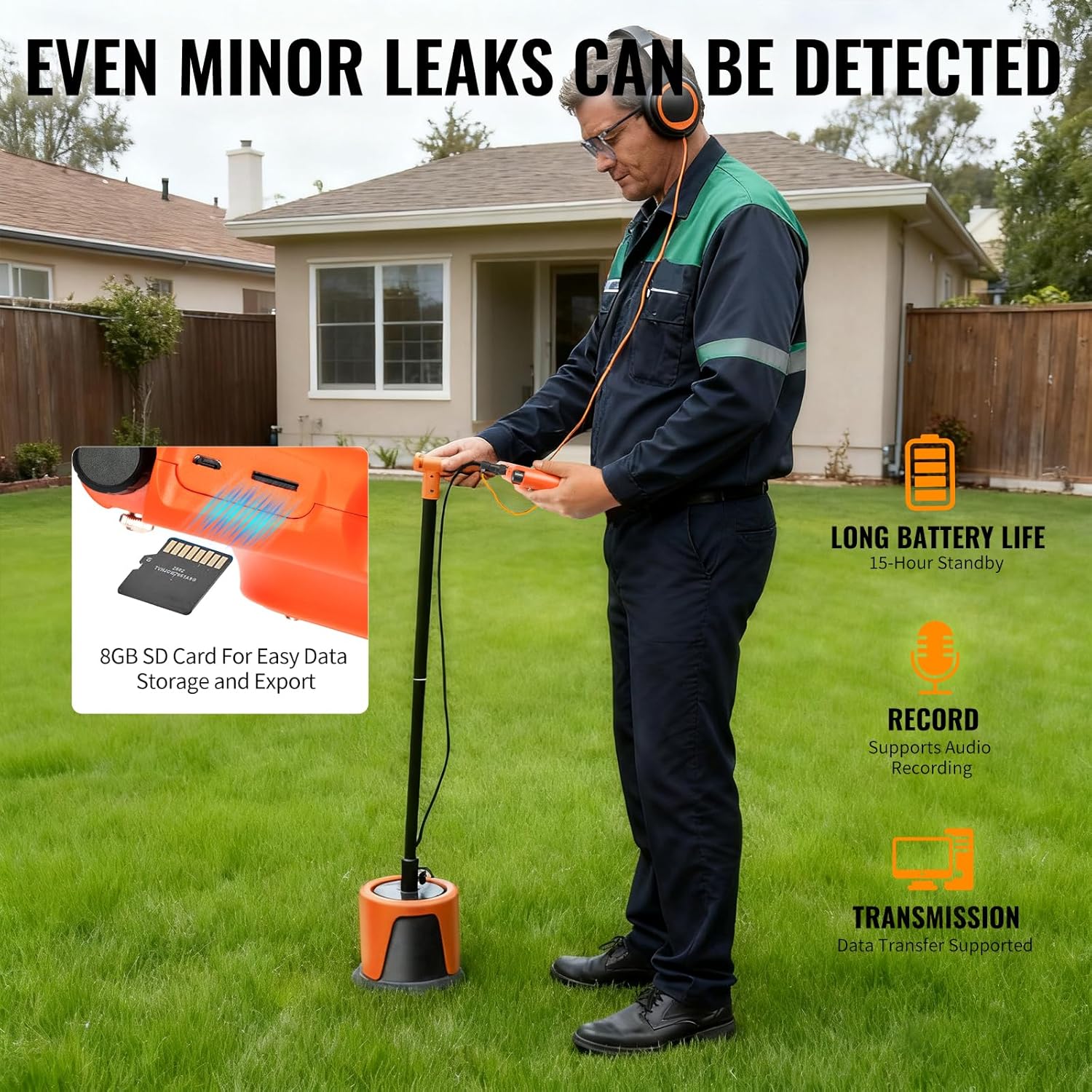
Image: An operator performing general detection outdoors, walking along a paved path with the detector.
Video: This video provides a detailed guide on operating the PQWT L Series Outdoor Pipe Water Leak Detector, covering both general and locating modes.
5.3 Indoor Detection
For indoor pipeline water leak detection, the process is similar but may involve different sensors and preparation steps.
- Preparation: Conduct a pipeline pressure holding test using a manual water pressure tester. If the pipeline's direction is unknown, a thermal imaging camera can be used to determine its path.
- General Detection: Click the "Indoor" option, then choose "General Detection". Turn on the knob switch to receive sound, paying attention to the sound volume in the headphone and observing the spectrum change on the screen. When the spectrum is high and the sound is significantly increased, mark the suspected area.
- Locating: Click to enter the "Locating" mode. In the suspected leakage area, click any position in the spectrum bar. After the thick bar is stable, click again to lock it. The signal value changes from red to black. The point with the largest signal value is the suspected leaking point.
6. Maintenance
- Keep the device clean and dry. Wipe the screen and body with a soft, damp cloth.
- Store the device in its protective carry case when not in use to prevent physical damage.
- Ensure all cables and connectors are free from damage. Replace any worn or broken parts immediately.
- Charge the battery regularly, especially if storing the device for long periods, as mentioned in the safety guidelines.
7. Troubleshooting
| Problem | Possible Cause | Solution |
|---|---|---|
| No sound or weak sound in headphones. | Headphones not connected properly, volume too low, or sensor not making good contact. | Check headphone connection, increase volume using the knob, ensure sensor is firmly placed. |
| Inaccurate detection results. | Incorrect soil texture/pipe material selected, or high environmental noise. | Verify selected parameters. Adjust frequency settings to filter noise. Ensure quiet environment if possible. |
| Device does not power on. | Low battery or power button not pressed correctly. | Charge the device. Ensure the power button is pressed and held for a few seconds. |
8. Specifications
| Feature | Detail |
|---|---|
| Model | PQWT-L7000 |
| Detection Depth | Up to 5 Meters (depending on sensor and environment) |
| Screen | 7-inch high-definition display, 800*480 resolution |
| Sensor Technology | Acoustic Sensor (Multi-Sensor System) |
| Battery | Lithium-Ion (2 included), 3.7V 8000mAh |
| Working Time | Up to 15 Hours |
| Charging Time | 7-8 Hours |
| Working Temperature | -20°C to 50°C |
| Weight (Host Machine) | 0.7 kg |
| Languages | English, Turkish, Italian, French, Spanish, Arabic, Russian |
| Control Method | App (UI Interaction System) |
| Data Storage | 8GB SD Card for easy data storage and export |

Image: A table detailing the specifications and sensor configurations for different models in the PQWT L Series, including the L7000.
9. Warranty & Support
The main unit of the PQWT L7000 comes with lifetime maintenance provided by PQWT—Hunan Puqi Geologic Exploration Equipment Institute, the original manufacturer. For any inquiries or technical assistance, please refer to the contact information provided with your product packaging or visit the official PQWT website.
The device's user interface is available in 7 languages: English, Turkish, Italian, French, Spanish, Arabic, and Russian, ensuring broad accessibility for users.


