
Introduction
Thank you for choosing the Jabees Firefly Vintage Wireless Gaming Earbuds. These earbuds are designed to provide a superior audio experience with advanced features such as Qualcomm aptX audio, 80ms low latency gaming mode, Environmental Noise Cancellation (ENC), and intuitive touch controls. This manual will guide you through the setup, operation, maintenance, and troubleshooting of your new earbuds to ensure optimal performance.

Image: Jabees Firefly Vintage Earbuds showcasing key features including Qualcomm aptX, Gaming Mode, 4 Mic Technology, Patented Touch & Push Button, ENC, Transparency Mode, and Wireless Charging Case.
Setup
1. Initial Charging
Before first use, fully charge your Firefly Vintage earbuds and charging case. The charging case supports both USB-C cable charging and Qi-compatible wireless charging.
- Connect the provided USB-C cable to the charging case and a power source.
- Alternatively, place the charging case on a Qi-compatible wireless charging mat.
- The LED indicators on the case will show the charging status. Ensure the earbuds are placed inside the case for them to charge.
2. Pairing with Your Device
The Firefly Vintage earbuds feature instant pairing. Simply open the lid of the charging case to initiate pairing mode.
- Ensure the earbuds are in the charging case and the case is charged.
- Open the lid of the charging case. The earbuds will automatically enter pairing mode.
- On your device (smartphone, tablet, computer), go to Bluetooth settings.
- Select "Firefly Vintage" from the list of available devices.
- Once connected, you will hear an audible confirmation, and the earbuds will be ready for use.

Image: A visual representation of the simple setup process, showing the earbuds and charging case next to a smartphone displaying Bluetooth settings with "Firefly Vintage" connected.
3. Earbud Fitting
For optimal sound quality and comfort, select the ear tips that best fit your ears. The earbuds come with various sizes of silicone ear tips. Gently insert the earbuds into your ear canal and twist slightly to secure them.
Operating Instructions
1. Power On/Off
- Power On: Open the charging case lid. The earbuds will automatically power on and attempt to connect to the last paired device.
- Power Off: Place the earbuds back into the charging case and close the lid. They will automatically power off and begin charging.
2. Touch Controls
The Firefly Vintage earbuds feature patented touch and push buttons for various functions. The touch controls are sensitive; familiarize yourself with the correct gestures to avoid unintended actions.
| Function | Action |
|---|---|
| Play/Pause Music | Single tap on either earbud |
| Next Track | Double tap on the right earbud |
| Previous Track | Double tap on the left earbud |
| Answer/End Call | Single tap on either earbud |
| Reject Call | Press and hold either earbud for 2 seconds |
| Activate Voice Assistant | Triple tap on either earbud |
3. Gaming Mode (Low Latency)
The Firefly Vintage earbuds are optimized for gaming with an ultra-low latency of 80ms, powered by Qualcomm aptX technology. This mode minimizes audio delay, ensuring synchronized sound with on-screen action.
- Activating Gaming Mode: Refer to the product's official app or specific instructions for activating gaming mode, as this may vary.
- Benefit: Experience real-time audio feedback for competitive gaming.

Image: Jabees Firefly Vintage Earbuds positioned next to a smartphone displaying a racing game, illustrating the gaming mode feature for reduced audio latency.
4. Transparency Mode
Transparency Mode allows you to hear your surroundings without removing your earbuds, enhancing situational awareness.
- Activating Transparency Mode: This feature is typically toggled via the touch controls (e.g., press and hold for a specific duration) or through the companion app. Consult the app for precise control.
- Caution: When Transparency Mode is active, avoid adjusting the earbuds by pressing on the microphone area, as this can cause a loud screeching sound.
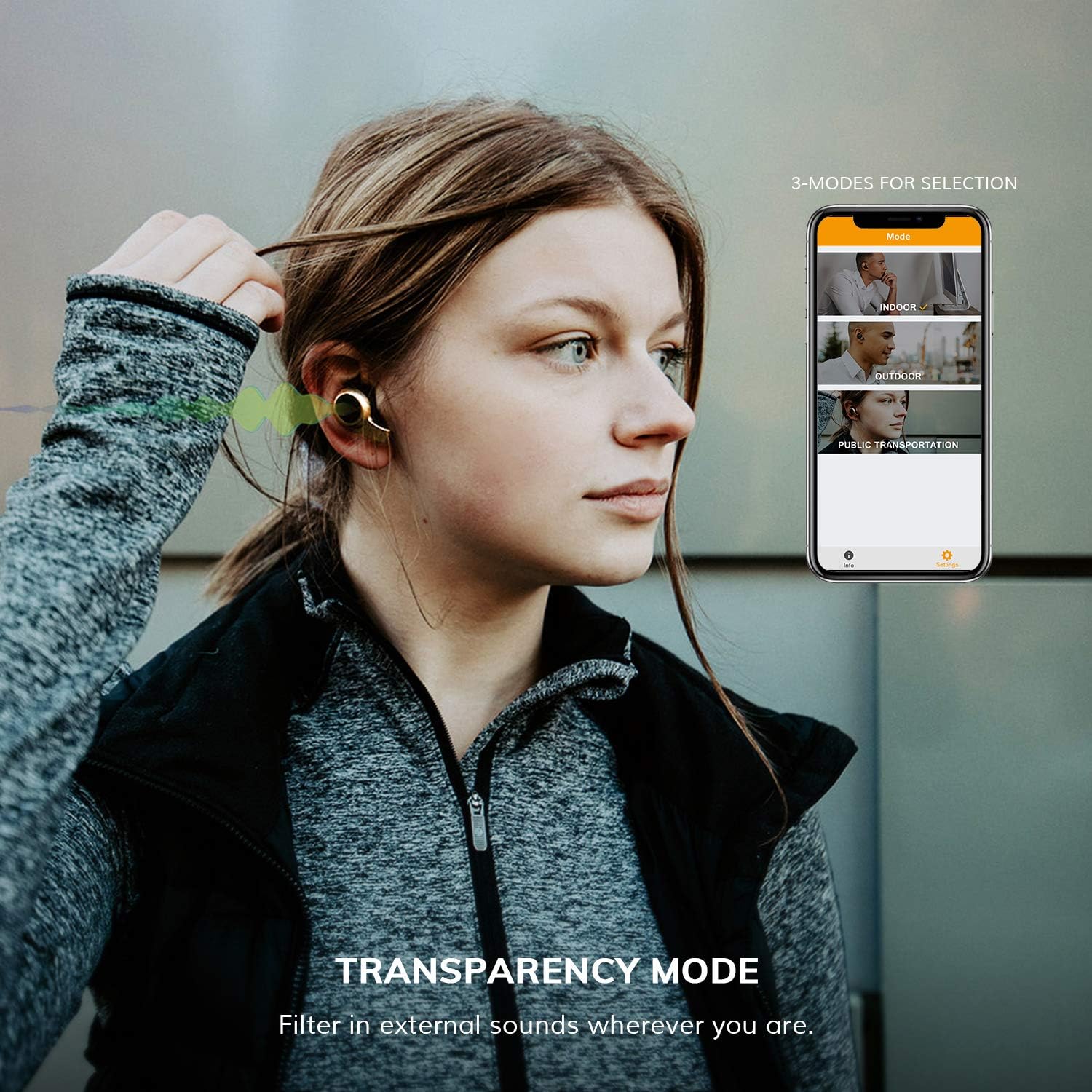
Image: A woman wearing Jabees Firefly Vintage Earbuds, demonstrating the use of Transparency Mode to filter in external sounds, with a phone screen showing options for Indoor, Outdoor, and Public Transportation modes.
5. Environmental Noise Cancellation (ENC)
Equipped with 4 dedicated built-in microphones, the earbuds utilize ENC technology to effectively block environmental interference, ensuring crystal clear call quality even in noisy environments.
- ENC is primarily active during phone calls to enhance voice clarity for the listener on the other end.
6. Battery Life
The Firefly Vintage earbuds offer up to 8 hours of playtime on a single charge, with the charging case providing multiple additional charges for a total of up to 40 hours of playtime.

Image: Jabees Firefly Vintage Earbuds and charging case, highlighting the "40 HOURS PLAYTIME" feature, with up to 10 hours from a single charge (note: product description states 8 hours, image may refer to total with case).
Maintenance
1. Cleaning
- Regularly clean the earbuds, especially the ear tips and charging contacts, with a soft, dry, lint-free cloth.
- Do not use harsh chemicals or abrasive materials.
- Ensure no moisture enters the earbud openings.
2. Storage
- When not in use, store the earbuds in their charging case to protect them and keep them charged.
- Store in a cool, dry place away from extreme temperatures.
3. Battery Care
- Avoid fully draining the battery frequently.
- Charge the case and earbuds regularly, even if not used for extended periods, to maintain battery health.
Troubleshooting
Common Issues and Solutions
- Earbuds not pairing:
- Ensure the charging case is open and charged.
- Turn off Bluetooth on your device and turn it back on.
- Forget "Firefly Vintage" from your device's Bluetooth list and attempt to pair again.
- Try pairing with a different device to rule out device-specific issues. - No sound or low volume:
- Check the volume level on both your device and the earbuds.
- Ensure the earbuds are properly seated in your ears.
- Clean any debris from the earbud speakers and ear tips. - Microphone issues (poor call quality):
- Ensure the microphones are not obstructed.
- Avoid using the microphone in very noisy or windy environments, as it may pick up ambient sounds.
- Ensure the earbuds are fully charged. - Touch controls unresponsive or overly sensitive:
- Ensure your fingers are clean and dry.
- Practice the touch gestures to ensure correct execution.
- If sensitivity is an ongoing issue, ensure no hair or other objects are inadvertently triggering the sensors. - Earbuds not charging:
- Ensure the charging contacts on both the earbuds and the case are clean and free of debris.
- Try a different USB-C cable or power adapter.
- Ensure the wireless charging mat is properly aligned with the case.
Specifications
| Feature | Detail |
|---|---|
| Model Number | 12041 |
| Brand | Jabees |
| Color | Black |
| Connectivity Technology | Bluetooth (Wireless) |
| Headphone Form Factor | In Ear |
| Noise Control | Active Noise Cancellation (ENC) |
| Control Type | Touch |
| Item Weight | 9.8 Grams |
| Product Dimensions | 2.59 x 1.64 x 1.98 cm |
| Included Components | Wireless Charging Case |
| Material | Plastic |
| Specific Uses For Product | Movies and Gaming, Sports and Exercise |
Warranty Information
Jabees stands behind the quality of its products. The Firefly Vintage earbuds come with a satisfaction guarantee. For specific warranty terms and conditions, please refer to the documentation included with your purchase or contact customer support.
Customer Support
If you encounter any issues or have questions regarding your Jabees Firefly Vintage earbuds, please contact our customer support team. You can typically reach support via the seller messaging system on the platform where you purchased the product, or through the official Jabees website for contact information.