
Vmotal HUDAKWA
HUDAKWA Night Vision Goggles User Manual
Brand: Vmotal | Model: HUDAKWA
Introduction
The HUDAKWA Night Vision Goggles are designed for both day and night use, offering advanced infrared technology for clear viewing in complete darkness. Featuring a large LCD screen and Wi-Fi connectivity, these binoculars are suitable for various outdoor activities including hunting, security, and wildlife observation.
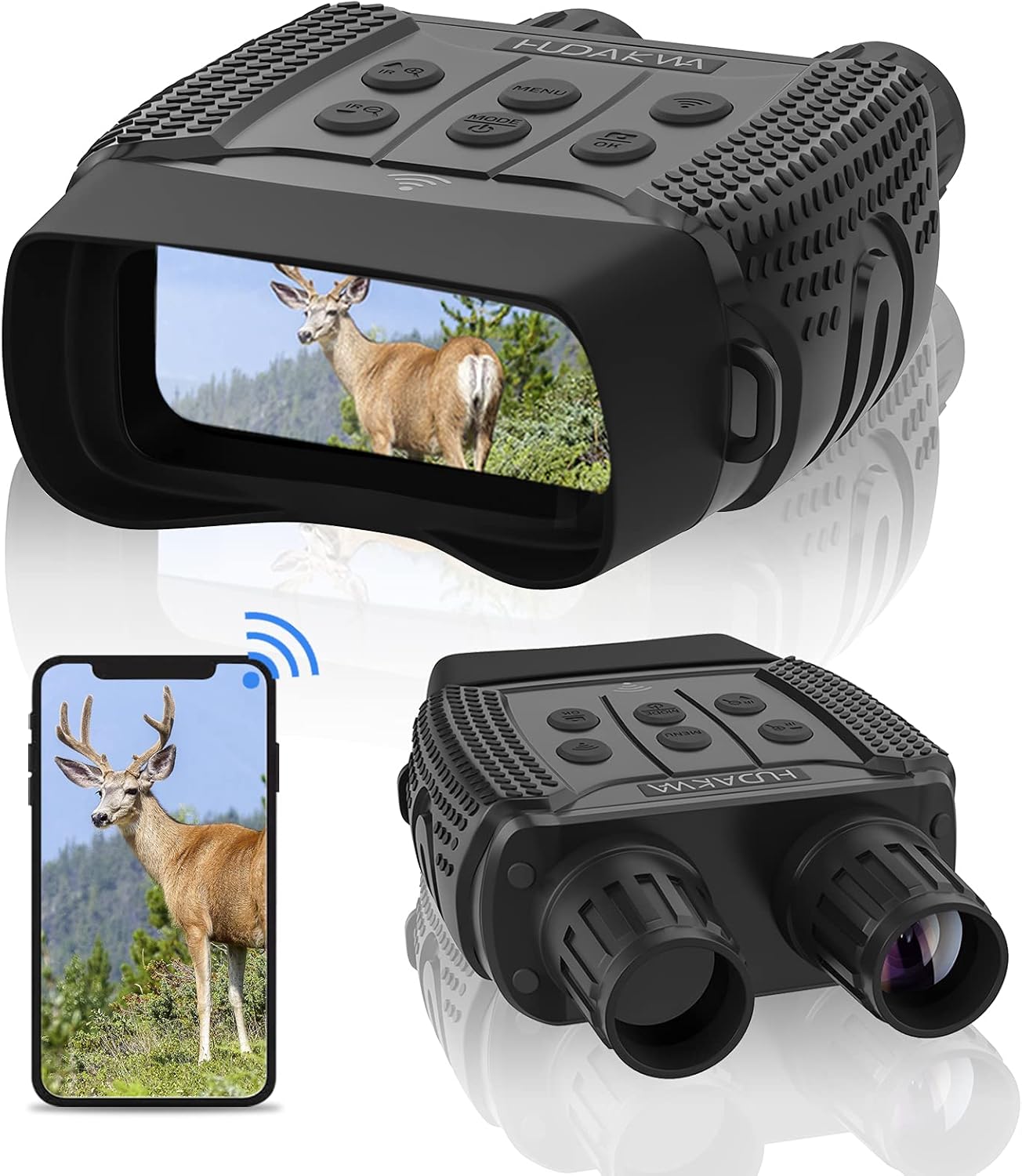
Figure 1: HUDAKWA Night Vision Goggles with Wi-Fi connectivity.
- Large Screen & Remote Viewing: Professional 7-level IR night vision with a 2.31-inch TFT LCD screen, capable of shooting 1280x960 images and 960P video. Observe objects up to 980ft./300m away in complete darkness.
- Outdoor Suitability: Features 3X optical zoom, 4X digital zoom, and a 25mm lens with an 850nm infrared illuminator. The rainproof body with a rubber-coated finish ensures durability and a comfortable grip.
- Wi-Fi Transmission: Built-in Wi-Fi allows for mode setting, real-time monitoring, and video/photo downloading via the "NV PLUS" APP (Android and iOS compatible). Effective Wi-Fi range is 82ft.
- Power Source: Operates on 6 AA batteries (not included). Provides 6 hours of battery life with IR on, and 17 hours without infrared.
- Included Accessories: Comes with 1 Night Vision Binoculars, 1 Carrying bag, 1 Neck Strap, 1 32GB TF card, 1 Data Cable, 1 User Manual, and 1 Cleaning Cloth.
Setup Guide
1. Unboxing and Components
Upon opening the package, ensure all components are present:
- HUDAKWA Night Vision Binoculars
- Carrying Bag
- Neck Strap
- 32GB TF Card
- Data Cable
- User Manual
- Cleaning Cloth
2. Battery Installation
The device requires 6 AA batteries (not included). Locate the battery compartment, insert the batteries according to the polarity indicators, and securely close the compartment.
3. TF Card Installation
Insert the included 32GB TF card into the designated slot on the device. Ensure it clicks into place for proper recognition.
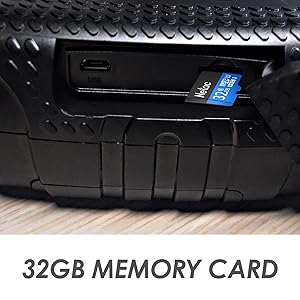
Figure 2: Location of the 32GB memory card slot.
4. Wi-Fi Connection
To utilize the Wi-Fi features for real-time monitoring and data transfer, follow these steps:
- Download the "NV PLUS" APP on your smartphone. Scan the QR codes below or search in your app store:
- Turn on the night vision binoculars.
- On your smartphone, go to Wi-Fi settings and connect to the network named "NV_XXXX" (where XXXX is a unique identifier for your device).
- Open the "NV PLUS" app to begin real-time monitoring and access device settings.

Figure 3: Wi-Fi connection for remote viewing.
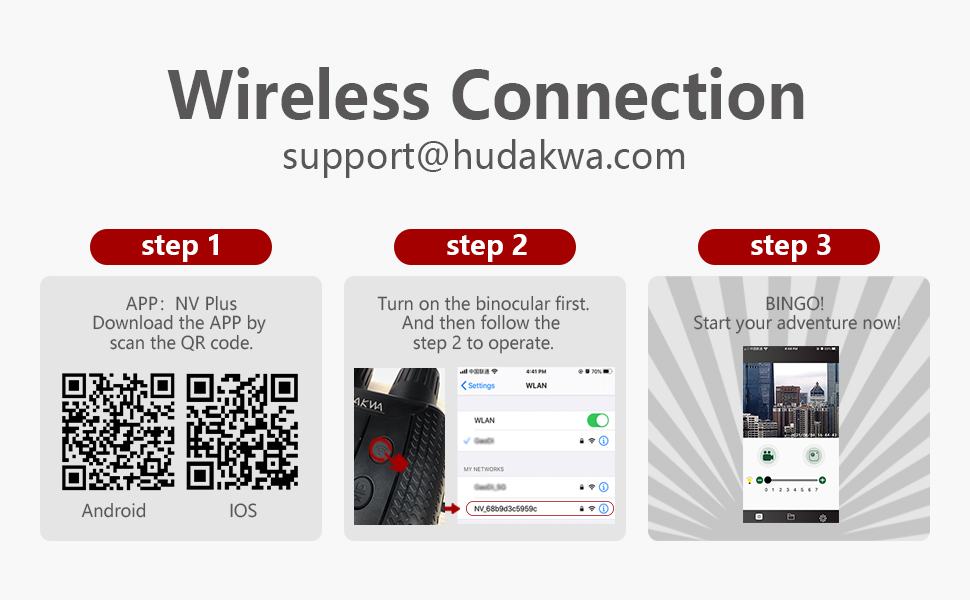
Figure 4: Detailed steps for establishing a wireless connection.
Video 1: Official product video demonstrating the HUDAKWA WiFi Night Vision Goggles. This short clip highlights the device's appearance and basic functionality.
Operating Instructions
1. Power On/Off
Press and hold the power button (usually marked with an ON/OFF symbol) to turn the device on or off. The LCD screen will illuminate upon power-on.
2. Day and Night Vision Modes
The goggles are designed for both day and night use. In low-light or complete darkness, activate the 7-level IR night vision for enhanced visibility. The device automatically adjusts or can be manually set to optimize viewing conditions.

Figure 5: Illustration of day and night use modes.

Figure 6: Stable picture capture with 7 levels of super night vision.
3. Zoom Functionality
Utilize the 3X optical zoom for initial magnification and the 4X digital zoom for further enlargement of distant objects. Adjust the focus manually using the focus rings on the eyepieces.
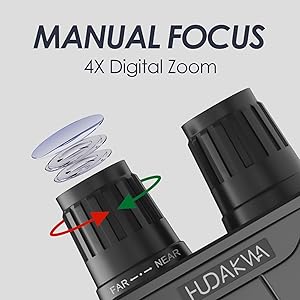
Figure 7: Manual focus and digital zoom controls.
4. Photo and Video Capture
The device supports capturing 1280x960 images and 960P video. Use the dedicated buttons on the top panel to switch between photo and video modes and to initiate recording or capture. All media is saved to the inserted 32GB TF card.

Figure 8: Key features of the night vision binoculars.
Maintenance
1. Cleaning
Use the provided cleaning cloth to gently wipe the lenses and screen. Avoid using abrasive materials or harsh chemicals that could damage the optics or display.
2. Storage
When not in use, store the night vision goggles in the carrying bag in a cool, dry place away from direct sunlight and extreme temperatures. Remove batteries if storing for extended periods to prevent leakage.
Troubleshooting
Common Issues and Solutions:
- Device not powering on: Ensure 6 AA batteries are correctly installed with proper polarity and are not depleted. Replace with fresh batteries if necessary.
- Poor image quality/grainy display: Verify that the focus is properly adjusted using the manual focus rings. In extremely low light, ensure IR illumination is active and at an appropriate level. Note that digital zoom may introduce some pixelation.
- Wi-Fi connection issues: Confirm that the "NV PLUS" app is installed and updated. Ensure the device's Wi-Fi is enabled and your smartphone is connected to the correct network (e.g., "NV_XXXX"). Check that your smartphone is within the effective Wi-Fi range (82ft).
- No audio in recorded videos: This device does not support audio recording. Video capture is visual only.
- Short battery life: Continuous use of infrared (IR) illumination significantly drains battery power. Consider reducing IR level or using the device without IR when possible to extend battery life. Always use fresh, high-quality AA batteries.
Specifications
| Feature | Detail |
|---|---|
| Brand | Vmotal |
| Model Number | HUDAKWA |
| Item Package Dimensions L x W x H | 8.94 x 6.81 x 3.5 inches |
| Package Weight | 0.92 Kilograms |
| Item Dimensions LxWxH | 8.26 x 5.31 x 2.12 inches |
| Color | Black |
| Material | Rubber |
| Age Range (Description) | Adult |
| Special Feature | Portable, Night Vision |
| Objective Lens Diameter | 25 Millimeters |
| Magnification Maximum | 4 x |
| Date First Available | January 6, 2021 |
Warranty and Support
If you have any questions about the HUDAKWA night vision goggles, please feel free to contact the manufacturer. They aim to reply within 12 hours and provide a satisfactory solution.
For additional information and detailed instructions, you can refer to the official User Guide: