
1. Introduction
Thank you for choosing the Owfeel WIFI & Bluetooth Smart Water Valve. This device allows for remote and automated control of your water supply, enhancing convenience and security. Please read this manual thoroughly before installation and operation to ensure proper use and optimal performance.
2. Product Overview
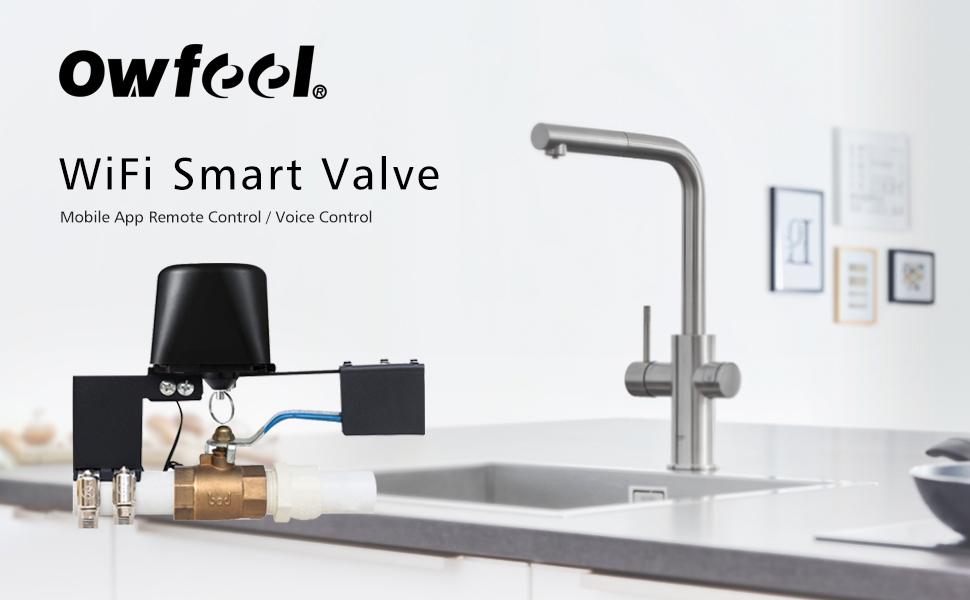
The Owfeel Smart Water Valve integrates WIFI and Bluetooth connectivity for flexible control options. It is designed to automate the opening and closing of quarter-turn ball valves, making it suitable for various applications including home water systems, agricultural irrigation, and livestock watering.
- Remote Control: Connect via the "Smart Life" app using WIFI (2.4GHz only) or Bluetooth (within 10 meters) to manage your water valve from anywhere.
- Voice Control: Compatible with Amazon Alexa and Google Home for hands-free operation.
- Automated Settings: Can be integrated with other Tuya-compatible smart devices, such as smoke sensors, for enhanced safety and automation.
- Manual Override: Features a manual reset control with a pull ring for operation during power outages or device malfunctions.
- Easy Installation: Designed for straightforward installation without the need for professional assistance.
3. Specifications
| Feature | Detail |
|---|---|
| Brand | Owfeel |
| Model Number | e3732863-3090-41e2-8c52-43cd5cb5ce72 |
| Material | Brass |
| Inlet Connection Size | 0.5 Inches |
| Inlet Connection Type | National Pipe Tapered |
| Outlet Connection Size | 0.5 Inches |
| Outlet Connection Type | Standard |
| Item Weight | 1.54 pounds |
| Package Dimensions | 7.48 x 4.02 x 3.66 inches |
| Compatible Valves | Standard quarter-turn ball valves only |
| Wireless Connectivity | WIFI (2.4GHz), Bluetooth |
4. Package Contents
Please ensure all items are present in your package:
- Owfeel Smart Water Valve Unit
- Power Adapter
- Mounting Brackets and Screws
- Hose Clamps (2)
- Hex Wrench (for installation)
5. Installation
The smart water valve is designed for easy installation on existing quarter-turn ball valves. No plumbing modifications are typically required.
- Prepare the Valve: Ensure the existing water valve is a standard quarter-turn ball valve. The smart valve is not compatible with multi-turn valves such as gate valves or globe valves.
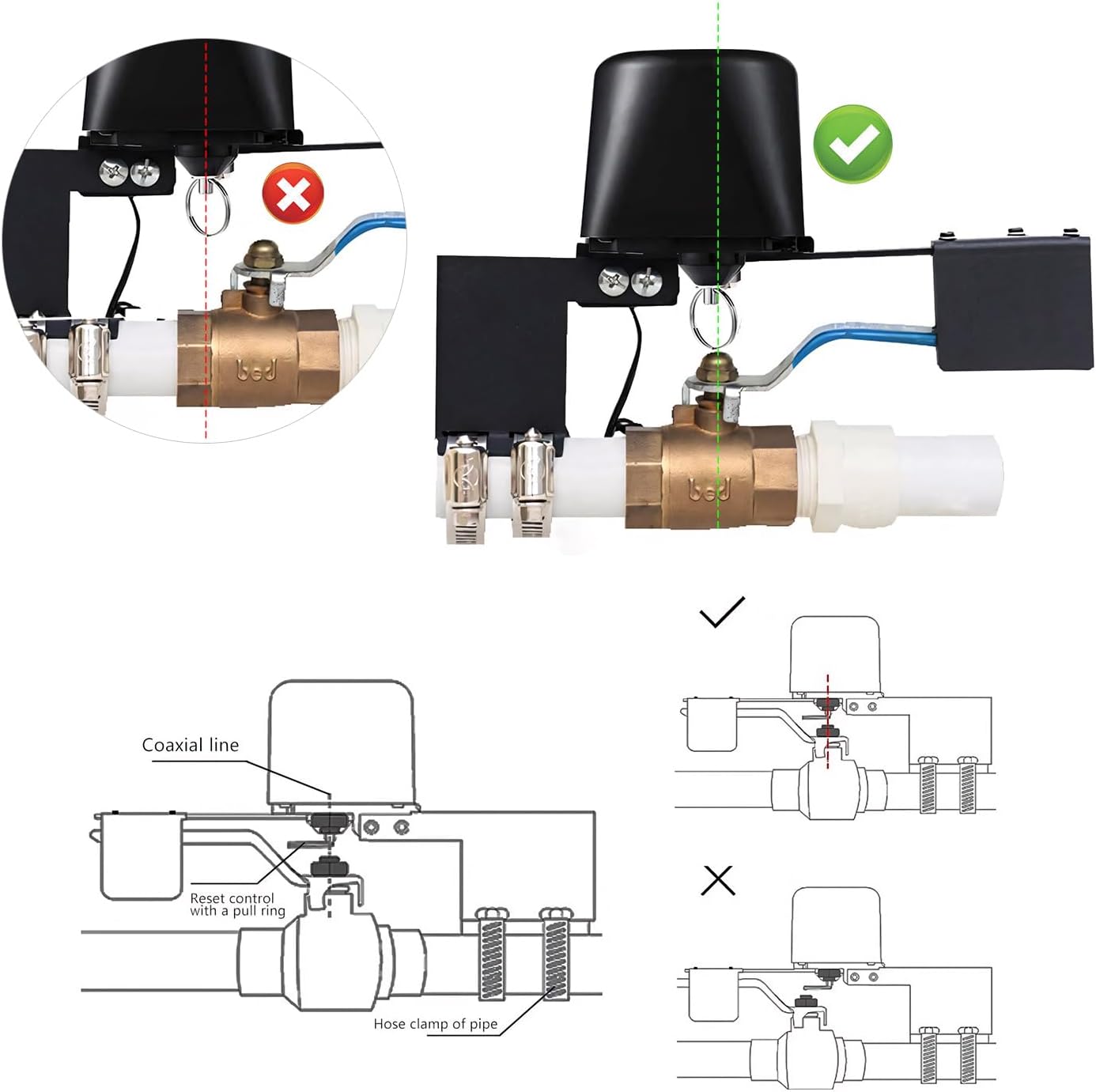
- Position the Device: Place the smart valve unit over the handle of your existing ball valve. Ensure the center of the smart valve controller's shaft aligns precisely with the center of the ball valve's shaft. Proper alignment is crucial for correct operation and to prevent motor damage.
- Secure the Brackets: Use the provided hose clamps to firmly attach the mounting brackets to the water pipe. The brackets should hold the smart valve securely in place, preventing any movement during operation.
- Tighten Screws: Use the hex wrench to tighten the screws that secure the smart valve unit to the mounting brackets. Double-check all connections to ensure stability.
- Power Connection: Connect the power adapter to the smart valve and plug it into a suitable power outlet.


Installation Notes:
- The device or pipes should be at least 2 inches from the wall.
- Maintain at least 5 inches of clearance from the ceiling.

6. Setup
To utilize the smart features of your water valve, you need to connect it to your home network via the "Smart Life" application.
- Download the App: Download the "Smart Life" app from your smartphone's app store (iOS/Android).
- Register/Log In: Open the app and register for a new account or log in if you already have one.
- Add Device: In the app, select "Add Device" or the '+' icon. The app may automatically detect the device if Bluetooth is enabled on your phone and the device is in pairing mode.
- Connect to WIFI: Select your 2.4GHz WIFI network and enter the password. The device only supports 2.4GHz WIFI. Keep the device close to your router during the pairing process for the best connection.
- Confirm Pairing: Follow the on-screen instructions in the app to complete the pairing process. The indicator light on the device will confirm successful connection.

Video: WIFI Control Water Valve Setup
Video 6.2: This video demonstrates the process of setting up the WIFI control for the smart water valve.
Video: Bluetooth Smart Water Valve Setup
Video 6.3: This video illustrates the Bluetooth setup and functionality of the smart water valve.
7. Operation
Once installed and set up, you can operate your Owfeel Smart Water Valve using various methods.
7.1 Remote Control via App
Use the "Smart Life" app on your smartphone to open or close the water valve from anywhere with an internet connection (WIFI) or within Bluetooth range.

7.2 Voice Control
Integrate the smart valve with Amazon Alexa or Google Home for convenient voice commands. Simply speak your command, and the valve will respond.
- Example: "Alexa, turn on the water valve!"
- Example: "Google Home, turn off the water valve!"

7.3 Manual Override
In case of a power outage or if the device is unresponsive, you can manually operate the valve. Pull down the metal ring located on the top of the valve controller and then physically turn the valve handle to the desired open or closed position.

Video: Smart Water Valve Operation
Video 7.4: This video demonstrates the smart water valve in operation, showing its automated movement.
8. Maintenance
The Owfeel Smart Water Valve requires minimal maintenance. Keep the unit clean and free from debris. Periodically check the mounting clamps and screws to ensure they remain tight and secure. If the valve handle becomes stiff, applying a small amount of appropriate lubricant may help, but ensure it does not interfere with the device's operation or the water supply.
9. Troubleshooting
- Q1: Why can't the water valve be completely closed?
- Ans: Please check whether the smart valve controller's center and the valve's center are aligned. If they are not aligned, it can prevent proper valve switching and potentially damage the smart valve's motor. Ensure precise alignment during installation.
- Q2: The valve switch is stuck.
- Ans: Pull down the clutch pull ring and manually swing the smart valve controller's handle 90 degrees until the valve can be switched smoothly. If the valve is too tight, consider applying some grease to the valve mechanism or replacing the existing valve if it is faulty.
- Q3: The smart valve controller cannot be paired into the network.
- Ans: Please ensure you are using a 2.4GHz WiFi network, that the signals are present and strong, and that the password is correct. While the smart valve controller is in pairing mode, keep it as close to the router as possible for the best possible results. Refer to the setup instructions in Section 6.
10. Warranty and Support
For warranty information, technical support, or further assistance, please refer to the product packaging or contact Owfeel customer service through their official channels. Keep your purchase receipt for warranty claims.


