
Acvoce SM24
Acvoce Universal Garage Door Opener Remote SM24 Instruction Manual
Model: SM24
1. Introduction
The Acvoce Universal Garage Door Opener Remote SM24 is designed to provide convenient access to your garage or gate. This remote is compatible with a wide range of garage door opener brands and models, supporting both Learn Button and DIP Switch programming methods. It features two channels, allowing control of up to two different garage door or gate devices, even from different brands.
Acvoce is committed to providing easy-to-use and cost-effective solutions for garage door remote control. This manual provides detailed instructions for setup, operation, and troubleshooting to ensure optimal performance of your new remote.
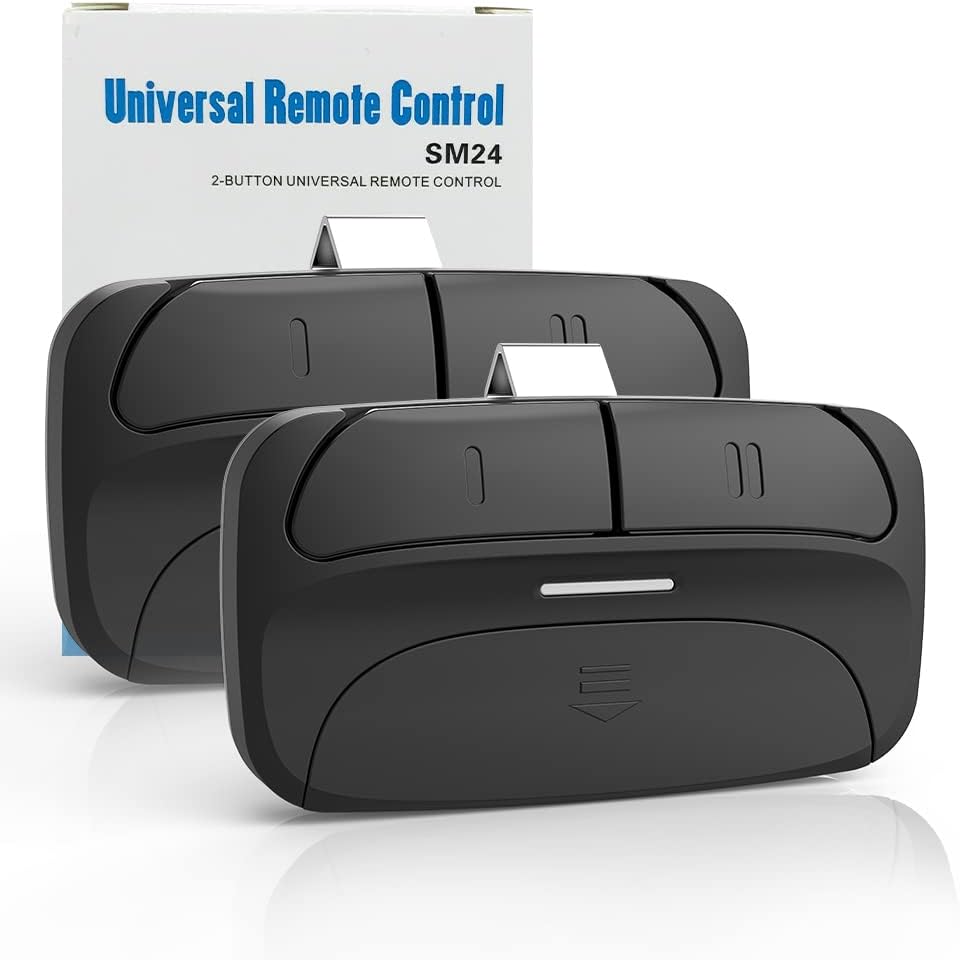
Image 1: Acvoce Universal Garage Door Opener Remote SM24 with its packaging.
2. Compatibility
The Acvoce SM24 remote is compatible with various garage door opener brands and models. It supports Chamberlain, Liftmaster, Genie, Linear, Overhead Door, Stanley, Multicode, and Sears Craftsman garage door openers. Compatibility is determined by the type of Learn Button (Purple, Yellow, Green, Red, Orange, Black) or the number of DIP Switches (7-12) on your garage door opener.
Important: Please refer to the compatibility charts below before attempting to program the remote. This remote is NOT COMPATIBLE with Sears Craftsman Series 100, 200.57933; Genie/Overhead Door Intellicode II; Overhead Door 456, 551, 556, 1000A; and Overhead Door openers with dip switches.
2.1. Compatible Brands and Frequencies

Image 2: Detailed compatibility table listing brands, frequencies, and specific models.
2.2. Compatible Learn Buttons and DIP Switches

Image 3: Visual representation of compatible Learn Button colors (Purple, Red, Orange, Yellow, Green) and DIP switch configurations.

Image 4: Additional visual guide for compatible Learn Button colors and DIP switch types, including Intellicode 1 and 2.
2.3. Compatible Remote Models for Replacement

Image 5: A visual display of various remote control models that the Acvoce SM24 can replace.
3. Package Contents
Your Acvoce Universal Garage Door Opener Remote SM24 package includes:
- 2 x Remote Control (with battery installed)
- 2 x Visor Clip
- 1 x Instruction Manual
4. Setup and Programming
The Acvoce SM24 remote can control up to two garage door openers. It supports both Learn Button and DIP Switch programming. The remote comes with batteries pre-installed, ready for programming.

Image 6: Internal view of the SM24 remote, highlighting its components.

Image 7: Easy-to-program diagram for the SM24 remote.
4.1. Programming for Learn Button Openers (Chamberlain, LiftMaster, Craftsman, Genie, etc.)
This method applies to garage door openers with a colored Learn Button (Purple, Yellow, Green, Red, Orange).
- Locate the Learn Button: Identify the color of the programming button on your garage door opener unit, typically located on the motor unit or an external receiver.
- Prepare the Remote: Press and hold buttons 'B' and 'C' on the Acvoce remote simultaneously. The blue LED on the remote will illuminate and remain lit. Release both buttons.
- Select Remote Button and Frequency: Press and release the button you wish to program (e.g., button 'C') a specific number of times corresponding to your opener's Learn Button color:
- Yellow Learn Button: Press once
- Purple Learn Button: Press twice
- Red/Orange Learn Button: Press three times
- Green Learn Button: Press four times
- Confirm Selection: Press any OTHER button on the remote (e.g., 'A', 'B', or 'D' if you programmed 'C'). The blue LED will turn off.
- Activate Opener's Programming Mode: On your garage door opener unit, press and release its Learn Button. The LED indicator on the opener will illuminate, indicating it is ready to pair.
- Pair the Remote: Within 30 seconds, press and hold the button you programmed on the Acvoce remote (e.g., 'C') until the garage door opener's light flashes or you hear a click. This indicates successful pairing.
- Test Operation: Press the programmed button on the Acvoce remote to confirm it operates your garage door.
4.2. Programming for DIP Switch Openers (Linear Multi-Code, Stanley, etc.)
This method applies to garage door openers that use physical DIP switches for coding.
- Access DIP Switches: Open the battery cover of your Acvoce SM24 remote to reveal the internal DIP switches.
- Match DIP Switch Settings: Carefully match the ON/OFF positions of the DIP switches on your Acvoce remote to the exact ON/OFF positions of the DIP switches on your existing garage door opener or original remote.
- Close Remote: Once the DIP switches are matched, close the battery cover of the Acvoce remote.
- Test Operation: Press any button on the Acvoce remote to confirm it operates your garage door.
5. Operation
The Acvoce SM24 remote features two buttons, allowing you to control up to two different garage door or gate devices. Once programmed, simply press the corresponding button to activate your garage door or gate opener.

Image 8: Operating the remote from inside a vehicle.
The remote's long working range allows you to operate your garage door opener from the security of your vehicle, providing convenient access without needing to exit your car.

Image 9: The remote positioned in front of a garage door, indicating ease of programming and use.
5.1. Using the Visor Clip
Attach the included visor clip to the back of the remote control. This allows you to conveniently clip the remote to your car's sun visor for easy access.
6. Maintenance
6.1. Battery Replacement
The Acvoce SM24 remote uses one CR2032 Lithium Metal battery. When the remote's range decreases or the LED indicator becomes dim, it is time to replace the battery.
- Open the battery compartment cover on the back of the remote.
- Remove the old CR2032 battery.
- Insert a new CR2032 battery with the positive (+) side facing up.
- Close the battery compartment cover securely.
6.2. Care and Cleaning
To ensure the longevity of your remote, keep it clean and dry. Wipe the exterior with a soft, damp cloth. Avoid using harsh chemicals or abrasive cleaners. Protect the remote from extreme temperatures and direct sunlight.
7. Troubleshooting
If you encounter issues with your Acvoce SM24 remote, refer to the following common troubleshooting steps:

Image 10: Visual troubleshooting guide.
- Unable to pair the door opener?
- Check Compatibility: Verify that your garage door opener is listed as compatible in Section 2 of this manual.
- Opener Memory Full: If your opener's memory is full, it might automatically deactivate old remotes. Try erasing the garage opener's memory according to its specific manual, then attempt to program the Acvoce remote again.
- Door Position: Ensure the garage door is closed before initiating the programming process. Some openers require the door to be closed for successful programming.
- A certain button doesn't work after programming?
- Try programming the opener to a different button on the Acvoce remote.
- Re-attempt the programming steps carefully, ensuring the correct number of presses for your opener's Learn Button color.
- Remote range is reduced or inconsistent?
- Replace the CR2032 battery in the remote.
- Ensure there are no obstructions between the remote and the garage door opener's antenna.
8. Specifications
| Product Model | SM24 |
| Dimensions | 3.23 x 1.73 x 0.71 inches |
| Item Weight | 3.17 ounces |
| Battery Type | 1 x CR2032 Lithium Metal (included) |
| Max Supported Devices | 2 |
| Compatible Learn Buttons | Purple, Yellow, Green, Red, Orange, Black |
| Compatible DIP Switches | 7-12 DIP Switches |
| Compatible Brands | Chamberlain, Liftmaster, Genie, Linear, Stanley, Multicode, Sears Craftsman |
9. Warranty and Support
9.1. Warranty Information
Acvoce provides a 1-Year warranty for this product. This warranty covers defects in materials and workmanship under normal use.
9.2. Customer Support
If you have any questions, require assistance with programming, or experience any issues with your Acvoce Universal Garage Door Opener Remote SM24, please contact our customer support team. You can reach us through the 'Ask a question' feature on our store page. We are committed to responding to your inquiries within 24 hours.
Ask a question about this manual
Ask about setup, troubleshooting, compatibility, parts, safety, or missing instructions. Manuals+ will review the question and use this page’s manual context to help answer it.