
1. Introduction
The ERICKHILL ECO-06 CO2 Meter is an advanced air quality monitor designed to accurately measure carbon dioxide (CO2) concentration, temperature, and relative humidity in real-time. Utilizing a dual-channel NDIR infrared sensor, this device provides precise and rapid readings, helping to ensure a healthy indoor environment. It also calculates dew point and wet bulb temperature, offering a comprehensive overview of your air quality.
This manual provides detailed instructions for the proper setup, operation, maintenance, and troubleshooting of your ERICKHILL ECO-06 CO2 Meter.
2. Safety Information
- Read all instructions carefully before using the device.
- Do not expose the device to extreme temperatures, direct sunlight, or high humidity.
- Avoid dropping or subjecting the device to strong impacts.
- Do not attempt to disassemble or modify the device. This will void the warranty and may cause damage.
- Use only the provided USB cable and charging plug for charging.
- Keep the device away from water and other liquids.
- Ensure proper ventilation around the device for accurate readings.
3. Package Contents
Verify that all items are present in the package:
- ERICKHILL ECO-06 CO2 Meter
- USB Cable
- Charging Plug
- User Guide (this document)

Image: The ERICKHILL ECO-06 CO2 Meter and its accessories as found in the product packaging.
4. Product Overview
The ERICKHILL ECO-06 features a clear FPC color screen for displaying data and a three-color LED indicator for quick air quality assessment. It includes three control buttons for menu navigation and operation.
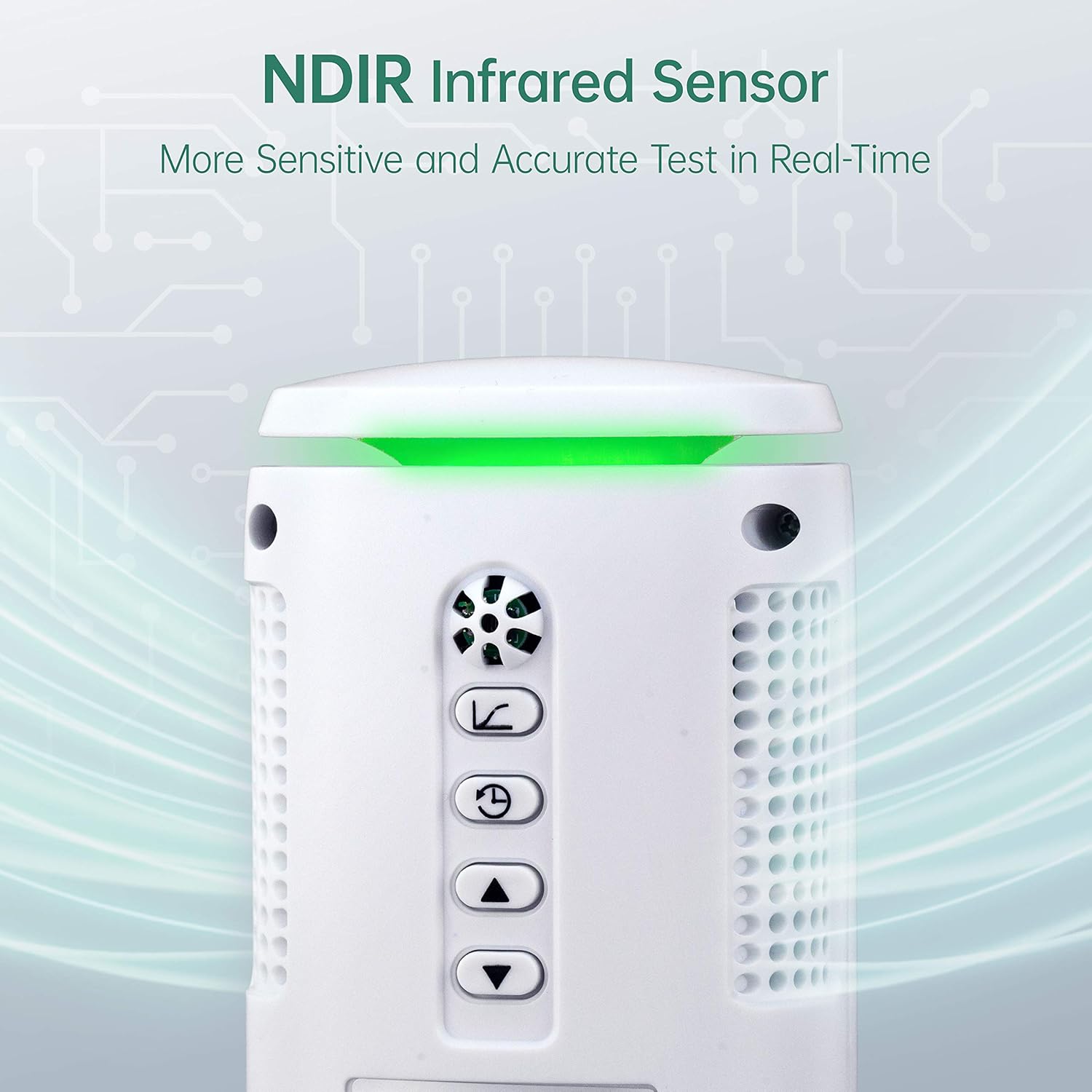
Image: Top view of the ERICKHILL ECO-06 CO2 Meter, highlighting the NDIR infrared sensor and control buttons.
4.1 Device Components
- NDIR Infrared Sensor: Located at the top, for accurate CO2 detection.
- FPC Color Screen: Displays CO2 concentration, temperature, humidity, and other data.
- LED Indicator: Provides a visual cue for air quality (Green, Orange, Red).
- MENU Button: Accesses device settings and options.
- ON/OFF ENTER Button: Powers the device on/off and confirms selections.
- RETURN LIGHT Button: Navigates back in menus and controls backlight.
- USB Charging Port: For charging the internal battery and connecting to a computer.
5. Setup
5.1 Charging the Device
Before first use, fully charge the device. Connect the provided USB cable to the device's charging port and the other end to the charging plug, then plug it into a power outlet. The device can also be charged via a computer's USB port. A full charge typically takes several hours. The battery icon on the display will indicate charging status, though it may show full bars until the battery is critically low.
5.2 Powering On/Off
Press and hold the ON/OFF ENTER button for a few seconds to power the device on or off.
5.3 Initial Placement
Place the CO2 meter in the area where you wish to monitor air quality. Ensure it is on a stable surface, away from direct airflow (e.g., vents, open windows) and heat sources, which could affect temperature and humidity readings. For optimal CO2 readings, place it at a typical breathing height.
6. Operating Instructions
6.1 Real-Time Monitoring
Once powered on, the device will immediately begin displaying real-time data on its FPC color screen. The main screen shows:
- CO2 Concentration: Measured in parts per million (ppm).
- Temperature: Displayed in °F or °C.
- Relative Humidity (RH): Displayed as a percentage.
- Dew Point (DP) and Wet Bulb (WB) Temperature: Calculated values.

Image: The ERICKHILL ECO-06 CO2 Meter displaying current CO2, temperature, humidity, dew point, and wet bulb measurements.
6.2 Air Quality Indicator
The device features a three-color LED indicator at the top, providing a quick visual assessment of CO2 levels:
- Green Light: CO2 concentration is between 0-700 ppm (Good air quality).
- Orange Light: CO2 concentration is between 701-5000 ppm (Moderate to poor air quality).
- Red Light: CO2 concentration is above 5001 ppm (Very poor air quality, requires immediate ventilation).

Image: Visual representation of the ERICKHILL ECO-06's LED air quality indicator, showing green for low CO2, orange for moderate, and red for high CO2 levels.
6.3 Menu Navigation
Use the following buttons to navigate the device's menu:
- Press MENU to enter the main menu.
- Use the ON/OFF ENTER button to select an option or confirm a setting.
- Use the RETURN LIGHT button to go back to the previous screen or exit the menu.
- The ON/OFF ENTER and RETURN LIGHT buttons may also function as Up/Down arrows within menu options for adjusting values.
6.4 Setting Alarms
The device allows you to customize the CO2 warning alarm range. Navigate to the alarm settings in the menu to set your desired high CO2 threshold. When the CO2 concentration exceeds this threshold, the device will emit an audible alarm and the LED indicator will turn red (or orange, depending on your setting).

Image: The ERICKHILL ECO-06 CO2 Meter with its orange LED alarm activated, signaling high CO2 levels.
6.5 Data Logging and Analysis
The ECO-06 can store up to 80,000 groups of records. You can configure the recording mode (continuous or timed) and the recording interval (hour/minute/second) through the device's menu. To view and analyze historical data, connect the device to a computer using the provided USB cable. The device supports real-time graphic viewing and analysis, allowing you to identify peak values (MAX/MIN/AVG) over time.

Image: The ERICKHILL ECO-06 CO2 Meter connected to a computer, showing its data logging capabilities and software interface.
6.6 Automatic Baseline Calibration (ABC)
The device features Automatic Baseline Calibration (ABC) to maintain accuracy. For optimal calibration, it is recommended to periodically expose the monitor to fresh outdoor air for a period of time. The manual does not provide specific details on frequency or duration for user-initiated ABC, nor does it offer a manual calibration option.
7. Maintenance
7.1 Cleaning
To clean the device, gently wipe the exterior with a soft, dry cloth. Do not use abrasive cleaners, solvents, or immerse the device in water. Ensure the sensor openings are free from dust and debris.
7.2 Battery Care
The device contains a rechargeable lithium-ion battery. To prolong battery life:
- Avoid fully discharging the battery frequently.
- Charge the device regularly, even if not in constant use.
- Store the device in a cool, dry place if not used for extended periods.
8. Troubleshooting
If you encounter issues with your ERICKHILL ECO-06 CO2 Meter, refer to the following common problems and solutions:
| Problem | Possible Cause | Solution |
|---|---|---|
| Device does not power on. | Low battery or device malfunction. | Charge the device fully. If it still doesn't turn on, contact customer support. |
| CO2 reading is stuck at 0 ppm or appears inaccurate. | Sensor malfunction or calibration issue. | Ensure the sensor area is clean. Move the device to an outdoor environment for several minutes to allow for automatic baseline calibration. If the issue persists, the sensor may be faulty; contact support. |
| Temperature/Humidity readings seem inaccurate. | Environmental factors or sensor deviation. | Ensure the device is not near heat sources, direct sunlight, or strong drafts. Compare readings with another calibrated device. Note that consumer-grade sensors may have slight deviations. |
| Battery icon always shows full, then device suddenly shuts off. | Firmware or battery indicator issue. | This is a known characteristic for some units. Monitor usage time to anticipate shutdown. Keep the device connected to USB power for continuous monitoring if needed. |
| Cannot connect to computer for data transfer. | Incorrect cable, driver issue, or software incompatibility. | Ensure you are using the correct USB cable. Check if the necessary drivers or software are installed on your computer. Contact ERICKHILL support for software links and compatibility information. |
9. Specifications
| Feature | Description |
|---|---|
| Brand | ERICKHILL |
| Model Number | ECO-06 |
| Sensor Type | Dual-channel NDIR (Non-Dispersive Infrared) |
| Measured Parameters | CO2 concentration, Temperature, Relative Humidity, Dew Point, Wet Bulb Temperature |
| CO2 Measurement Range | Typically 0-9999 ppm (refer to device for exact range) |
| Temperature Range | Typically -10°C to 50°C (14°F to 122°F) |
| Humidity Range | 0% to 99% RH |
| Display | FPC Color Screen, Three-color LED Indicator |
| Data Storage | Up to 80,000 groups of records |
| Connectivity | USB for charging and data transfer |
| Power Source | Rechargeable 1500 mAh, DC3.7V Lithium-ion Battery |
| Color | White |
10. Warranty and Support
ERICKHILL provides a 36-month after-sale service and lifetime technical support for the ECO-06 CO2 Meter. If you have any questions, require assistance, or experience issues not covered in this manual, please do not hesitate to contact our professional after-sales team. They are available to help resolve your problem in a timely manner.
For support, please refer to the contact information provided on the ERICKHILL official website or the product packaging.