
ZHIWHIS ZWS-8801
ZHIWHIS ZWS-8801 Portable Radio User Manual
Model: ZWS-8801
Important Safety Information
If the machine has been fitted with a battery, switch off the radio (that is, in the time of the clock), and then switch to the conversion of the external power supply and battery.
Product Overview
The ZHIWHIS ZWS-8801 is a portable AM/FM/Shortwave digital tuner radio designed for excellent reception and ease of use. It features a DSP chip for sensitive and stable signal reception, multiple power options, and convenient functions like an alarm clock and sleep timer.

Image: Front view of the ZHIWHIS ZWS-8801 Portable Radio, showing the speaker, display, and control buttons.
Key Features
- DSP Radio: Equipped with a quality DSP chip and a 17.7-inch rotatable telescopic antenna for sensitive and stable reception across FM, MW (AM), and SW (shortwave) bands. Includes power and tuning LED indicators.
- Dual Power Options: Can be powered via DC5V USB cable or 4 AA batteries (not included).
- Versatile Listening: Features a high-quality 3W speaker for clear sound and a 3.5mm stereo headphone jack for private listening.
- Station Presets: Stores up to 60 stations (20 per band) with both manual and fully automatic memory setting methods. Orange backlight for night operation.
- Sleep Timer: Adjustable auto shut-off from 10-90 minutes.
- Alarm Clock & Auto Power-on: Set the radio to automatically turn on at a specific time and function as an alarm.
- Portable Design: Compact and lightweight, suitable for home, travel, camping, hiking, and emergencies.

Image: Diagram illustrating key features and dimensions of the ZHIWHIS ZWS-8801 radio, including key lock, memory, volume knob, speaker, earphone jack, sleep timer, alarm clock, digital clock, DC5V power, and battery supply.
Setup
Powering the Radio
The ZWS-8801 radio offers two methods for power supply:
- Battery Operation: Insert 4 AA 1.5V batteries (not included) into the battery compartment located on the back of the radio. Ensure correct polarity.
- USB Power: Connect the included DC5V USB power cable to the DC-IN 5V port on the side of the radio. Plug the other end into a compatible USB power adapter (not included) or a USB port.

Image: Illustration showing the battery compartment for 4 AA batteries and the DC5V USB power cable connection point on the ZHIWHIS ZWS-8801 radio.
Operating Instructions
Basic Operation
- Power On/Off: Press the POWER/SLEEP button to turn the radio on or off.
- Volume Adjustment: Rotate the VOL. knob on the right side of the radio to adjust the volume.
- Band Selection: Press the BAND button to cycle through FM, AM (MW), and SW (shortwave) bands.
- Tuning: Use the Up (^) and Down (v) arrow buttons to manually tune to desired frequencies.
- Antenna Adjustment: Extend and rotate the telescopic antenna for optimal reception, especially for FM and SW bands.

Image: Detailed diagram showing the location and function of each button and port on the ZHIWHIS ZWS-8801 radio, including the Tun Lamp, Power Lamp, Backlight LCD Display, Storage Position Number, Key Lock, Scan Up/Time Up Adjustment, Power/Sleep button, Scan Down/Time Down Adjustment, FM-AM-SW Band Switch, Set Time/Presetting station/ATS, Speaker, Volume Knob, DC5V Port, Headphone Port, Mega Bass, and Battery Compartment Cover.
Station Presets
The radio can store up to 60 stations, with 20 presets available for each band (FM, AM, SW).
- Automatic Tuning Storage (ATS): Long press the BAND button to initiate automatic scanning and storage of available stations.
- Manual Storage:
- Tune to the desired station using the Up (^) and Down (v) buttons.
- Press the MEMO button. The preset number will flash on the display.
- Use the M+ or M- buttons to select the desired preset number.
- Press the MEMO button again to confirm and save the station.
- Recalling Presets: In radio mode, use the M+ or M- buttons to cycle through saved stations.

Image: Display showing FM, AM, and SW frequency ranges and indicating the 60 memory station capacity with automatic and manual storage methods.
Alarm Clock and Sleep Timer
- Setting Time: Long press the MEMO button to enter time setting mode. Use the Up (^) and Down (v) buttons to adjust hours and minutes, and press MEMO to confirm each setting.
- Setting Alarm:
- In time display mode, long press the POWER/SLEEP button to activate the alarm setting. The alarm icon will appear.
- Use the Up (^) and Down (v) buttons to set the desired alarm time.
- Press POWER/SLEEP again to confirm.
- When the alarm rings, press any button to stop it.
- Sleep Timer: While the radio is on, short press the POWER/SLEEP button repeatedly to cycle through sleep timer options (10-90 minutes). The radio will automatically turn off after the selected duration.
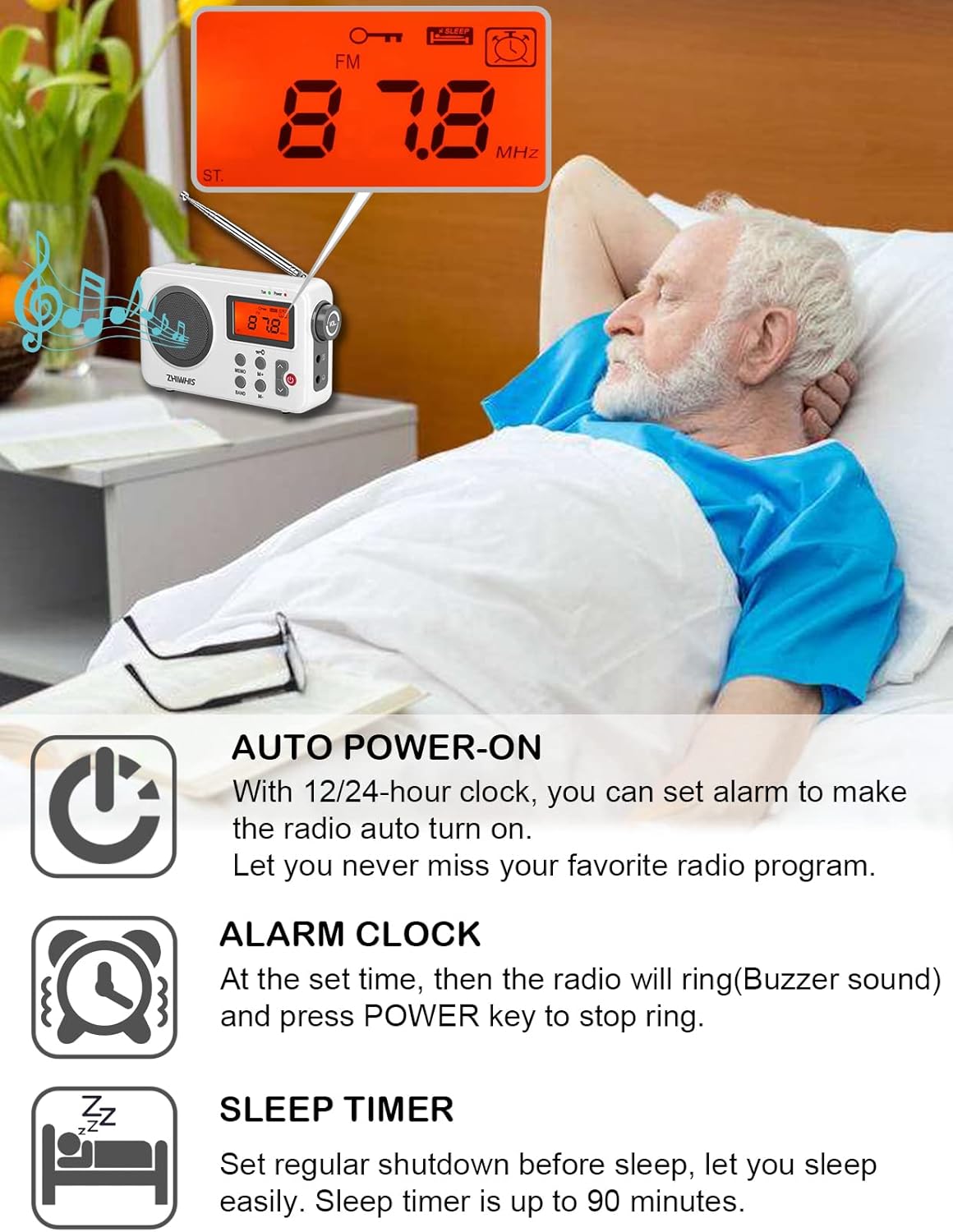
Image: Visual representation of the auto power-on, alarm clock, and sleep timer functions of the ZHIWHIS ZWS-8801 radio, showing a person sleeping while the radio plays.
Listening with Headphones
For private listening, plug any standard 3.5mm stereo headphones into the headphone jack located on the right side of the radio, below the volume knob.
Maintenance
- Keep the radio dry and away from moisture.
- Clean the radio with a soft, dry cloth. Do not use abrasive cleaners or solvents.
- If not using the radio for an extended period, remove the batteries to prevent leakage.
- Avoid extreme temperatures and direct sunlight.
Troubleshooting
| Problem | Possible Cause | Solution |
|---|---|---|
| No power / Radio does not turn on. |
|
|
| Poor reception / Static. |
|
|
| Cannot save stations. |
|
|
Specifications
- Model: ZWS-8801
- Dimensions: 5.9"L x 1.4"W x 3.5"H (15 x 3.5 x 8.9 cm)
- Weight: 7 ounces (198 grams)
- Tuner Technology: DSP
- Radio Bands Supported: FM, AM (MW), Shortwave (SW)
- FM Frequency Range: 76-108 MHz
- AM Frequency Range: 520-1710 KHz (10KHz step) / 522-1620 KHz (9KHz step)
- SW Frequency Range: 4.75-21.85 MHz
- Speaker: 3W
- Power Source: 4 x AA batteries (not included) or DC5V USB
- Connectivity: USB (for power), 3.5mm Headphone Jack
- Special Features: Sleep Timer, Alarm Clock, Time Display, Auto Power-on, Station Memory Presets (60 total)
What's in the Box
- 1 x ZWS-8801 FM / MW/ SW Radio Receiver
- 1 x English User Manual & Warranty Card
- 1 x Exquisite packing box
- 1 x USB cable (39.4in length)

Image: The ZHIWHIS ZWS-8801 radio, user manual, USB cable, and packaging box.
Warranty and Support
ZHIWHIS provides a high-quality product and stands behind its quality. For any product issues or support inquiries, please refer to the contact information provided on the warranty card included in your package or contact the seller directly.
Product Demonstration Video
Video: A demonstration of the ZHIWHIS Portable Radio, highlighting its features such as power options, volume control, channel tuning, saving channels, and connecting earphones.