
Introduction
These SmartDevil cotton filter sticks are designed for use with 280ml USB portable humidifiers. They feature good water absorption, uniform pore distribution, strong storage capacity, and stable volatilization to ensure efficient humidifier operation. This pack contains 10 replacement wicks, providing a convenient solution for maintaining your humidifier's performance.
Setup and Installation
Follow these steps to properly install the filter stick in your humidifier:
- Prepare the Humidifier: Carefully remove the top cover of your humidifier. If an old filter stick is present, gently pull it out from its housing or tube.
- Insert New Filter: Take one new SmartDevil filter stick. Insert it into the designated filter tube or housing within your humidifier. Ensure it is seated correctly and reaches the bottom of the water tank when the humidifier is assembled.
- Saturate the Filter: Before first use, it is crucial to allow the new filter stick to fully absorb water. You can do this by placing the filter stick in a cup of water for a few minutes until it is completely wet, or by assembling the humidifier with the new filter and waiting 5-10 minutes after filling the water tank before turning it on.
- Reassemble and Fill: Reattach the humidifier's top cover. Fill the water tank with clean tap water.
- Important Note: Always use clean tap water. Avoid adding essential oils directly to the water tank or soaking the filter sticks in essential oils, as this can clog the filter and impair humidifier function.
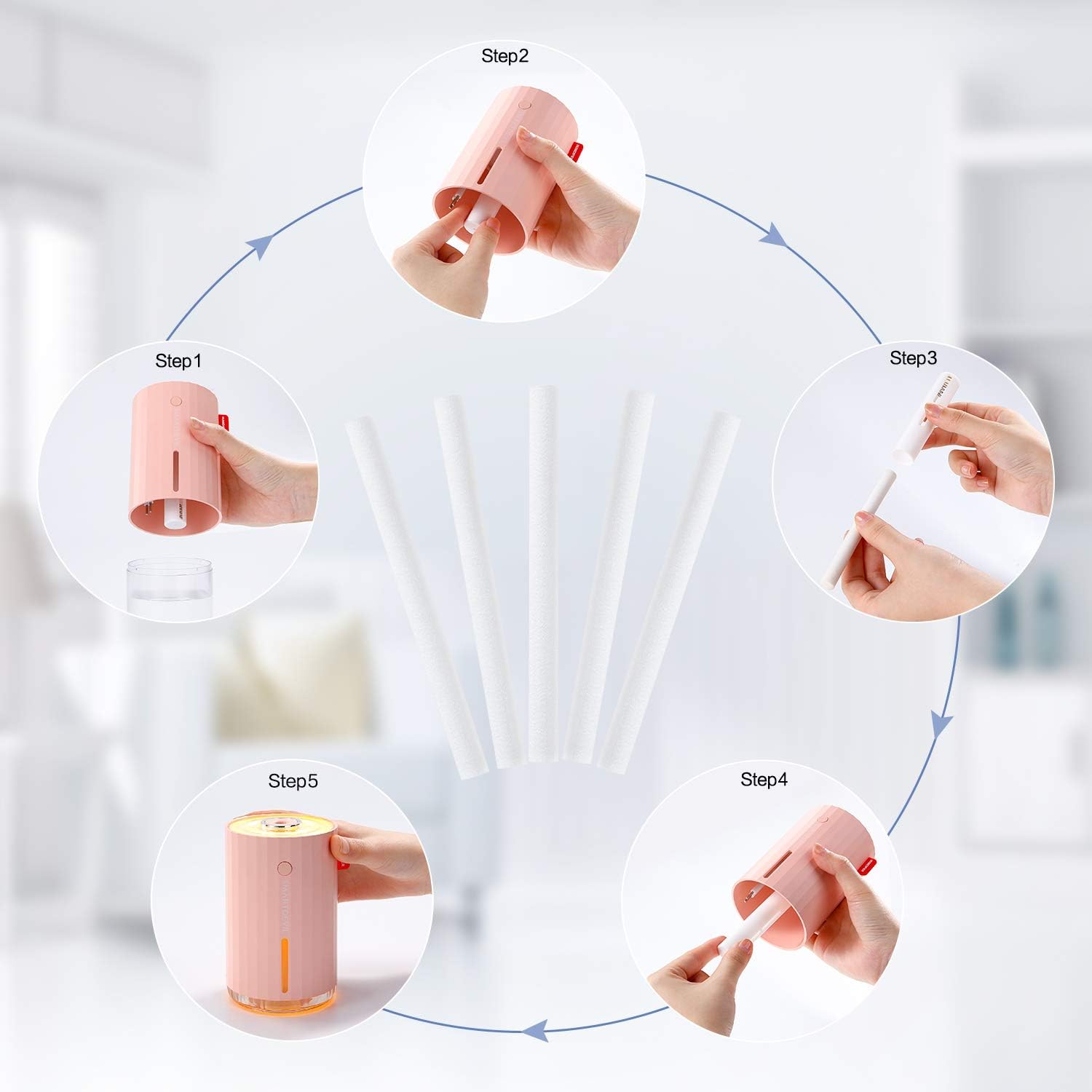
Image: Step-by-step guide for replacing the humidifier filter stick. This diagram illustrates the process from removing the old filter to inserting and soaking the new one.
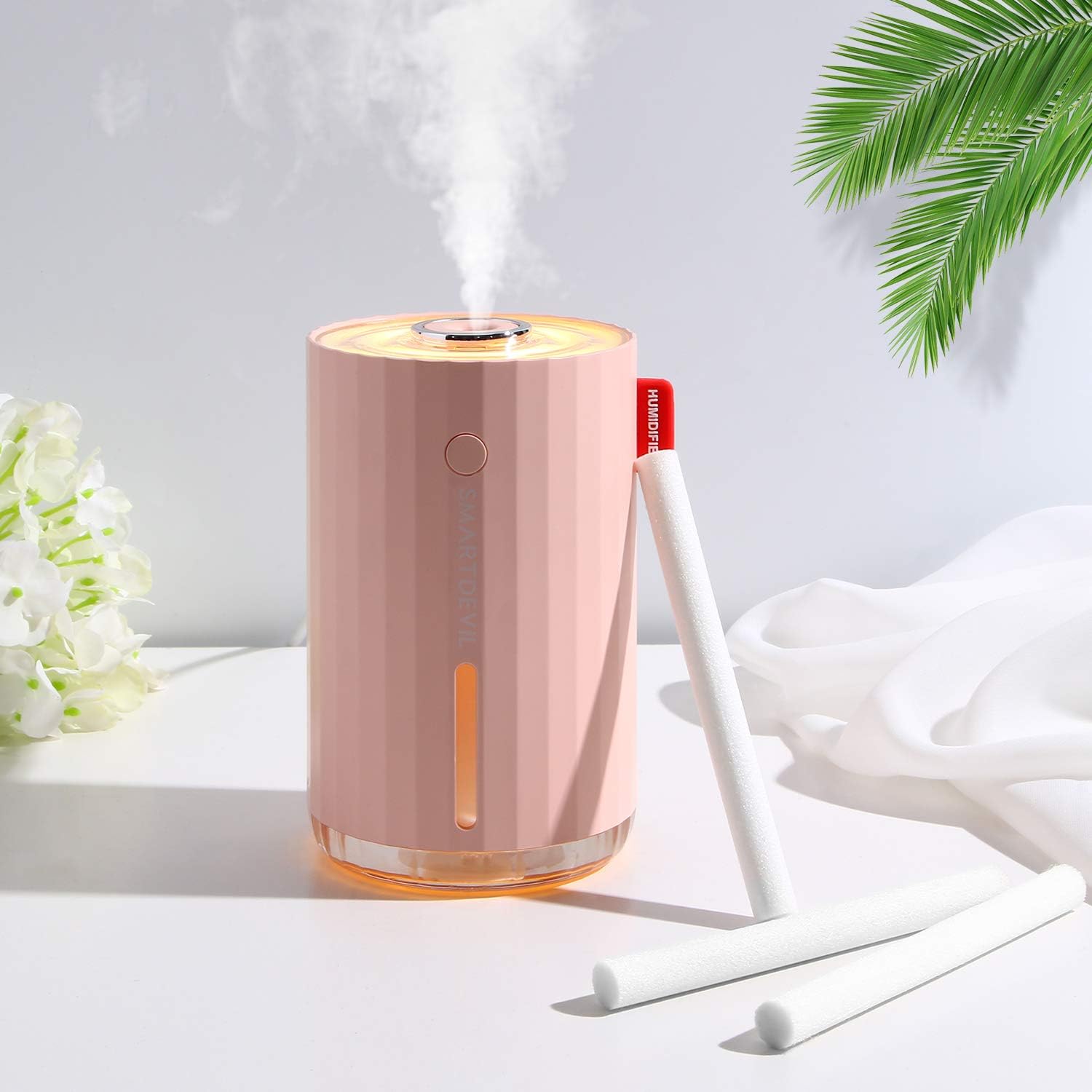
Image: A pink portable humidifier with several white filter sticks positioned beside it, demonstrating the product in context.
Operating Instructions
The filter sticks are essential components for your humidifier's operation. Once correctly installed and fully saturated with water, the filter stick absorbs water from the tank and transports it to the ultrasonic atomizer, allowing the humidifier to produce a fine mist. Ensure your humidifier always has sufficient water for continuous and effective mist output.
Maintenance
Regular replacement of the filter stick is crucial for optimal humidifier performance and longevity:
- Replacement Frequency: It is recommended to replace the filter stick every 1 to 2 weeks, depending on usage frequency and water quality.
- Signs for Replacement: Replace the filter stick if you notice a significant decrease in mist output, if the humidifier stops functioning efficiently (e.g., heats up without producing mist), or if the filter stick appears discolored or hardened.
- Do Not Clean: Do not attempt to clean and reuse old filter sticks, as their absorption capacity and filtration effectiveness may be compromised, potentially leading to poor performance or damage to your humidifier.

Image: A visual comparison between a new, clean white filter stick and a used, discolored filter stick, highlighting the need for replacement.

Image: This image shows a new filter stick next to a slightly used one, with text suggesting replacement every 2-4 weeks to maintain humidifier efficiency.
Troubleshooting
If you encounter issues with your humidifier's mist output, consider the following filter-related troubleshooting steps:
- Low Mist Output: If your humidifier produces less mist than usual, or if it stops producing mist entirely while the device is still powered on, the filter stick may be clogged or worn out. Replace the filter stick following the installation instructions.
- No Mist on First Use: Ensure the new filter stick is fully saturated with water before operating the humidifier, especially after a new installation. An unsaturated filter cannot absorb water effectively.
- Improper Fit: Verify that the filter stick is correctly inserted into its tube and reaches the water in the tank. An improperly seated filter may not draw water efficiently.
Specifications
| Product Name | SmartDevil Humidifier Filter Sticks |
| Quantity | 10 pieces per pack |
| Material | Cotton |
| Dimensions (each stick) | Approximately 1 cm (0.39 in) diameter, 11 cm (4.33 in) length |
| Compatibility | Designed for 280ml USB portable humidifiers. Can be trimmed to fit various humidifier models. |

Image: This image displays the precise dimensions of the filter sticks, indicating a diameter of 1cm and a length of 11cm.

Image: This image highlights the compatibility of the filter sticks with various humidifiers, noting that they can be trimmed to the required length.
Warranty Information
For specific warranty details regarding your SmartDevil humidifier filter sticks, please refer to the documentation included with your original humidifier purchase or visit the official SmartDevil website. Filter sticks are consumable items and typically have a limited or no warranty due to their nature.
Customer Support
If you require further assistance, have questions about the product, or need to report an issue, please contact SmartDevil customer service. Contact information can usually be found on the product packaging, the official SmartDevil website, or through your point of purchase.