
1. Introduction
Thank you for choosing the Diyife 15 kg Digital Kitchen Scale. This manual provides essential information for the safe and efficient operation of your new kitchen scale. Please read it thoroughly before use and retain it for future reference.
2. Safety Information
- Do not immerse the scale in water or other liquids.
- Clean the scale with a damp cloth; do not use abrasive cleaners.
- Place the scale on a flat, stable surface for accurate measurements.
- Avoid exposing the scale to extreme temperatures or humidity.
- Do not overload the scale beyond its maximum capacity of 15 kg.
- Keep out of reach of children.
3. Package Contents
- Diyife 15 kg Digital Kitchen Scale (Model K29H)
- User Manual
- Batteries
4. Product Overview
The Diyife Digital Kitchen Scale features a large weighing surface, an easy-to-read LCD screen, and a durable construction for precise measurements in your kitchen.
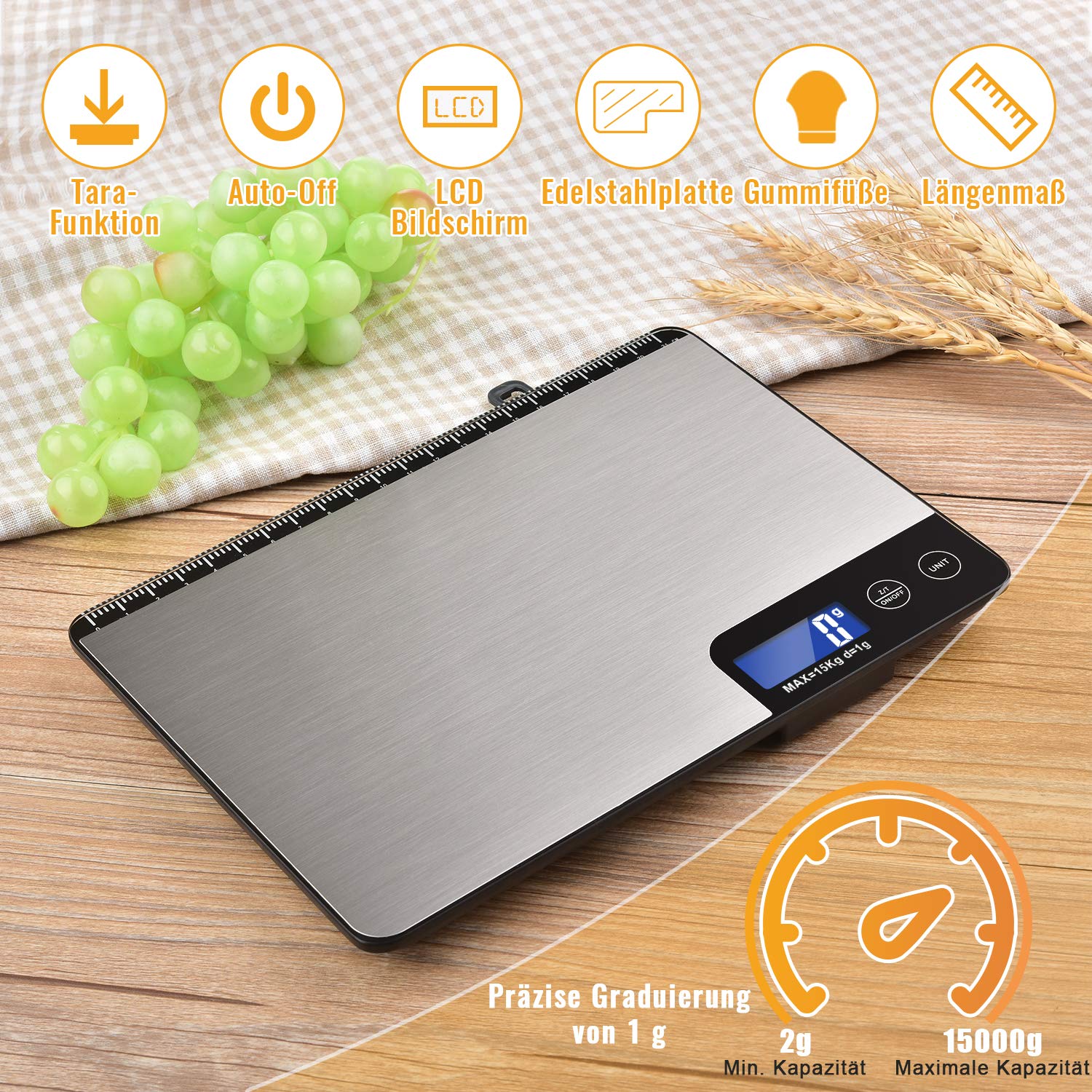
Image: Diyife 15 kg Digital Kitchen Scale. This image shows the top view of the scale, highlighting the stainless steel platform, the LCD display, and the control buttons. Grapes are placed next to the scale, and wheat stalks are in the background, suggesting its use for food preparation. Icons above the scale indicate features like Tare Function, Auto-Off, LCD Screen, Stainless Steel Plate, Rubber Feet, and Length Measurement. A gauge at the bottom indicates a precise graduation of 1g, with a minimum capacity of 2g and a maximum capacity of 15000g.
Key Features:
- High Capacity: Measures from 2g up to 15 kg with 1g precision.
- Multiple Units: Supports 6 units (g, kg, lb:oz, fl.oz, ml, milk).
- Tare Function: Allows you to subtract the weight of a container.
- Auto-Off: Automatically turns off after 2 minutes of inactivity to save battery.
- Durable Construction: Made of tempered glass and stainless steel for easy cleaning and durability.
- LCD Display: Large, backlit LCD screen for clear readability.
- Hanging Design: Features a hook hole for convenient storage.

Image: Large Panel and Slim Design. This image illustrates the dimensions of the scale, showing a length of 22.8 cm (8.97 in) and a width of 16 cm (6.29 in). A side profile view highlights its slim design, measuring 2.1 cm (0.82 in) in thickness. The image also shows a protective blue film being peeled off the scale surface.

Image: Durable Material. This image displays the three-layer structure of the scale: 1) Stainless steel (anti-fingerprint, easy to clean), 2) Tempered glass (high pressure resistant and robust), and 3) ABS Plastic (safe and robust). The scale is shown on a wooden surface with a small plant and grapes in the background.
5. Setup
5.1. Battery Installation
- Open the battery compartment on the underside of the scale.
- Insert the included batteries, ensuring correct polarity (+/-).
- Close the battery compartment securely.
5.2. Initial Use
- Place the scale on a hard, flat, and stable surface.
- Remove any protective film from the weighing platform before first use.
6. Operating Instructions
6.1. Power On/Off
- Press the ON/OFF button to turn the scale on.
- Press and hold the ON/OFF button to turn the scale off.
6.2. Unit Conversion
The scale supports 6 different units of measurement: grams (g), kilograms (kg), pounds:ounces (lb:oz), fluid ounces (fl.oz), milliliters (ml), and milk volume (ml).
- Press the UNIT button to cycle through the available units.
- The selected unit will be displayed on the LCD screen.

Image: 6 Units Conversion. This image shows the LCD display of the scale cycling through various measurement units: g, kg, lb, oz, ml, and milk (ml). The scale is placed on a wooden surface with a cup and a small plant in the background.
6.3. Tare Function
The Tare function allows you to weigh ingredients in a container by subtracting the container's weight.
- Place an empty container on the weighing platform.
- Press the Z/T (Tare) button. The display will reset to zero.
- Add your ingredients to the container. The display will show only the weight of the ingredients.

Image: Tare Function Steps. This four-panel image demonstrates the tare function: 1) Removing the blue protective film, 2) Placing an empty bowl on the scale, 3) Pressing the 'Z/T' button to zero the display, and 4) Adding ingredients to the bowl to weigh them accurately. The scale is shown on a wooden surface with a cup and a small plant in the background.
6.4. Auto-Off Function
The scale is equipped with an automatic shut-off feature to conserve battery life. If no operation is performed for approximately 2 minutes, the scale will turn off automatically.

Image: 2 Min Auto-Off. This image shows two states of the scale's display, one active and one blank, with a clock icon in between, illustrating the automatic shut-off feature after 2 minutes of inactivity. The scale is on a wooden surface with grapes in the background.
7. Maintenance and Care
- Cleaning: Wipe the scale surface with a soft, damp cloth. For stubborn stains, a mild detergent can be used. Ensure the scale is completely dry before storage.
- Storage: Store the scale in a cool, dry place. The integrated hook allows for convenient hanging storage.
- Battery Replacement: Replace batteries when the low battery indicator appears on the display.
- Avoid Impact: Do not drop the scale or subject it to heavy impacts, as this may damage the internal sensors.

Image: Easy to Clean. This image shows a hand wiping the stainless steel surface of the scale with a white cloth, demonstrating its easy-to-clean nature. Powder is visible on the scale, indicating a cleaning scenario. The scale is on a wooden surface with grapes in the background.

Image: Hanging Design. This image shows the kitchen scale hanging on a wall hook in a kitchen, demonstrating its convenient storage feature. A close-up inset highlights the hook hole on the scale. Kitchen counter with vegetables and cooking pots are visible in the foreground.
8. Troubleshooting
| Problem | Possible Cause | Solution |
|---|---|---|
| Scale does not turn on | Low or dead batteries; Incorrect battery installation | Replace batteries; Check battery polarity |
| Inaccurate readings | Scale not on a flat surface; Overloaded; Damaged sensor | Place on a stable, flat surface; Do not exceed 15 kg; Contact support if damage is suspected |
| Display shows "Lo" | Low battery power | Replace batteries |
| Display shows "O-Ld" | Overload error | Remove item immediately; Do not exceed 15 kg |
9. Specifications
| Brand | Diyife |
| Model Number | K29H |
| Weight Limit | 15 Kilograms |
| Reading Accuracy | ± 1 gram |
| Minimum Capacity | 2 grams |
| Display Type | LCD |
| Material | Stainless Steel, Tempered Glass, ABS Plastic |
| Color | Silver |
| Form Factor | Flat platform |
| Auto-Off Time | Approx. 2 minutes |
| Package Dimensions | 25.6 x 18.9 x 3.4 cm |
| Item Weight | 690 g |
10. Warranty and Support
Diyife products are designed to provide reliable performance. For warranty information or technical support, please refer to the contact details provided with your purchase or visit the official Diyife website. Please have your model number (K29H) and purchase date available when contacting support.